
Docs
LiaScript documentation course
Install / Use
/learn @LiaScript/DocsREADME
https://github.com/user-attachments/assets/7cab2d61-5858-4b62-87bf-0598e44af2e7
LiaScript
To see this document as an interactive LiaScript rendered version, click on the following link/badge:
If you need help, feel free to ask us any questions in the chat:


--{{0}}--
With LiaScript, we tried to implement an extended Markdown format that should enable everyone to create, share, adapt, translate or correct online courses without the need of being a web-developer. We believe that a language-based approach, instead of a tooling-centered one, provides more flexibility, freedom of creativity, and sustainability. Therefore we tried to develop a simplistic syntax that extends the static Markdown with quizzes, animations, spoken text, automated visualization ASCII-art and much more. Everything has been woven around Markdown, so that the content can still be read and interpreted with any kind of editor or Markdown-interpreter.
What is LiaScript?
-
a Markdown dialect for interactive courses and data-driven publishing,
-
everything is implemented in Elm/JavaScript and runs directly within the browser (online),
-
the interpreter itself is also a reader, which allows for storing documents as well as the progress,
-
courses can also be taken offline, since the interpreter is also a progressive web app (PWA), that allows to store documents and progress directly within the browser (locally),
-
everything is private, we do not store any data about the courses nor the users and their progress
--{{1}}--
There are a couple of problems that we currently see in the creation of Open educational resources (OER). One of them is isolation, that means people, who want to create content, are seldom connected via the applied technologies, instead, they are separated by platforms, authoring tools and used core technologies (programming languages). Furthermore, it is not possible to simply grab an educational website/project and to adapt its content for another audience. Additionally, it seems to be nearly impossible for people without a technical background to simply set up a small course. Thus, they stuck with Word, PowerPoint, and PDF, since they provide a simple continuation of the static formats people have used before the computer-era. "If I want to publish content for the computer, I want my audience to dive in, experiment, simulate, play with the content... but not only read."
{{1}}
Goals
- Simplicity: with a human-centered markup-language, anyone should be enabled to create and modify content.
- Interactive: the browser is the next operating systems and although content with LiaScript is developed within a "static" markup-language it should not be presented that way.
- Extendability: everything that is not part of LiaScript shall be embeddable and importable.
- Durability: platforms go down, the development of proprietary software/formats is discontinued, but LiaScript is not hosted on one platform (it can be hosted everywhere) and even without the LiaScript interpreter the content is still readable and interpretable with every editor; you could even print or engrave it on stone or clay. Furthermore, if you use some kind of versioning system (e.g. git) you can refer to any previous version of your course.
--{{2}}--
Imagine a world where everyone would have the same access to high quality educational content for free. Imagine all kind of schoolbooks, technical or scientific literature could become open-courSe projects and more interactive, with collaborating teachers and students. Everything that is required is a simple text-editor and a web-browser.
{{2}}

Tools
--{{0}}--
As already mentioned all you need to work with LiaScript is an text-editor, but it can be useful to apply one of the following tools. At least we apply them to see the result of a change within the course document immediately. You will see, that the development of online-courses will speed up, especially if there is no need for memorizing complex point and click sequences.
"Let the editor be your canvas and the keyboard your brush."
Editing
--{{0}}--
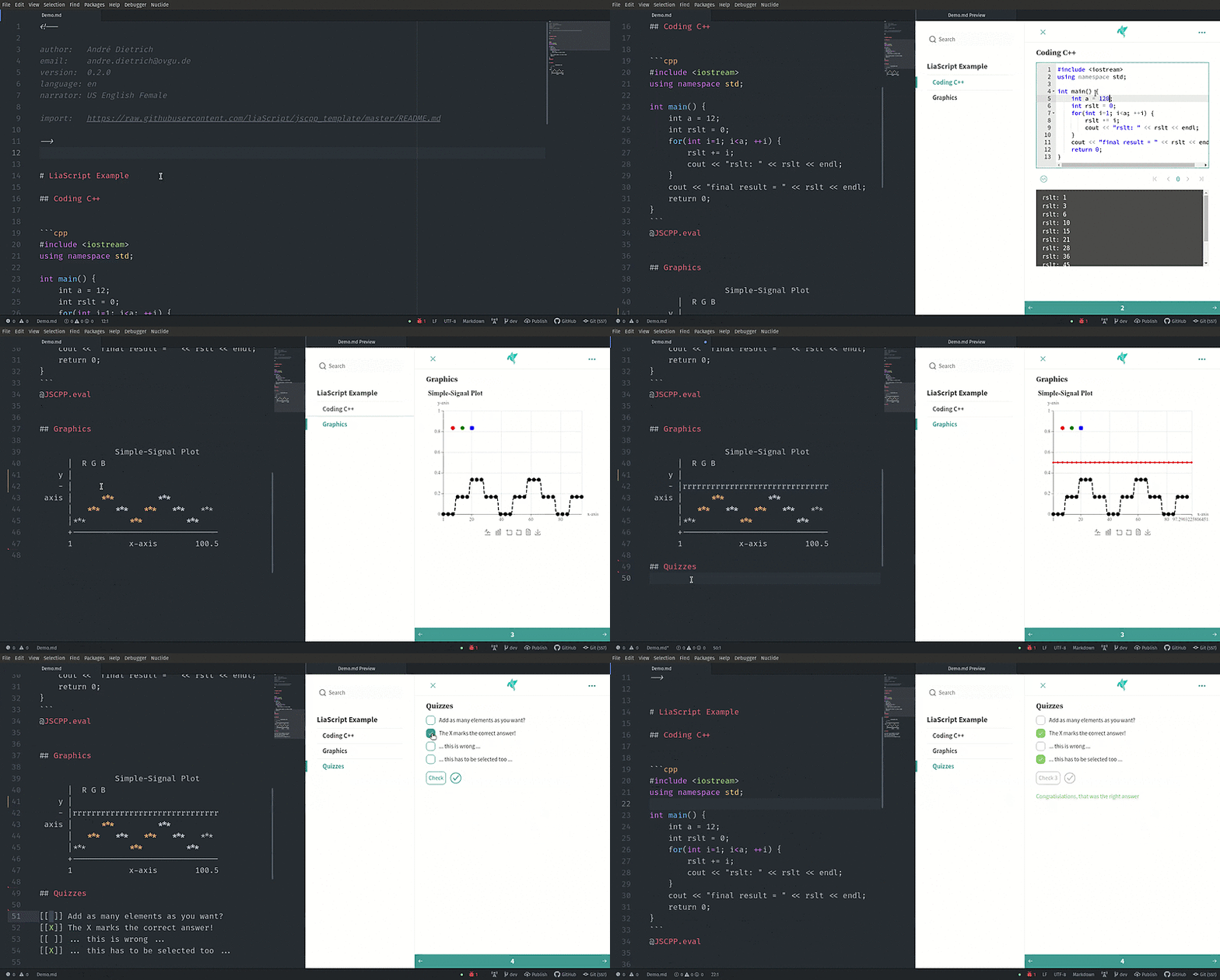
There are currently 2 plugins for the Atom Editor and Visual-Studio-Code available, which are intended to ease and simplify the development of online courses with LiaScript. Additionally you can use the LiveEditor, an entirely browser based application.
 <!-- style="width:100%"-->
-
LiveEditor: Fully functional online editor, that looks like CodiMD, but is entirely browser based. With support for uploading images and videos and collaborative editing.
-
Atom: This is the free and open and official GitHub editor, with lots of plugins for various use cases.
- liascript-preview:
Is a tiny previewer that, if it was toggled (
Alt+L), updates the view on your course each time you save your document. - liascript-snippets:
If you start typing
liain your Markdown document you switch on a fuzzy search, that contains a lot of LiaScript help, examples, and snippets.
Detailed installation instructions can be found here.
- liascript-preview:
Is a tiny previewer that, if it was toggled (
-
Visual-Studio-Code: This is Microsoft's free popular editor with various plugins and extensions.
- liascript-preview:
Is a tiny previewer that, if it was toggled (
Alt+L), updates the view on your course each time you save your document. - liascript-snippets:
If you start typing
liain your Markdown document you switch on a fuzzy search, that contains a lot of LiaScript help, examples, and snippets.
Detailed installation instructions can be found here.
- liascript-preview:
Is a tiny previewer that, if it was toggled (
-
Using the GitHub builtin Web editor, you can install the following extension to preview your course while editing:
{{1}}
LiaScript-DevServer:
--{{1}}--
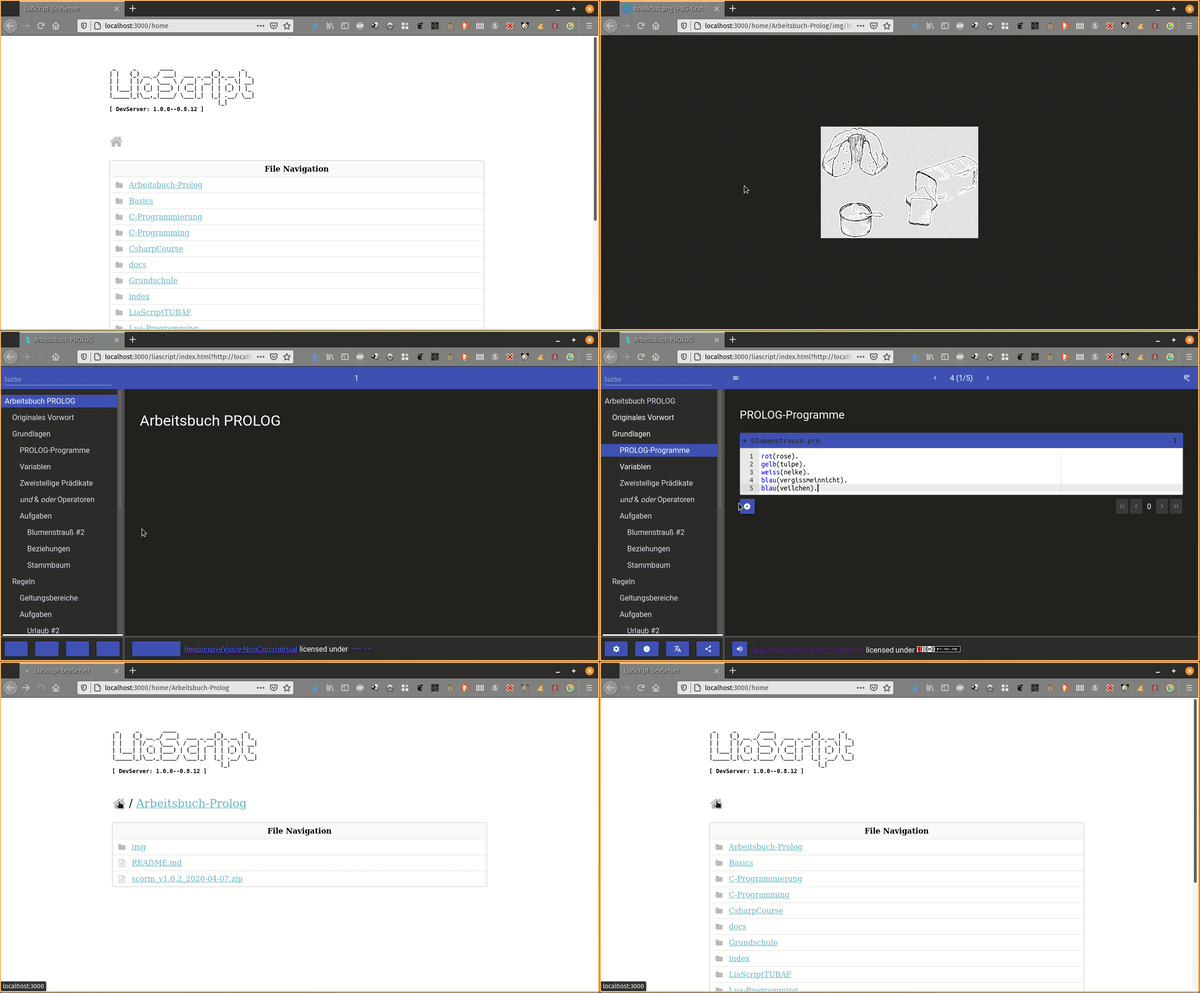
If you are used to another editor, you can also start a LiaScript development server locally. It works like the plugin for Atom and updates your course within your browser on every save, but this can also be used to monitor multiple projects. And you can also use it for testing purposes, as if you would deploy your projects.
 <!-- style="width:100%"-->
Get the project from:
- npmjs: https://www.npmjs.com/package/@liascript/devserver
- GitHub: https://github.com/LiaScript/LiaScript-DevServer
{{2}}
