
Llemonstack
All-in-one local low-code AI agent development platform. Installs and runs n8n, Flowise, Browser-Use, Qdrant, Ollama, and more. Proxies LLM requests through LiteLLM with Langfuse for observability.
Install / Use
/learn @LLemonStack/LlemonstackREADME
🍋 LLemonStack: Local AI Agent Stack
Open source, low-code AI agent automation platform, auto-configured and securely running in docker containers.
Get up and running in minutes with n8n, Flowise, LightRAG, Supabase, Qdrant, LiteLLM, Langfuse, Ollama, Firecrawl, Crawl4AI, Browser-Use and more.
💰 No cost, no/low code AI agent playground
✅ Up and running in minutes
🔧 Pre-configured stack of the latest open source AI tools
⚡ Rapid local dev & learning for fun & profit
🚀 Easy deploy to a production cloud
LLemonStack makes it easy to get 17+ leading AI tools installed, configured, and running on your local machine in minutes with a single command line tool.
It was created to make development and testing of complex AI agents as easy as possible without any cost.
LLemonStack can even run local AI models for you via Ollama.
It provides advanced debugging and tracing capabilities to help you understand exactly how your agents work, and most importantly... how to fix them when they break.
<br />Quick Start
Deno and Docker must already be installed. See Install section below.
git clone https://github.com/llemonstack/llemonstack.git
cd llemonstack
deno install # Install dependencies
npm link # Enable the llmn command

# Initialize a new project
llmn init
# Optionally configure the stack services
llmn config
# Start the stack
llmn start
Walkthrough Video
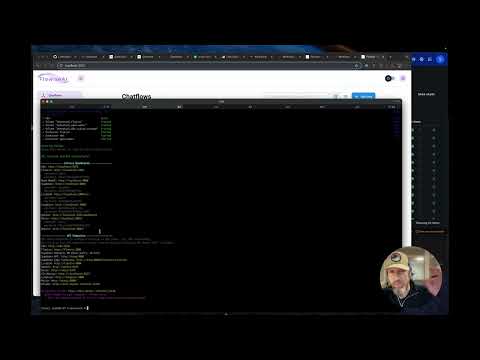
Screenshots
llmn init - initialize a new project

llmn config - configure stack services

llmn start - start the stack

On start, dashboard & API urls are shown along with the auto generated credentials.
<br />Key Features
- Create, start, stop & update an entire stack with a single command:
llmn - Auto configs services, generates secure credentials
- Displays enabled services dashboard & API urls
- Creates isolated stacks per project
- Shares database services to reduce memory and CPU usage
- Uses postgres schemas to keep service tables isolated
- Builds services from git repos as needed
- Includes custom n8n with ffmpeg and telemetry enabled
- Provides import/export tools with support for auto configuring credentials per stack
- Includes LiteLLM and Langfuse for easy LLM config & observability
Changelog
-
Apr 25, 2025: Added Firecrawl service
-
Apr 24, 2025: Added custom migration to supabase to enable pgvector extension by default
-
Apr 20, 2025: Added LightRAG
-
Apr 17, 2025: fix Flowise start and API key issues
-
Apr 1, 2025: v0.3.0 pre-release
- Remove ENABLE_* vars from .env and use
llmn configto enable/disable services - Major refactor of internal APIs to make it easier to add and manage services
- Internal code is still be migrated to the new API, there may be bugs
- Remove ENABLE_* vars from .env and use
-
Mar 23, 2035: v0.2.0: introduce
llmncommand
Known Issues
Flowise
Flowise generates an API key when it's first started. The key is saved to volumes/flowise/config/api.json
in the project's volumes folder. Re-run llmn start to see the API key in the start script
output or get the key from the api.json file when needed.
OS Support
LLemonStack run all services in Docker. It was built on a Macbook M2, tested on Linux and Windows with WSL 2.
Mac and Linux, and Windows with WSL 2 enabled should work without any modifications.
Running LLemonStack directly on Windows (without WSL 2) needs further testing, but should work without major modifications.
<br />What's included in the stack
The core stack (this repo) includes the most powerful & easy to to use open source AI agent services. The services are pre-configured and ready to use. Networking, storage, and other docker related headaches are handled for you. Just run the stack and start building AI agents.
<!-- markdownlint-disable MD013 MD033 -->| Tool | Description | | -------------------------------------------------------- | ------------------------------------------------------------------------------------------------------- | | n8n | Low-code automation platform with over 400 integrations and advanced AI components. | | Flowise | No/low code AI agent builder, pairs very well with n8n. | | Langfuse | LLM observability platform. Configured to auto log LiteLLM queries. | | LiteLLM | LLM request proxy. Allows for cost control and observability of LLM token usage in the stack. | | Supabase | Open source Firebase alternative, Postgres database, and pgvector vector store. | | Ollama | Cross-platform LLM platform to install and run the latest local LLMs. | | Open WebUI | ChatGPT-like interface to privately interact with your local models and N8N agents. | | LightRAG | Best-in-class RAG system that outperforms naive RAG by 2x in some benchmarks. | | Qdrant | Open-source, high performance vector store. Included to experiment with different vector stores. | | Zep | Chat history and graph vector store. (Deprecated) Zep CE is no longer maintained, use LightRAG instead. | | Browser-Use | Open-source browser automation tool for automating complex browser interactions from simple prompts. | | Dozzle | Real-time log viewer for Docker containers, used to view logs of the stack services. | | Firecrawl | API for scraping & crawling websites and extracting data into LLM-friendly content. | | Craw4AI | Dashboard & API for scraping & crawling websites and extracting data into LLM-friendly content. |
The stack includes several dependency services used to store data for the core services. Neo4J, Redis, Clickhouse, Minio, etc.
<br />How it works
LLemonStack is comprised of the following core features:
llmnCLI command - init, start, stop, config, etc.- services folder with
llemonstack.yamlanddocker-compose.yamlfor each service .llemonstack/config.jsonand.envfile for each project
When a new project is initialized with llmn init, the script creates .llemonstack/config.json and
.env files in the project's folder. The init script auto generates secure credentials for each service, creates unique schemas for services that use postgres, and populates the .env file.
The config.json file keeps track of which services are enabled for the project. Services can be enabled or disabled by running llmn config or manually editing the config.json file.
Each service's llemonstack.yaml file is used to configure the service. The file tracks dependencies,
dashboard URLs, etc.
When a stack is started with llmn start, the config.json file is loaded and each enabled service's
docker-compose.yaml file is used to start the service. Services are grouped into databases,
middleware and apps tiers, ensuring dependencies are started before the services that depend on them.
LLemonStack automatically takes care of docker networking, ensuring services can talk to each other within the stack (internal) and service dashboards can be accessed from the host.
When a stack is stopped with llmn stop all services and related docker networks are removed.
This allows for multiple LLemonStack projects to be created on the same machine without conflicting
with each other.
See Adding Services section below for instructions on adding custom services to a stack.
<br />Prerequisites
Before running the start/stop scripts, make sure you have the following (free) software installed on your host machine.
- Docker/Docker Desktop - required to run all services, no need for a paid plan, just download the free Docker Desktop
- Deno - required to run the start/stop scripts
- Git - needed to clone stack services that require custom build steps
After installing the prerequisites, you won't need to directly use them. LLemonStack does all the heavy lifting for you.
How To Install the Prerequisites
-
Visit Docker/Docker Desktop and download the free Docker Desktop app
-
Use the below commands in a terminal to install deno and git
macOS
# Check if deno is already installed
deno -v

# If not, install using npm or Homebrew
bre
