
HASS.Agent
Windows-based client for Home Assistant. Provides notifications, quick actions, commands, sensors and more.
Install / Use
/learn @LAB02-Research/HASS.AgentREADME






HASS.Agent
HASS.Agent is a Windows-based client (companion) application for Home Assistant, developed in .NET 6.
Click here to download the latest installer.
C# or Python developer? Please read this: lab02-research.org/2023-04-01-help-wanted
HASS.Agent is in need of your help! :heart:
Agora o HASS.Agent está em português do Brasil para brasileiros e usuários de língua portuguesa!
Clique aqui para baixar o instalador mais recente com a tradução! Obrigado @LeandroIssa :)
HASS.Agent is completely free, and will always stay that way without restrictions.
However, developing and maintaining this tool (and everything that surrounds it) takes up a lot of time. Like most developers, I run on caffeïne - so a cup of coffee is always very much appreciated!
|  |
|  |
|  |
|:---:|---|---|
|
|:---:|---|---|
Contents
- Sponsors
- Why?
- Functionality
- Screenshots
- Installation
- Help and Documentation
- Articles
- What it's not
- Issue Tracker
- Helping Out
- Wishlist
- Credits and Licensing
- Legacy
Sponsors
I'd like to thank everyone that's been donating! It's not always easy to pick up work for HASS.Agent (next to a full time job), but people taking the time to donate really motivates a lot. It says that you enjoy the work I've been putting in, and makes the trouble worthwhile :)
A big big thank you to the monthly sponsors, you absolutely rock :heart:
<a href="https://github.com/jdiegmueller/"><img src="https://github.com/jdiegmueller.png" width="60" height="60"></a> <a href="https://github.com/ewonais/"><img src="https://github.com/ewonais.png" width="60" height="60"></a> <a href="https://github.com/thornzero/"><img src="https://github.com/thornzero.png" width="60" height="60"></a> <a href="https://github.com/dannytsang/"><img src="https://github.com/dannytsang.png" width="60" height="60"></a>
Why?
The main reason I built this is that I wanted to receive notifications on my PC, including images, and to quickly perform actions (e.g. to toggle a lamp). There weren't any software-based solutions for this, so I set out to build one myself.
Functionality
Summary of the core functions:
-
Notifications: receive notifications, show them using Windows builtin toast popups, and optionally attach images. Supports actionable notifications: add buttons so you can easily interact with Home Assistant, without having to open anything.
- This requires the installation of the HASS.Agent integration.
-
Media Player: use HASS.Agent as a mediaplayer device: see and control what's playing and send text-to-speech.
- This requires the installation of the HASS.Agent integration.
-
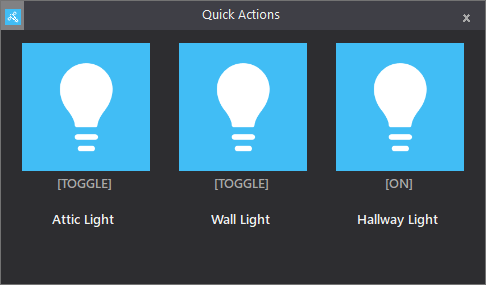
Quick Actions: use a keyboard shortcut to quickly pull up a command interface, through which you can control Home Assistant entities - or, assign a keyboard shortcut to individual Quick Actions for even faster triggering.
-
Commands (currently 24): control your PC (or other Windows based device) through Home Assistant using custom- or built-in commands.
-
Sensors (currently 37): send your PC's sensors to Home Assistant to monitor every aspect of your device.
-
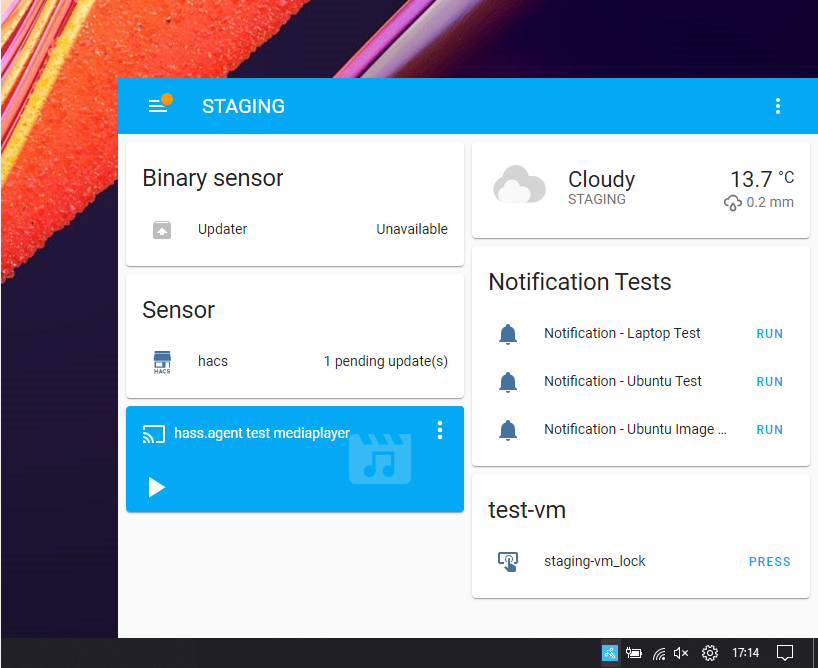
WebView: quickly show any website, anywhere - no browser required, for instance a HA dashboard.
-
Satellite Service: use the service to collect sensordata and execute commands, even when you're not logged in.
-
All entities are dynamically acquired from your Home Assistant instance.
-
Commands and sensors are automatically added to your Home Assistant instance.
Screenshots
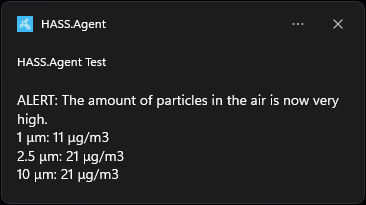
Notification examples:

WebView example, showing a dashboard when right-clicking the tray icon:
This is the Quick Action window you'll see when using the hotkey. This window automatically resizes to the amount of buttons you've added:
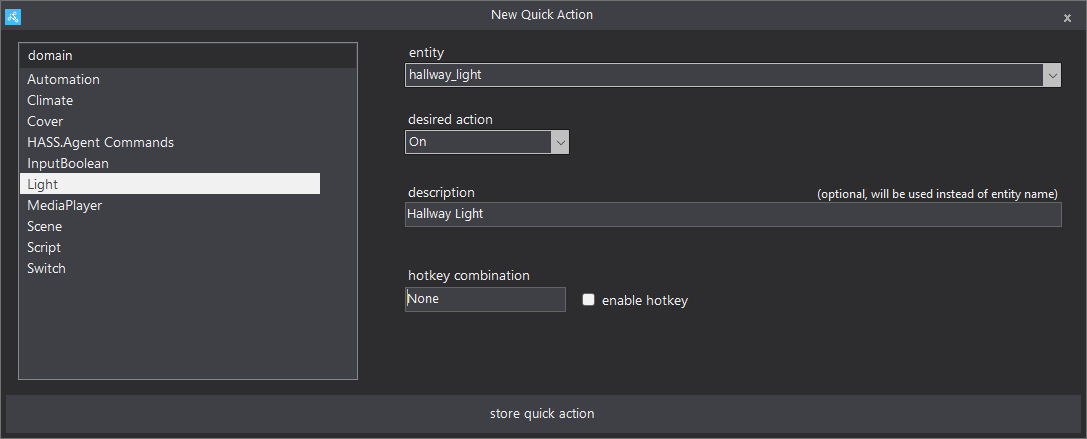
You can easily configure a new Quick Action, HASS.Agent will fetch your entities for you:
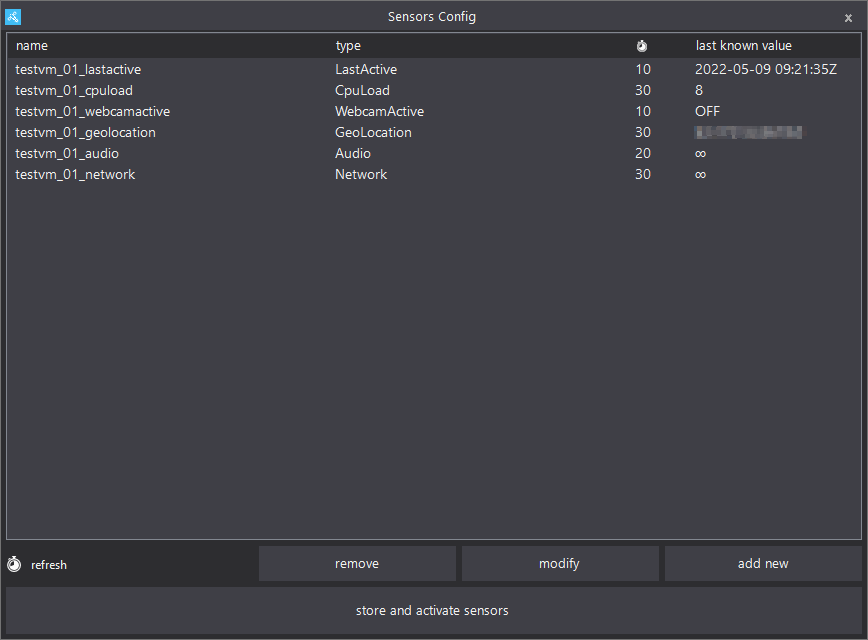
The sensors configuration screen:
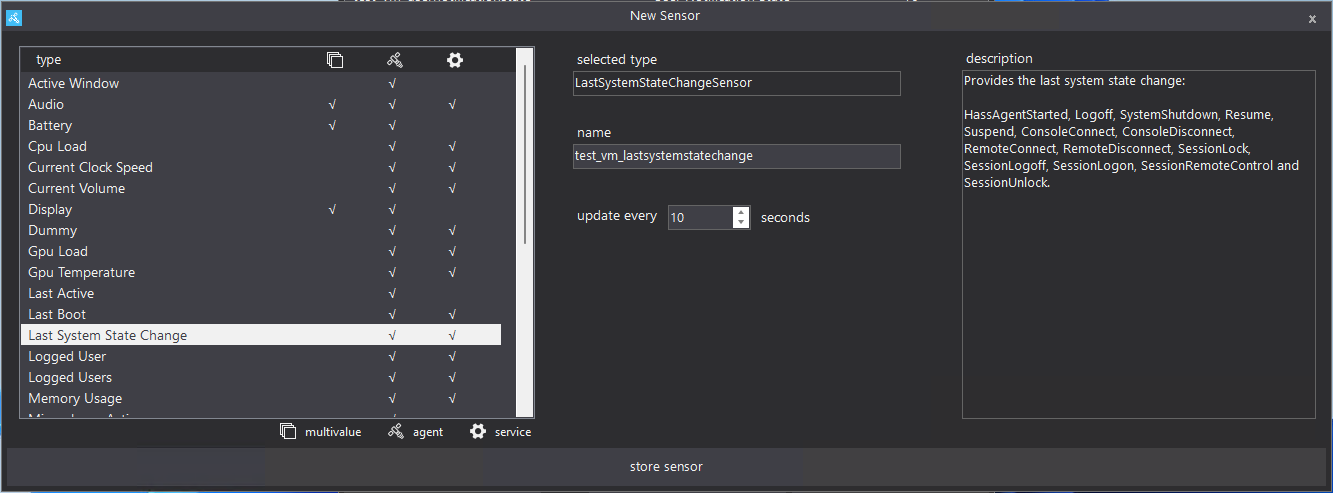
Adding a new sensor is just as easy:
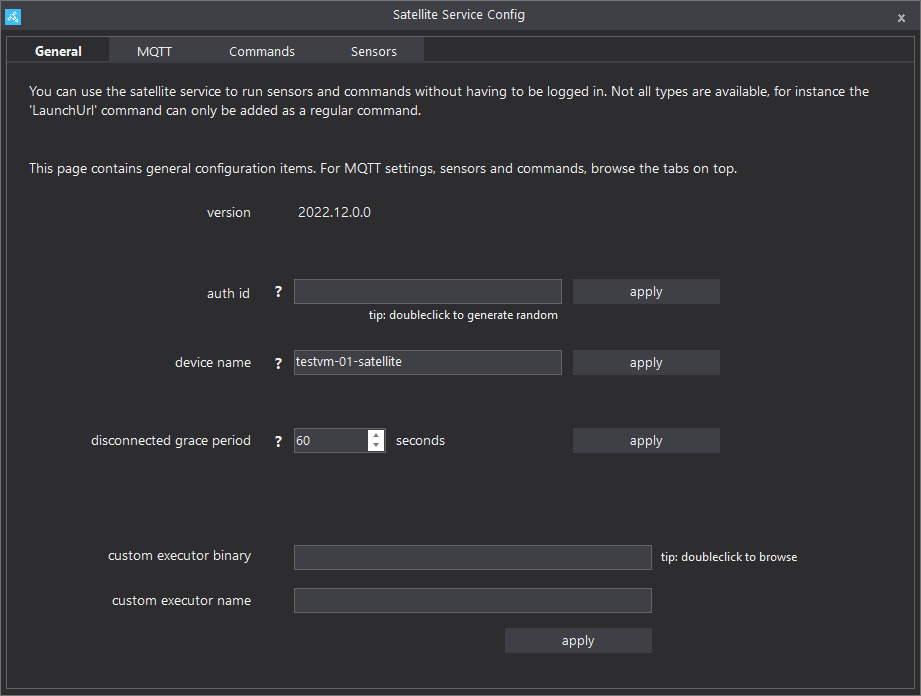
Easily manage the satellite service through HASS.Agent:
You'll be guided through the configuration options during onboarding:

For more, check the screenshots page in the docs.
Installation
Installing HASS.Agent is easy; just download the latest installer, run it and you're done! The installer is signed and won't download or do weird stuff - it just places everything where it should, and launches with the right parameter.
After installing, the onboarding process will help you get everything configured, step by step. If you want an introduction into HASS.Agent, be sure to read the introduction docs.
Click here to download the latest installer
If you want to install manually, there are .zip packages available for every release. Read the manual for more info.
Help and Documentation
Stuck while installing or using HASS.Agent, need some help integrating the sensors/commands or have a great idea for the next version? There are a few channels through which you can reach out:
-
Github Tickets: Report bugs, feature requests, ideas, tips, ..
-
Documentation: Installation, configuration and usage documentation, as well as examples.
-
LAB02 Research Site: Release info, development backstories, misc. posts.
-
Discord: Get help with setting up and using HASS.Agent, report bugs or just talk about whatever.
-
Home Assistant forum: Bit of everything, with the addition that other HA users can help as well.
Starting from zero, and want to learn what HASS.Agent's about and how to start? Be sure to check the introduction article, and optionally the [command basics](https://hassagent.rea
Related Skills
imsg
347.2kiMessage/SMS CLI for listing chats, history, and sending messages via Messages.app.
node-connect
347.2kDiagnose OpenClaw node connection and pairing failures for Android, iOS, and macOS companion apps
oracle
347.2kBest practices for using the oracle CLI (prompt + file bundling, engines, sessions, and file attachment patterns).
lobster
347.2kLobster Lobster executes multi-step workflows with approval checkpoints. Use it when: - User wants a repeatable automation (triage, monitor, sync) - Actions need human approval before executing (s
