
WhorlView
Progressbar with whorl style
Install / Use
/learn @Kyson/WhorlViewREADME
WhorlView 
一个加载View
预览
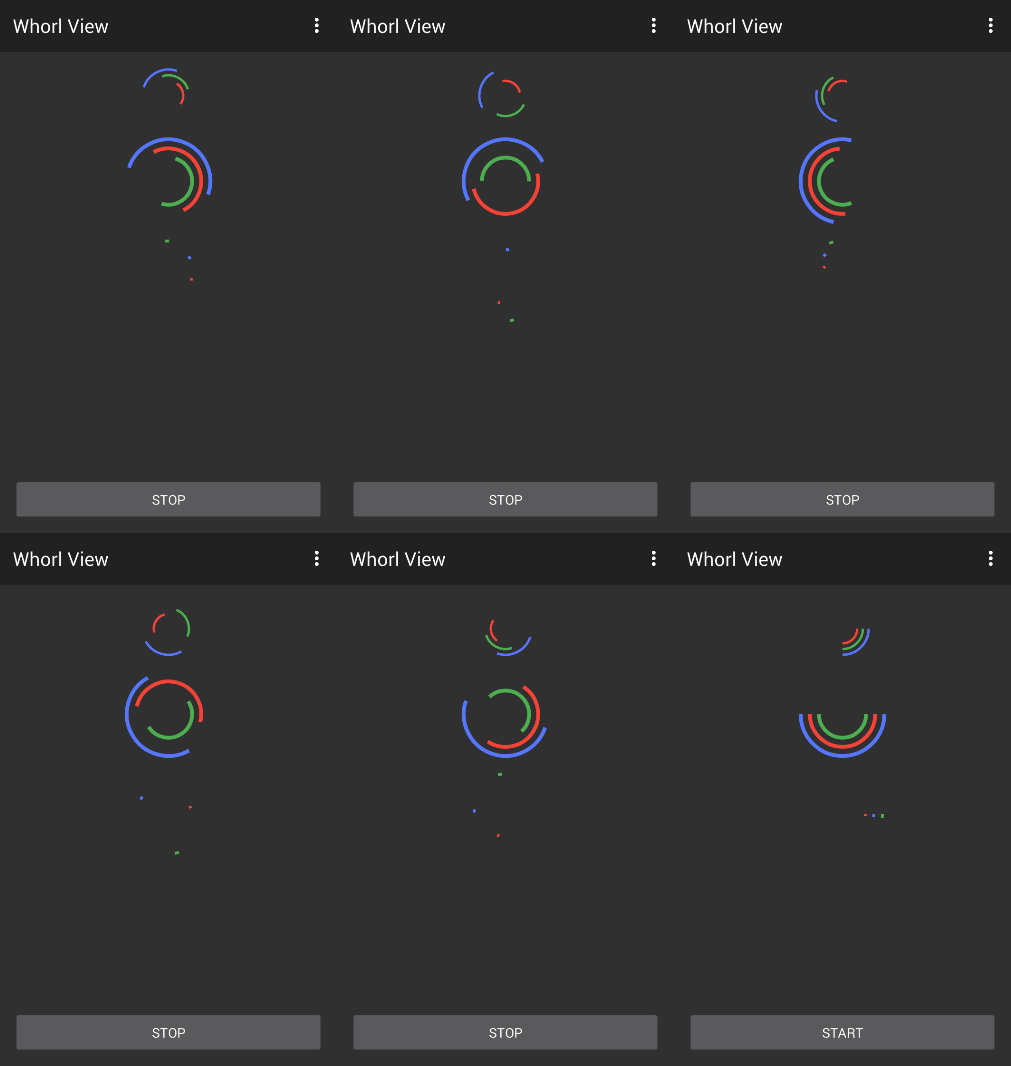
使用
step1
添加gradle配置
dependencies {
    compile 'com.tt:whorlviewlibrary:1.0.3'
}
step2
在xml中添加WhorlView
    <com.tt.whorlviewlibrary.WhorlView xmlns:app="http://schemas.android.com/apk/res-auto"
        android:id="@+id/whorl2"
        android:layout_width="1dp"
        android:layout_height="1dp"
        android:layout_marginTop="12dp"
        app:whorlview_circle_colors="#F14336_#ffffff_#5677fc_#F44336_#4CAF50"
        app:whorlview_circle_speed="270"
        app:whorlview_parallax="fast"
        app:whorlview_strokeWidth="6"
        app:whorlview_sweepAngle="90">
    </com.tt.whorlviewlibrary.WhorlView>
step3
开始动画
WhorlView whorlView = (WhorlView) this.findViewById(R.id.whorl);
whorlView.start();
XML自定义属性
|属性|类型|说明|默认值| |---|---|---|---| |whorlview_circle_colors|string|圆弧颜色|由外向内依次为红绿蓝| |whorlview_circle_speed|int|转圈速度|270度每秒| |whorlview_parallax|enum|视差效果|72度每秒| |whorlview_sweepAngle|float|弧度|90度| |whorlview_strokeWidth|float|弧宽|5f|
1.0.3版本对颜色进行了修改,whorlview_circle_colors属性值应该为<色值>_<色值>_<色值>,以_为分隔符,其中色值为#开头的6位或8位16进制数
API
提供的api就两个,开始和停止。
whorlView.start();
whorlView.stop();
鸣谢
- 小书匠的创意
微博看到有人分享markdown工具看到这个网站,感觉不错,不过最让我印象深刻的就是这个加载效果咯。
更多
License
Copyright (c) 2015 Kyson
Licensed under the Apache License, Version 2.0
