
EleFixed
Let element fixed. Like table's thead fixed
Install / Use
/learn @KenyeeC/EleFixedREADME
介绍
eleFixed是一款非常简单的使用动画来固定元素的插件(最常见的作用就是固定table的thead)
它可以同时固定多个HTMLElement而不用额外监听多个事件,而且你也可以随时删除某一个监听对象或者直接把eleFixed从你的网页中移除
使用
当你引入eleFixed.js的时候,它就已经帮你在全局定义好了eleFixed对象并监听scroll事件(仅仅一个);
以下为全局eleFixed对象的描述:
eleFixed对象 | 描述 --- |--- targets | Array,用来存放多个需要固定的target对象,target对象格式见下表 push | Function,接受一个target对象并推送元素到targets数组中 delete | Function,从targets中删除指定的HTMLElement,只需要传入需要删除的HTMLElement对象 destory | Function,移除eleFixed的监听事件、并删除eleFixed对象
eleFixed.push需要传入的对象(targrt)描述:
target对象 | 描述 --- |--- target | HTMLElement,接收你想固定的元素,比如 document.getElementsByTagName('thead')[0] offsetTop | Number,此元素距离顶部多少像素时开始固定在顶部, 比如 200 (无需单位)
插入target:
    <table class="table">
        <thead>
            <!-- some titles here -->
        </thead>
        <tbody>
            <!-- some elements here -->
        </tbody>
    </table>
    <script src="./eleFixed.min.js"></script>
    <script>
        // add an instance
        eleFixed.push({
            target: document.getElementsByTagName('thead')[0], // it must be a HTMLElement
            offsetTop: 210 // height from window offsetTop
        })
    </script>
效果预览:
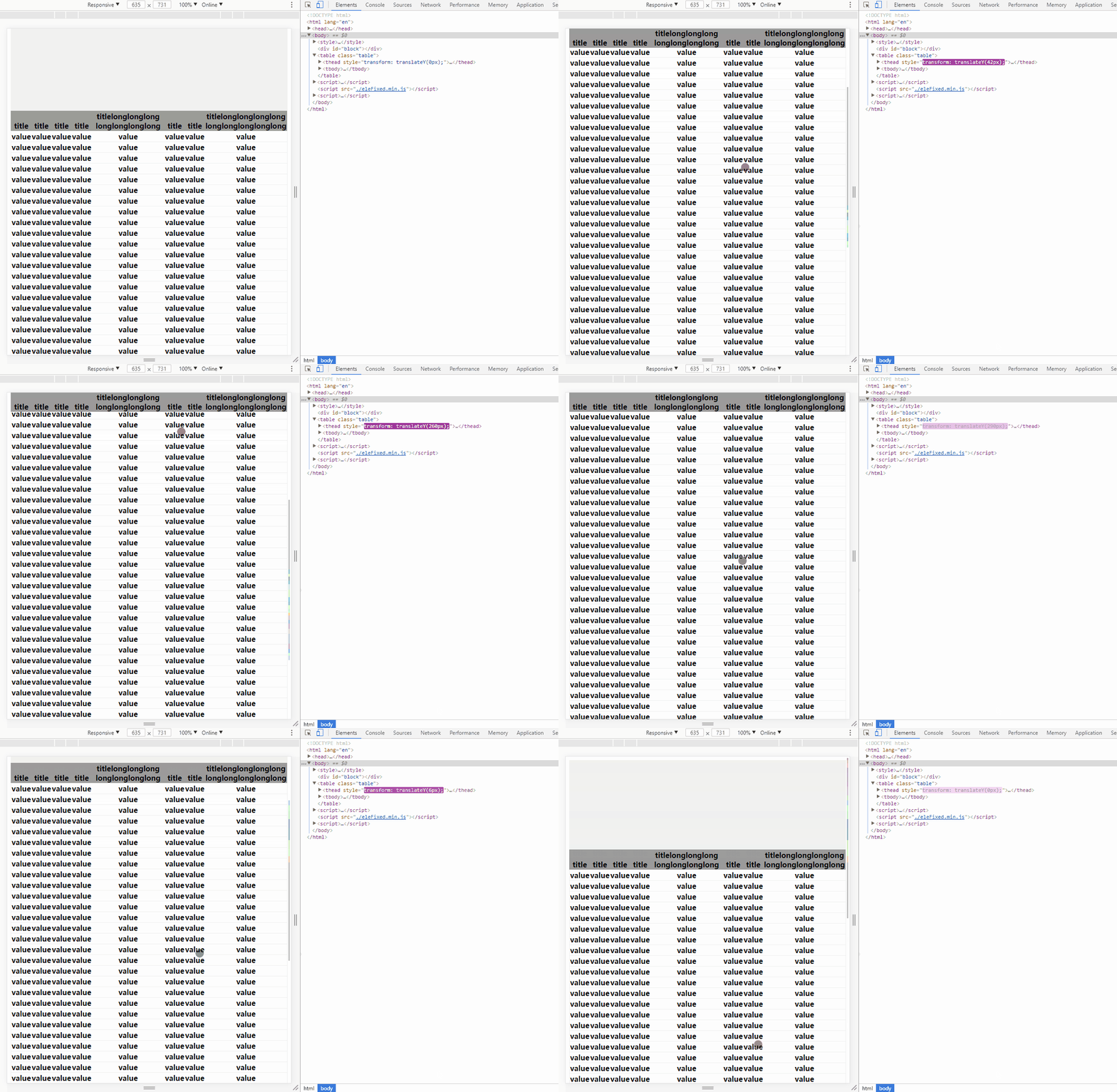
删除元素:
<script>
    // delete an instance
    eleFixed.delete(document.getElementsByTagName('thead')[0])
</script>
移除eleFixed:
<script>
    // destory eleFixed
    eleFixed.destory()
</script>
