
MIDI4MiSTer
MiSTer user port MIDI output and input PCB
Install / Use
/learn @KabukiFlux/MIDI4MiSTerREADME
MIDI4MiSTer / MiSTer FPGA User IO – MIDI Interface Board
This repository contains the KiCAD project files for a custom MIDI Interface
Board, designed to connect to the User IO port of the MiSTer FPGA.
It enables MIDI input and output functionality for cores that support MIDI,
including the Atari ST, X68000, PC, and Minimig.
☢️ WARNING: Do not connect to the regular USB ports on the MiSTer ☢️
Table of contents
Why?
The goal of this project is to provide a simple and reliable way to connect external MIDI hardware (keyboards, synthesizers, modules) to the MiSTer FPGA platform.
If you enjoy exploring the full capabilities of MiSTer cores such as the Atari ST, Minimig, ao486 (PC) or X68000 with authentic MIDI input/output, this board makes it possible.

📜 Description
MiSTer already supports MIDI in several cores, but connecting external gear requires
proper electrical isolation and signal compliance with the MIDI standard.
This board provides exactly that:
- MIDI IN with optocoupler isolation (protects MiSTer from faulty external devices)
- MIDI THRU with proper current-loop driver (for the MIDI in port)
- MIDI OUT with proper current-loop driver, 3x MIDI Out
- Compatible with MiSTer cores that support MIDI (Atari ST, X68000, PC, Minimig, and more in the future)
- Includes KiCAD project files for modification and PCB manufacturing
This design does not emulate MIDI or add new core support—it acts as a hardware bridge for existing MiSTer MIDI features.
📝 Schematics
This is the schematics:

🛠️ Installation Guide
1️⃣ Preparation
- Send the Gerber files (
/gerbers/) to a PCB manufacturer such as JLCPCB or your preferred supplier. - Collect the required components (see the Bill of Materials BOM).
- Solder the components onto the PCB.
2️⃣ Installation Steps
- Power off your MiSTer FPGA.
- Connect the MIDI Interface Board to the User IO port using the provided header.
- Attach your MIDI hardware:
- Connect a MIDI keyboard, module, or sequencer to the MIDI IN port.
- Connect the MIDI OUT port to an external synth or interface SC-55, MT32...
- Power on the MiSTer and load a supported core (e.g., Atari ST).
- Configure the core’s settings to use MIDI and test with your device
- Usually you don't need to configure anything on the MiSTer menu side, only inside the core.


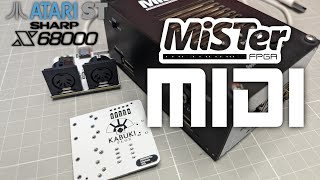
How to use it - Video
📝 Repository Contents
/kicad/– KiCAD design files for the MIDI Interface Board/bom/– Circuit parts and assembly guide/gerbers/– Gerber files for PCB fabrication/assets/– Images of schematics, renders, and assembled board
📢 Disclaimer
I'm not responsible
No liability is assumed for misuse or damage.
DISCLAIMER (See Licensing)
See LICENSE for more information.
This project is intended for hobbyist and educational purposes.
Use at your own risk. The MiSTer FPGA and connected MIDI hardware must
be in good working condition before use. This repository is not affiliated with MiSTer project developers but we support them.
The 3D models and footprints belong to each license holder.
Related Skills
node-connect
330.3kDiagnose OpenClaw node connection and pairing failures for Android, iOS, and macOS companion apps
frontend-design
81.3kCreate distinctive, production-grade frontend interfaces with high design quality. Use this skill when the user asks to build web components, pages, or applications. Generates creative, polished code that avoids generic AI aesthetics.
openai-whisper-api
330.3kTranscribe audio via OpenAI Audio Transcriptions API (Whisper).
commit-push-pr
81.3kCommit, push, and open a PR
