
JuditKaramazfolio
🚀🌿 karamaSystem v1 - Personal portfolio encapsulating this digital animal's very essence.
Install / Use
/learn @JuditKaramazov/JuditKaramazfolioREADME
- 1️⃣. Introduction
- 2️⃣. Getting Started
- 3️⃣. Structure
- 4️⃣. Features
- ↘️ YAML file
- ↘️ Geek resume
- ↘️ Repositories
- ↘️ Theme switcher
- ↘️ vCard
- 5️⃣. Scripts
- ↘️ New projects
- 6️⃣. Future Updates
- 7️⃣. Style
- 8️⃣. Learn More
Introduction
There was a time when I thought we were all shackled to the labels apparently describing our persona. According to them, I was destined to become a Spanish Literature professor, but time proved that as polyhedral, multifaceted beings, it is not possible to capture the essence of who we are and confine it into a couple of adjectives and life experiences. Do not get me wrong: whatever happened in our lives, it did matter and leave its unique marks. However, such details can't contain in its margins the immensity of our curiosity, failures, successes, memories, and future goals.
Many years ago, I convinced myself that I could only be this Philologist side of me, but today I wanted to remind this complex being called Judit that she's something more than that, too - she's way too many other things, including a programmer.
Getting Started
This is a Next.js project bootstrapped with create-next-app. Considering this, remember to follow the next steps:
- First, clone this repository:
$ git clone https://github.com/JuditKaramazov/JuditKaramazfolio.git
-
Take into account that a
GITHUB_TOKENis required (learn more here), so you'll have to create a.env.localfile containing it before proceeding. -
Then, install the right dependencies:
$ npm install
- Finally, start the project:
$ npm start
Structure
Initially, the main goal that I pursued was keeping this site as clean, scalable, and maintainable as possible while keeping in mind my limited tools and knowledge, and that's the reason why each section and component follows a minimal (and yet descriptive enough) approach. I know it pretty much well: there is a global tendency to display the entire formation, work experience, languages, and overall paths and decisions that built the person we are today. However, and since this portfolio focuses on practicality rather than pure data, what you'll find by cloning this repository or simply having a look at the deployment site is:
- A header containing a brief
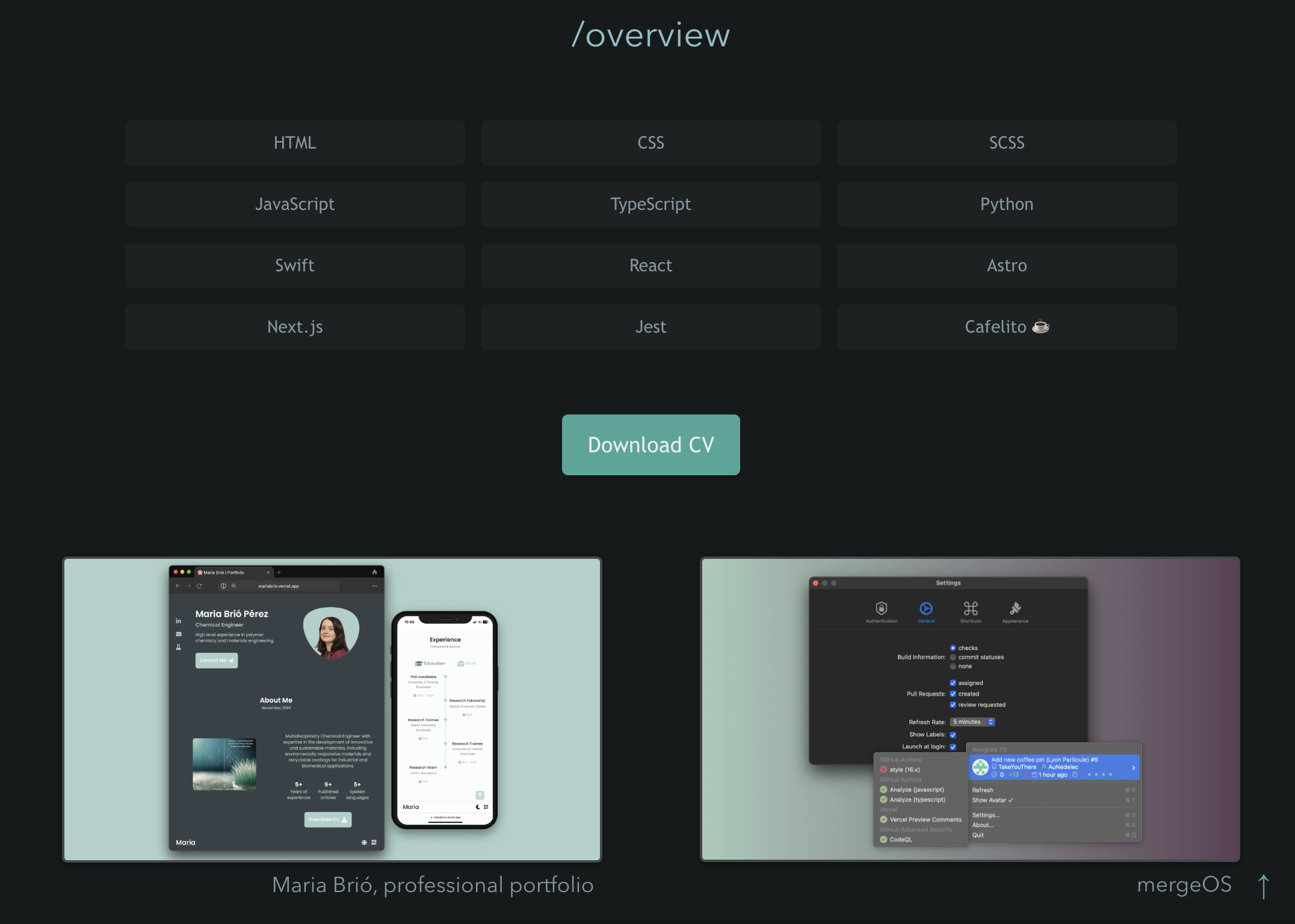
introductionof who Judit is: a tightrope walker, indeed. - A general view of my
technology stack. - A
downloadable CV, just in case you'd want to know more about my previous experience and relevant formation. - A preview of the main
projectsI've been working on so far. - A
detailed descriptionof my already-mentioned projects, illustrations, links to docs regarding the consulted technologies, and an accessible, visual approach to the rest of my work. - Some of the most relevant
repositoriesI'm contributing to. - A footer containing some relevant
linksfor us tostay in touch,schedule interviews(as well as some coffee moments), and contribute tomaintaining this siteby letting me know about potential problems and bugs.
Features
Although it may seem there's nothing much to clarify other than noting that I finally decided to create a portfolio, I find it relevant to mention that this project is a React-based single page app in TypeScript, using only statically generated pages.

Considering this, it's also important to highlight that Next.js creates pages from each item automatically thanks to the src/pages/[slug].tsx template you'll find if you dive into the repository's very essence and guts. With this said, let's now discuss a feature closely related to this idea:
YAML file
The entire definition of the projects displayed in this portfolio is contained by a YAML file, which allows the user to convert Markdown into HTML on build time; that's what possibilitates Next.js to automatically generate pages from each item. In other words, the YAML file serves as a central repository for all project-related information, allowing us to define project details, descriptions, and metadata in a clear and organized manner. Since the use of YAML allows for easy data manipulation, it makes it an ideal choice for structuring content and storing data:
- Readability: It's human-readable and easy to write.
- Structured: YAML is designed to represent complex data structures, which makes it suitable for storing structured information like project details.
- Integration: Many programming languages have libraries and tools for working with YAML, which allows easy integration into web applications.
To define project details in the YAML file, follow a specific format that the project uses for data retrieval. Here's an example of a project entry in YAML:
- title: My Awesome Project
  description: This project is amazing!
  techStack:
    - React
    - Next.js
  url: https://example.com/my-project
  image: /images/project-image.png
To learn more about how it's integrated in the portfolio, don't hesitate to have a look at the following file:
And as we'll mention in a while, please, remember the importance of structuring our site correctly for our latest work to be in the spotlight.
Geek resume
Because who doesn't want to be embrace the warmth of them bright lights, right? Actually, and as you probably assumed after getting a clearer idea of this project's goals, development and skeleton, I am not the kind of person who particularly enjoys describing her strengths, highlights or aptitudes. Even though that's an undenniable reality that I'm still trying to fight, and independently of this portfolio aiming to define and represent a more practical approach, I still incorporated a second (and hidden) resume. Would you describe yourself as an archeologist of the code? That's perfect, then! If you'd want to know more about me and still avoid the idea of a conventional CV or resume, feel free to investigate the depths of my code.
You might find something, if not surprising, at least minimally interesting by doing so!
Repositories
As for the repositories themselves, all of them are fetched on build time directly from GitHub, filtered, sorted, and finally displayed on the front page. Here's how it works:
-
Fetching Repositories: The process begins by requesting information about GitHub repositories directly from GitHub. This is done with proper authorization using a
GITHUB_TOKENand setting aUser-Agentin the request header. The repositories are retrieved from GitHub's API. -
Filtering and Sorting: The fetched repositories are filtered and sorted to ensure only relevant repositories are displayed. This involves comparing the retrieved repositories with the ones defined in the YAML file that powers this portfolio.
-
Displaying Repositories: Finally, the sorted repositories are displayed on the site, providing visitors with a quick overview of the projects you've worked on.
The repositories are sorted based on their last push date, with the most recently updated repositories appearing at the top, which allows to showcase our most recent work effectively. Some interesting open-source projects will definitely be added in the future, so don't forget to check from time to time if there are any news!
Theme switcher
Because having a look every now and then stops us from staying in the dark, right...? In this case, and since I myself am quite sensitive whenever a powerful light attacks my eyes, incorporating a theme switcher capable of automati
Related Skills
Writing Hookify Rules
81.4kThis skill should be used when the user asks to "create a hookify rule", "write a hook rule", "configure hookify", "add a hookify rule", or needs guidance on hookify rule syntax and patterns.
diffs
330.7kUse the diffs tool to produce real, shareable diffs (viewer URL, file artifact, or both) instead of manual edit summaries.
cursorrules
A collection of .cursorrules
mcp-for-beginners
15.5kThis open-source curriculum introduces the fundamentals of Model Context Protocol (MCP) through real-world, cross-language examples in .NET, Java, TypeScript, JavaScript, Rust and Python. Designed for developers, it focuses on practical techniques for building modular, scalable, and secure AI workflows from session setup to service orchestration.
