
AutoRecon
Simple shell script for automated domain recognition with some tools
Install / Use
/learn @JoshuaMart/AutoReconREADME
AutoRecon




CHECK RENGINE FOR A MORE INTERESTING AND ACTIVELY MAINTENED PROJECT
Features
- Enum subdomains, create permutation & wildcard removing with Amass
- Search subdomains on github with Github-Subdomains
- Find web services and screenshots with Aquatone
- Nuclei : Configurable targeted scanning based on templates
- Gau : Fetch known URLs from AlienVault's Open Threat Exchange, the Wayback Machine, and Common Crawl for any given domain.
- Hakrawler : Simple, fast web crawler
- ParamSpider : Mining parameters from dark corners of Web Archives
- Gf : A wrapper around grep, to help you grep for things
- With somes GF profiles from Gf-Patterns and ParamSpider
- SubDomainizer : Designed to find hidden subdomains and secrets present is either webpage, Github, and external javascripts present in the given URL.

Installation
- Installation & Recon tested on Ubuntu 20.04
Run installer :
./install.sh
If wanted (recommended), configure Amass with the desired API keys by creating a config.ini file.
Create the file .tokens in /root/Tools/Github-Subdomains/ with one or more github token.
Usage
./recon.sh -d domain.tld -r -s -c /root/Tools/Amass/config.ini
Options :
-d | --domain (required) : Domain in domain.tld format
-r | --recon (optional) : Search subdomains for the specified domain
-s | --scan (optional) : Scan the specified domain
-c | --amassconfig (optional) : Provide Amass configuration files for better results
-rp | --resultspath (optional) : Defines the output folder
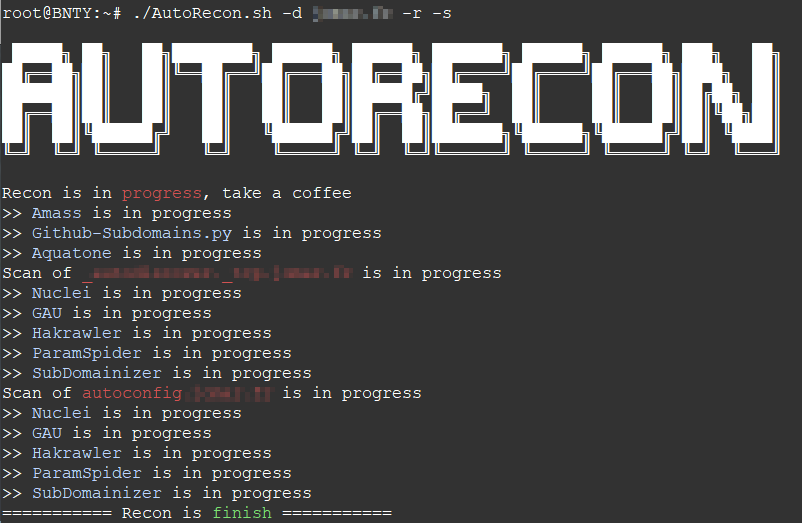
Domain monitoring
The advantage of using amass with the "-dir" option is that it also allows monitoring with a bash script. For example, you can create a cron task that executes the following content at regular intervals:
#!/bin/bash
DOMAIN=your-domain.tld

/root/AutoRecon.sh -d $DOMAIN -c /root/Tools/Amass/config.ini

MSG=$(amass track -d $DOMAIN -dir /root/Recon/$DOMAIN/Amass/ | grep 'Found:')
PAYLOAD="payload={\"text\": \"$MSG\"}"
HOOK=https://hooks.slack.com/services/XXXX/XXXX/XXXX

if [ ! -z "$var" ]
then
  curl -X POST --data-urlencode "$PAYLOAD"  "$HOOK"
fi

Related Skills
node-connect
343.1kDiagnose OpenClaw node connection and pairing failures for Android, iOS, and macOS companion apps
frontend-design
90.0kCreate distinctive, production-grade frontend interfaces with high design quality. Use this skill when the user asks to build web components, pages, or applications. Generates creative, polished code that avoids generic AI aesthetics.
openai-whisper-api
343.1kTranscribe audio via OpenAI Audio Transcriptions API (Whisper).
qqbot-media
343.1kQQBot 富媒体收发能力。使用 <qqmedia> 标签,系统根据文件扩展名自动识别类型(图片/语音/视频/文件)。
