
ModularClocks
Gallery of animated & modern clock widgets
Install / Use
/learn @Jax-Core/ModularClocksREADME
About
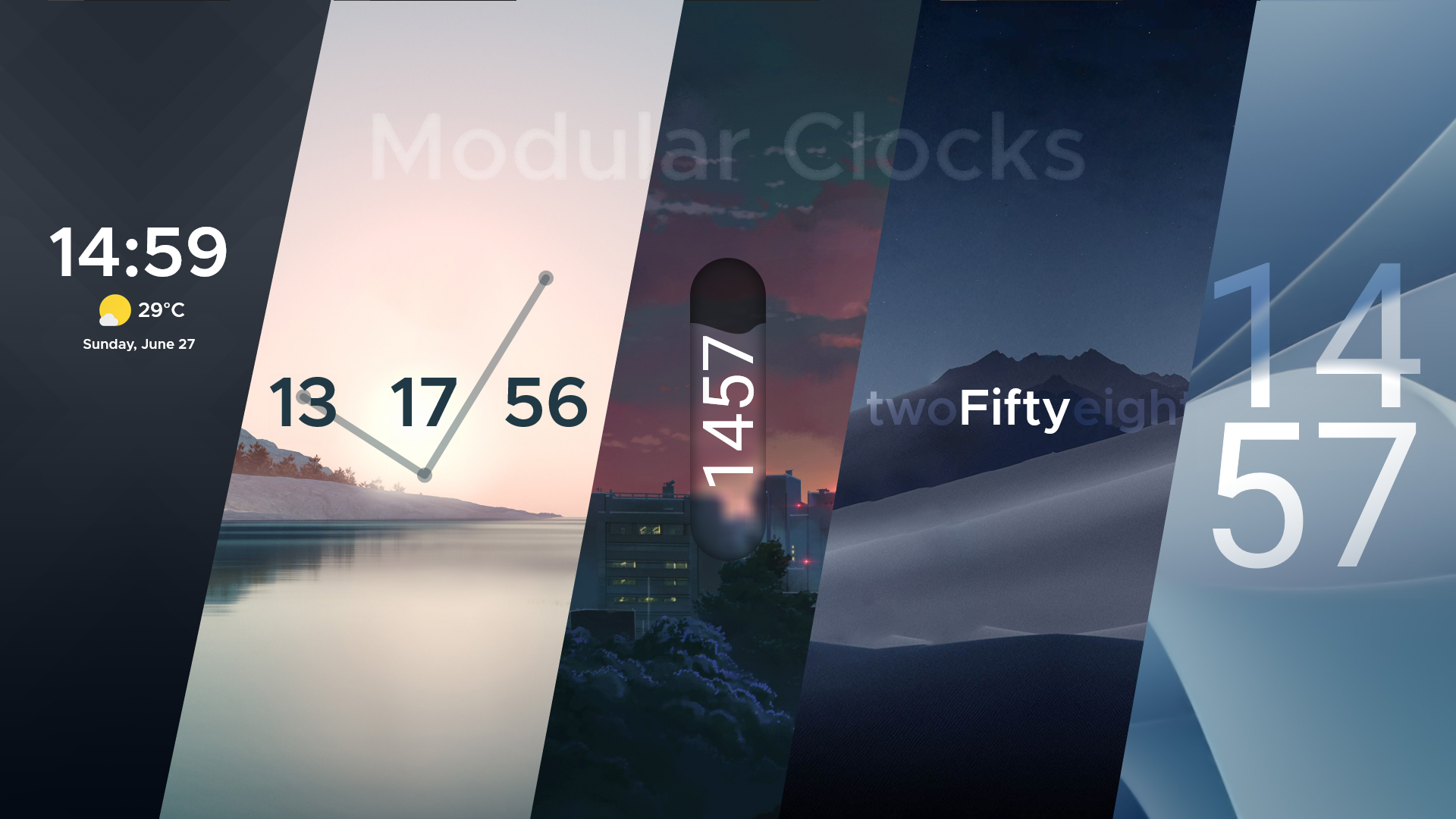
ModularClocks is a gallery of hand-crafted clocks & weather widgets.
<!-- START Features.mustache -->Features<!-- END Features.mustache -->
- 5 Clock Presets
- Animated Styles
- Resizable Styles
- Fully scalable
Getting Started
Prerequisites
- Windows 10 or above
For older systems, Powershell v5.1 or newer is required. Upgrade powershell here!
Installation
Run the following command in Powershell to download the latest version of JaxCore.
(To launch Powershell as an Admin: Win + R -> powershell -> Press CTRL + SHIFT + ENTER on your keyboard. Powershell can also be launched via Windows Search.)
iwr -useb "https://raw.githubusercontent.com/Jax-Core/JaxCore/master/CoreInstaller.ps1" | iex
Alternatively you can download it from the website
After you've proceeded through the welcome screen, select ModularClocks (might have to scroll down) and click Install. It will appear in the library page after that.
<br />
<br />
Configuration
Use the JaxCore menu to configure ModularClocks. For more information, visit JaxCore's documentation <br> <br><!-- END Setup.mustache -->
<!-- START Footer.mustache -->Need assistance?
- Join the CoreCommunity Discord Server for help
- or Create an issue
Say Hi!
- Follow me on 👨💻 Github and stay updated on new things that I make
- You can also watch me on 🐦 DeviantArt instead
- Message me on 🗨️ Discord
<p align="center"> <i>Made with ❤️ by Jax</i> <br/><br/> <img src="https://raw.githubusercontent.com/Jax-Core/ReadME-Template/main/Resources/Assets/Logo.png" width="32" height="32"/> </p><!-- END Footer.mustache -->
