
Ptolemy
The network cartographer
Install / Use
/learn @JNPRAutomate/PtolemyREADME
Ptolemy - The Network Cartographer
This repository is under active development. If you take a clone, you are getting the latest, and perhaps not entirely stable code.
Table of Contents
About
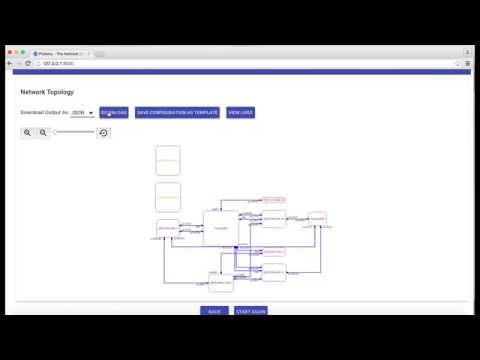
Ptolemy is a Python Library and Web Tool for LLDP network visualization tool. This tool represents the LLDP networks in terms of bidirectional network graph diagrams showing various connections and interfaces between the devices and giving a high level overview of the network. Mapping an entire network topology into a diagram is a tedious task and might take hours and various licensed tools to be done manually. Editing these diagrams once the network topology changes gets even more tedious and time consuming foe very complex networks. We have tried to automate this process and provide customers with an open source and easy to use tool to map a topology within minutes and few simple steps.
This library has two types of flavors:
- An Easy to Use Web Tool
- Open and Extensible Python Script
Demo
Installation
Prerequisites
- Make sure you have Python installed on your machine (Preferred version is 2.7.x). <br/> Python 3 and above is not supported.<br/>
- Install PyEz
- Install Graphviz (Preferred version is graphviz-2.36 since graphviz-2.38 and 2.39 has few bugs) and Pygraphviz for graph diagrams.<br/>
Setting up Ptolemy
git clone https://github.com/JNPRAutomate/ptolemy.git
Usage
NOTE
- Devices which the script attempts to connect must have NETCONF and LLDP enabled on the specified port or the default port
- Web UI works best with Google Chrome Browser.
Web UI
Getting Started with Ptolemy using the Web UI
Python Script
Getting Started with Ptolemy using the Python Scipt
Known Issues
- Web UI has Issues with Safari Browser - Works best with Google Chrome
- No Support for Python 3
- Issues with graphviz-2.38 and 2.39
Copyrights and License
Copyright 2015 Juniper Networks, Inc. under the Apache License
Contributors
Thanks and Credits
Developing this tool wouldn't have been possible without Python, Junos PyEz, Graphviz, PyGraphviz,AngularJS, JQuery, Angular-Xeditable and jQuery.panzoom.
