
Nodezator
A generalist Python node editor
Install / Use
/learn @IndieSmiths/NodezatorREADME
Nodezator
Nodezator is a generalist Python node editor. It is a desktop application that works by connecting Python functions (and callables in general) visually in order to produce flexible parametric behavior/data/applications/snippets.
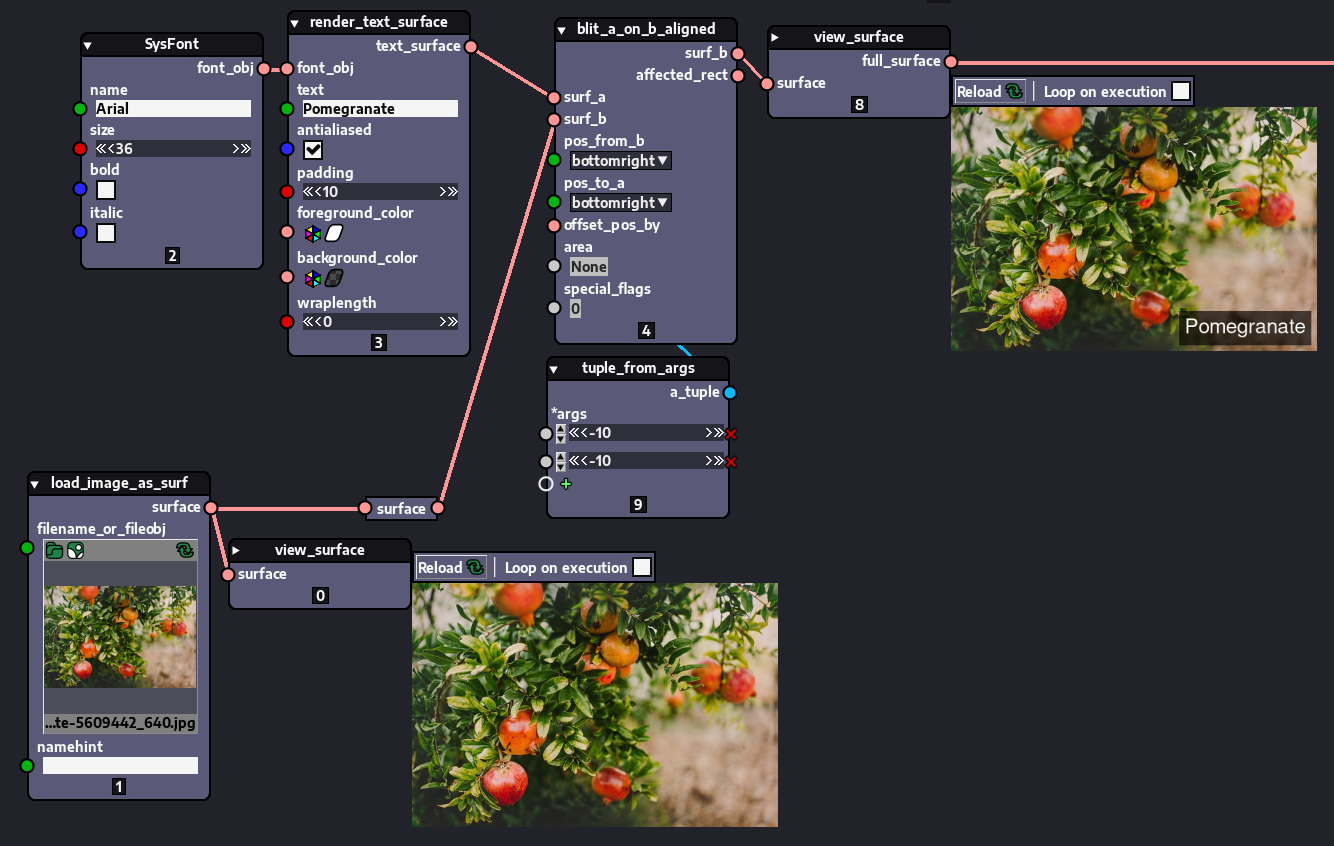
Original pomegranate tree image by AselvadaAna can be found here.
What Nodezator IS: a ready-to-use and versatile Python node-based interface on top of which you can define your own nodes and distribute them so others can download/install and use.
Also, in addition to being able to distribute their nodes using their own means, users can also distribute them as Python libraries via [PyPI][].
The usage of PyPI to distribute your nodes is very advantageous actually, cause it relies solely on the infrastructure already made available for free to all Python users by the Python Software Foundation, not on me (the developer) or some third-party unknown service/organization. This makes Nodezator a safe bet when it comes to defining and distributing your nodes.
What Nodezator is NOT: Nodezator is NOT a framework, which means you can't use it to create your own node-based interface.
[!WARNING] AI developers: Nodezator's UI struggles with the super long processing times required by artificial intelligence workflows. Even so users actually do some AI experimentation from time to time.
Nodezator enables node-based programming with Python and allows its integration with regular text-based programming in Python, by letting users export their node layouts as plain Python code. This means your workflow is never overly dependent on the app itself. We guarantee your freedom!
Creating nodes is very straightforward: all you need to define a node is a function, since Nodezator automatically converts functions into nodes. For instance, the function below...
def get_circle_area(radius:float=0.0):
    return math.pi * (radius ** 2)

main_callable = get_circle_area
...is automatically turned into the following node:
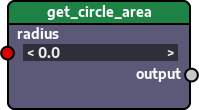
You can store these functions/node definitions anywhere you want in your disk and once you launch Nodezator just provide the path so Nodezator can load them. The only requirement is that you organize these nodes definitions in separate files and store them in a folder. This small video (~2min) actually shows you how to define and load a node in less than 60 seconds:
You can actually turn any callable into a node very easily: classes, methods, etc. All callables available in the Python ecosystem can be turned into a node (even the ones defined in C, for instance).
This means you can turn callables from existing Python libraries into nodes very easily! That is, any callable from all hundreds of thousands of projects in the Python Package Index ([PyPI][]) can be virtually be turned into a node already!
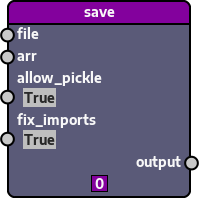
For instance, this is all you need to turn [numpy.save()][] into a node:
from numpy import save

main_callable = save

third_party_import_text = 'from numpy import save'
With just those 03 lines of code you generate this node:
There's also a [youtube video][] presenting Nodezator:
Nodezator is made with pure Python on top of the [pygame-ce][] library (and a bit of the excellent [numpy][] library as well), by [Kennedy Richard Silva Guerra][] (born in 1990), as part of the [Indie Smiths][] project.
[!NOTE] Despite being maintained mostly by a single person, Nodezator is a serious and active project that gets a couple of large releases every year.
We recommend Nodezator for intermediate Python users. Or, in case you are not a programmer, have an intermediate Python user next to you so that person can help you set up a no-code/low-code workflow for you.
Nodezator can already be used in production and supports a vast variety of workflows. It still has a long way to go, though. So, please, be patient and also consider supporting it: https://indiesmiths.com/donate
After you finish reading this README file, you may also want to visit Nodezator's homepage: https://nodezator.com
Features
On top of making it very easy to define nodes, Nodezator comes packed full of useful features for both Python programmers and other professionals that (likely with the help of a fellow programmer) can setup a no-code/low-code workflow.
Work effortlessly with other libraries
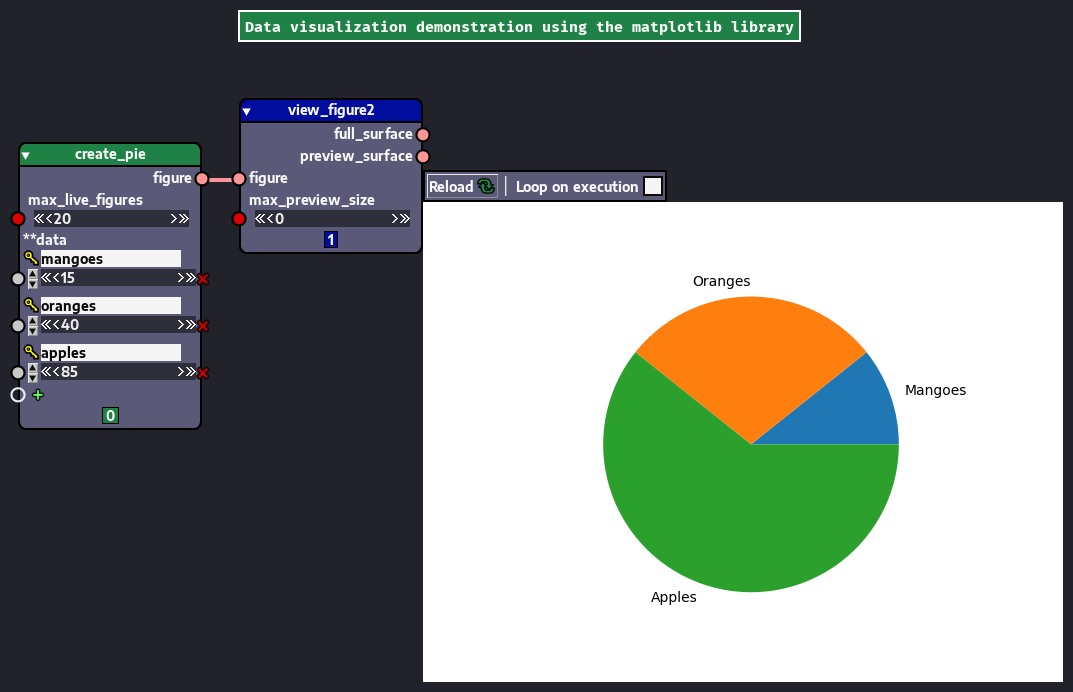
As we said before, Nodezator allows you to convert callables from third-party libraries with minimal effort. Here are just a few screenshots showing the usage of Nodezator with different libraries.
Here's a simple graph showing Nodezator usage with the Pillow library.
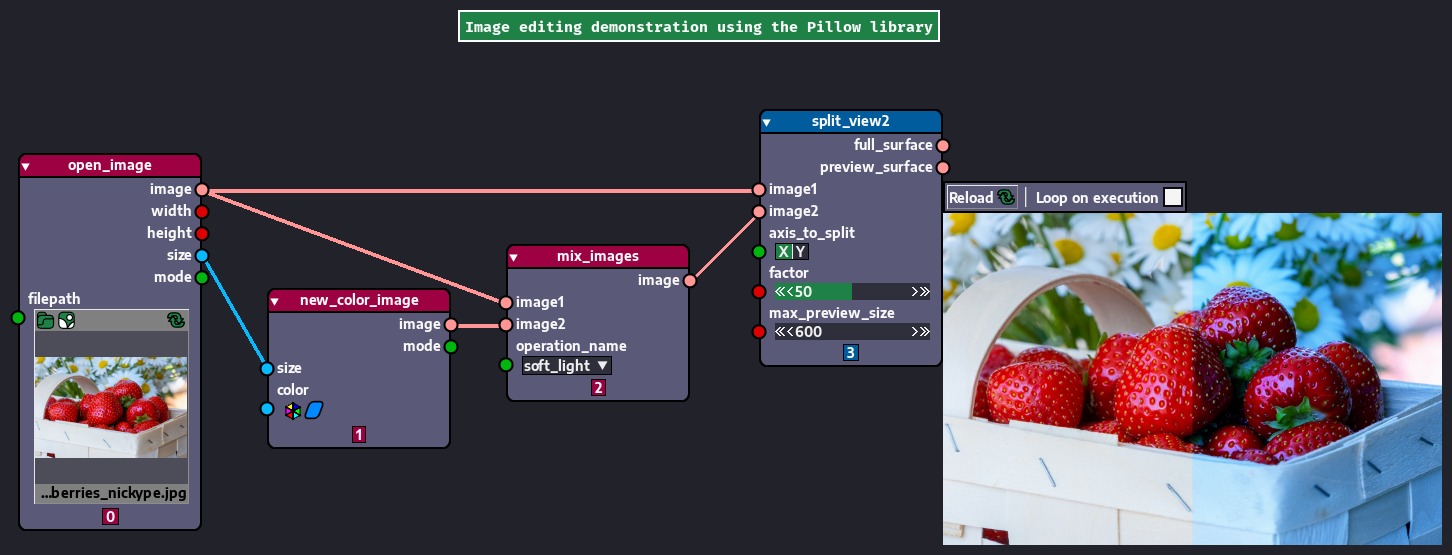
Original strawberry basket image by NickyPe can be found here.
And here's another one showing the usage of matplotlib to generate charts.
And a more complex graph showing usage of the CadQuery library to generate a 3D model along with a 2D preview shown in the graph itself:
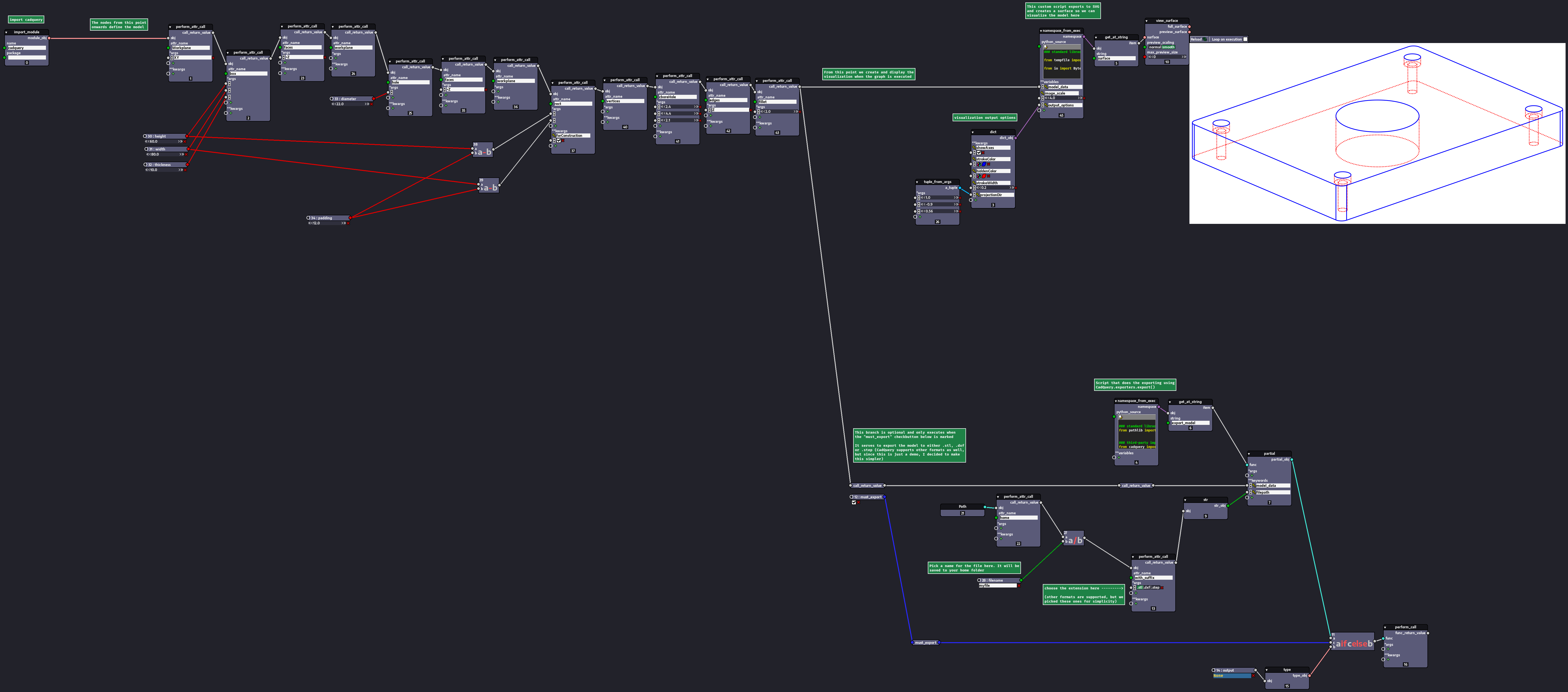
The CadQuery graph above in particular uses only nodes available by default in Nodezator (you can tell cause nodes available by default either do not have a header or have a black one, whereas custom nodes have colored headers). That is, we didn't even need to create custom nodes to achieve those results.
Nodezator is Python
On top of being able to define nodes directly from Python functions/callables, any graph in Nodezator can be directly exported back as Python code. This means you are never overly dependent on the app.
If you ever create nodes and graphs in another app, it will be much harder to port all the codebase you built over the time to plain Python or another Python API. In Nodezator, this problem is much reduced cause it requires much less changes in your code in order for it to be loaded in the app and you can convert graphs you create on it back to Python scripts.
Check the example at the top of this README document again, for instance. The only change required was to add a simple line: main_callable = ....
If you were to use other apps you'd probably have to export a class and subclass it in order to define a node, increasing the complexity of you code and its reliance on external interfaces and tech. Most other apps don't even offer the ability to export your graphs back as Python code.
As an example of Nodezator's Python exporting capabilities, here's a simple graph followed by the Python code exported from it:
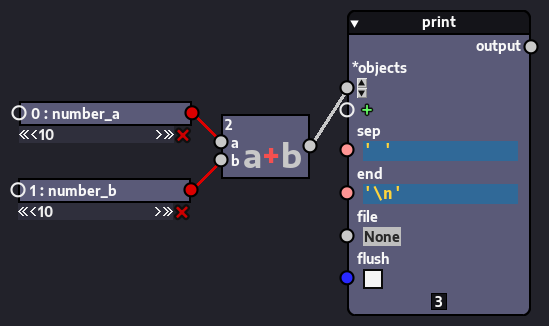
### main function

def temp_2024_08_30_11_11_12():
    """Execute script version of Python visual graph."""

    _1_number_b = 10
    _0_number_a = 10
    _2_output = _0_number_a + _1_number_b
    _3_output = print(*(_2_output, ), sep=' ', end='\n', flush=False, )


if __name__ == '__main__':
    temp_2024_08_30_11_11_12()
Nodezator can export graphs of any size and complexity as Python code, including graphs containing user-defined nodes.
Simply put, Nodezator is just a visual, node-based representation of Python.
Socket proximity detection
Having to click exactly over a socket to drag a new connection out of it and on top of that having to drop such new connection exactly on top of another socket are both repetitive tasks that are difficult to do right in one quick motion. Often, people lose precious time trying to ensure the mouse is exactly over the desired socket, specially considering how often those tasks are performed in any graph edition session.
Because of that, Nodezator features socket proximity detection to assist the user when establishing or replacing existing connection. The user doesn't need to click exactly over a socket to drag a new connection out of it anymore. Dropping the new connection exactly over the other socket isn't necessary either. As long as the mouse is close enough, these actions can be carried over effortlessly. Here you can see it in action:
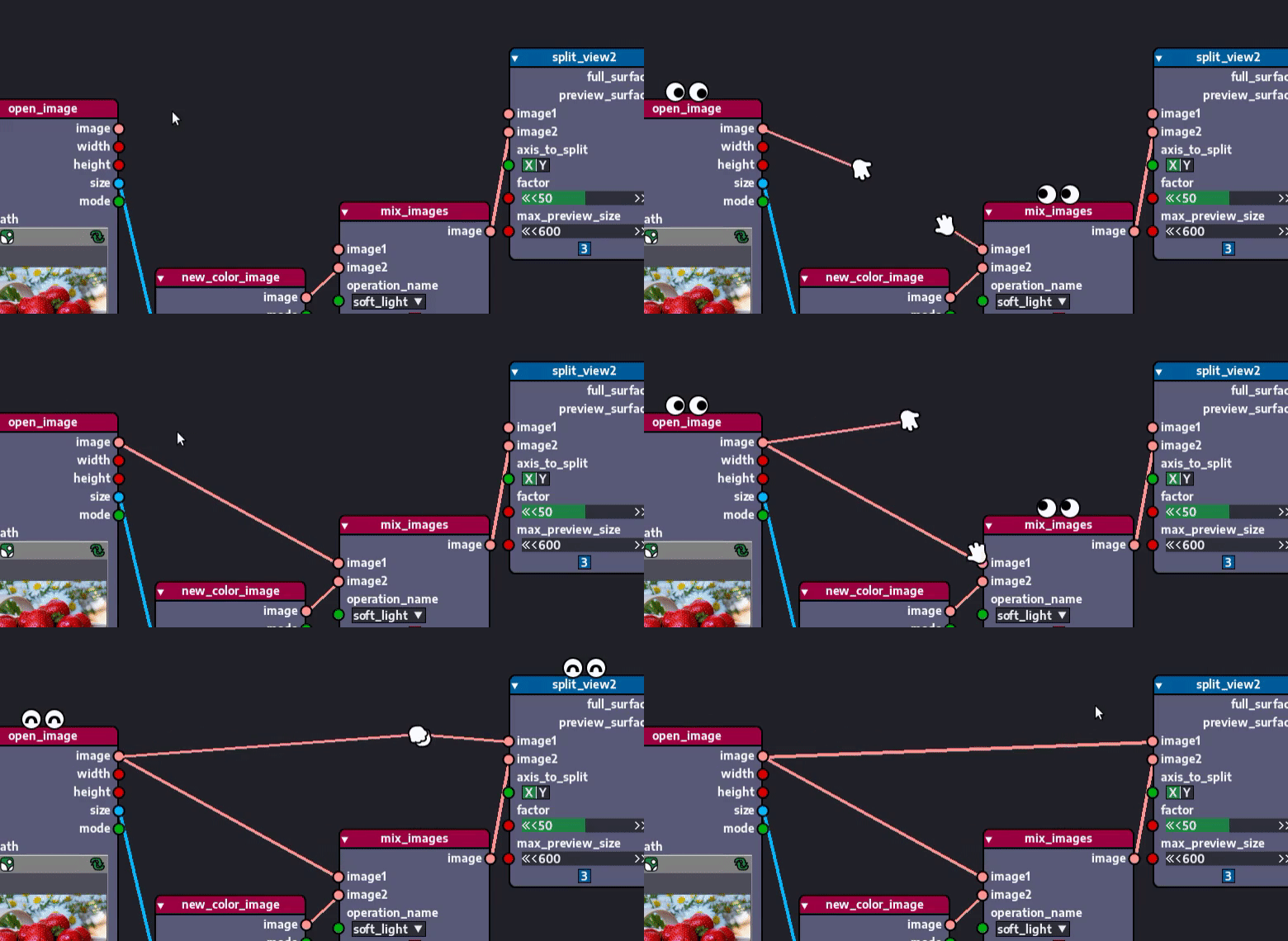
The user can even customize how close the mouse needs to be for the socket to be detected and for the connection to be recognized!
On top of that, there's no need to worry about being precise with your mouse motion either, cause the connection is only confirmed if the user releases the mouse. This way you can freely move the mouse near a desired socket with no fear of it being accidentally connected to another socket next to it:
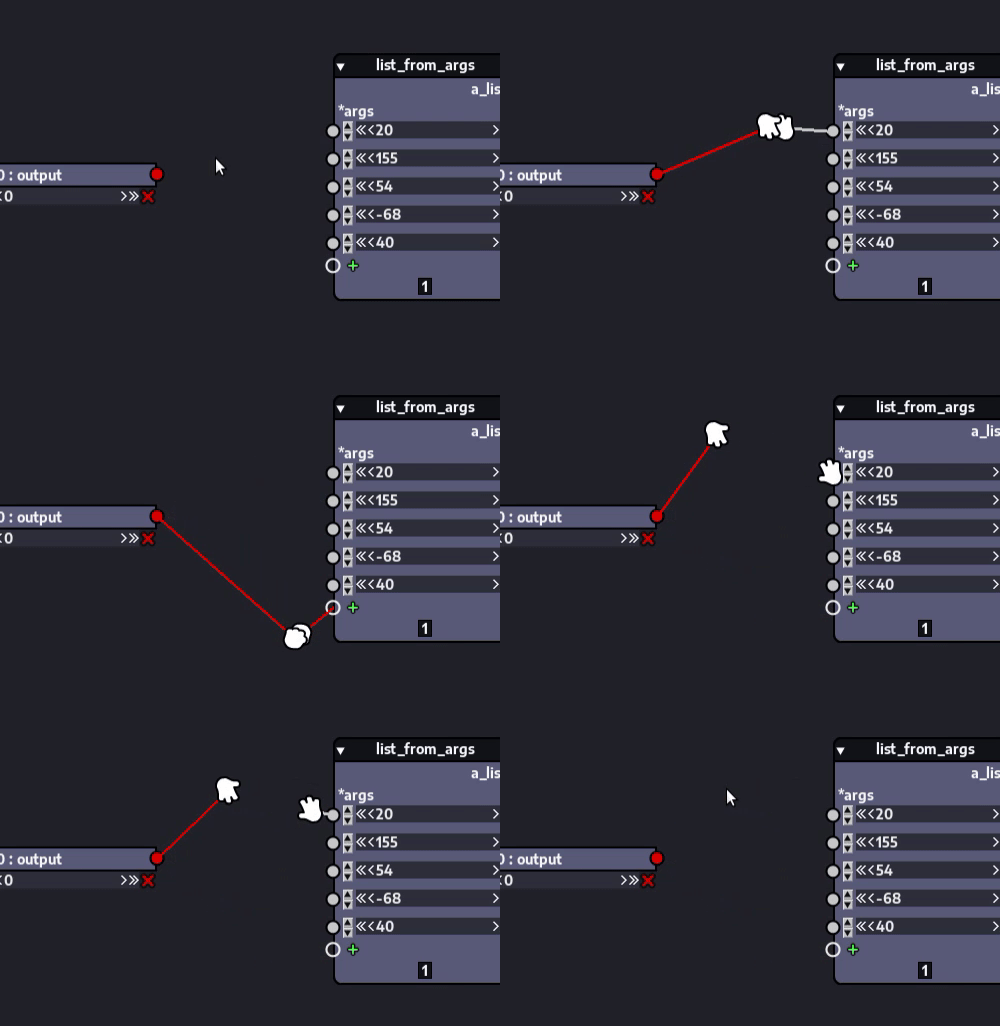
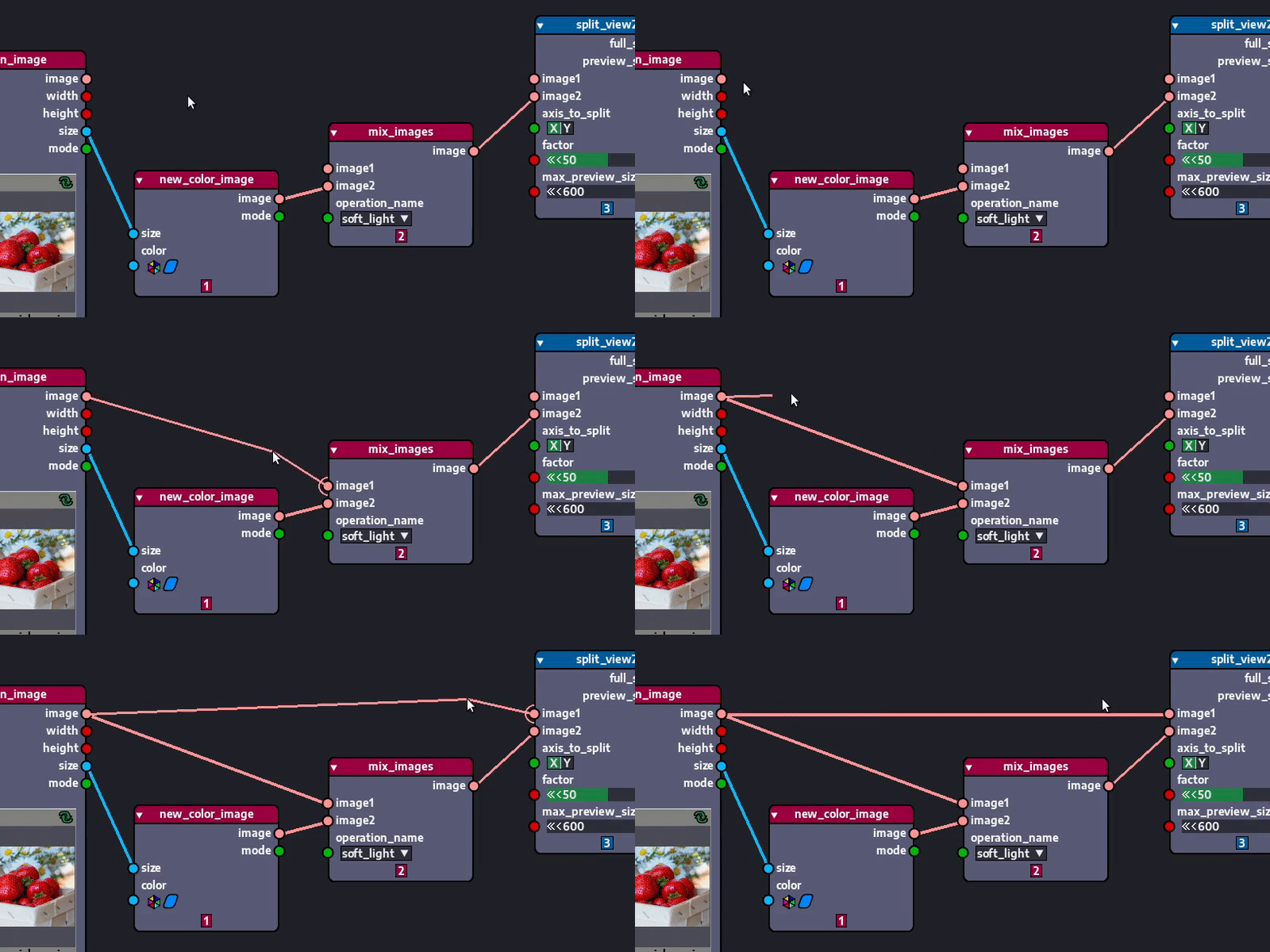
Users can even choose the detection graphics used. From the most serious and distraction-free to the most fun and silly ones:
 model or a full model breakdown. Trigger when asked for model-level usage/cost data from codexbar, or when you need a scriptable per-model summary from codexbar cost JSON.
