
ImageGlass.Tools
⚓ ImageGlass.Tools is a set of APIs to integrate third-party software with ImageGlass
Install / Use
/learn @ImageGlass/ImageGlass.ToolsREADME
ImageGlass.Tools - Build tools for ImageGlass
ImageGlass.Tools is a set of APIs to integrate third-party software with ImageGlass. With ImageGlass.Tools, developers can extend the functionality of ImageGlass by integrating their own software solutions, making it a highly customizable and versatile tool for all image viewing needs.
You can download tools for ImageGlass 9 at: https://imageglass.org/tools
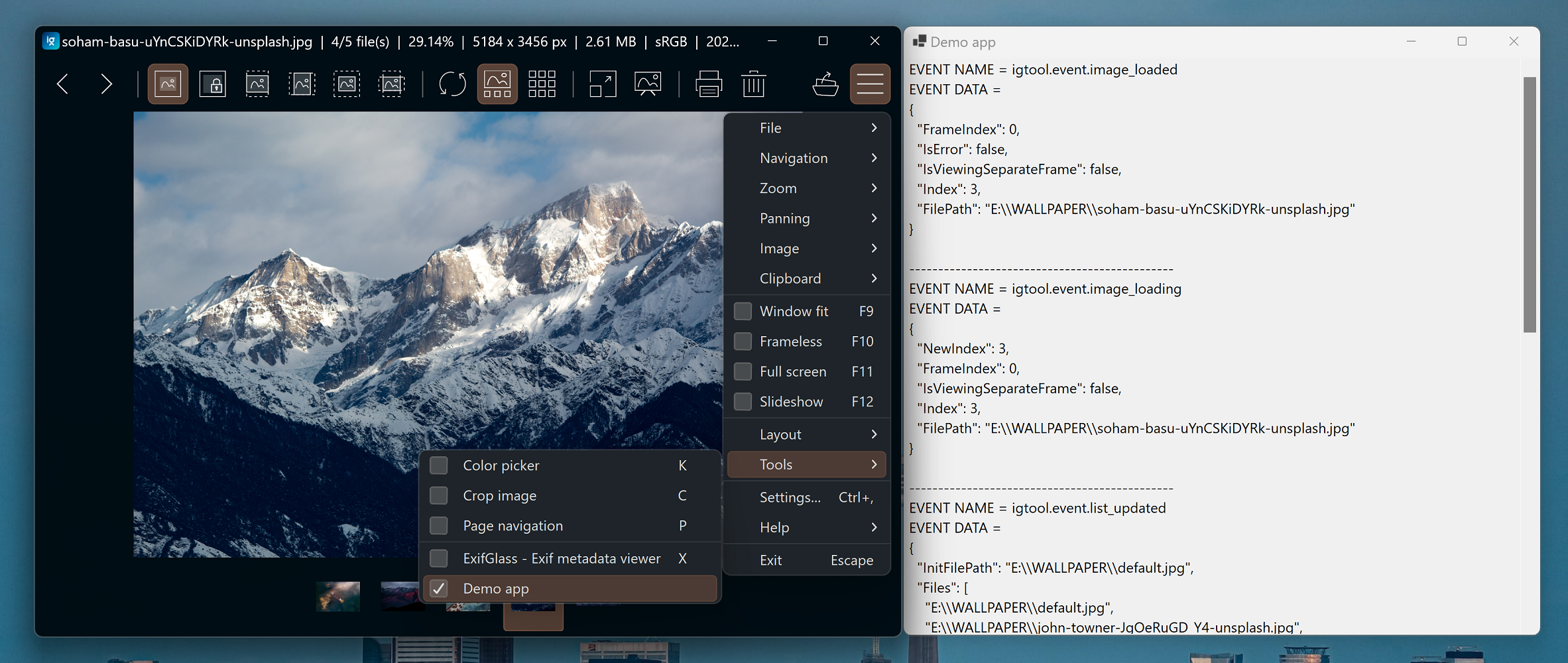
Getting started
Here are the simple steps to use APIS from ImageGlass.Tools. You can check out the DemoApp project for complete sample.
- To get started, you need to download or clone this repo.
- Create a new project in Visual Studio.
- Add
ImageGlass.Tools.csprojas a reference project into your software. - Create a new instance of
ImageGlassTool:
private readonly ImageGlassTool _igTool = new ImageGlassTool();
- Add event listeners to ImageGlass:
_igTool.ToolMessageReceived += IgTool_ToolMessageReceived;
_igTool.ToolClosingRequest += IgTool_ToolClosingRequest;
- Handle event from ImageGlass:
private void IgTool_ToolMessageReceived(object? sender, MessageReceivedEventArgs e)
{
  if (string.IsNullOrEmpty(e.MessageData)) return;

  if (e.MessageName == ImageGlassEvents.IMAGE_LOADED)
  {
    Trace.WriteLine("Image is loaded");
    Trace.WriteLine(e.MessageData);
  }
}
- Start connecting to ImageGlass:
await _igTool.ConnectAsync();
Add an external tool to ImageGlass 9
Use ImageGlass Settings
- Open ImageGlass Settings, click on tab "Tools"
- Click "Add..." button to add a new tool
- Fill in all the fields accordingly
- In
Argumenttext box, fill<file>so that ImageGlass will send the full path of the current viewing image file to the tool - Check the option
Integrated with ImageGlass.Toolsif the tool has implementation of ImageGlass.Tools - Check command preview to make sure your inputs are correct
- In
- Click "OK" button to close the dialog, click "OK" or "Apply" button to apply the changes <img width="600" src="https://user-images.githubusercontent.com/3154213/273207911-a90270fb-02fb-4b90-aee4-bd58109365bf.png" />
Use igconfig.json
- Open
igconfig.jsonfile with a text editor such as NotePad or VS Code. - Ensure that ImageGlass app is not running.
- In the Tools section of the
igconfig.jsonfile, add the following code:
// in igconfig.json
"Tools": [
  {
    "ToolId": "Tool_MyDemoApp", // a unique ID
    "ToolName": "My Demo app", // name of the tool
    "Executable": "path\\to\\the\\DemoApp.exe",
    "Argument": "<file>", // file path to pass to the tool
    "Hotkeys": ["X", "Ctrl+E"], // press X or Ctrl+E to open/close the tool
    "IsIntegrated": true|false // true: if the tool supports 'ImageGlass.Tools'
  }
]
- Save the file, and you're done!
Related Skills
node-connect
336.9kDiagnose OpenClaw node connection and pairing failures for Android, iOS, and macOS companion apps
frontend-design
83.0kCreate distinctive, production-grade frontend interfaces with high design quality. Use this skill when the user asks to build web components, pages, or applications. Generates creative, polished code that avoids generic AI aesthetics.
openai-whisper-api
336.9kTranscribe audio via OpenAI Audio Transcriptions API (Whisper).
commit-push-pr
83.0kCommit, push, and open a PR
