
Opentrashmail
Open Source standalone trashmail solution that ships its own mail server
Install / Use
/learn @HaschekSolutions/OpentrashmailREADME







Selfhosted trashmail solution - Receive Emails via Web UI, JSON API, RSS feed and Custom Webhooks
</div>
Changelog
Features
- Python-powered mail server that works out of the box for any domain you throw at it
RSS feedfor every email addressJSON APIfor integrating it in your own projects. Can be used to automate 2fa emailsWebhookswith per-email configuration and customizable JSON payloads- Handles attachments
- Supports
Plaintext,STARTTLSandTLS on connect - Web interface
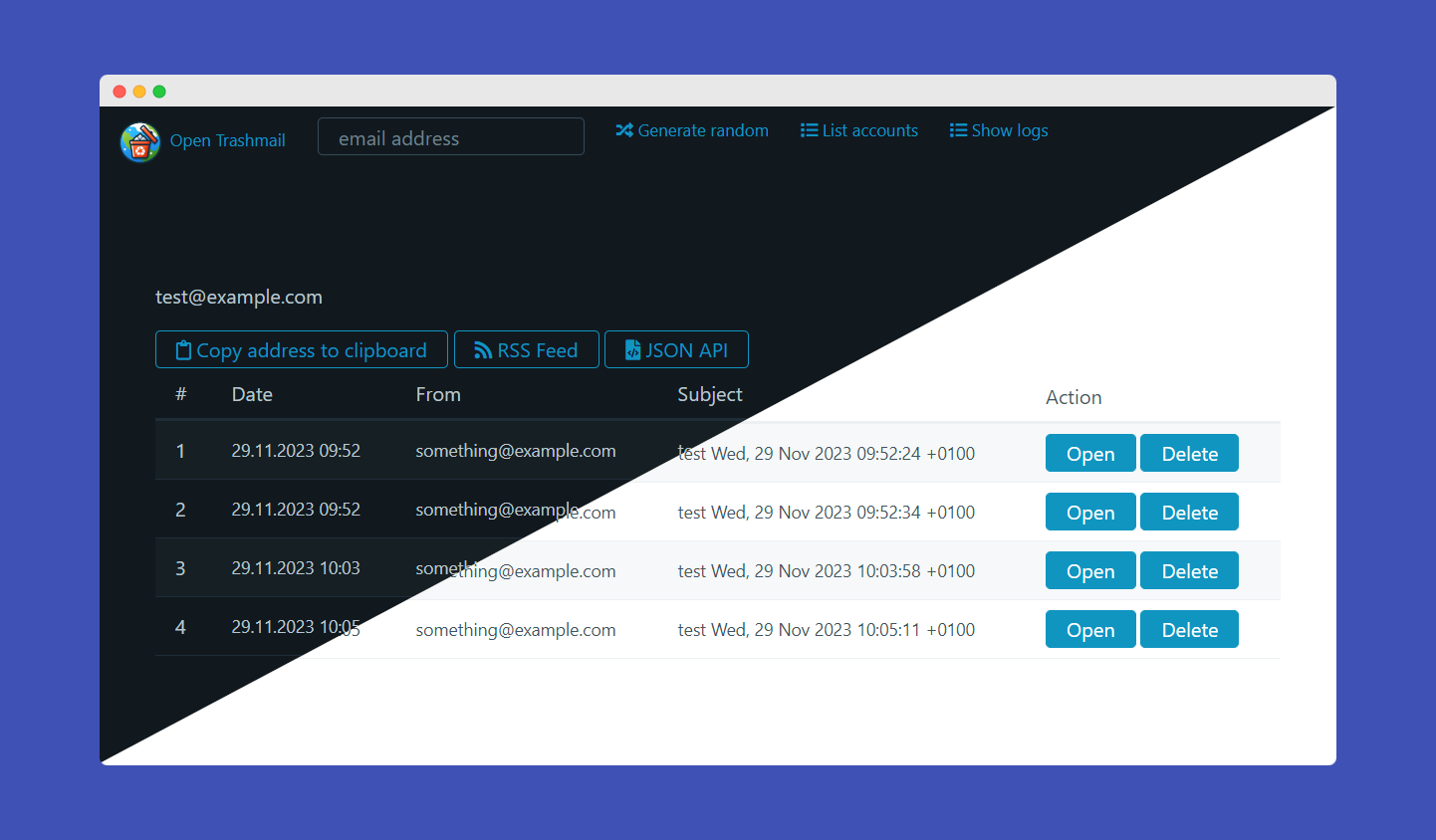
- Automatic dark/light mode switcher
- Download attachments
- Delete emails
- Generate random email addresses
- View server logs and list all accounts as admin
- 100% file based, no database needed
- Can be used as Email Honeypot or to programmatically solve 2fa emails
- No need to pre-create email addresses. Any valid email address can be sent to
General API calls and functions
| Endpoint | Explanation | Example output |
|----------------------------|-------------------------------------------------------------------------------------------------------------------------------------------------------------------------------------------------------|----------------------------------|
| /rss/[email-address] | Renders RSS XML for rss clients to render emails | 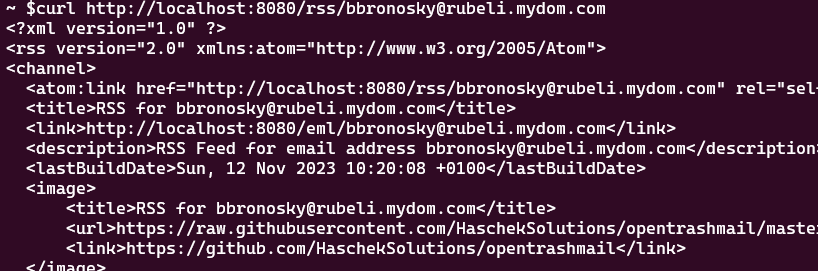 |
| /api/raw/
|
| /api/raw/[email-address]/[id] | Returns the raw email of the address. Warning: Output can be as large as the email itself so might be up to 20mb for mails with large attachments | 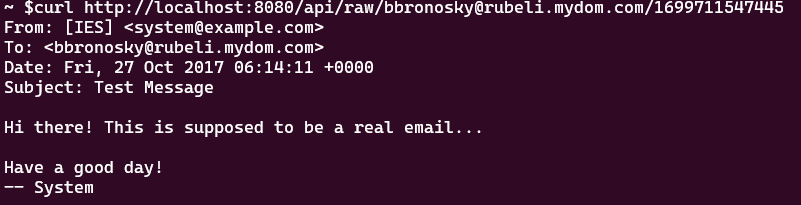 |
| /api/attachment
|
| /api/attachment[email-address]/[attachment-id] | Returns the attachment with the correct mime type as header | |
| /api/delete/[email-address]/[id] | Deletes a specific email message and their attachments | |
| /api/deleteaccount/[email-address]| Deletes all messages and attachments of this email account | |
| /api/webhook/get/[email-address] | Get webhook configuration for an email address | |
| /api/webhook/save/[email-address] | Save webhook configuration for an email address | |
| /api/webhook/delete/[email-address] | Delete webhook configuration for an email address | |
JSON API
| Endpoint | Explanation | Example output |
|----------------------------|-------------------------------------------------------------------------------------------------------------------------------------------------------------------------------------------------------|----------------------------------|
| /json/[email-address] | Returns an array of received emails with links to the attachments and the parsed text based body of the email. If ADMIN email is entered, will return all emails of all accounts | 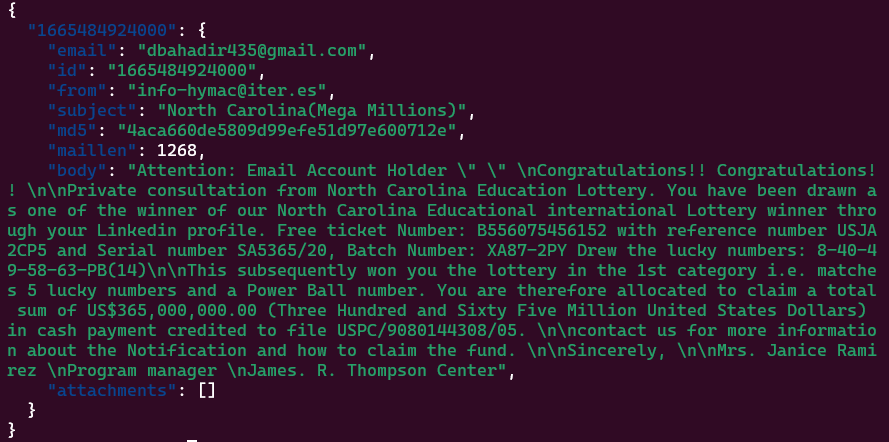 |
| /json/
|
| /json/[email-address]/[id] | To see all the data of a received email, take the ID from the previous call and poll this to get the raw and HTML body of the email. Can be huge since the body can contain all attachments in base64 | 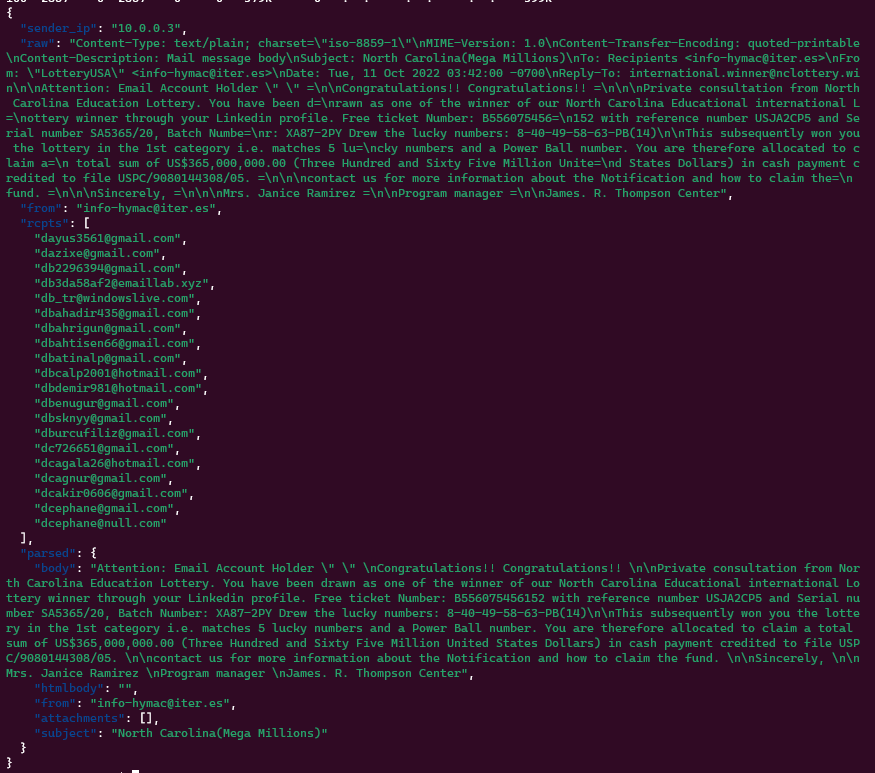 |
| /json/listaccounts | If
|
| /json/listaccounts | If SHOW_ACCOUNT_LIST is set to true in the config.ini, this endpoint will return an array of all email addresses which have received at least one email | 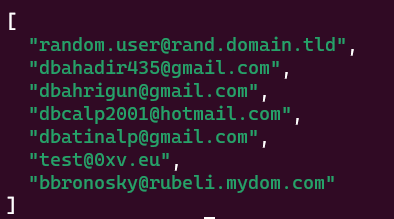 |
|
Configuration
Just edit the config.ini You can use the following settings
URL-> The url under which the GUI will be hosted. No tailing slash! example: https://trashmail.mydomain.euDOMAINS-> Comma separated list of domains this mail server will be receiving emails on. It's just so the web interface can generate random addressesMAILPORT-> The port the Python-powered SMTP server will listen on.Default: 25ADMIN-> An email address (doesn't have to exist, just has to be valid) that will list all emails of all addresses the server has received. Kind of a catch-allDATEFORMAT-> How should timestamps be shown on the web interface (moment.js syntax)PASSWORD-> If configured, site and API can't be used without providing it via form, POST/GET variablepasswordor http headerPWD(eg:curl -H "PWD: 123456" http://localhost:8080/json...)ALLOWED_IPS-> Comma separated list of IPv4 or IPv6 CIDR addresses that are allowed to use the web UI or APIATTACHMENTS_MAX_SIZE-> Max size for each individual attachment of an email in BytesMAILPORT_TLS-> If set to something higher than 0, this port will be used for TLSC (TLS on Connect). Which means plaintext auth will not be possible. Usually set to465. NeedsTLS_CERTIFICATEandTLS_PRIVATE_KEYto workTLS_CERTIFICATE-> Path to the certificate (chain). Can be relative to the /python directory or absoluteTLS_PRIVATE_KEY-> Path to the private key of the certificate. Can be relative to the /python directory or absoluteWEBHOOK_URL-> Global webhook URL. If set, will send a POST request to this URL with the JSON data of the email as body for all emails (unless overridden by per-email webhook)ADMIN_ENABLED-> Enables the admin menu. DefaultfalseADMIN_PASSWORD-> If set, needs this password to access the admin menu
Docker env vars
In Docker you can use the following environment variables:
| ENV var | What it does | Example values |
| --------|--------------|----------|
| URL | The URL of the web interface. Used by the API and RSS feed | http://localhost:8080 |
| DISCARD_UNKNOWN | Tells the Mailserver to wether or not delete emails that are addressed to domains that are not configured | true, false |
| DOMAINS | The whitelisted Domains the server will listen for. If DISCARD_UNKNOWN is set to false, this will only be used to generate random emails in the webinterface |
| SHOW_ACCOUNT_LIST | If set to true, all accounts that have previously received emails can be listed via API or webinterface | true,false |
| ADMIN | If set to a valid email address and this address is entered in the API or webinterface, will show all emails of all accounts. Kind-of catch-all | test@test.com
| DATEFORMAT | Will format the received date in the web interface based on moment.js syntax | "MMMM Do YYYY, h:mm:ss a" |
| SKIP_FILEPERMISSIONS | If set to true, won't fix file permissions for the code data folder in the container. Useful for local dev. Default false | true,false |
| PASSWORD | If configured, site and API can't be used without providing it via form, POST/GET variable password or http header PWD | yousrstrongpassword |
| ALLOWED_IPS | Comma separated list of IPv4 or IPv6 CIDR addresses that are allowed to use the web UI or API | 192.168.5.0/24,2a02:ab:cd:ef::/60,172.16.0.0/16 |
| ATTACHMENTS_MAX_SIZE | Max size for each individual attachment of an email in Bytes | 2000000 = 2MB |
| MAILPORT_TLS | If set to something higher than 0, this port will be used for TLSC (TLS on Connect). Which means plaintext auth will not be possible. Usually set to 465. Needs TLS_CERTIFICATE and TLS_PRIVATE_KEY to work | 465 |
| TLS_CERTIFICATE | Path to the certificate (chain). Can be relative to the /python directory or absolute | /certs/cert.pem or cert.pem if it's inside the python directory |
| TLS_PRIVATE_KEY | Path to the private key of the certificate. Can be relative to the /python directory or absolute | /certs/privkey.pem or key.pem if it's inside the python directory |
| WEBHOOK_URL | If set, will send a POST request to this URL with the JSON data of the email as body. Can be used to integrate OpenTrashmail in your own projects | https://example.com/webhook |
| ADMIN_ENABLED | Enables the admin menu. Default false | false / true |
| ADMIN_PASSWORD | If set, needs this pass
Related Skills
node-connect
341.0kDiagnose OpenClaw node connection and pairing failures for Android, iOS, and macOS companion apps
prose
341.0kOpenProse VM skill pack. Activate on any `prose` command, .prose files, or OpenProse mentions; orchestrates multi-agent workflows.
claude-opus-4-5-migration
84.4kMigrate prompts and code from Claude Sonnet 4.0, Sonnet 4.5, or Opus 4.1 to Opus 4.5
frontend-design
84.4kCreate distinctive, production-grade frontend interfaces with high design quality. Use this skill when the user asks to build web components, pages, or applications. Generates creative, polished code that avoids generic AI aesthetics.
