
Dashboard
This project is a multi-page dashboard template from Elzero Web School (Template Four). Built using HTML, SCSS, Bootstrap, JavaScript, FontAwesome, and AOS for smooth animations. It includes a dark mode theme for better usability. Clean, responsive, and perfect for admin or data-driven applications with multiple sections.
Install / Use
/learn @GziXnine/DashboardREADME
🌐 Dashboard - Multi-Page Application
Welcome to Dashboard, a dynamic, multi-page application created with modern web development best practices. This project features a responsive layout, interactive elements, light/dark mode, and smooth animations, offering an immersive user experience.
🔥 What’s Special About the Dashboard?
Key Features:
- ⚡️ Dynamic Multi-Page Layout: Seamless navigation across multiple pages, providing a smooth and intuitive user experience.
- 💻 Fully Responsive Design: Ensures excellent performance across all devices, from large desktops to small mobile screens.
- 🌗 Light/Dark Mode Toggle: Switch easily between light and dark themes, enhancing accessibility and personalization.
- 🎞️ Smooth Animations: Powered by AOS (Animate On Scroll) for dynamic, visually engaging transitions.
- 🛠️ FontAwesome Icons: Sleek, modern icons to enhance UI/UX.
- 🎨 Custom Styling: Using SCSS for reusable, scalable styles, and Bootstrap for responsive layout.
📸 Preview
<p align="center"> <img src="https://img.shields.io/badge/Completion-100%25-brightgreen" alt="Completion Status"> <img src="https://visitor-badge.laobi.icu/badge?page_id=GziXnine/Dashboard" alt="Visitors"> <img src="https://img.shields.io/github/repo-size/GziXnine/Dashboard" alt="Repository Size"> </p> <img src="https://github.com/AllamF5J/AllamF5J/blob/main/images/neon.gif"> <h3 align="center">Dark Mode</h3>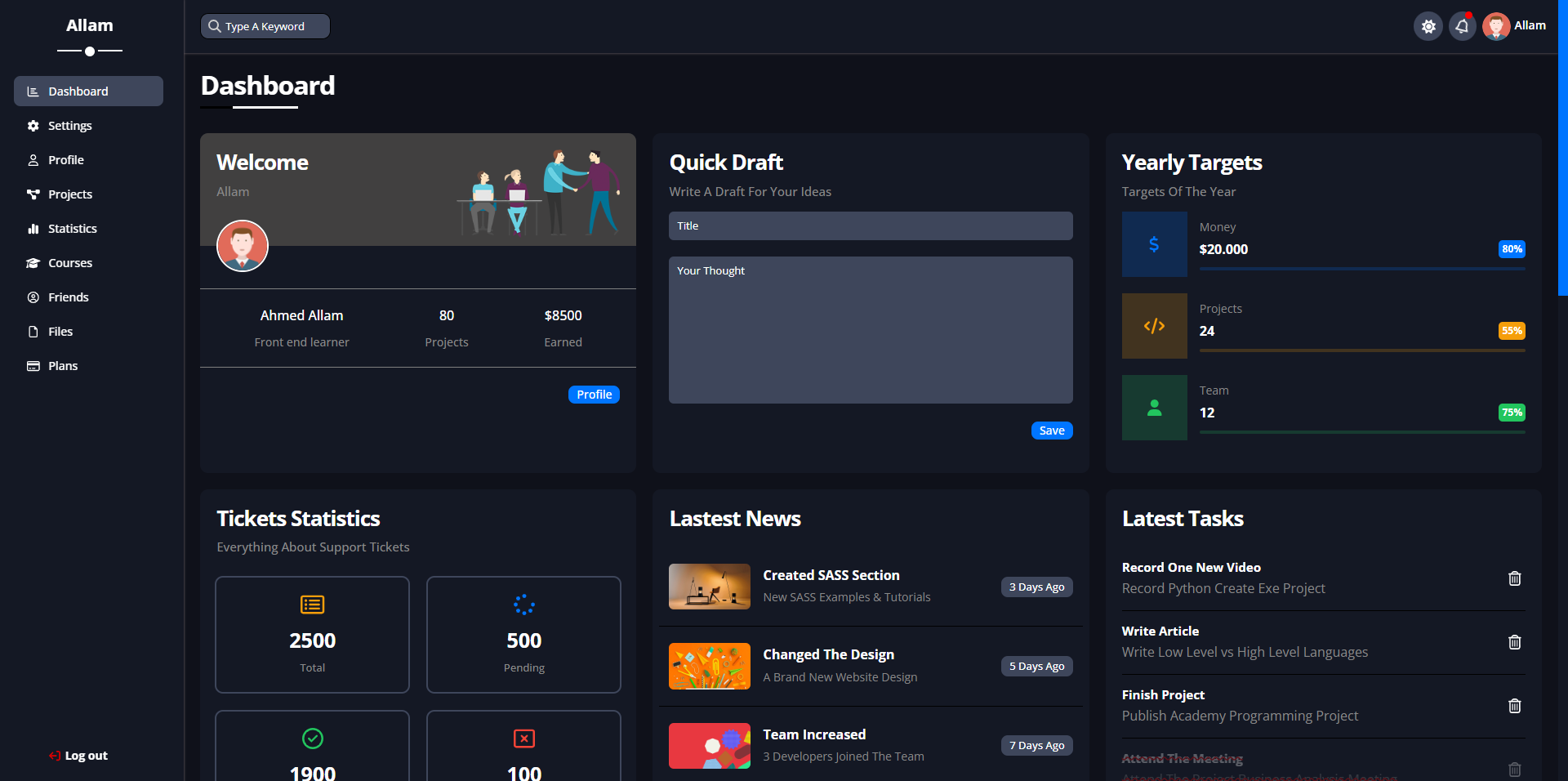
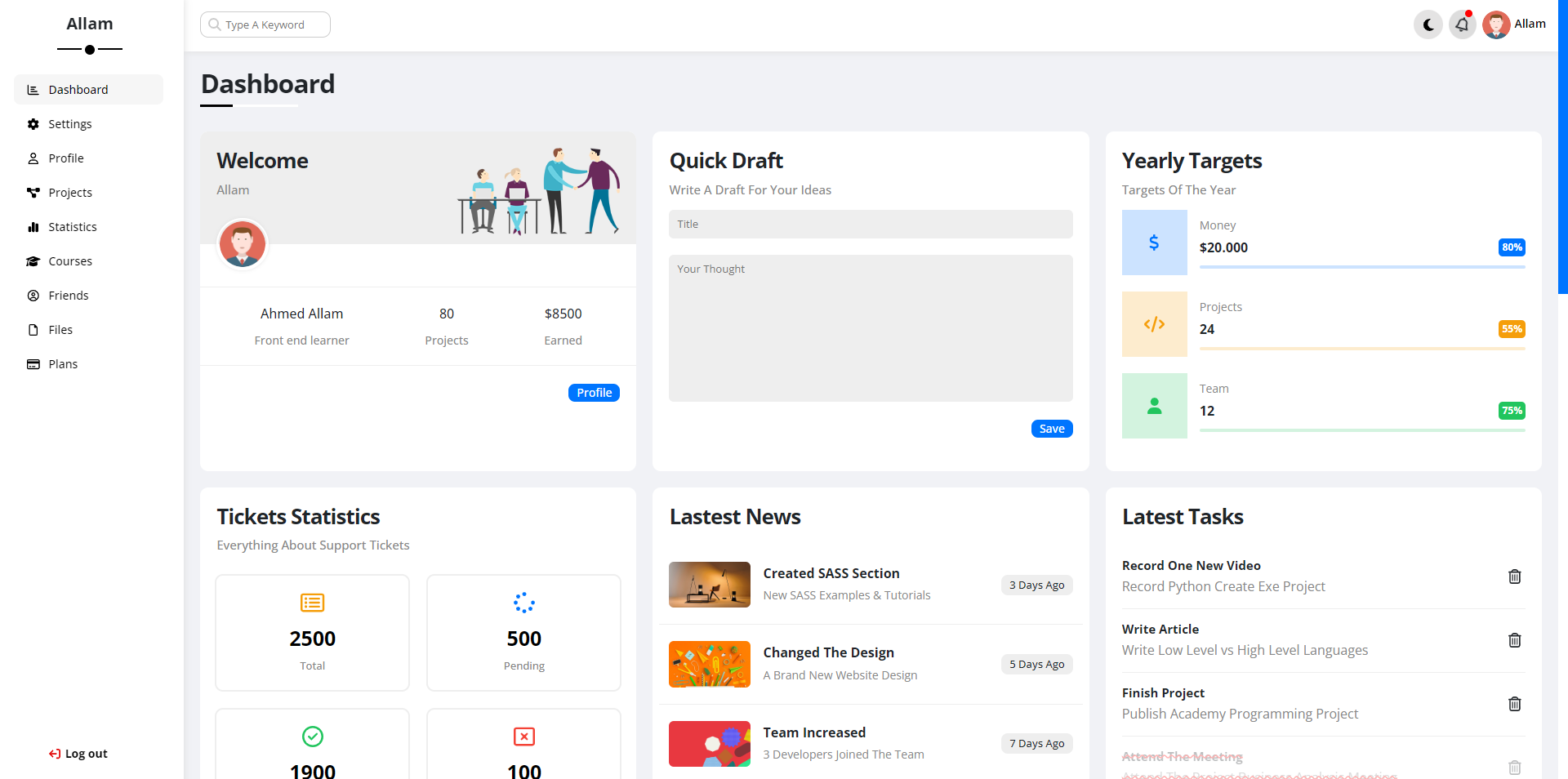
🛠️ Technologies Used
- HTML5: Semantic and structured content.
- SCSS: Modular and reusable styles.
- Bootstrap: Responsive grid and UI components.
- JavaScript: Interactivity and light/dark mode handling.
- FontAwesome: Vector icons for enhanced design.
- AOS: Smooth scroll-based animations.
🚀 How to Get Started
Prerequisites:
- Basic understanding of HTML, CSS, JavaScript, and SCSS.
- Familiarity with Git for version control.
Installation:
- Clone the repository:
git clone https://github.com/GziXnine/Dashboard.git - Navigate to the project directory:
cd Dashboard - Open
index.htmlin your browser to view the dashboard.
🎨 Customization
This dashboard is highly customizable. You can easily modify:
- SCSS Variables: Customize the primary and secondary colors, fonts, and more via the
_variables.scssfile. - Icons: Powered by Font Awesome, you can include custom icons throughout the dashboard.
📈 Roadmap
- [x] Multi-page layout implementation.
- [x] Responsive design for all screen sizes.
- [x] JavaScript interactivity.
- [x] Light/Dark mode toggle.
- [x] Smooth animations using AOS.
- [x] FontAwesome icons integration.
🙌 Contributions
Contributions are welcome! Feel free to check the issues page or submit a pull request.
📝 License
This project is open-source and available under the MIT License.
🙏 Acknowledgments
- Inspired by tutorials from Elzero Web School.
- Icons provided by Font Awesome.
- Fonts from Google Fonts.
- BrandColor Brand Color.
📬 Contact
Feel free to reach out with any questions or feedback:
- GitHub: GziXnine
- LinkedIn: Ahmed Allam
- Telegram: Telegram.
A project by Ahmed Allam, showcasing advanced front-end development skills.
