
OpenDogSimulator
Simulation for the Open Dog project
Install / Use
/learn @GistNoesis/OpenDogSimulatorREADME
OpenDogSimulator
Simulation for the Open Dog project
OpenDog project CAD based on : https://github.com/XRobots/openDog
Flying openDog video :
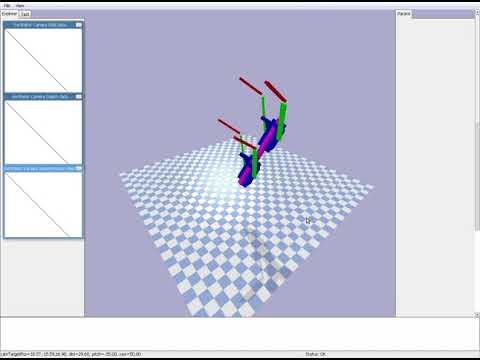
OpenDog first steps using PPO :
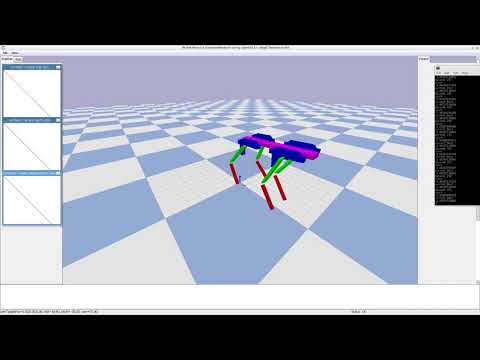
The goals of the project :
- Teach opendog various task from high level objectives
- We will try to simulate to see if it'll be able to get up on his own.
- Hopefully we will be able to learn some controller for smooth movement.
- See what sensors are really needed.
- See what computing power we really need.
The general architecture will be pretty classic in the line of http://blog.otoro.net/2017/11/12/evolving-stable-strategies/ :
- Develop custom gym environment
- Develop custom policy model then solve it using either a variant of Evolution Strategies (currently implemented as it is easier), or PPO
- Randomize various constants (like gravity, inertia matrices,...,time jitter) to make it robust so we can transfer it to the real world robot.
For the reinforcement learning, currently using es code a little modified from https://github.com/hardmaru/estool/
Install :
- You'll need pybullet and numpy
- Then you can play and try make the robot walk.
- For reinforcement learning you will need openai gym, tensorflow and pycma (for ES), tensorforce (for PPO)
Run :
- The low gravity video : bulletSim.py
- Random agent on "openai Gym" environment : RunGymEnv.py
- Training with CMA-ES the "openai Gym" environment whose goal is to have the center of mass of the body at a specific height after 3s : trainEnvWithES.py (Currently running on a single core and solving the stand task in ~15 minutes and show good will for the forward task) (Edit the file to show/hide the GUI, and enable CPU/GPU) Progress is saved, so you can run it fast without the GUI, then run with the GUI to see the result
- Training with PPO using : trainEnvWithPPO.py (Edit the file to show/hide the GUI, and enable CPU/GPU) Code currently running and showing some good will. (If you get hit by this tensorforce issue : https://github.com/reinforceio/tensorforce/issues/391 then use CPU instead of GPU). If it numerically diverge when run for a long time, you probably need to add weight decay (can't find the corresponding documentation in tensorforce), or scale down the inputs, or schedule reduce the optimizer step size.
Environment :
- EnvOpenDogStand : Reward at the end only, fully deterministic, goal is to reach a specific base altitude after 3 second.
- EnvOpenDogForward : Reward at the end only, fully deterministic, goal is to reach the further in the x direction, simulation is stopped if base is inclined too much, or base altitude go too low. (Hard to learn without Hindsight Experience Replay). Continuous action to control the relative joint position (which make it a lot harder to run :) )
- EnvOpenDogForwardSimple : Reward at each timestep based on the x axis forward distance during the step. Simulation is stopped if base is inclined too much, or base altitude go too low. Continuous actions control the absolute joint position directly. Joint positions (and joint velocities) and Orientation of the base are inputs.
What remains to be done (still plenty):
- More custom environments and objectives
- Parallelism
- Do the training and real world testing :)
License :
- Code is MIT
- STL files are derivatives of GPL V3 so inherit
Notes :
- Due to the manual import and joint positionning it's not accurate for the moment.
- The masses and inertial matrices are not correct
- The ball screw mecanism has not been implemented as a simplification instead we control the joint angle.
- The model currently work with self_collisions, but if I had the rings of the body it is self colliding when it shouldn't, probably some pybullet optimization to the convex hull make it self collide
- Self collision between two connected links will be constrained by using "revolute" joints instead of "continuous" one with proper angle limit
- The mirrored version of the leg have been done manually and is not faithful to the original cad which is not mirrored
How to manually create a new URDF for updated versions :
From the STP file :
-
Group the parts that belong to the same link into a single stl.
-
Then manually edit the joint position and orientation, inside the urdf file.
Ideally one would have used solidworks to create a urdf file during the export : http://wiki.ros.org/sw_urdf_exporter/Tutorials
Alternatively from fusion 360 :
We should be able to do Fusion 360 -> SDF using https://github.com/Roboy/SDFusion
Then SDF -> URDF using sdf2urdf.py of https://github.com/andreasBihlmaier/pysdf
