
Apcupsd
APC UPS plugin for OPNsense
Install / Use
/learn @Gibbon99/ApcupsdREADME
apcupsd
APC UPS plugin for OPNsense
This plugin allows you to configure a APC UPS for use with OPNsense. The setup page allows you to set the most common options for connecting your UPS to your OPNsense server.
MANUAL INSTALLATION You will need the apcupsd package installed - currently version 3.14.14_4. ( Run "pkg install apcupsd" from a shell on your server. ) (done automatically when deployed as real opnsense plugin when migration is complete.)
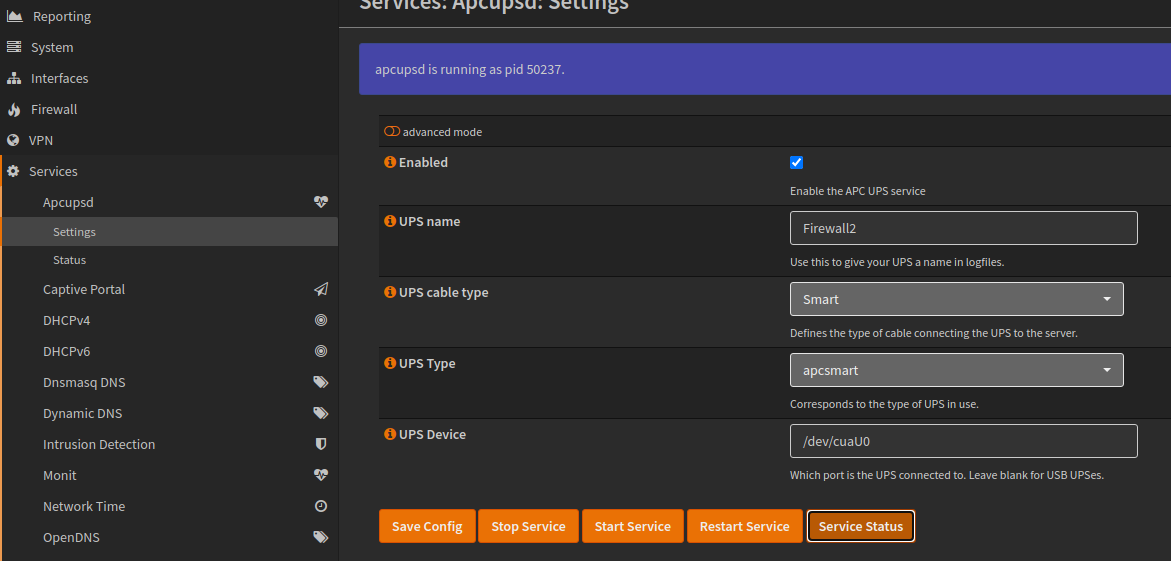
This is the main settings page:
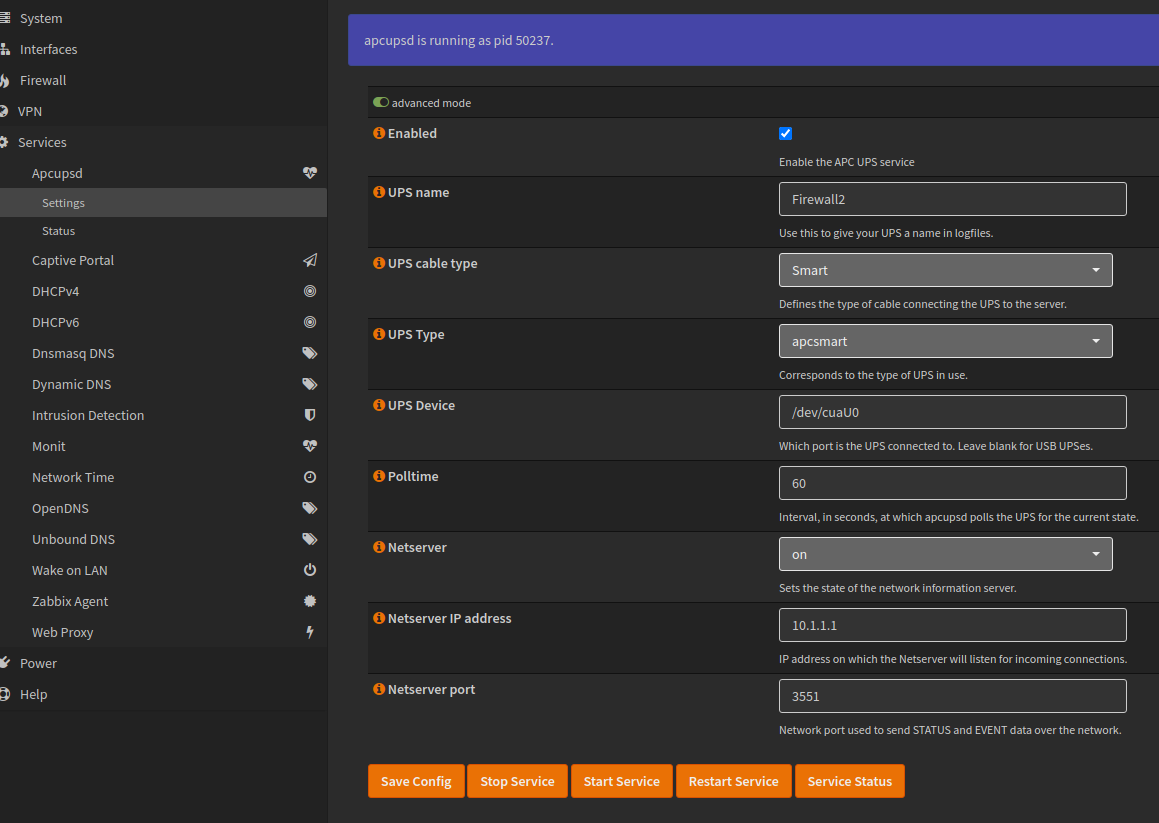
These are the advanced options available:
The status page shows you information about the connected UPS:

I use the OPNsense Monit service to control the running of the apcupsd service. The Monit service monitors the PID file of the apcupsd daemon, and restarts it should it fail.
The monit service can be configured like this:

INSTALLATION
MANUAL INSTALLATION This should make the apcupsd daemon appear in the Services widget on the dashboard. Also do a "chmod +x /usr/local/opnsense/scripts/OPNsense/Apcupsd/*.py" to allow script execution. (done automatically when deployed as real opnsense plugin when migration is complete.)
Until I can work out how to create an installable package, copy the files here to their locations on your server.
Related Skills
node-connect
342.5kDiagnose OpenClaw node connection and pairing failures for Android, iOS, and macOS companion apps
frontend-design
85.3kCreate distinctive, production-grade frontend interfaces with high design quality. Use this skill when the user asks to build web components, pages, or applications. Generates creative, polished code that avoids generic AI aesthetics.
openai-whisper-api
342.5kTranscribe audio via OpenAI Audio Transcriptions API (Whisper).
qqbot-media
342.5kQQBot 富媒体收发能力。使用 <qqmedia> 标签,系统根据文件扩展名自动识别类型(图片/语音/视频/文件)。
