
TerraformMagentoCloud
AWS Magento 2 cloud Terraform infrastructure as code. For any systems WordPress / WooCommerce/ Drupal / Shopware 6 / Shopify APP / VueStorefront / Oddo / ORO / Magento 2 with horizontal Auto scaling (platform agnostic)
Install / Use
/learn @Genaker/TerraformMagentoCloudREADME
Minimal Magento Cloud Infrastructure
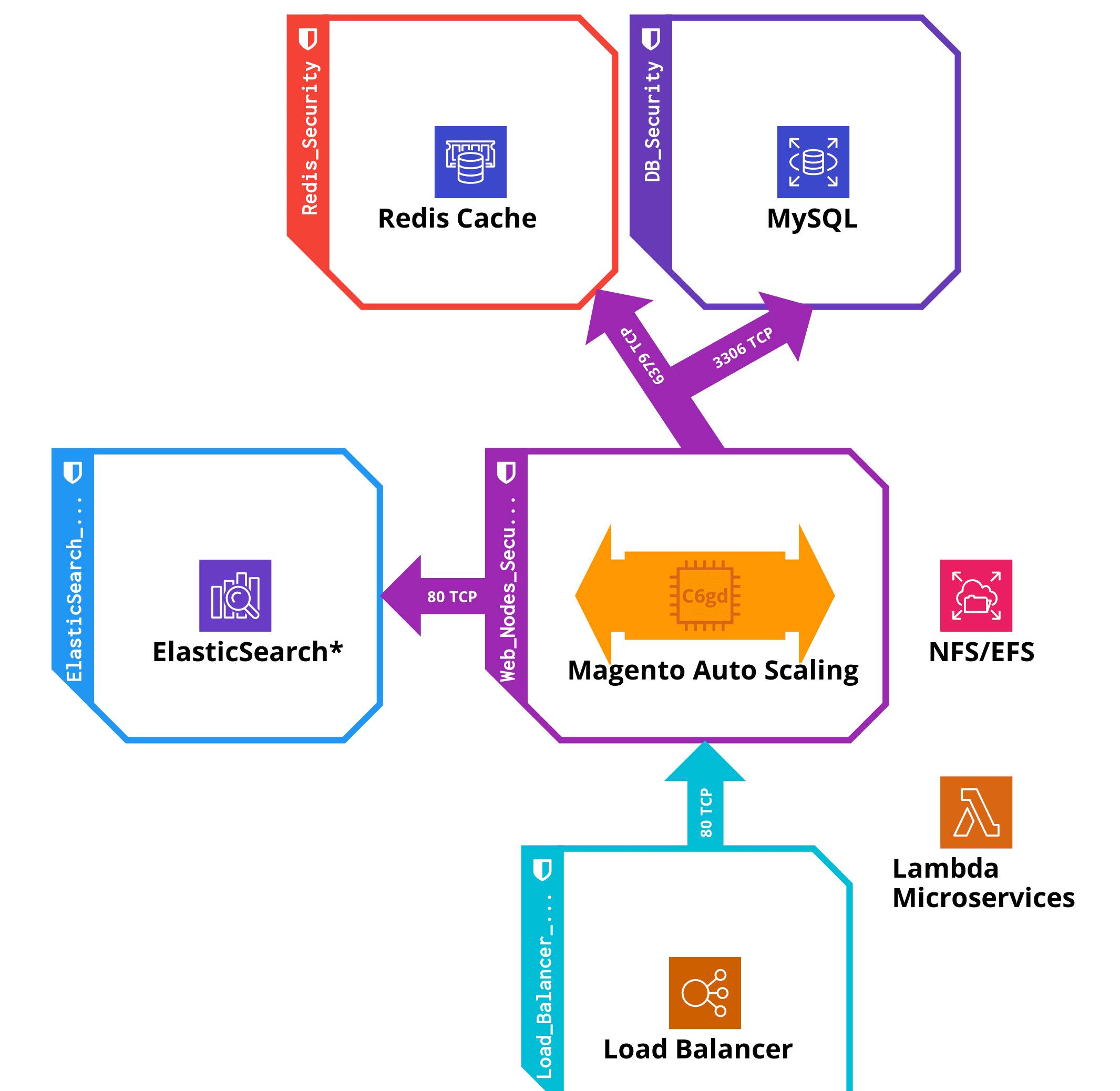
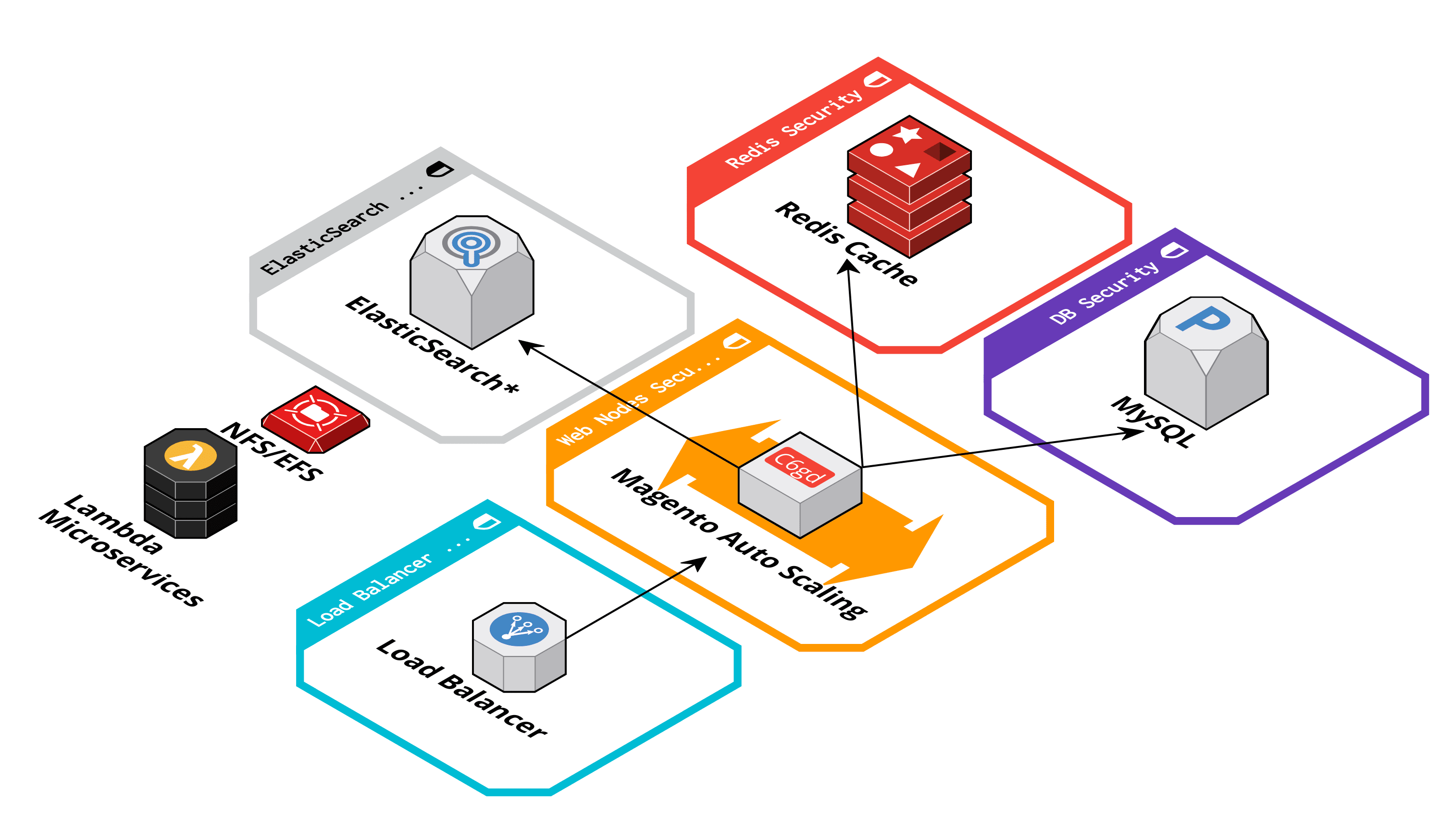

Quick start
Recommended Versions (2025)
- Terraform: v1.13.4 or newer
- Terragrunt: v0.92.1 or newer
- AWS Provider: v6.x (auto-detected)
Installation Options
Option 1: Use Docker Image (Recommended)
docker build -t tg-tf:local .
# Image includes Terraform 1.13.4 + Terragrunt v0.92.1 + Go
Option 2: Install Locally
If you are using macOS you can install all dependencies using Homebrew:
brew install terraform terragrunt pre-commit
Configure access to AWS account
The recommended way to configure access credentials to AWS account is using environment variables:
$ export AWS_DEFAULT_REGION=ap-southeast-1
$ export AWS_ACCESS_KEY_ID=...
$ export AWS_SECRET_ACCESS_KEY=...
Alternatively, you can edit terragrunt.hcl and use another authentication mechanism as described in AWS provider documentation.
Create and manage your infrastructure
Infrastructure consists of multiple layers (magento_auto_scaling, mysql, load_balancer, ...) where each layer is described using one Terraform module with inputs arguments specified in terragrunt.hcl in respective layer's directory.
Navigate through layers to review and customize values inside inputs block.
There are two ways to manage infrastructure (slower&complete, or faster&granular):
- Region as a whole (slower&complete). Run this command to create infrastructure in all layers in a single region:
$ cd region
$ terragrunt run-all apply
- As a single layer (faster&granular). Run this command to create infrastructure in a single layer (eg,
magento_auto_scaling):
$ cd ap-southeast-1/magento_auto_scaling
$ terragrunt apply
After the confirmation your infrastructure should be created.
Destroy/Delete infrastructure
destroy-all (DEPRECATED: use run-all) DEPRECATED: Use run-all destroy instead.
terragrunt run-all destroy
Destroy a ‘stack’ by running ‘terragrunt destroy’ in each subfolder.
Module Versions (Updated 2025)
This infrastructure uses the latest stable versions:
| Module | Version | Source | |--------|---------|--------| | VPC | v5.16.0 | terraform-aws-modules/vpc | | RDS | v6.10.0 | terraform-aws-modules/rds | | Security Group | v5.2.0 | terraform-aws-modules/security-group | | Auto Scaling | v9.0.2 | terraform-aws-modules/autoscaling | | ALB | v9.11.0 | terraform-aws-modules/alb | | EFS | v1.6.5 | terraform-aws-modules/terraform-aws-efs | | ElastiCache Redis | 1.2.3 | cloudposse/terraform-aws-elasticache-redis |
All module sources use HTTPS URLs (not SSH) for easier access without SSH keys.
References
- Terraform documentation and Terragrunt documentation for all available commands and features
- Terraform AWS modules
- Terraform modules registry
- Terraform best practices
- LocalStack for local testing
