
DataSources
💾 🔜📱 Type-safe data-driven CollectionView, TableView Framework. (We can also use ASCollectionNode)
Install / Use
/learn @FluidGroup/DataSourcesREADME
DataSources
💾 🔜📱 Type-safe data-driven List-UI Framework. (We can also use ASCollectionNode)
Partial updates(insert, delete, move) of UICollectionView/UITableView is important things for fancy UI.<br> But, It's hard that synchronous of data and UI.<br> DataSources will solve this problem.







Thanks
Diff-algorithm
- Inspired by IGListKit/IGListDiff.
- https://github.com/Instagram/IGListKit
- https://github.com/lxcid/ListDiff
Features
- Data driven update
- Data did change, then will display.
- Partial updates, no more calling
reloadData- Smooth and Faster.
- if the count of changes larger than 300, update with non-animation.
- Simplified usage
- We can use different type each section.
- Type-safe
- We can take clearly typed object by IndexPath.
- Using Adapter-pattern for List-UI
- For example, We can also use this for ASCollectionNode of Texture. (Demo app includes it)
- Reorder by UI operation
- This library is not supported moving between section.
Requirements
- Swift 4
- iOS 9+
Usage (Example)
Conform protocol Diffable
public protocol Diffable {
  associatedtype Identifier : Hashable
  var diffIdentifier: Identifier { get }
}
struct Model : Diffable {

  var diffIdentifier: String {
    return id
  }

  let id: String
}
🤠 Most Simplified Usage
- Define
SectionDataControllerin ViewController
let collectionView: UICollectionView

let sectionDataController = SectionDataController<Model, CollectionViewAdapter>(
  adapter: CollectionViewAdapter(collectionView: self.collectionView),
  isEqual: { $0.id == $1.id } // If Model has Equatable, you can omit this closure.
)

var models: [Model] = [] {
  didSet {
    sectionDataController.update(items: items, updateMode: .partial(animated: true), completion: {
      // Completed update
    })
  }
}

let dataSource = CollectionViewDataSource(sectionDataController: sectionDataController)

dataSource.cellFactory = { _, collectionView, indexPath, model in
   let cell = collectionView.dequeueReusableCell(withReuseIdentifier: "Cell", for: indexPath) as! Cell
   cell.label.text = model.title
   return cell
 }

collectionView.dataSource = dataSource
😎 Semi Manual
Single-Section (UICollectionView)
- Define
SectionDataControllerin ViewController
let collectionView: UICollectionView
var models: [Model]

let sectionDataController = SectionDataController<Model, CollectionViewAdapter>(
  adapter: CollectionViewAdapter(collectionView: self.collectionView),
  isEqual: { $0.id == $1.id } // If Model has Equatable, you can omit this closure.
)
- Bind Models to
SectionDataControllerin ViewController
var models: [Model] = […] {
  didSet {
    sectionDataController.update(items: items, updateMode: .partial(animated: true), completion: {
      // Completed update
    })
  }
}
- Implement UICollectionViewDataSource in ViewController
func numberOfSections(in collectionView: UICollectionView) -> Int {
  return 1
}

func collectionView(_ collectionView: UICollectionView, numberOfItemsInSection section: Int) -> Int {
  return sectionDataController.numberOfItems()
}

func collectionView(_ collectionView: UICollectionView, cellForItemAt indexPath: IndexPath) -> UICollectionViewCell {

  let cell = collectionView.dequeueReusableCell(withReuseIdentifier: "Cell", for: indexPath) as! Cell
  let m = sectionDataController.item(for: indexPath)
  cell.label.text = m.title
  return cell
}
Multiple-Section (UICollectionView)
- Define
DataControllerin ViewController
let collectionView: UICollectionView
var models: [Model]

let dataController = DataController<CollectionViewAdapter>(adapter: CollectionViewAdapter(collectionView: self.collectionView))
- Define
Section<T>in ViewController
let section0 = Section(ModelA.self, isEqual: { $0.id == $1.id })
let section1 = Section(ModelB.self, isEqual: { $0.id == $1.id })
- Add
SectiontoDataController
Order of Section will be decided in the order of addition.
dataController.add(section: section0) // will be 0 of section
dataController.add(section: section1) // will be 1 of section
- Bind Models to DataController
var section0Models: [ModelA] = […] {
  didSet {
    dataController.update(
      in: section0,
      items: section0Models,
      updateMode: .partial(animated: true),
      completion: {

    })
  }
}

var section1Models: [ModelA] = […] {
  didSet {
    dataController.update(
      in: section1,
      items: section1Models,
      updateMode: .partial(animated: true),
      completion: {

    })
  }
}
- Implement UICollectionViewDataSource
func numberOfSections(in collectionView: UICollectionView) -> Int {
  return dataController.numberOfSections()
}

func collectionView(_ collectionView: UICollectionView, numberOfItemsInSection section: Int) -> Int {
  return dataController.numberOfItems(in: section)
}

func collectionView(_ collectionView: UICollectionView, cellForItemAt indexPath: IndexPath) -> UICollectionViewCell {

  return dataController.item(
    at: indexPath,
    handlers: [
    .init(section: section0) { (m: ModelA) in
      let cell = collectionView.dequeueReusableCell(withReuseIdentifier: "Cell", for: indexPath) as! Cell
      cell.label.text = m.title
      return cell
    },
    .init(section: section1) { (m: ModelB) in
      let cell = collectionView.dequeueReusableCell(withReuseIdentifier: "Cell", for: indexPath) as! Cell
      cell.label.text = m.title
      return cell
      },
    ])

  /* Other way
  switch indexPath.section {
  case section0:
    let cell = collectionView.dequeueReusableCell(withReuseIdentifier: "Cell", for: indexPath) as! Cell
    let m = _dataController.item(at: indexPath, in: section0)
    cell.label.text = m.title
    return cell
  case section1:
    let cell = collectionView.dequeueReusableCell(withReuseIdentifier: "Cell", for: indexPath) as! Cell
    let m = _dataController.item(at: indexPath, in: section1)
    cell.label.text = m.title
    return cell
  default:
    fatalError()
  }
   */
}
Reorder by UI operation
SectionDataController has a snapshot for List-UI.
It helps that perform batch update List-UI in safety.
But, the snapshots include side-effects.
For example, if we did reorder items of List-UI by UI operation.
In this time, Items of List-UI is caused differences to the snapshot.
It will be caused unnecessary diff.
Therefore when we reorder items, we should operation followings.
- Reorder items of UI
- Call
SectionDataController.reserveMoved(... - Reorder items of Array
- Call
SectionDataController.update(items: [T]..
Demo Application
This repository include Demo-Application. You can touch DataSources.
- Clone repository.
$ git clone https://github.com/muukii/DataSources.git
$ cd DataSources
$ pod install
- Open xcworkspace
- Run
DataSourcesDemoon iPhone Simulator.
Author
muukii, m@muukii.me, https://muukii.me/
License
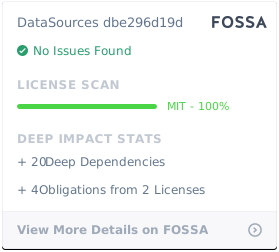
DataSources is available under the MIT license. See the LICENSE file for more info.
Related Skills
node-connect
345.4kDiagnose OpenClaw node connection and pairing failures for Android, iOS, and macOS companion apps
frontend-design
104.6kCreate distinctive, production-grade frontend interfaces with high design quality. Use this skill when the user asks to build web components, pages, or applications. Generates creative, polished code that avoids generic AI aesthetics.
openai-whisper-api
345.4kTranscribe audio via OpenAI Audio Transcriptions API (Whisper).
qqbot-media
345.4kQQBot 富媒体收发能力。使用 <qqmedia> 标签,系统根据文件扩展名自动识别类型(图片/语音/视频/文件)。
