
Ymp3cli.sh
Inspired in "paij0se/ymp3cli", "ymp3cli.sh" is a cli created in "shell script" to listen or download music/songs.
Install / Use
/learn @FlamesX-128/Ymp3cli.shREADME
ymp3cli.sh
Inspired in "paij0se/ymp3cli", "ymp3cli.sh" is a cli created in "shell script" to listen or download music/songs.
⚠ WARNING ⚠
The original project is of paij0se, please go to the ymp3cli repository and give your star.
v1.2.1 and v1.2.2 Changelog
These are the new features of v1.2.1 and v1.2.2.
- Fixed an issue where addons were not found after being installed.
v1.2.0 Changelog
These are the new features of v1.2.0.
- Added addon handler prototype:
- With the "-a" flag you can see the list of addons.
- With the "-A" flag you can download a addons.
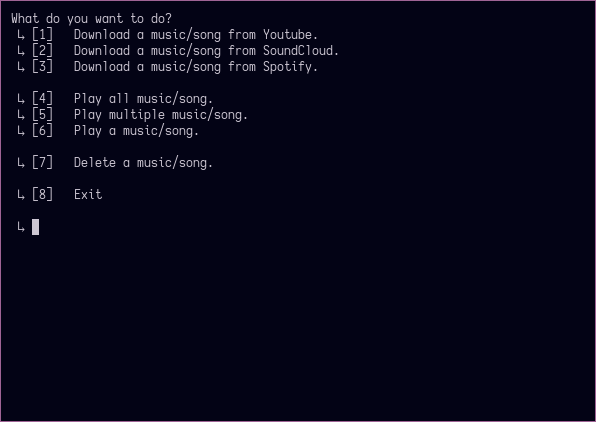
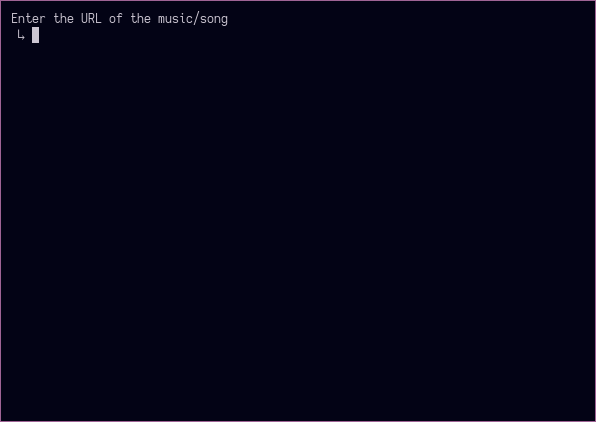
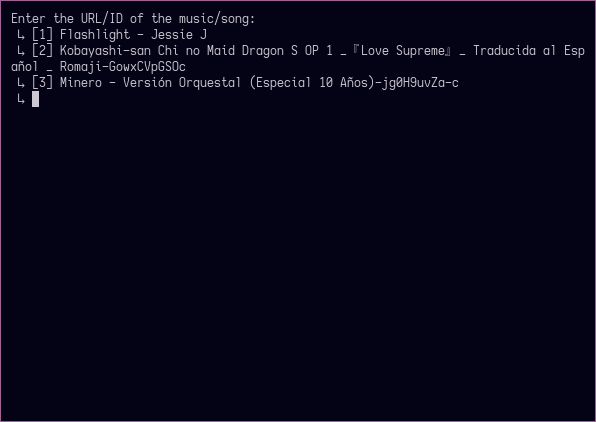
Preview
This is how "ymp3cli.sh" looks.
Dependencies
"ymp3cli.sh" needs some dependencies.
-
curl─ Partially required. -
diff─ Partially required. -
mpv─ Partially required. -
flyingrub/scdl─ Partially required. -
youtube-dl─ Partially required. -
spotdl─ Partially required. -
tput─ Optional.
Installation
"ymp3cli.sh" can be installed in various ways, here are some examples:
Linux
Using curl
$ curl https://raw.githubusercontent.com/FlamesX-128/ymp3cli.sh/master/ymp3cli.sh --output ymp3cli.sh
$ sudo cp ymp3cli.sh /usr/local/bin/ymp3cli.sh
Using git
$ git clone https://github.com/FlamesX-128/ymp3cli.sh && cd ymp3cli.sh
$ sudo cp ymp3cli.sh /usr/local/bin/ymp3cli.sh
Usage
1° Open a console/terminal.
2° Execute the command "ymp3cli.sh"
$ ymp3cli.sh
