
FireAdmin
:seedling: A mini headless CMS built with Angular & Firebase
Install / Use
/learn @FirebaseGoodies/FireAdminREADME
<img src="projects/demo/src/assets/images/logo.svg" alt="icon" width="38" align="top" /> FireAdmin




A minimalistic headless CMS built around Angular & Firebase.
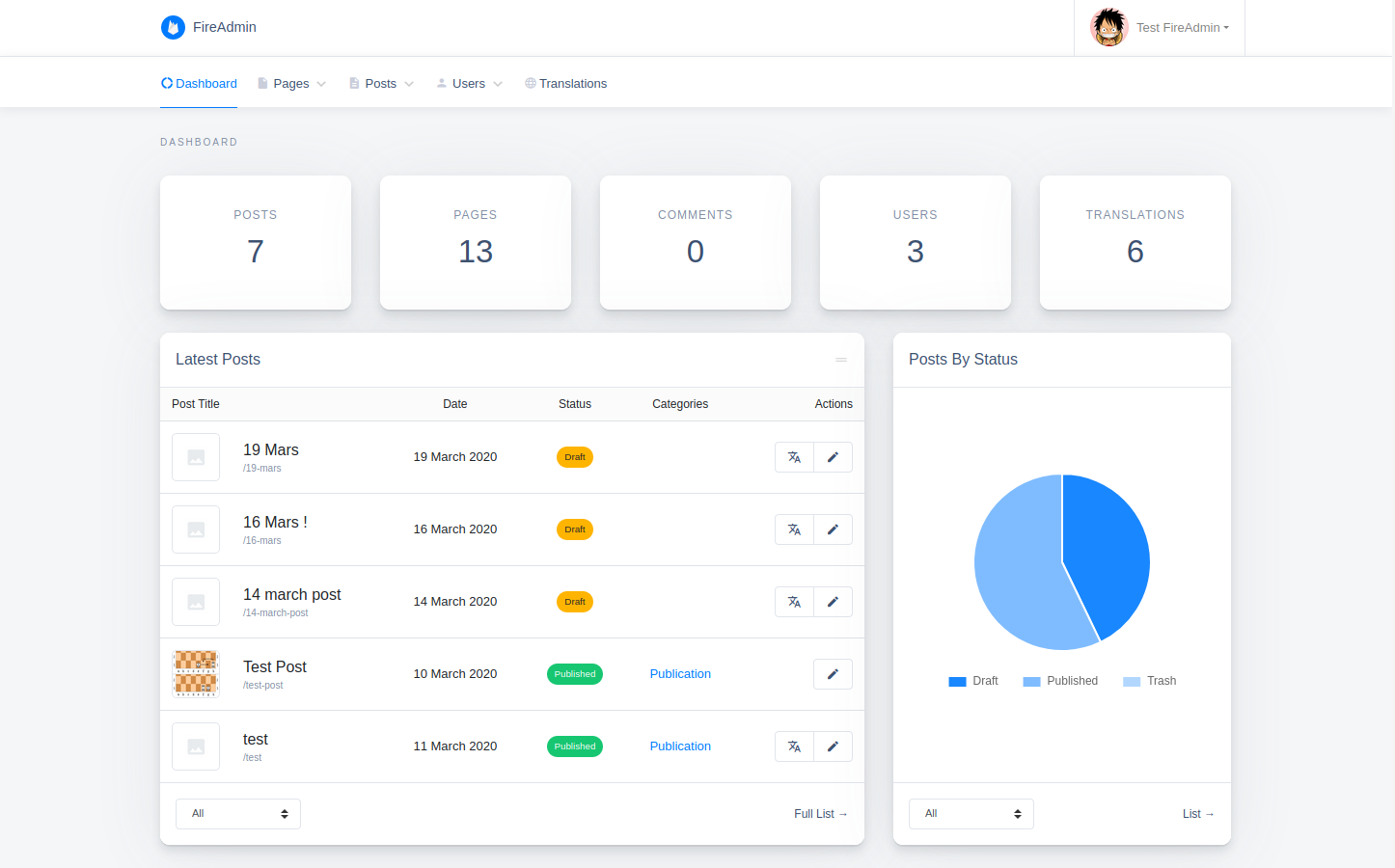
Demo
Features
- Simple & minimalistic
- Customizable
- Responsive
- Internationalization ready
- Easy/automated updates (via npm)
Installation
npm install --save ng-fire-admin
Usage
<details> <summary>Multi-project creation steps</summary>It's recommended to use a multi-project workspace with basically 2 main applications (one for the frontend part & the other for the backend) to avoid any potential conflicts, then apply the following changes on your backend app:
  ng new my-workspace --createApplication="false"
  cd my-workspace
  ng generate application backend --defaults --routing=true
  // you can add the frontend app the same way: ng generate application frontend --defaults --routing=true
  npm install --save ng-fire-admin
1. Setup your firebase project:
-
Start by adding a new project in your firebase console.
-
Enable Authentication by email & password.
-
Add a database to your project.
2. Add your firebase configuration in environment.ts:
  export const environment = {
    production: false,
+   firebase: {
+     apiKey: "<API_KEY>",
+     authDomain: "<PROJECT_ID>.firebaseapp.com",
+     databaseURL: "https://<DATABASE_NAME>.firebaseio.com",
+     projectId: "<PROJECT_ID>",
+     storageBucket: "<BUCKET>.appspot.com",
+     messagingSenderId: "<SENDER_ID>",
+     appId: "<APP_ID>"
+   }
  };
3. Register the FireAdminModule in a module, for example app module:
  import { BrowserModule } from '@angular/platform-browser';
  import { NgModule } from '@angular/core';

  import { AppRoutingModule } from './app-routing.module';
  import { AppComponent } from './app.component';
+ import { FireAdminModule } from 'ng-fire-admin';
+ import { environment } from '../environments/environment';

  @NgModule({
    declarations: [AppComponent],
    imports: [
      BrowserModule,
      AppRoutingModule,
+     FireAdminModule.initialize(environment.firebase)
    ],
    providers: [],
    bootstrap: [AppComponent]
  })
  export class AppModule {}
4. Setup a simple routing as below:
  import { NgModule } from '@angular/core';
  import { Routes, RouterModule } from '@angular/router';

  const routes: Routes = [
+   {
+     path: 'admin',
+     loadChildren: () => import('ng-fire-admin').then(m => m.FireAdminModule)
+   },
+   {
+     path: '**',
+     redirectTo: 'admin'
+   }
  ];

  @NgModule({
    imports: [RouterModule.forRoot(routes)],
    exports: [RouterModule]
  })
  export class AppRoutingModule { }
5. Edit your main component template (generally app.component.html) & keep only the <router-outlet></router-outlet> line:
+ <router-outlet></router-outlet>
6. Add the following styles & scripts entries to angular.json:
  "assets": [
    "projects/backend/src/favicon.ico",
    "projects/backend/src/assets"
  ],
  "styles": [
    "projects/backend/src/styles.css",
+   "node_modules/@fortawesome/fontawesome-free/css/all.min.css",
+   "node_modules/material-icons-font/material-icons-font.css",
+   "node_modules/bootstrap/dist/css/bootstrap.min.css",
+   "node_modules/datatables.net-responsive-dt/css/responsive.dataTables.min.css",
+   "node_modules/quill/dist/quill.snow.css"
  ],
  "scripts": [
+   "node_modules/jquery/dist/jquery.min.js",
+   "node_modules/popper.js/dist/umd/popper.min.js",
+   "node_modules/bootstrap/dist/js/bootstrap.min.js",
+   "node_modules/datatables.net/js/jquery.dataTables.min.js",
+   "node_modules/datatables.net-responsive-dt/js/responsive.dataTables.min.js",
+   "node_modules/chart.js/dist/Chart.min.js",
+   "node_modules/shards-ui/dist/js/shards.min.js",
+   "node_modules/quill/dist/quill.min.js"
  ]
7. You may also need to add the following lines to polyfills.ts:
  // Add global to window, assigning the value of window itself.
+ (window as any).global = window;
8. In order to protect your database & storage data, you must set the following rules in your firebase console:
Firestore Database rules:
rules_version = '2';
service cloud.firestore {
  match /databases/{database}/documents {
    match /{collection}/{document}/{path=**} {
      allow read: if isReadable(collection, document);
      allow write: if isWritable(collection, document);
    }

    // Checks if collection/document is readable
    function isReadable(collection, document) {
      return isAdmin() || !isReadProtected(collection) || isOwner(document);
    }

    // Checks if collection is protected against read
    function isReadProtected(collection) {
      return collection in ['users'];
    }

    // Checks if collection/document is writable
    function isWritable(collection, document) {
      return isAdmin() || (
        collection == 'users' && isRegistrationEnabled()
      ) || (
        isEditor() && (!isWriteProtected(collection) || isOwner(document))
      );
    }

    // Checks if collection is protected against write
    function isWriteProtected(collection) {
      return collection in ['users', 'config'];
    }

    // Checks if registration is enabled
    function isRegistrationEnabled() {
      return !exists(/databases/$(database)/documents/config/registration) || get(/databases/$(database)/documents/config/registration).data.enabled;
    }

    // User role check functions
    function isAdmin() {
      return hasRole('admin');
    }

    function isEditor() {
      return hasRole('editor');
    }

    function isSignedIn() {
      return request.auth != null;
    }

    function hasRole(role) {
      return isSignedIn() && get(/databases/$(database)/documents/users/$(request.auth.uid)).data.role == role;
    }

    function isOwner(ownerId) {
      return isSignedIn() && request.auth.uid == ownerId;
    }
  }
}
  rules_version = '2';
  service cloud.firestore {
    match /databases/{database}/documents {
      match /{collection}/{document=**} {
        allow read: if collection != 'users' || request.auth != null;
        allow write: if request.auth != null;
      }
    }
  }
Storage rules:
rules_version = '2';
service firebase.storage {
  match /b/{bucket}/o {
    match /{allPaths=**} {
      allow read;
      allow write: if request.auth != null;
    }
  }
}
9. Launch your project using ng serve.
That's it :tada:, enjoy your ready to use backend app!
<!-- ## Troubleshoot In case you encounter one of the following errors while trying to serve or build your app: ```javascript Cannot find type definition file for 'datatables.net'. Cannot find namespace 'DataTables'. ``` Just install the following package: ``` npm install --save-dev @types/datatables.net ``` -->FAQ
Q: How to get & display my data on the frontend side?
A: FireAdmin is Headless, so it only stores/updates your data. This separation of concerns can avoid style/dependency conflicts & allows you to serve your backend & frontend apps on different servers.
You can retrieve the data on your frontend app using Firebase client API & display them in the way you want to.
Q: Why don't you use Firebase functions to manage users through a custom API for example?
A:
- I just wanted to prove the theory of a serverless CMS using both Angular & Firebase client side features.
- Firebase functions needs a
blazetier to be deployed, which will make the user management not usable/testable for free.
Q: Do you have any plans to continue this project?
A: I do, all i need is free time, ambition & some :coffee:.
Q: Cool! i liked your project, how can i help?
A:
- If you are a developer & you feel interested to contribute, i invite you to check the todo list below or to review the source code, as many parts still need to be reworked.
- If not, then you can give us a :star2: & why not share the project with your friends.
ToDo
- [ ] Menus handler
- [ ] Password reset feature
- [ ] Posts comments
- [ ] Posts custom fields
- [ ] Replace nested components directories with modules
Build
Run ng build to build the project. The build artifacts will be stored in the dist/ directory.
Publishing
After building your library with ng build, go to the dist folder cd dist/fire-admin and run npm publish.
Credits
<a target="_blank" href="https://icons8.com/icons/set/firebase">Firebase icon</a> by <a target="_blank" href="https://icons8.com">Icons8</a>.
License
This project is licensed under the MIT license.
Related Skills
node-connect
341.2kDiagnose OpenClaw node connection and pairing failures for Android, iOS, and macOS companion apps
frontend-design
84.5kCreate distinctive, production-grade frontend interfaces with high design quality. Use this skill when the user asks to build web components, pages, or applications. Generates creative, polished code that avoids generic AI aesthetics.
openai-whisper-api
341.2kTranscribe audio via OpenAI Audio Transcriptions API (Whisper).
commit-push-pr
84.5kCommit, push, and open a PR
