
TelegramOSINT
A curated collection of tools, bots, and resources for Open Source Intelligence (OSINT) investigations on Telegram. Includes chat analysis methods, browser extensions, search engines, and secure practices for efficient and privacy-focused research.
Install / Use
/learn @Faizan-Khanx/TelegramOSINTREADME
TELEGRAM THE ULTIMATE SOURCE OF OSINT
About the Repository
This repository provides a comprehensive collection of tools, guides, and resources for conducting Open Source Intelligence (OSINT) investigations using Telegram. It includes tools for analyzing chats and channels, bots, browser extensions, and custom search engines. With a strong focus on OPSEC, it also offers tips on secure practices like using VPNs, virtual machines, and disposable devices. The repository is ideal for researchers and investigators aiming to uncover information efficiently and securely on Telegram.
Explore the structured sections, including Google dorks, blogs, and even video tutorials, making it a go-to resource for mastering Telegram OSINT.
Table of Contents
- Analyzing Telegram chats and channels
- Telegram Resources
- Blogs
- Browser Extensions
- Tools and Resources
- Telegram Bots
- Custom Search Engines
- Google Dorks
- YouTube Playlists
- Videos
Analyzing Telegram chats and channels. Regular expressions in OSINT in practice
Reading other people’s conversations in public Telegram chats can sometimes be very boring and tedious. And unfortunately, often it may not yield any results. But sometimes people inadvertently leave various personal data in public groups that can greatly advance an investigation: emails, links to their social networks and sites, real names and surnames, phone numbers, and much more.
How to know which group chats a person is communicating in
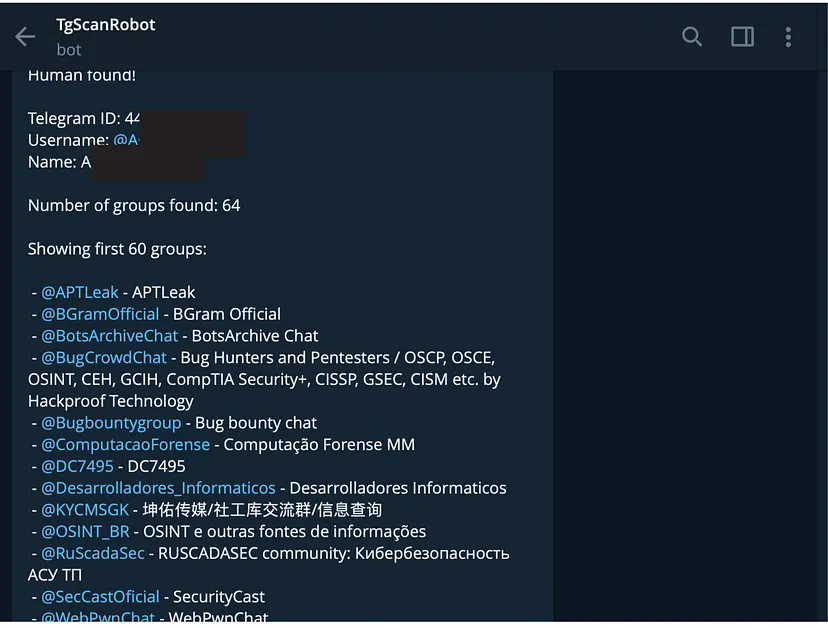
There are a lot of bots in Telegram that use the username to find out which groups a user has joined. Most of them are paid, but as a test they offer the opportunity to make a couple of requests for free. For example
https://t.me/tgdb_bot
https://t.me/BreachedInfoBot
Such bots are quite a lot and you can find them on your own in directories or with the help of Telegram search engines.
The effectiveness of the bot depends on the number of indexed groups in its database. And different bots produce different results (because they have different databases of indexed groups).
Therefore, it is better to check one user in several bots at once.
You can also search by username in Telegram search engines like https://lyzem.com/, but this does not always yield any results (and always shows only a small fraction of the chats in which the user participates).
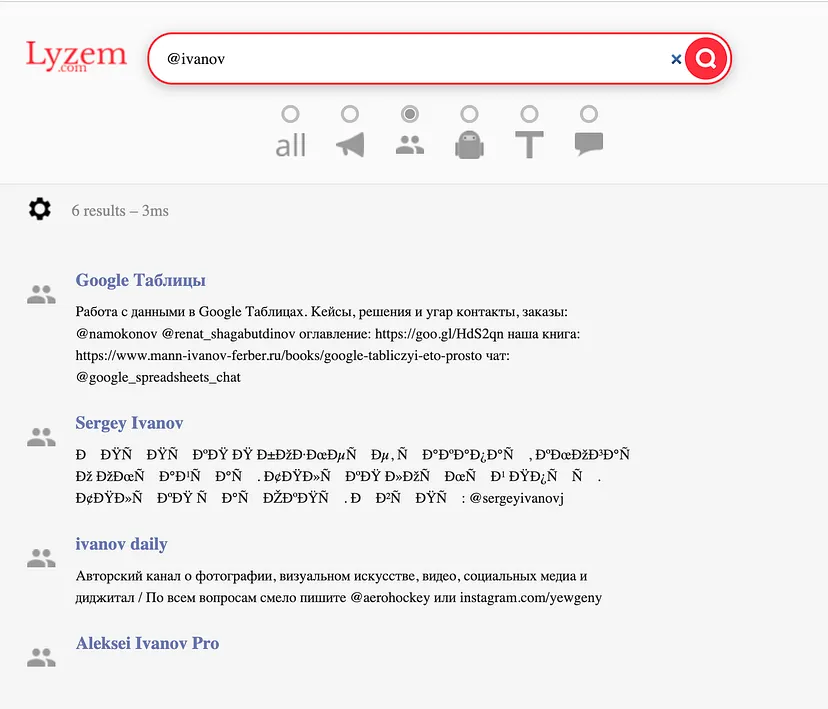
Therefore, it is worth trying different methods. It is also worthwhile to search for a user’s nickname in Google, as well as other services for Telegram searches, which I will discuss in the next section.
How to find Telegram chats by keywords
Another way to find in which group chats a person communicates is to simply check each chat related to his profession, hobby, location (public group of a neighborhood or an apartment complex), etc.
You can do it with any Telegram search engines. You can find a list of them in my collection, but I prefer Teledago more than any other.
This service is based on Google Custom Search Engine technology. It searches through dozens of domains at once, which are indexed by data from Telegram:
Tgstat; Telegramindex; Telegramdb;Telemetr; and more
To search only for chats, add “inurl:chat” to the search query
How to export Telegram chat history

-
Open the Windows or MacOS version of Telegram client on your computer (the Linux version most likely also has this function, but I haven’t checked).
-
Click on the three dots in the upper right corner of the screen.
-
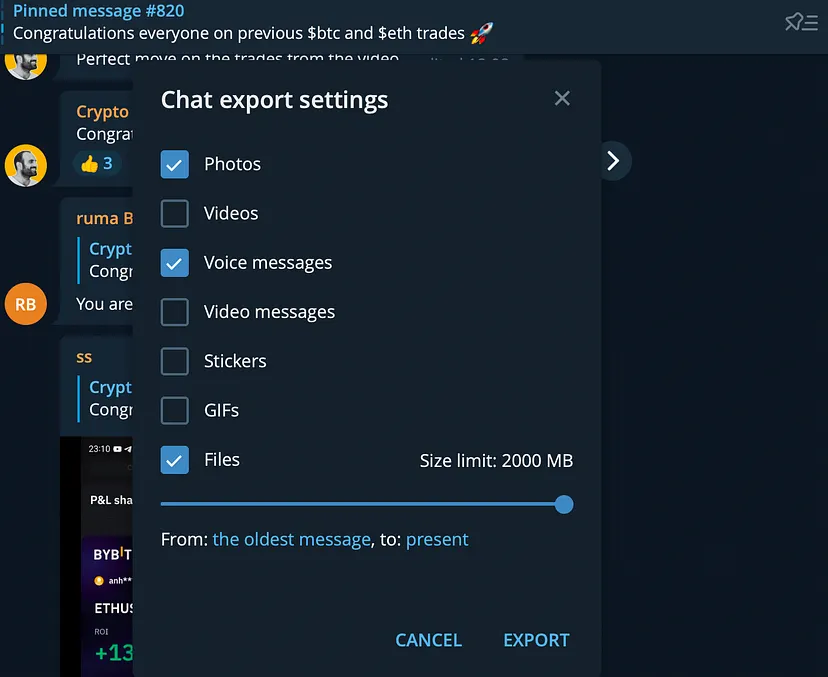
Click “Export chat history”.
-
Be careful when configuring chat export settings. If the chat is large, don’t forget to increase the file size limit to the maximum (assuming you have free space on your hard drive).
-
Click export and wait.
-
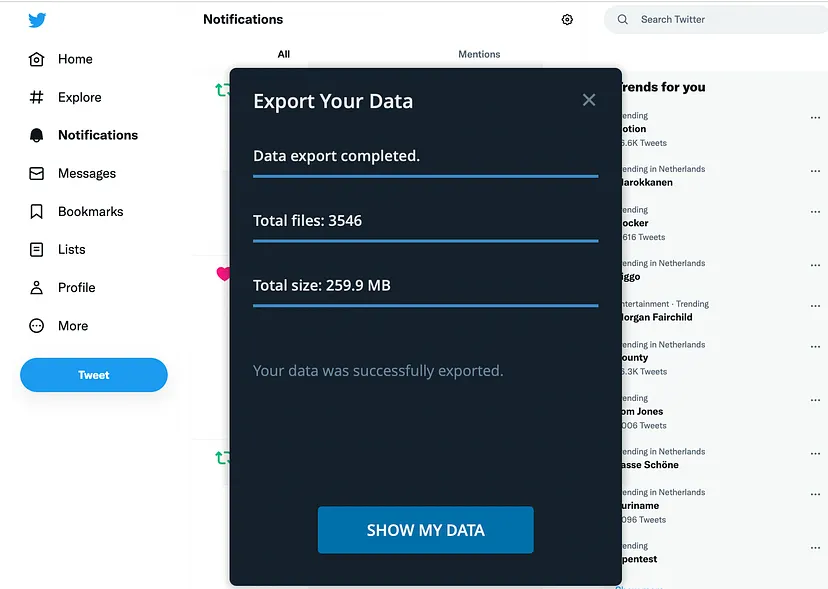
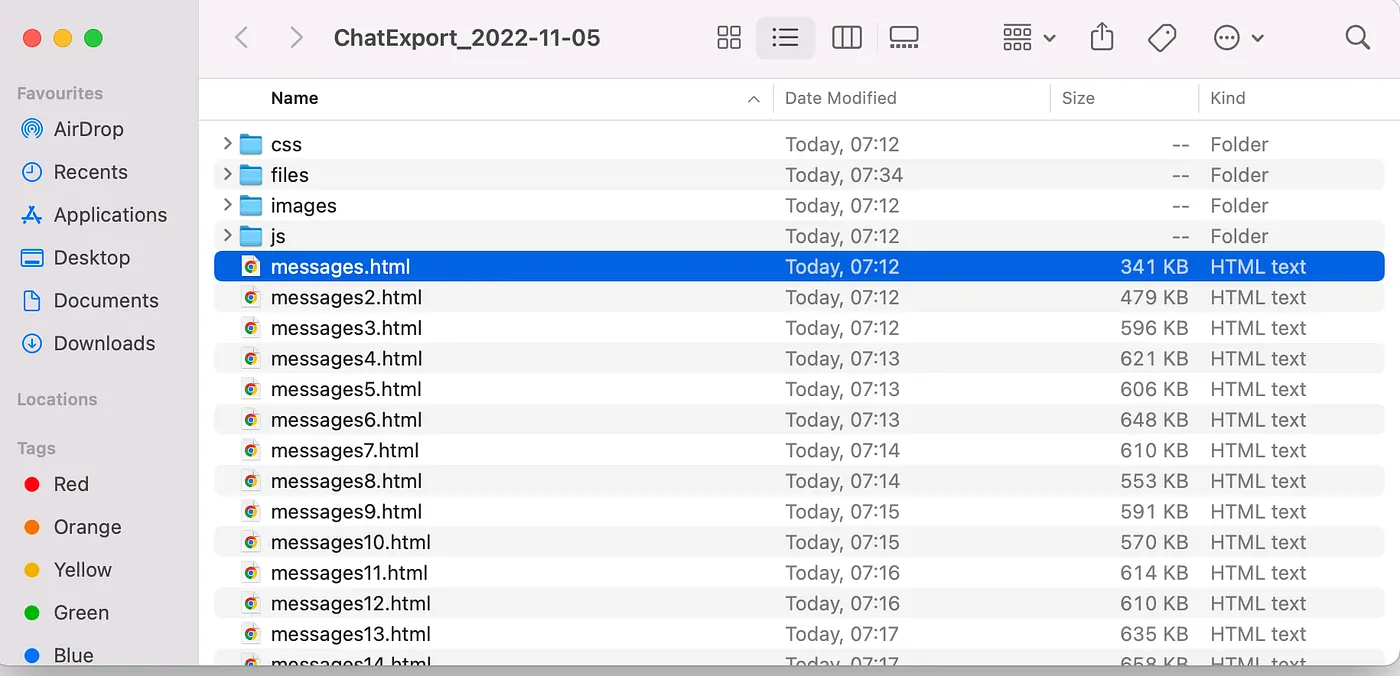
When a message appears telling you that the export is complete, click “Show my data” to open the folder with the result’s files.
-
That’s it! Now you can open files in a browser or text editor and analyze them.
Just in case, let me remind you that in Telegram, you can export the history not only of group chats, but also of conversations between two people and posts of channels.
Some words about other messengers
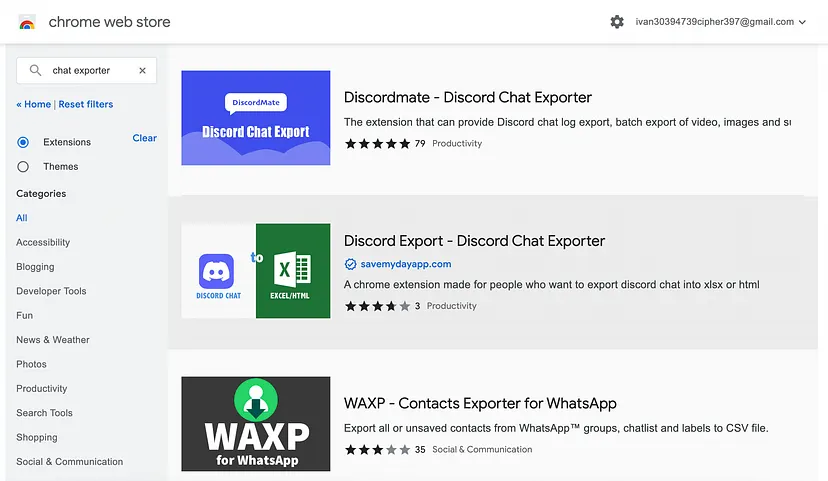
It’s worth clarifying that the methods described below (with minor syntax changes) are universal and can be used to analyze not only Telegram chats, but also other popular messengers.
For example, WhatsApp has a “chat backup” function (More options > Settings > Chats > Chat backup) and Viber has “email chat history”.
There are also various third-party applications for exporting chats. Such as Signal Backup or Discordmate — Discord Chat Exporter . On Github and Chrome Web Store you can find similar solutions for a variety of messaging and social networking applications.
What tools can be used to analyze chats
Below I’ll show you how to examine chats for important information using Sublime Text and Google Sheets, but that doesn’t mean it’s the optimal solution.
You can also use any other text editors that support regular expressions, various command line utilities and Chrome extensions to search using regular expressions (like find+).
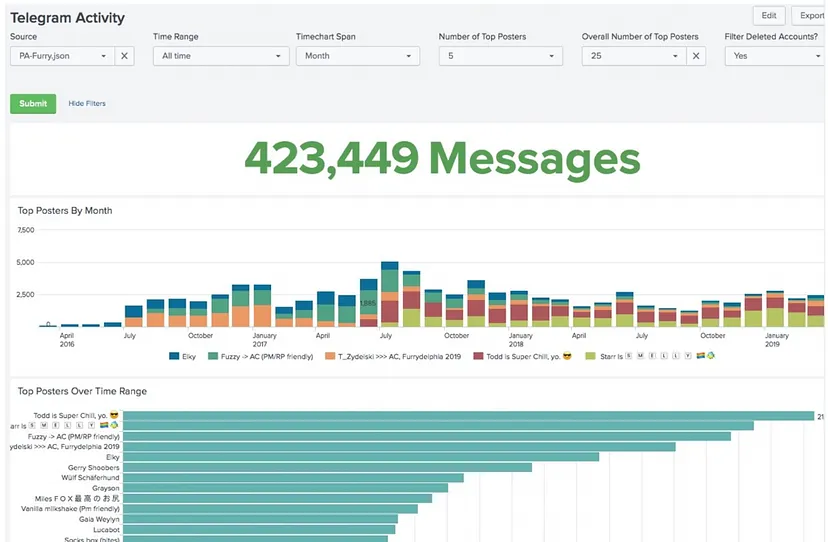
In addition, you may like specialized tools for analyzing Telegram chats:
Splunk Telegram (visualizes data) : https://github.com/dmuth/splunk-telegram
Telegram Message Analyzer (probably a little out of date) : https://github.com/zqtay/Telegram-Message-Analyzer
Biba and Boba (finding correlations between people) : https://github.com/andylvua/bibaandboba
Search for all messages from a specific person in the export results files
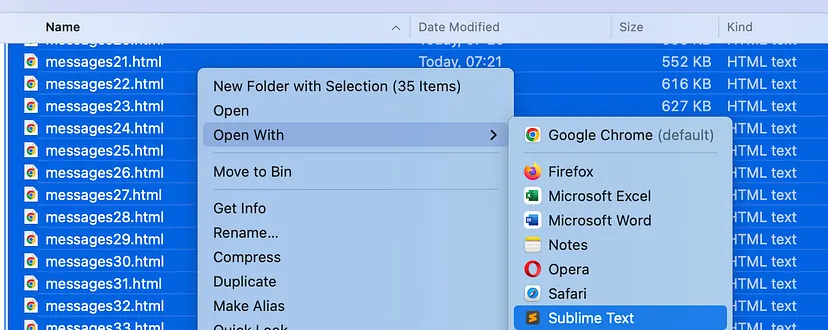
- Select all the files, right-click and use the context menu to open them in Sublime Text.
If you are going to analyze several chats, then try to export each of them first, then collect all the files in one folder and open messages from all chats to be analyzed at once. This will help save time.
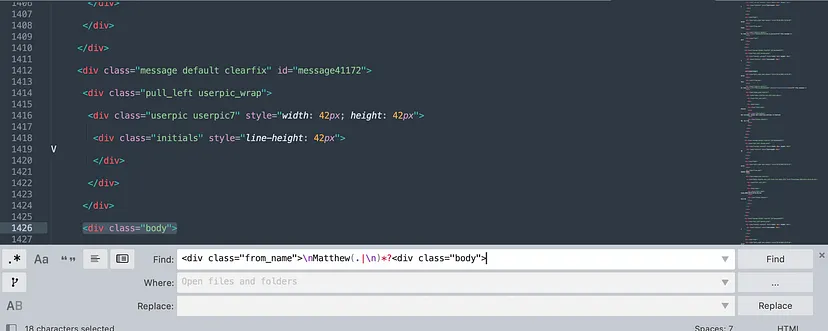
- Click Find -> Find in files, put this regular expression to the text field and click Find:
<div class=”from_name”>\nMatthew(.|\n)*?<div class=”body”>
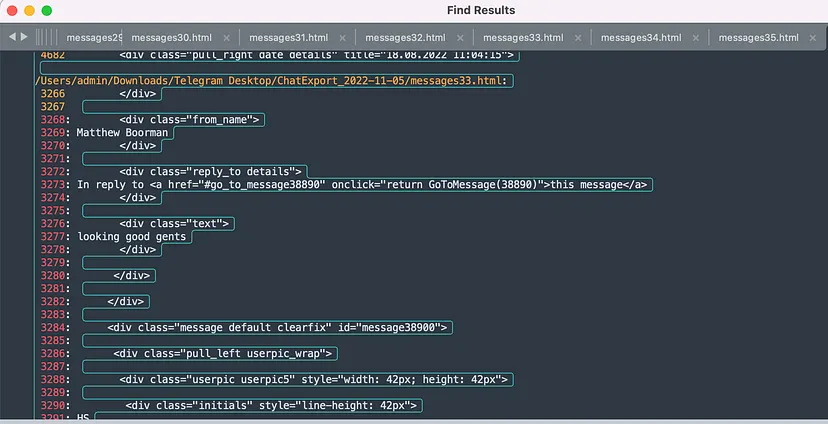
Remember to replace Matthew with any username you are interested in.
-
This will open a new file with lines containing URLs from all currently open files.
-
To quickly go to the file where the link you are interested in is mentioned — just click on the line number on the left.
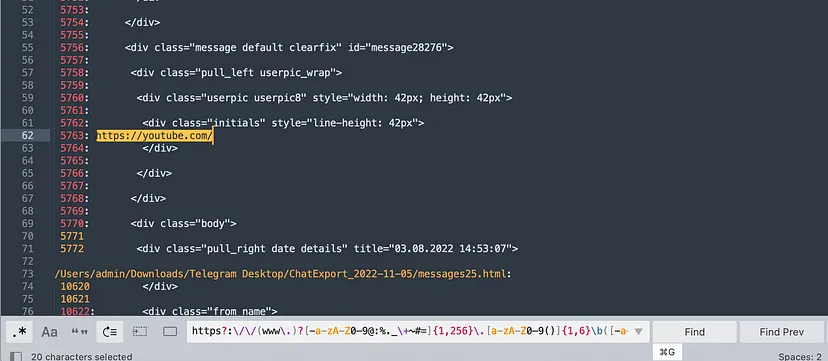
Find potentially interesting information in the user’s messages
- Click Find all
This will find all messages from a particular user that contain links to websites or accounts in Telegram.
Similarly, other potentially interesting data can be found:
Emails
[a-zA-Z0–9.!#$%&’+-/=?\^_`{|}~-]+@[a-zA-Z0–9-]+(?:.[a-zA-Z0–9-]+)
Phone numbers in different formats:
[\+]?[(]?[0–9]{3}[)]?[-\s\.]?[0–9]{3}[-\s\.]?[0–9]{4,6}

Any six-digit number

\d{6}
Bitcoin Wallet Address
(bc1|[13])[a-zA-HJ-NP-Z0–9]{25,39}
Ethereum wallet address
0x[a-fA-F0–9]{40}
Similarly, you can find the wallet addresses of any cryptocurrency, as well as strings corresponding to many different patterns.
Telegram Resources
| Category | Description | Link | |-----------------------|---------------------------------------------------------|---------------------------------------------------------------------------| | Transparency Bot | Telegram's new transparency report bot. | Transparency Report Bot | | New ToS Report | Information on Telegram's recent Terms of Service. | Telegram ToS |
Blogs
| Title | Description | Link | |-------------------------------------------|-------------------------------------------------------------------------------------------------------|---------------------------------------------------------------------------------------------------| | Cqcore: Telegram Fundamentals
Related Skills
YC-Killer
2.7kA library of enterprise-grade AI agents designed to democratize artificial intelligence and provide free, open-source alternatives to overvalued Y Combinator startups. If you are excited about democratizing AI access & AI agents, please star ⭐️ this repository and use the link in the readme to join our open source AI research team.
groundhog
398Groundhog's primary purpose is to teach people how Cursor and all these other coding agents work under the hood. If you understand how these coding assistants work from first principles, then you can drive these tools harder (or perhaps make your own!).
last30days-skill
16.5kAI agent skill that researches any topic across Reddit, X, YouTube, HN, Polymarket, and the web - then synthesizes a grounded summary
sec-edgar-agentkit
10AI agent toolkit for accessing and analyzing SEC EDGAR filing data. Build intelligent agents with LangChain, MCP-use, Gradio, Dify, and smolagents to analyze financial statements, insider trading, and company filings.

Security Score
Audited on Mar 15, 2026