
FLOWORK
Flowork is a new generation Visual Workflow Orchestration Platform designed to transform your ideas into elegant, efficient automations on a digital canvas.
Install / Use
claude mcp add FLOWORK-gif -- npx -y github:FLOWORK-gif/FLOWORKIf the server publishes to npm under a different name, use that package instead — check the repo README.
MCP Server
Model Context Protocol server
Quality Score
Category
AutomationSupported Platforms
Our assessment of FLOWORK
FLOWORK scores 73/100 on our quality scale, 1954th of 2,257 Automation skills we index.
Its MCP Server is 27 KB long, well organised into 50 sections with 10 code examples: a thorough specification that gives an agent plenty to work with.
It has 3 GitHub stars, so there is little community track record yet; judge it on its content.
Maintenance, license and trust
- The repository was last updated about 13 months ago. Expect some instructions to reference tool versions or APIs that have since changed.
- Our last check on 2026-09-18 found the source still online.
- No license is declared. By default that means all rights are reserved: you can read it, but reusing or redistributing it is not clearly permitted. Ask the author before building on it commercially.
- Its trust signals score 68/100, with 3 cautions from licensing, adoption, age or documentation. These come from repository metadata, not a code audit — read the skill file before letting an agent act on it.
Safety scan
No issues foundOur scan of the whole file found no instruction hijacking, hidden characters, credential access, data exfiltration or destructive commands. An AI review of the same text found nothing harmful.
AI review by kimi-k2.7-code on 2026-09-24. Automated pattern scan on 2026-09-24. It catches known dangerous patterns, not every risk — read a skill before letting an agent act on it.
FLOWORK compared with similar skills
All 4 of these similar skills score higher than FLOWORK; compare them before choosing.
| Skill | Score | Stars | Updated | Format |
|---|---|---|---|---|
| FLOWORK (this skill)by FLOWORK-gif | 73 | 3 | 13mo ago | MCP Server |
| Agent-Reachby Panniantong | 100 | 86.2k | 14d ago | CLAUDE.md |
| headroomby headroomlabs-ai | 100 | 74.1k | today | CLAUDE.md |
| rufloby ruvnet | 100 | 73.5k | today | CLAUDE.md |
| CowAgentby zhayujie | 100 | 47.2k | today | CLAUDE.md |
Frequently asked questions
- How do I install FLOWORK?
- Run
claude mcp add FLOWORK-gif -- npx -y github:FLOWORK-gif/FLOWORK. The install tabs above show the steps for each supported agent. - Which AI agents does FLOWORK work with?
- It is written for Claude Code and Claude Desktop, as a MCP Server file. Other agents that read the same format can often use it too.
- Is FLOWORK safe to use?
- Our scan of the whole file found no instruction hijacking, hidden characters, credential access, data exfiltration or destructive commands. An AI review of the same text found nothing harmful. It declares no license and scores 68/100 on trust signals. Skills are instructions an agent will follow, so read the file before installing it and do not approve commands you do not understand.
- Is FLOWORK still maintained?
- The repository was last updated about 13 months ago. Expect some instructions to reference tool versions or APIs that have since changed.
Skill content
View source on GitHub<details> <summary><strong>📜 Table of Contents</strong> (Click to Expand)</summary> <ol> <li><a href="#-welcome-to-flowork">Welcome to Flowork!</a></li> <li><a href="#-what-is-flowork">What is Flowork?</a></li> <li><a href="#-feature-showcase">Feature Showcase</a></li> <li><a href="#-why-choose-flowork-core-philosophy">Why Choose Flowork? (Core Philosophy)</a></li> <li><a href="#-get-started-in-60-seconds">Get Started in 60 Seconds</a></li> <li><a href="#-quick-tutorial-hello-automation">Quick Tutorial: Hello, Automation!</a></li> <li><a href="#-join-the-community--support-the-project">Join the Community & Support</a></li> <li><a href="#-the-flowork-ecosystem">The Flowork Ecosystem</a></li> <li><a href="#-for-developers--contributing">For Developers & Contributing</a></li> <li><a href="#-license">License</a></li> </ol> </details>
👋 Welcome to Flowork!
Ever felt stuck in a loop of repetitive digital tasks? Imagine building powerful automations as easily as drawing a flowchart. Flowork is that imagination brought to life.
Flowork is a new generation Visual Workflow Orchestration Platform designed to transform your ideas into elegant, efficient automations on a digital canvas. It's not just a tool; it's a complete ecosystem for limitless automation creativity, built for everyone from absolute beginners to expert developers.
🤔 What is Flowork?
Flowork is an open-core platform where you no longer "write" automation; you "design" it. By connecting nodes on a canvas, you can build sophisticated workflows that handle:
- 🤖 AI-powered tasks (content generation, image creation, decision making)
- 🌐 Advanced web scraping and browser automation
- 📂 File and data management
- ⏰ Complex scheduling and event-driven triggers
- ...and much more.
The platform is 100% portable and bundled with its own Python environment. No complex setup required. Just download, extract, and run.
✨ Feature Showcase
Here are some of the powerful features that make Flowork a game-changer:
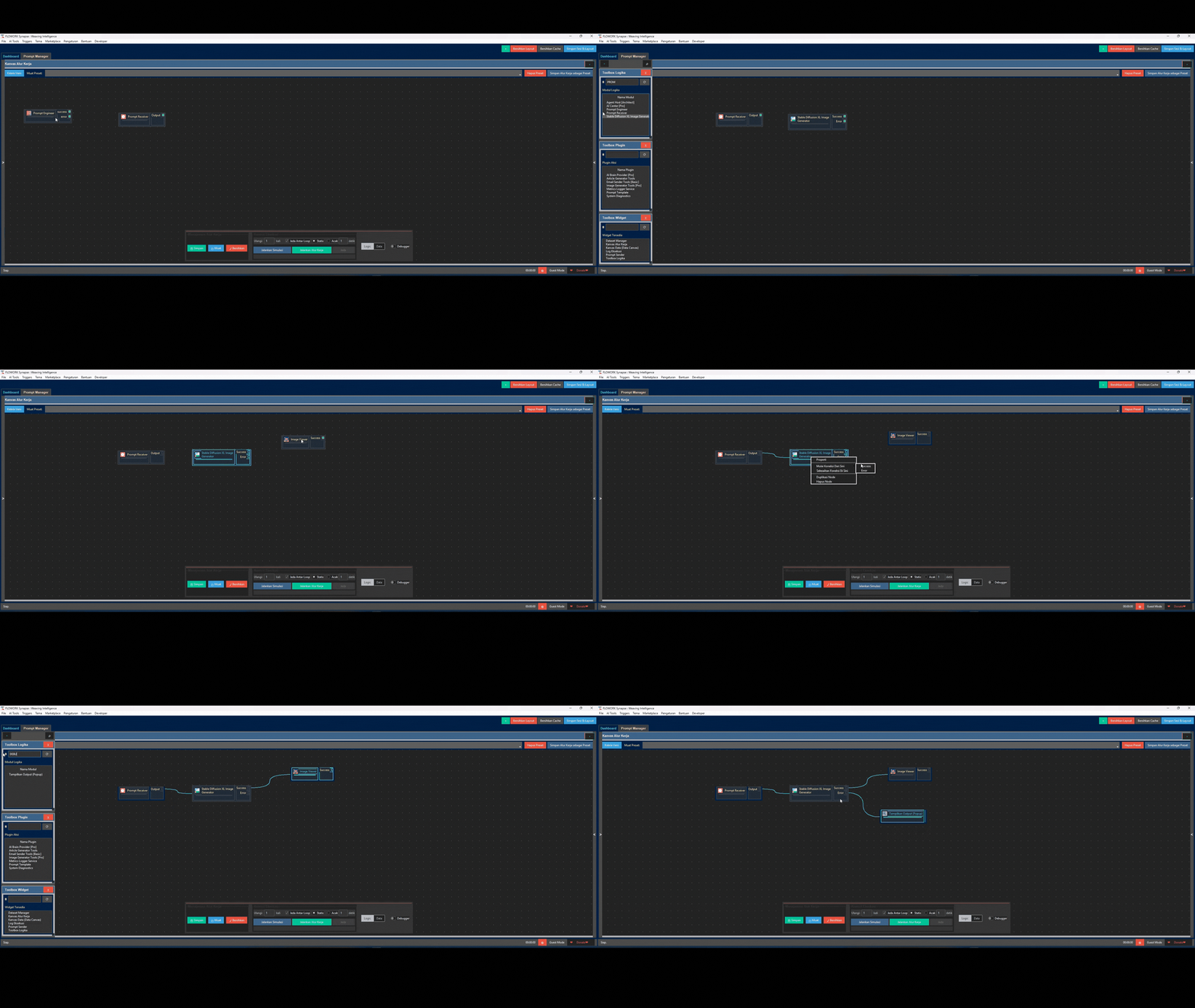
🎨 Intuitive Visual Editor: Design, Don't Code
Forget complex syntax. Build logic by dragging and connecting nodes. Your workflows become easy to understand, debug, and share.
🤖 AI Architect: Your Wish is its Command
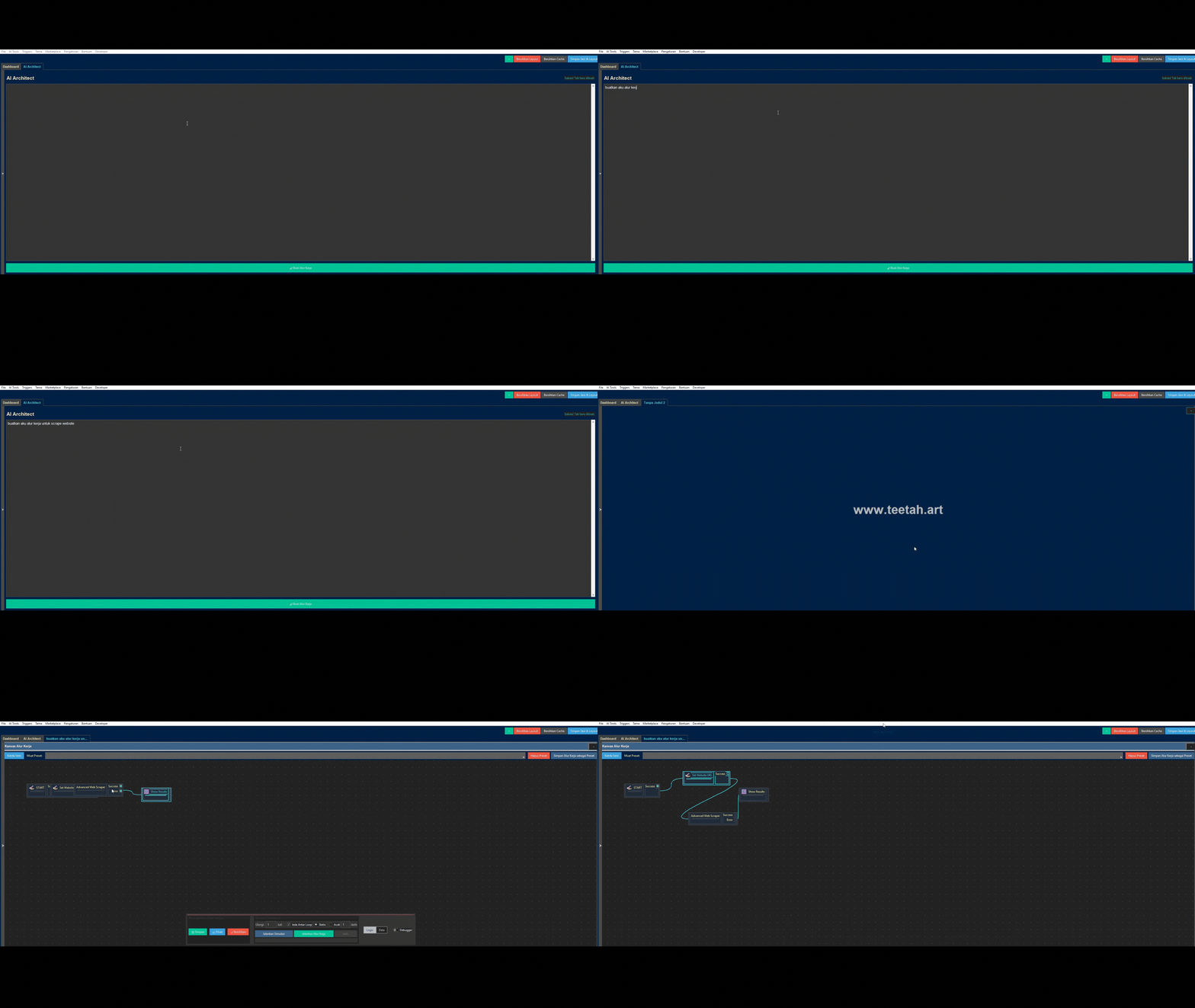
This is where the magic happens. Describe your goal in plain language (e.g., "Scrape the latest news from detik.com and save the titles to a text file"), and the AI Architect will automatically design and draw the complete workflow for you.
🧠 AI Trainer & Model Factory: Build Your Own Custom AI
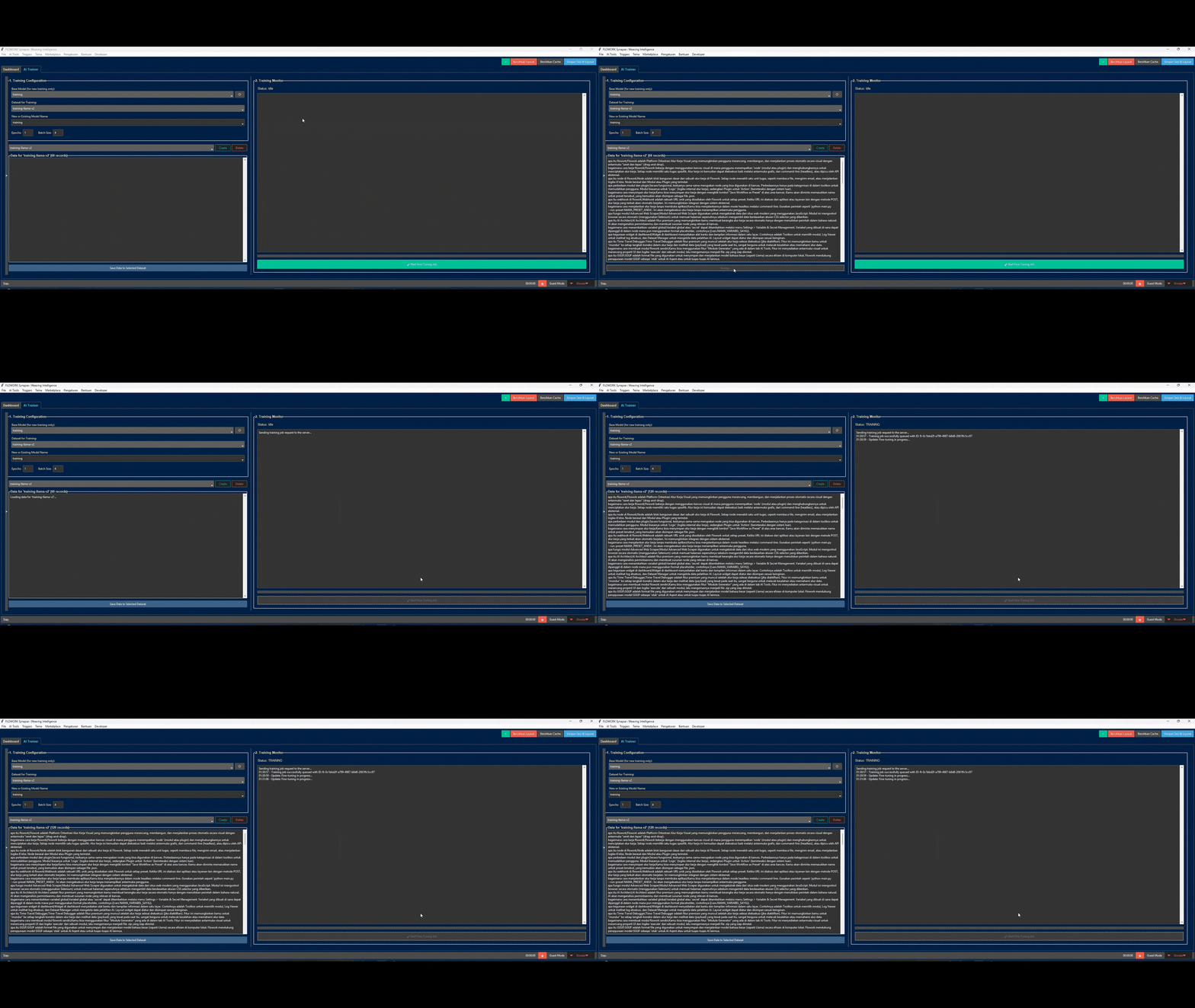
Don't just use AI, create it. Flowork empowers you to fine-tune local AI models on your own data.
- AI Trainer: Feed a base model with your data (e.g., customer service chats) to make it an expert on any topic.
- Model Factory: Convert your newly trained model into the highly efficient GGUF format to run at blazing speeds, right on your computer.
🕵️ Agent Host: Autonomous AI Agents at Your Service
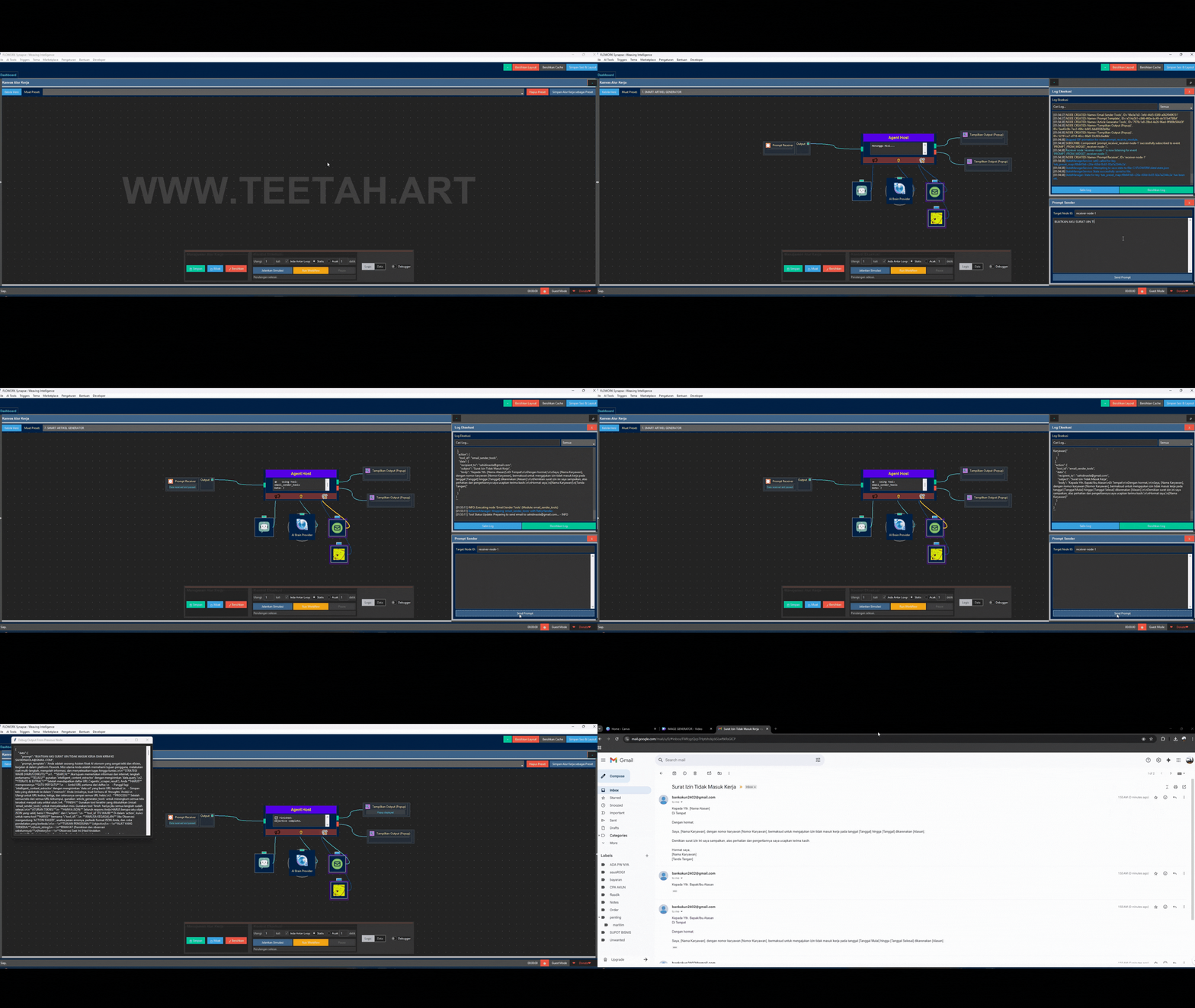
Deploy an autonomous agent to complete high-level missions. Simply give your agent:
- A Brain: Any AI model (local or cloud-based).
- Tools: Other Flowork modules (like Web Scraper, Email Sender) as its "hands".
- A Mission: A high-level objective (e.g., "Research the top 3 AI trends and email me a summary").
The Agent will then autonomously plan and execute steps, using its tools to achieve the goal.
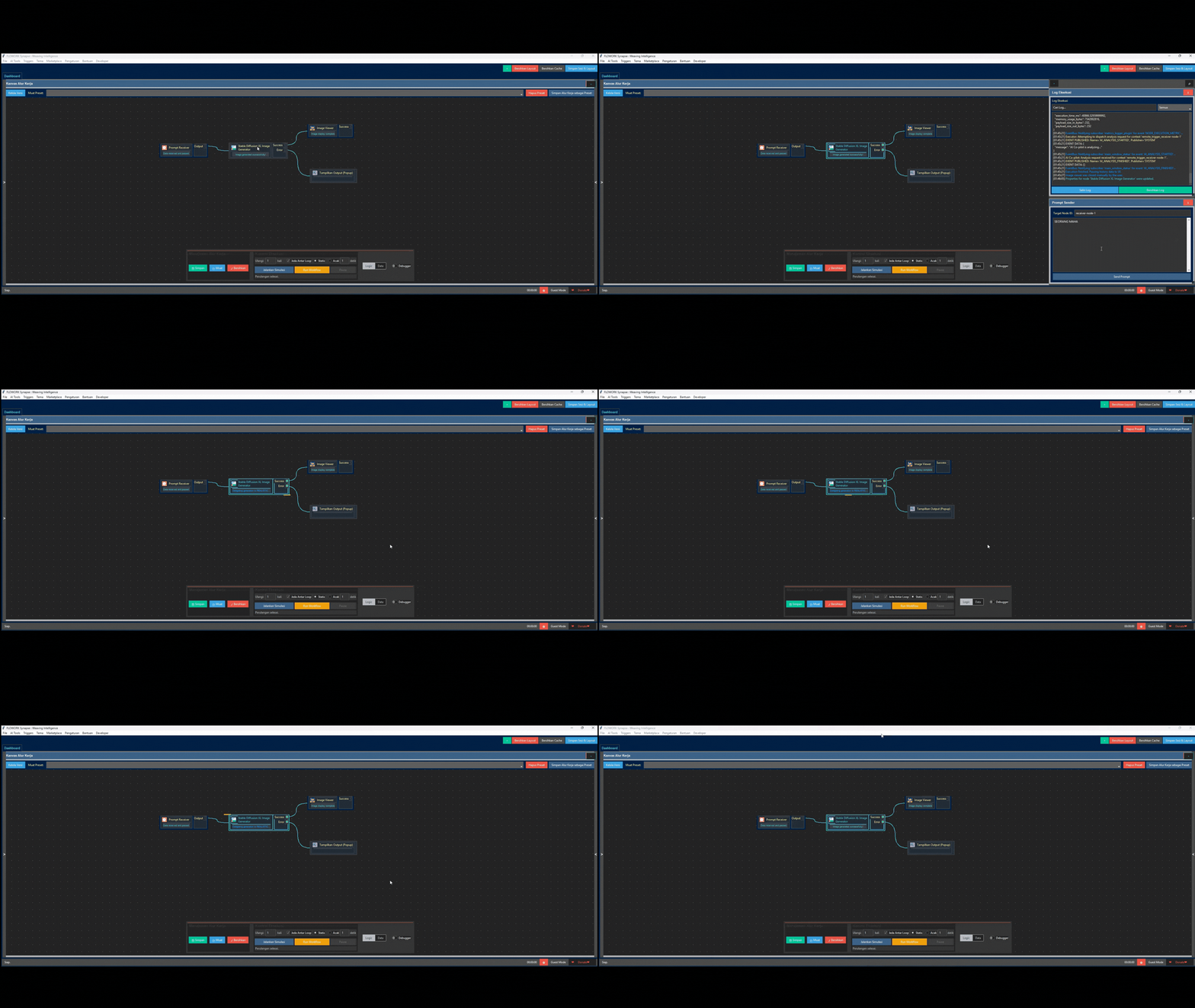
✨ AI Image Generator (Stable Diffusion)
Create stunning images directly from your workflows. Just provide a text prompt, and Flowork will use a locally-run AI model like Stable Diffusion to generate high-quality images, perfect for automating content creation.
🧩 And So Much More...
- Module Factory: Visually design the UI and logic for new modules, and Flowork generates the Python code for you.
- Event-Driven Triggers: Run workflows based on schedules (Cron), file changes, or even when specific applications (like Photoshop) are opened or closed.
- Nano-Modular Core: Modify the application's core logic visually, as some of its own services are built with Flowork itself!
🏛️ Why Choose Flowork? (Core Philosophy)
Flowork is built on a few simple but powerful ideas:
- 🎨 Visual-First: Complex logic is easier to manage visually.
- 🧩 Total Modularity: Every function is an independent component, making the system stable and endlessly extensible.
- 🧠 AI as a First-Class Citizen: AI isn't an afterthought; it's woven into the core of the platform.
- 🔓 Open & Accessible: Built on an open-core model, ensuring the foundational tools are available to everyone.
🚀 Get Started in 60 Seconds
Flowork is 100% portable. No installation needed.
<p align="center"> <a href="https://github.com/FLOWORK-gif/FLOWORK/releases/download/FLOWORK_installer/Flowork_Installer.exe" target="_blank"> <img src="https://raw.githubusercontent.com/flowork-dev/asset/refs/heads/main/DOWNLOAD.png" alt="Download Flowork for Windows" width="300"> </a> </p>- Download the
.exefrom the button above. - Run
FLOWORK.exe. - Automate!
The application will set up its own environment on the first run. It's that simple.
🎓 Quick Tutorial: Hello, Automation!
Create your first workflow in under a minute:
- Drag & Drop the Start Node: From the Logic Modules toolbox, drag
Set Variables / STARTonto the canvas. - Drag & Drop the Popup Node: Drag
Tampilkan Output (Popup)onto the canvas. - Connect Them: Click and drag from the small square on the right side of the START node to the left side of the Popup node. A green line will appear.
- Run! Click the "Run Workflow" button.
A popup will appear showing the initial data. That's it! You've just built and run your first automation.
💖 Join the Community & Support the Project
Flowork is developed with passion. Your support and feedback are what keep it going!
| Channel | Description | | :--- | :--- | | <a href="https://t.me/FLOWORK_AUTOMATION" target="_blank"><img src="https://raw.githubusercontent.com/flowork-dev/asset/refs/heads/main/information.png" alt="Telegram Channel" height="50"></a> | Telegram Channel<br>Get the latest updates, news, and release announcements. | | <a href="https://t.me/FLOWORK_6" target="_blank"><img src="https://raw.githubusercontent.com/flowork-dev/asset/refs/heads/main/discussion.png" alt="Telegram Group" height="50"></a> | Telegram Group<br>Join the discussion, ask questions, and share your projects. | | <a href="https://www.youtube.com/playlist?list=PLATUnnrT5igDXCqjBVvkmE4UKq9XASUtT" target="_blank"><img src="https://raw.githubusercontent.com/flowork-dev/asset/refs/heads/main/VIDEO%20TUTORIAL.png" alt="YouTube Tutorials" height="50"></a> | YouTube Channel<br>Watch tutorials and see powerful automations built step-by-step. | | <a href="https://paypal.me/TeetahDev" target="_blank"><img src="https://raw.githubusercontent.com/flowork-dev/asset/refs/heads/main/DONATE.png" alt="Donate via PayPal" height="50"></a> | Donate via PayPal<br>If Flowork has helped you, consider supporting its development with a donation. |
🗺️ The Flowork Ecosystem
Flowork consists of several types of extensible components:
| Component Type | Description | Examples |
| :--- | :--- | :--- |
| Module | The primary building blocks for logic and actions within a workflow. | If Condition, Web Scraper, Email Sender |
| Plugin | Adds new functionality to the Flowork UI or backend. | System Diagnostics, AI Brain Provider |
| Widget | UI components that can be added to dashboards for interaction. | Log Viewer, Prompt Sender, Toolbox |
| Trigger | Listens for events and starts workflows automatically. | Cron Trigger, File System Trigger |
| AI Provider| "Drivers" that connect Flowork to various AI models. | Google Gemini, Local GGUF Model |
💻 For Developers & Contributing
We welcome contributions! The best way to start is by creating your own module.
- Module Factory (Generator): The easiest way! Open the Developer -> Open Module Factory tab inside Flowork. You can visually design the property UI and the
executelogic, and Flowork will generate all the boilerplate code for you! - Contribution Flow:
- Fork this repository.
- Create a new branch (
git checkout -b feature/awesome-new-feature). - Make your changes.
- Commit your changes (
git commit -m 'Add some awesome feature'). - Push to your branch (
git push origin feature/awesome-new-feature). - Open a Pull Request.
<p align="center"> <strong>Ready to revolutionize your workflow?</strong> </p> <p align="center"> <a href="
Truncated for display — read the full file on GitHub.
Related Skills
Agent-Reach
86.2kGive your AI agent eyes to see the entire internet. Read & search Twitter, Reddit, YouTube, GitHub, Bilibili, XiaoHongShu — one CLI, zero API fees.
headroom
74.1kCompress tool outputs, logs, files, and RAG chunks before they reach the LLM. 20% fewer tokens for coding agents, 60-95% fewer tokens for JSON, same answers. Library, proxy, MCP server.
ruflo
73.5k🌊 The original agent harness. Deploy intelligent multi-player swarms, coordinate autonomous workflows, and build conversational AI systems. Features adaptive memory, self-learning intelligence, federation, vector RAG integration, and native Claude Code / Codex / Hermes and many more Integrated
CowAgent
47.2kOpen-source personal AI assistant & Agent Harness. Plans tasks, runs tools and skills, self-evolves with memory and knowledge. Multi-agent, multi-model, multi-channel. Lightweight, extensible, one-line install.

Languages
Trust signals
From repository metadata: license, adoption, age and documentation. Not a code audit — see the Safety scan above for what the skill file itself contains.