
Testimo
Testimo is a PowerShell module for running health checks for Active Directory against a bunch of different tests
Install / Use
/learn @EvotecIT/TestimoREADME
Testimo - PowerShell Module
Testimo is a PowerShell Module to help with basic/more advanced testing of Active Directory and maybe in future other types of servers. Testimo is an alpha product and as such things do change. It's goal is to be fully automated solution where one can run the command and get results without executing 50 little functions.
If you're new to Testimo you should read this blog post!
Note: At present this module is not supported in PowerShell Core/PowerShell 7. This is because the Testimo module depends on other Microsoft moodules that are also not supported in PowerShell 7, including GroupPolicy and ServerManager. There is an issue tracking this compatibiity which you can follow: https://github.com/EvotecIT/Testimo/issues/110.
Things to know:
- ✅ Configuration hash is not written in stone and can change rapidly as Testimo gets tested
- ✅ Ideas are VERY welcome
- ✅ There's a big mess in files/function names - I'm still testing things out creating some random names, will be cleaned up later on
- ✅ There are lots of details missing for tests, and some things may not work as you want - please report issues or if you know how, fix them
- ✅ I don't know EVERYTHING - I'm very open to help with making Testimo more robust, detailed and easy to use
- ✅ This module works great in Windows PowerShell!
Known Issues / By Design
- Requirements for Sources work differently then for Tests
- For Sources when Requirements are not met Testimo skips it totally from output
- For Tests when Requirements are not met Testimo marks it as skipped
Installation
Install-Module -Name Testimo -AllowClobber -Force
Force and AllowClobber aren't really nessecary but they do skip errors in case some appear.
Updates
Update-Module -Name Testimo
Alternatively, rerunnng Install-Module with force will trigger reinstallation or update
Install-Module -Name Testimo -AllowClobber -Force
That's it. Whenever there's new version you simply run the command and you can enjoy it. Remember, that you may need to close, reopen PowerShell session if you have already used module before updating it.
The important thing is if something works for you on production, keep using it till you test the new version on a test computer. I do changes that may not be big, but big enough that auto-update will break your code. For example, small rename to a parameter and your code stops working! Be responsible!
Usage
With output to screen and HTML
Invoke-Testimo
Generate all tests but display content only in PowerShell
Invoke-Testimo -HideHTML
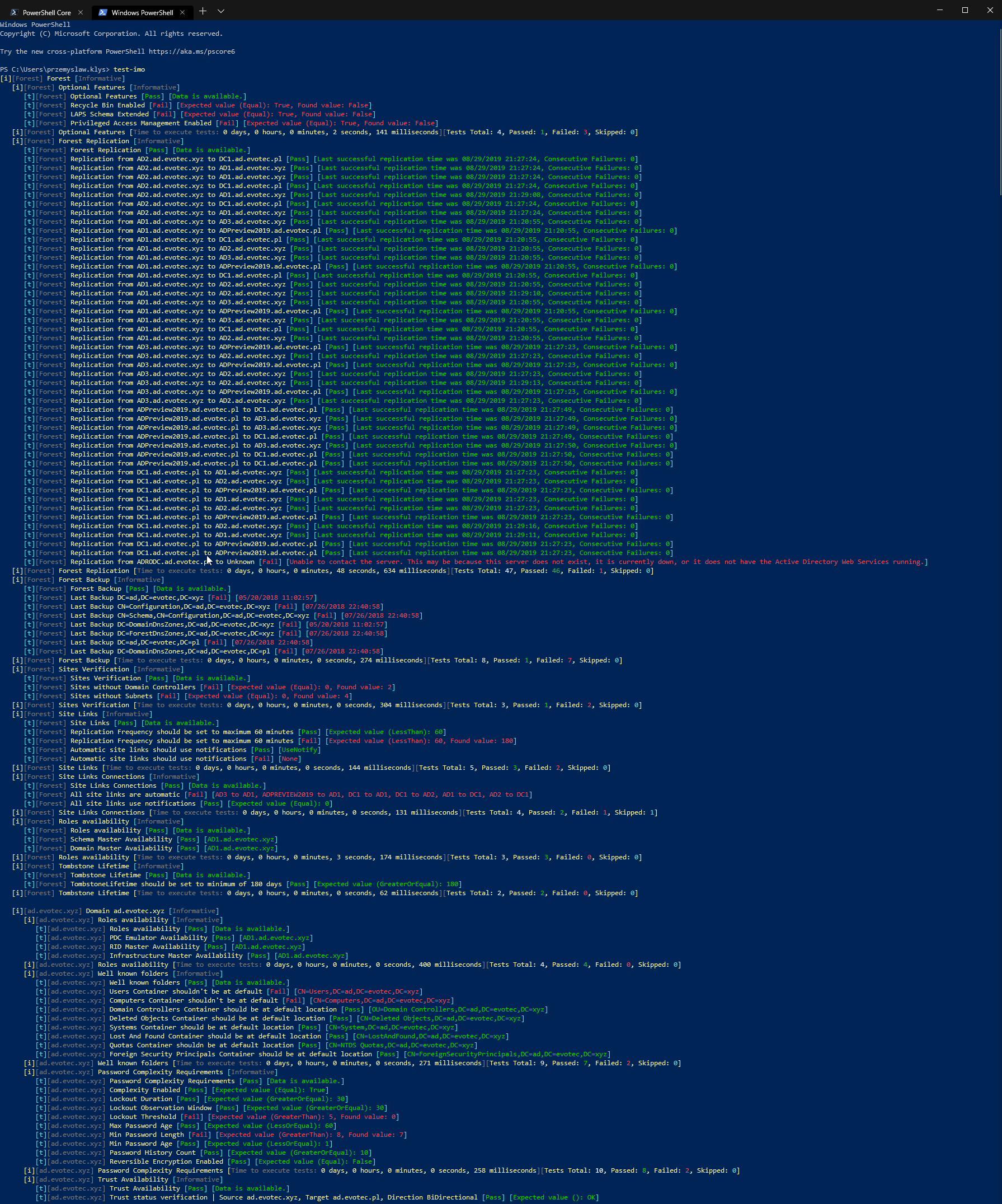
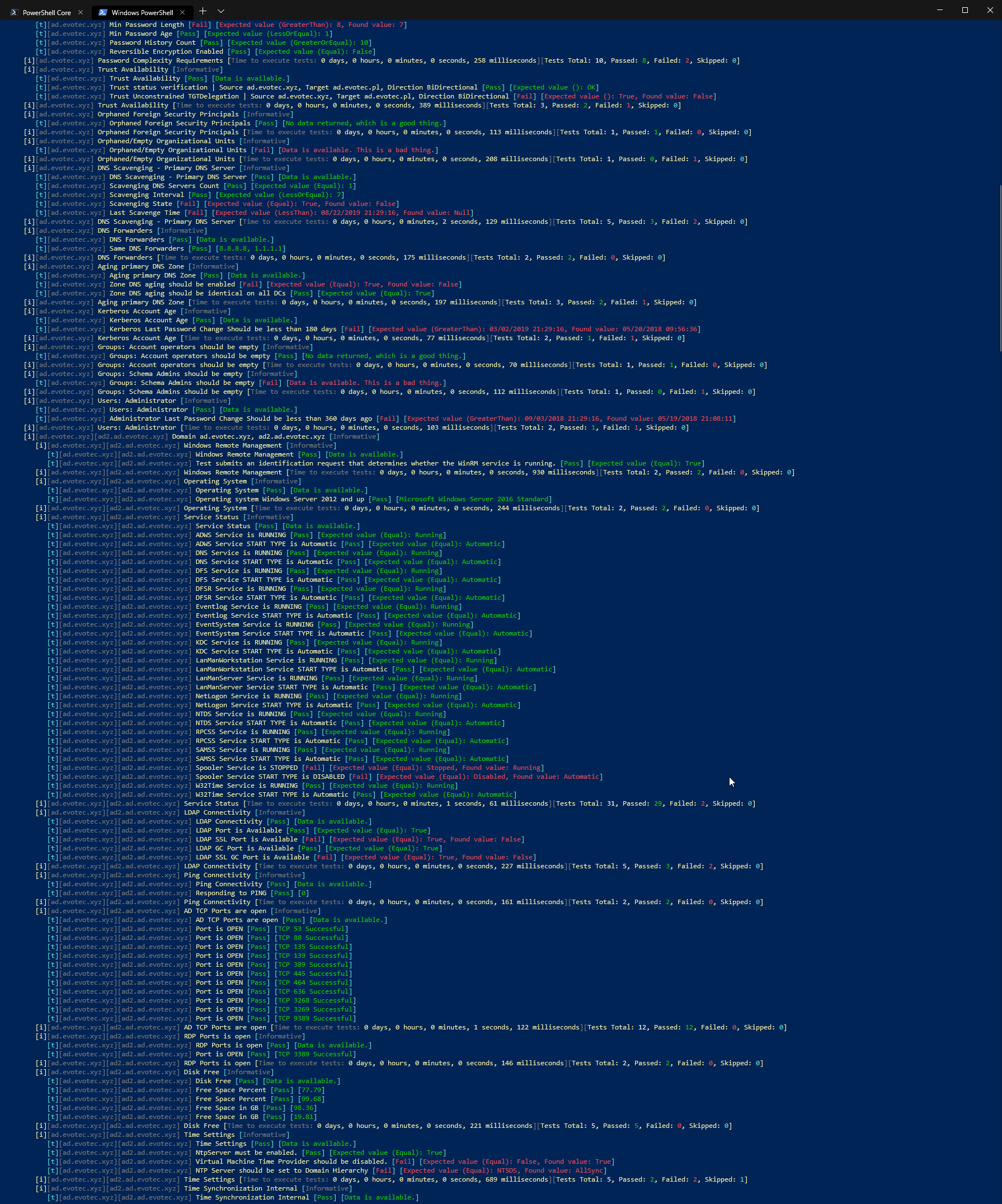
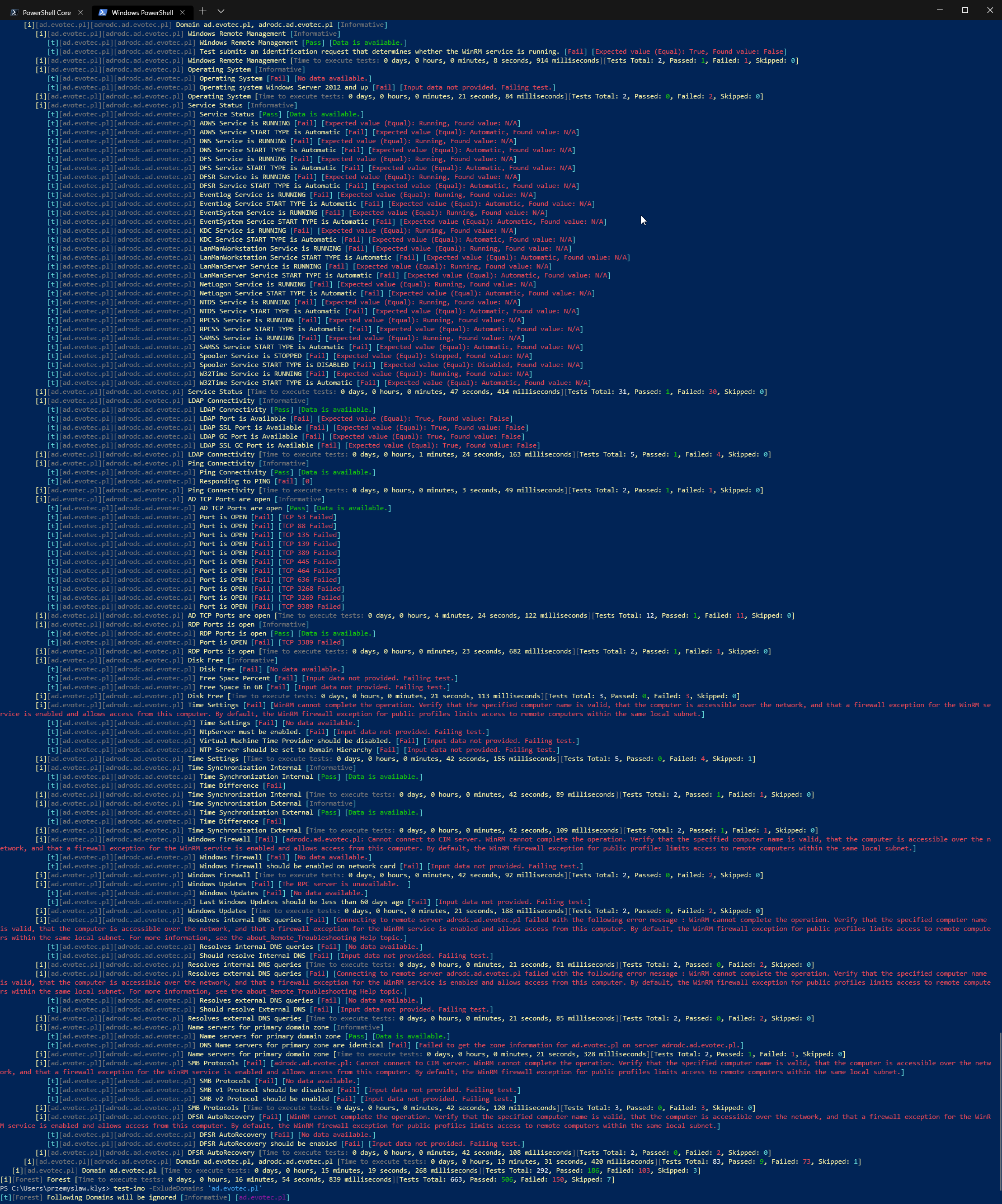
Please keep in mind that there is currently known issue that running all tests while works correctly generated HTML is very very slow when switching Tabs. It's advised to run seperate tests which will generate smaller file which will be more responsive
Invoke-Testimo -Source 'ForestOptionalFeatures','DomainWellKnownFolders','ForestSubnets' -Online -ReportPath $PSScriptRoot\Reports\TestimoSummary.html -AlwaysShowSteps
There are also other parameters available With option to be able to process output - for example to email
Invoke-Testimo -ReturnResults
Using Invoke-Testimo with non-default configuration
Following configuration allows you to:
- Edit default TestImo configuration with some other values
- Exclude one of the domains
- Return Results for future processing
- Limit sources to only 4 types (you could also limit that via Hashtable but this way is quicker for Adhoc enabling/disabling)
Import-Module Testimo

$OutputOrderedDictionary = Get-TestimoConfiguration
$OutputOrderedDictionary.ForestOptionalFeatures.Tests.RecycleBinEnabled.Enable = $false
$OutputOrderedDictionary.ForestOptionalFeatures.Tests.LapsAvailable.Enable = $true
$OutputOrderedDictionary.ForestOptionalFeatures.Tests.LapsAvailable.Parameters.ExpectedValue = $false

$Sources = @(
    'ForestFSMORoles'
    'ForestOptionalFeatures'
    'ForestBackup'
    'ForestOrphanedAdmins'
    'DomainPasswordComplexity'
    'DomainKerberosAccountAge'
    'DomainDNSScavengingForPrimaryDNSServer'
    'DCWindowsUpdates'
)

$TestResults = Invoke-Testimo -PassThru -ExcludeDomains 'ad.evotec.pl' -Sources $Sources -Configuration $OutputOrderedDictionary
$TestResults | Format-Table -AutoSize *
Be sure to checkout Examples section for more How-To.
Changing default configuration
Testimo comes with preset rules that may not apply to your environment. You may want to change some things like disabling some tests or changing some values (to an extent). There are 3 ways to do it. Depending on how you want to save/edit/pass configuration to TestIMO - I leave it up to you.
Straight to FILE/JSON
Get-TestimoConfiguration -FilePath $PSScriptRoot\Configuration\TestimoConfiguration.json
Straight to JSON
Get-TestimoConfiguration -AsJson
Output to Hashtable so you can edit it freely and keep in ps1
$OutputOrderedDictionary = Get-TestimoConfiguration
$OutputOrderedDictionary.ForestOptionalFeatures.Tests.RecycleBinEnabled.Enable = $false
$OutputOrderedDictionary.ForestOptionalFeatures.Tests.LapsAvailable.Enable = $true
$OutputOrderedDictionary.ForestOptionalFeatures.Tests.LapsAvailable.Parameters.ExpectedValue = $false
Comments
Keep in mind not all tests apply to each environment. I'm adding those to be flexible and be able to test things as needed. Each of those tests will need additional description and recommendation, most likely with links and steps to fix. Some of the tests are very basic and will need feedback, work on making it a robust test. Nothing is written in stone for now. Things can change day by day.
Things to consider
- Criticality of Tests - some tests are critical, some are less critical, some are informative only
- Recommended, Default, Sane - not all tests are equal or make sense in all conditions
Tests are based on:
- Active Directory CheckList
- AD Health & Checkup
- Some tests I've defined myself
- Feel free to submit your own ideas either via Issues or direct PR.
| Type | Name | Area | Description |
| ----------------- | ------------------------------------------------------ | ----------------- | ---------------------------------------------------------------------------------------- |
| Forest | Backup | Backup | Verify last backup time should be [less than X days] |
| Forest | Replication | Connectivity | Verify each DC in replication site can [reach other replication members] |
| Forest | Replication using Repadmin | Connectivity | Verify each DC in replication site can [reach other replication members] |
| Forest | Optional Features | Features | Verify Optional Feature Recycle Bin should be [Enabled] |
| Forest | Optional Features | Features | Verify Optional Feature Privileged Access Management Feature should be [Enabled] |
| Forest | Optional Features | Features | Verify Optional Feature Laps should be enabled [Configured] |
| Forest | Sites Verification | Sites | Verify each site has at least [one subnet configured] |
| Forest | Sites Verification | Sites | Verify each `site has at least [one domain control
