
EAColourfulProgressView
Custom progress view where the current filling colour is generated between two colours, based on the current value.
Install / Use
/learn @Eddpt/EAColourfulProgressViewREADME
EAColourfulProgressView


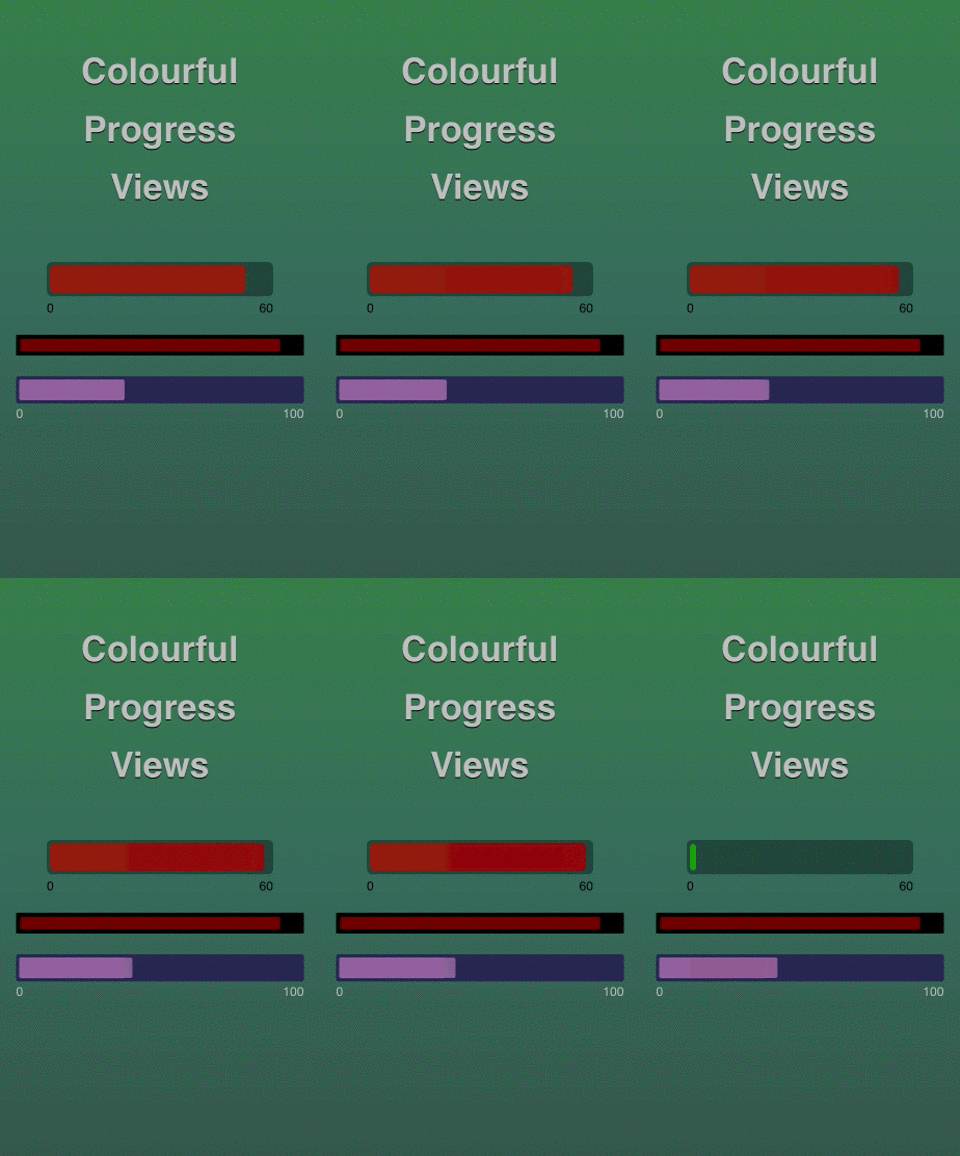
EAColourfulProgressView is a custom progress view where the current filling colour is generated between two colours, based on the current value.
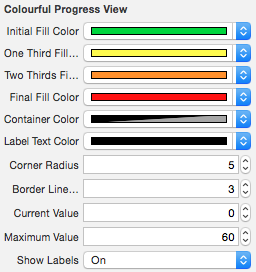
It takes advantages of IBDesignable and IBInspectable so that you can completely customize with without leaving the Interface Builder:
It gives you the possibility to update the current value by calling:
/**
 *  This method updates the current value to the given one. It can
 *  animate the progress view filling size, as well as the background
 *  color change, if 'animated' is YES.
 *
 *  @param currentValue The new current value to be used.
 *  @param animated BOOL with YES if the update should be animated, NO otherwise.
 */
- (void)updateToCurrentValue:(NSInteger)currentValue animated:(BOOL)animated;
##Installation CocoaPods
Add this in your Podfile
pod 'EAColourfulProgressView', '~> 0.1.0'
Note: In order to have Live Rendering working properly, please install the CocoaPods 0.36.0.beta.1 or newer, and make sure use_frameworks! is added to your Podfile. More details here.
##Usage
Set the Custom Class of a UIView to EAColourfulProgressView in Interface Builder, customize the available variables and see them being live rendered ;)
##Future improvements
- Any number of segments
- Segment separators (loading like progress view)
- Performance improvements
Related Skills
node-connect
351.4kDiagnose OpenClaw node connection and pairing failures for Android, iOS, and macOS companion apps
frontend-design
110.7kCreate distinctive, production-grade frontend interfaces with high design quality. Use this skill when the user asks to build web components, pages, or applications. Generates creative, polished code that avoids generic AI aesthetics.
openai-whisper-api
351.4kTranscribe audio via OpenAI Audio Transcriptions API (Whisper).
qqbot-media
351.4kQQBot 富媒体收发能力。使用 <qqmedia> 标签,系统根据文件扩展名自动识别类型(图片/语音/视频/文件)。
