
MidiExplorer
Yet another MIDI monitor, analyzer, debugger and manipulation tool.
Install / Use
/learn @EMATech/MidiExplorerREADME
 MIDI Explorer


Yet another MIDI monitor, analyzer, debugger and manipulation tool.
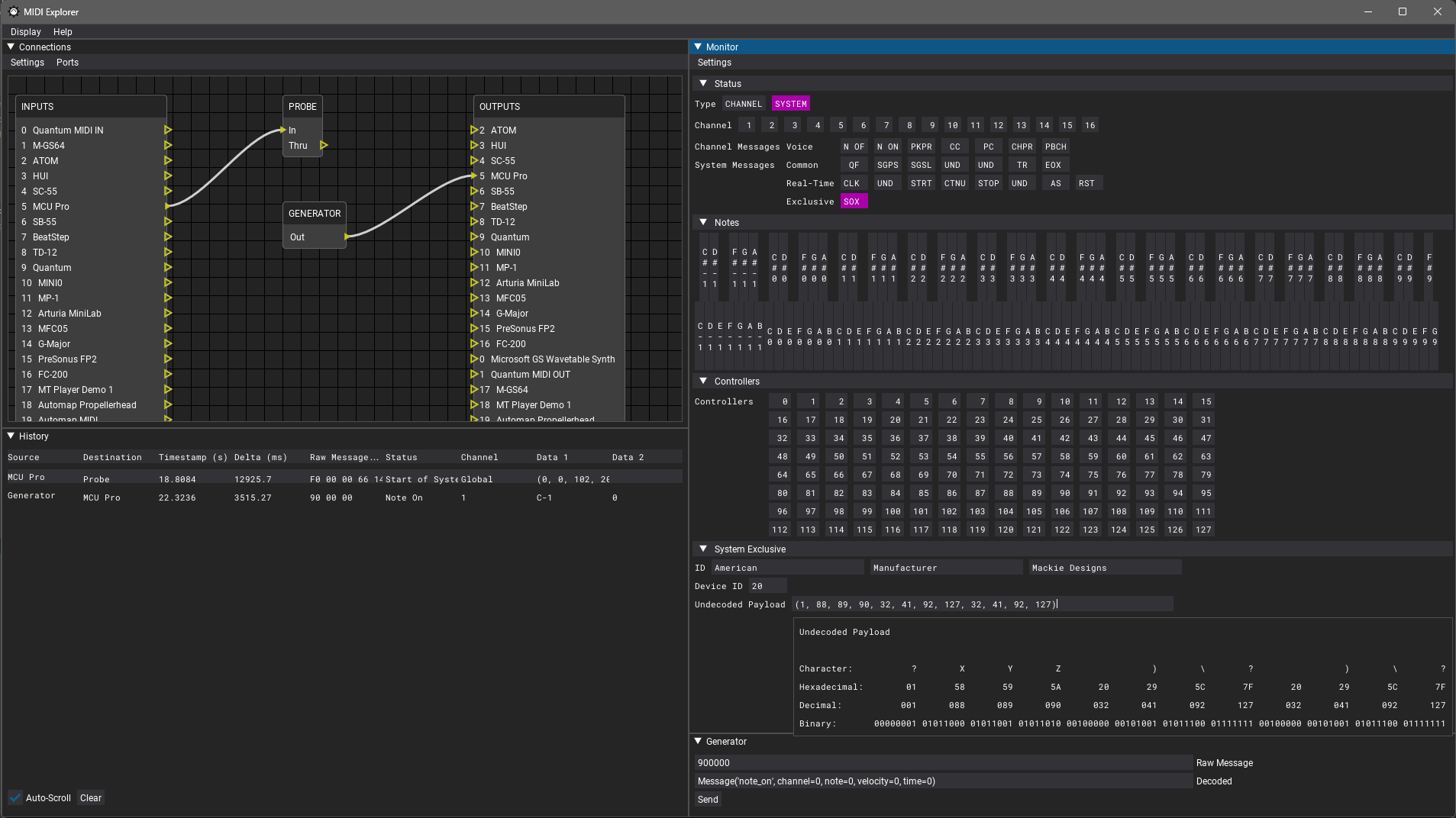
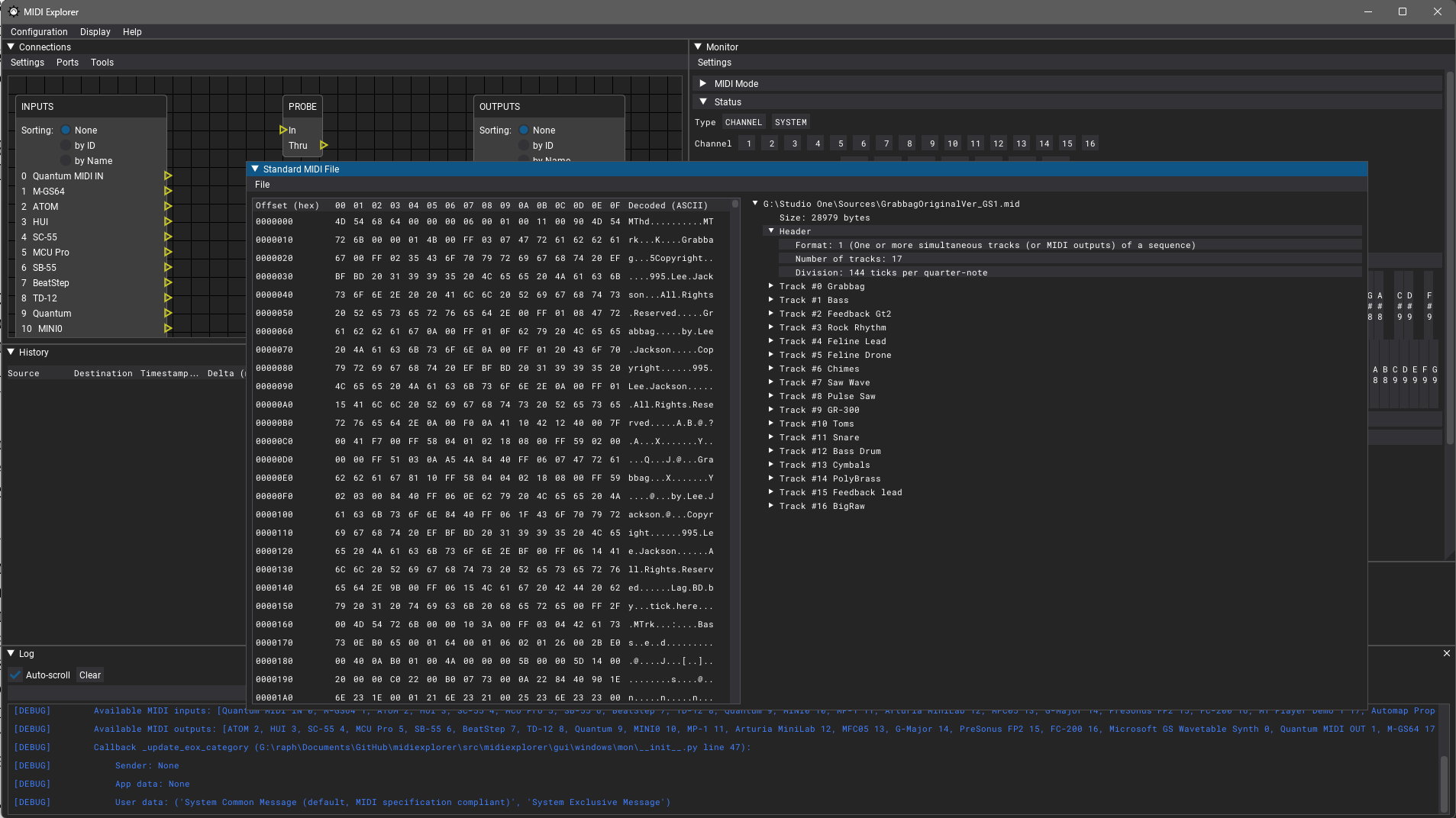
The intent is to be specifications compliant to help debugging, reverse-engineering and developing products based on the MIDI protocol while learning everything there is to know in the process.
The reference specifications used are linked below and comes from the following standards bodies:
- MIDI Association, ex MIDI Manufacturers Association (MMA) USA
- Association of Musical Electronics Industry (AMEI) Japan
- MIDI Standards Committee (MSC) Japan
There is two specification supplement types:
- Recommended Practices (RP) 001-054
- Confirmation of Approval for MIDI Standard (CA) 018-035
A nice history list is provided by the MSC [JP].
I have made a translated and slightly updated
Google Sheet
for easier browsing.
Language is currently Python to help with rapid prototyping and fast iteration. It may change at any time as I see fit.
Table of Contents
Status
Basic features implemented.
First alpha released!
Testers welcome ;)
Installation
Standard
Install Python 3.10
From python.org (recommended) or your favorite package manager.
Install PipX
Follow the instructions for your operating system.
Microsoft Windows
In a terminal
py -m pip install --user pipx
py -m pipx ensurepath
Close and reopen your terminal.
Mac OS X / Linux
python3 -m pip install --user pipx
Install MIDI Explorer
pipx install midiexplorer
Native using Nuitka (alpha)
You may also build a compiled, single-file executable from a properly configured venv using:
python -m nuitka --follow-imports --include-package=rtmidi --include-package=mido --include-package=dearpygui --include-package=dearpygui_ext --include-package=midiexplorer --include-package-data=midiexplorer --onefile --disable-console --windows-icon-from-ico=src\midiexplorer\icons\midiexplorer.ico src/midiexplorer
Features & TODO
Documentation
- [x] Developers
- [ ] Users
- [ ] Sphinx
- [ ] autodoc
- [ ] Read The Docs
- [ ] Sphinx
Quality
- [ ] Linting
- [ ] Code style checks? (PEP8
pycodestyle) - [ ] Docstrings? (
darglint) - [ ] Typechecking? (
mypy)
- [ ] Code style checks? (PEP8
- [ ] Unit tests? (
pytest)- [ ] Coverage
- [x] Packaging
- [x] PyPi
- [ ] PyInstaller
- [ ] (WIP) Nuitka
- [x] Microsoft Windows
- [ ] Apple Mac OS X
- [ ] GNU/Linux
- [ ] PyOxidiser?
- Installers
- [ ] Continuous Integration? (GitHub Actions workflow)
MIDI protocols
- [x] (WIP) v1.0
includesRP-001/RP-002/RP-003/RP-004/RP-005/RP-006/RP-007/RP-008/RP-009/RP-010/RP-011/RP-012/RP-013/RP-014
(1983 - February 1996)
Using a modified mido - [ ] v2.0
(Planned long term: after v1.0 and all its extensions are fully stable)
Platform support
- [x] Microsoft Windows
- [x] WinMM aka Windows Multimedia MME API
viamido's RtMidi backend - [ ] WinRt aka UWP Windows Runtime API
RtMidi related issue
- [x] WinMM aka Windows Multimedia MME API
- [x] Apple Mac OS X
- [x] Core MIDI
viamido's RtMidi backend - [ ] JACK MIDI
(Should work but untested ATM)
- [x] Core MIDI
- [x] GNU/Linux
- [x] ALSA
- [x] Sequencer API
viamido's RtMidi backend - [ ] RawMidi API
- [x] Sequencer API
- [ ] JACK MIDI
(Should work but untested ATM) - [ ] OSS?
(Legacy API)
- [x] ALSA
Interactive GUI
- [x] Icons
- [x] Fonts
- [ ] Custom theme
- [x] About window
- [x] Connections window (Node editor based)
- [x] Inputs
- [x] Outputs
- [x] Modules
- [x] History window (Table)
- [x] Decoding of selected message
- [ ] Insert comment
- [x] Monitor data window
- [x] Live feedback & decoding
- [x] Historical data decoding
- [ ] Generator decoding/encoding?
- [ ] SMF message event decoding
- [x] Generator data window
- [ ] (WIP) Standard MIDI file window
- [x] Open file
- [ ] (WIP) HEX/ASCII view
- [ ] (WIP) Chunks decoding into a tree structure
- [ ] Data highlighting
- [ ] Message event decoding
- [x] Log window
- [ ] Save to file
- [ ] Overwrite
- [ ] Append
- [ ] Save to file
- [ ] Actions (Menus and/or keyboard shortcuts)
- [x] Toggle connections (
F1) - [x] Toggle history (
F2) - [x] Toggle monitor (
F3) - [x] Toggle generator (
F4) - [x] Toggle standard MIDI file (
F5) - [x] Toggle full-screen (
F11) - [x] Toggle log (
F12) - [ ] Save & restore windows state
(Buggy at the moment)
- [x] Toggle connections (
I/O management
- [x] List MIDI I/O
- [x] USB MIDI 1.0
- [x] OS Level
- [ ] Direct Access?
- [ ] USB MIDI 2.0
- [ ] OS Level?
- [ ] Direct Access?
- [ ] IEEE-1394
RP-027 (MMA) MIDI Media Adaptation Layer for IEEE-1394 v1.0
RP-027 (AMEI/MSC) MIDI Media Adaptation Layer for IEEE-1394 v1.0- [ ] OS Level?
(Probably works but no hardware to test with) - [ ] Direct Access?
- [ ] OS Level?
- [ ] Bluetooth Low Energy (BLE-MIDI)
RP-052 (MMA) Specification for MIDI over Bluetooth Low Energy (BLE-MIDI) v1.0
RP-052 (AMEI/MSC) Specification for MIDI over Bluetooth Low Energy (BLE-MIDI) v1.0- [ ] OS Level
Requires WinRt MIDI for Microsoft Windows - [ ] Direct Access?
- [ ] OS Level
- [ ] RTP-MIDI
RTP Payload Format for MIDI (MMA)
IETF RFC 6295 RTP Payload Format for MIDI- [x] (Partial) OS Level
Requires rtpMIDI for Microsoft Windows
(Works with Microsoft Windows. Untested on other OSes) - [ ] Direct Access?
- [x] (Partial) OS Level
- [ ] Virtual
- [ ] OS Level
Requires [loopMIDI](https://www.tobias
- [ ] OS Level
- [x] USB MIDI 1.0
