
Rlama
A powerful document AI question-answering tool that connects to your local Ollama models. Create, manage, and interact with RAG systems for all your document needs.
Install / Use
/learn @DonTizi/RlamaREADME
RLAMA - User Guide
⚠️ Project Temporarily Paused
This project is currently on pause due to my work and university commitments that take up a lot of my time. I am not able to actively maintain this project at the moment. Development will resume when my situation allows it.
RLAMA is a powerful AI-driven question-answering tool for your documents, seamlessly integrating with your local Ollama models. It enables you to create, manage, and interact with Retrieval-Augmented Generation (RAG) systems tailored to your documentation needs.
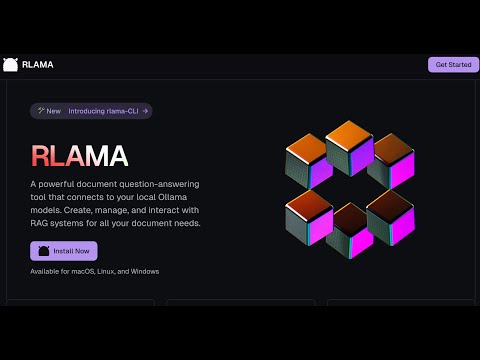
Table of Contents
- Vision & Roadmap
- Installation
- Available Commands
- rag - Create a RAG system
- crawl-rag - Create a RAG system from a website
- wizard - Create a RAG system with interactive setup
- watch - Set up directory watching for a RAG system
- watch-off - Disable directory watching for a RAG system
- check-watched - Check a RAG's watched directory for new files
- web-watch - Set up website monitoring for a RAG system
- web-watch-off - Disable website monitoring for a RAG system
- check-web-watched - Check a RAG's monitored website for updates
- run - Use a RAG system
- api - Start API server
- list - List RAG systems
- delete - Delete a RAG system
- list-docs - List documents in a RAG
- list-chunks - Inspect document chunks
- view-chunk - View chunk details
- add-docs - Add documents to RAG
- crawl-add-docs - Add website content to RAG
- update-model - Change LLM model
- update - Update RLAMA
- version - Display version
- hf-browse - Browse GGUF models on Hugging Face
- run-hf - Run a Hugging Face GGUF model
- Uninstallation
- Supported Document Formats
- Troubleshooting
- Using OpenAI Models
Vision & Roadmap
RLAMA aims to become the definitive tool for creating local RAG systems that work seamlessly for everyone—from individual developers to large enterprises. Here's our strategic roadmap:
Completed Features ✅
- ✅ Basic RAG System Creation: CLI tool for creating and managing RAG systems
- ✅ Document Processing: Support for multiple document formats (.txt, .md, .pdf, etc.)
- ✅ Document Chunking: Advanced semantic chunking with multiple strategies (fixed, semantic, hierarchical, hybrid)
- ✅ Vector Storage: Local storage of document embeddings
- ✅ Context Retrieval: Basic semantic search with configurable context size
- ✅ Ollama Integration: Seamless connection to Ollama models
- ✅ Cross-Platform Support: Works on Linux, macOS, and Windows
- ✅ Easy Installation: One-line installation script
- ✅ API Server: HTTP endpoints for integrating RAG capabilities in other applications
- ✅ Web Crawling: Create RAGs directly from websites
- ✅ Guided RAG Setup Wizard: Interactive interface for easy RAG creation
- ✅ Hugging Face Integration: Access to 45,000+ GGUF models from Hugging Face Hub
Small LLM Optimization (Q2 2025)
- [ ] Prompt Compression: Smart context summarization for limited context windows
- ✅ Adaptive Chunking: Dynamic content segmentation based on semantic boundaries and document structure
- ✅ Minimal Context Retrieval: Intelligent filtering to eliminate redundant content
- [ ] Parameter Optimization: Fine-tuned settings for different model sizes
Advanced Embedding Pipeline (Q2-Q3 2025)
- [ ] Multi-Model Embedding Support: Integration with various embedding models
- [ ] Hybrid Retrieval Techniques: Combining sparse and dense retrievers for better accuracy
- [ ] Embedding Evaluation Tools: Built-in metrics to measure retrieval quality
- [ ] Automated Embedding Cache: Smart caching to reduce computation for similar queries
User Experience Enhancements (Q3 2025)
- [ ] Lightweight Web Interface: Simple browser-based UI for the existing CLI backend
- [ ] Knowledge Graph Visualization: Interactive exploration of document connections
- [ ] Domain-Specific Templates: Pre-configured settings for different domains
Enterprise Features (Q4 2025)
- [ ] Multi-User Access Control: Role-based permissions for team environments
- [ ] Integration with Enterprise Systems: Connectors for SharePoint, Confluence, Google Workspace
- [ ] Knowledge Quality Monitoring: Detection of outdated or contradictory information
- [ ] System Integration API: Webhooks and APIs for embedding RLAMA in existing workflows
- [ ] AI Agent Creation Framework: Simplified system for building custom AI agents with RAG capabilities
Next-Gen Retrieval Innovations (Q1 2026)
- [ ] Multi-Step Retrieval: Using the LLM to refine search queries for complex questions
- [ ] Cross-Modal Retrieval: Support for image content understanding and retrieval
- [ ] Feedback-Based Optimization: Learning from user interactions to improve retrieval
- [ ] Knowledge Graphs & Symbolic Reasoning: Combining vector search with structured knowledge
RLAMA's core philosophy remains unchanged: to provide a simple, powerful, local RAG solution that respects privacy, minimizes resource requirements, and works seamlessly across platforms.
Installation
Prerequisites
- Ollama installed and running
Installation from terminal
curl -fsSL https://raw.githubusercontent.com/dontizi/rlama/main/install.sh | sh
Tech Stack
RLAMA is built with:
- Core Language: Go (chosen for performance, cross-platform compatibility, and single binary distribution)
- CLI Framework: Cobra (for command-line interface structure)
- LLM Integration: Ollama API (for embeddings and completions)
- Storage: Local filesystem-based storage (JSON files for simplicity and portability)
- Vector Search: Custom implementation of cosine similarity for embedding retrieval
Architecture
RLAMA follows a clean architecture pattern with clear separation of concerns:
rlama/
├── cmd/                  # CLI commands (using Cobra)
│   ├── root.go           # Base command
│   ├── rag.go            # Create RAG systems
│   ├── run.go            # Query RAG systems
│   └── ...
├── internal/
│   ├── client/           # External API clients
│   │   └── ollama_client.go # Ollama API integration
│   ├── domain/           # Core domain models
│   │   ├── rag.go        # RAG system entity
│   │   └── document.go   # Document entity
│   ├── repository/       # Data persistence
│   │   └── rag_repository.go # Handles saving/loading RAGs
│   └── service/          # Business logic
│       ├── rag_service.go      # RAG operations
│       ├── document_loader.go  # Document processing
│       └── embedding_service.go # Vector embeddings
└── pkg/                  # Shared utilities
    └── vector/           # Vector operations
Data Flow
- Document Processing: Documents are loaded from the file system, parsed based on their type, and converted to plain text.
- Embedding Generation: Document text is sent to Ollama to generate vector embeddings.
- Storage: The RAG system (documents + embeddings) is stored in the user's home directory (~/.rlama).
- Query Process: When a user asks a question, it's converted to an embedding, compared against stored document embeddings, and relevant content is retrieved.
- Response Generation: Retrieved content and the question are sent to Ollama to generate a contextually-informed response.
Visual Representation
┌─────────────┐     ┌─────────────┐     ┌─────────────┐
│  Documents  │────>│  Document   │────>│  Embedding  │
│  (Input)    │     │  Processing │     │  Generation │
└─────────────┘     └─────────────┘     └─────────────┘
                                              │
                                              ▼
┌─────────────┐     ┌─────────────┐     ┌─────────────┐
│   Query     │────>│  Vector     │<────│ Vector Store│
│  Response   │     │  Search     │     │ (RAG System)│
└─────────────┘     └─────────────┘     └─────────────┘
       ▲                   │
       │                   ▼
┌─────────────┐     ┌─────────────┐
│   Ollama    │<────│   Conte
