
Client
Sole VPN client implementing Multi-Factor Authentication on WireGuard® VPN connection
Install / Use
/learn @DefGuard/ClientREADME
Defguard desktop client
Desktop client for managing WireGuard VPN connections (any WireGuard server and defguard instances).
Features
- Supports any WireGuard server
- Multi-platform - Linux, macOS & Windows
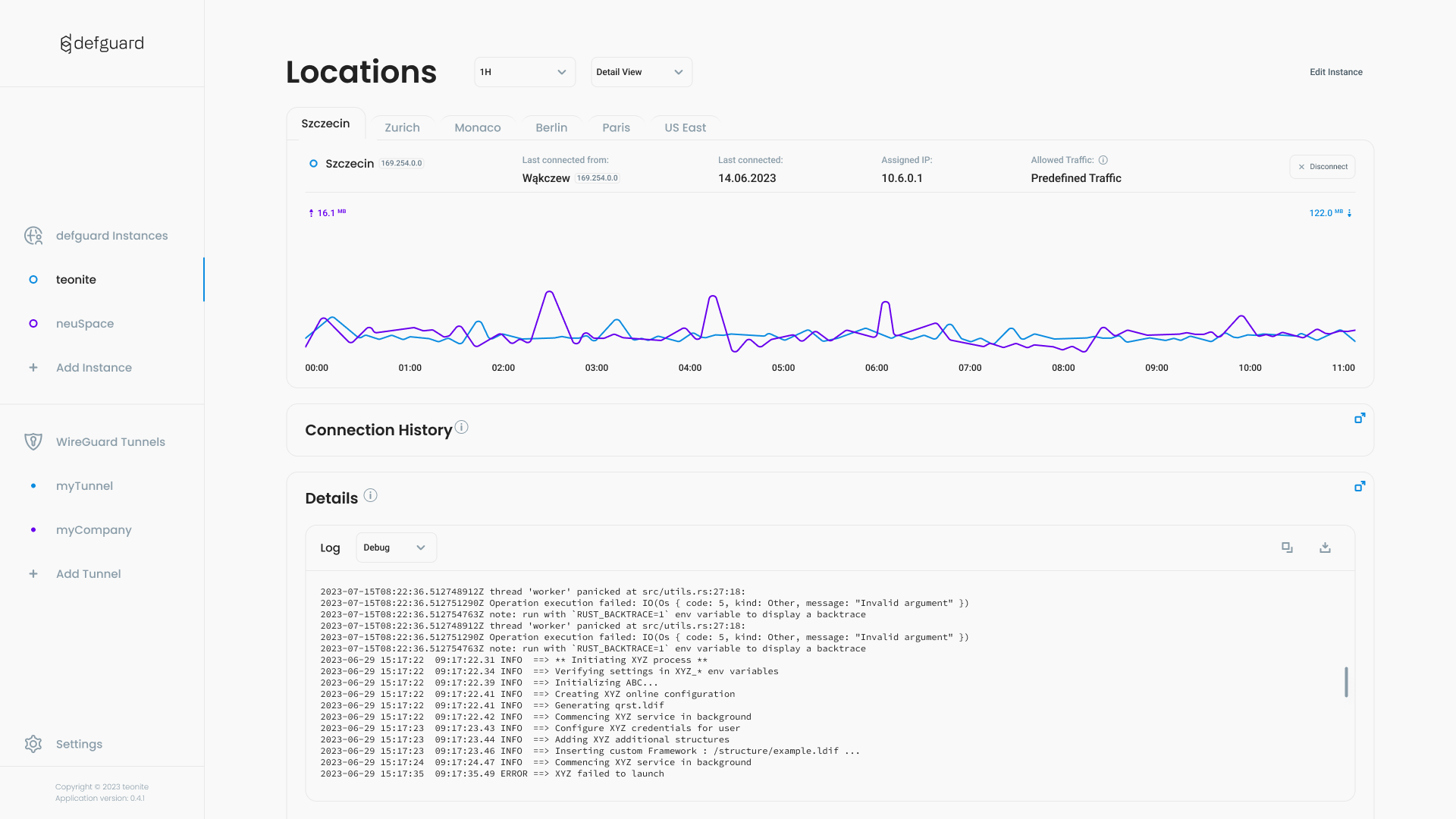
- Detailed network overview - see all details of your connection history and statistics with real-time charts and logs
- Multi-Factor Authentication with TOTP/Email & WireGuard PSK - Since WireGuard protocol doesn't support 2FA, most (if not all) available WireGuard clients use 2FA authorization to the "application" itself (not Wireguard tunnel). When using this client with defguard VPN & SSO server (which is <strong>free & open source</strong>) you will get <strong>real Multi-Factor Authentication using TOTP/Email codes + WireGuard Pre-shared session keys</strong>.
- Multiple instances & locations - When combining with defguard VPN & SSO you can have multiple defguard instances (sites/installations) and multiple Locations (VPN tunnels in that location/site) in <strong>one client</strong>! If you are an admin/devops - all your customers (instances) and all their tunnels (locations) can be in one place!
- Fast! - Built with Rust, tauri and React.js.
To learn more about the system see our documentation.
Development
Tauri requirements
Make sure to install prerequisites from tauri.
Proto submodule
Make sure you have cloned, and up to date, proto submodule in src-tauri/proto
Protoc compiler
Make sure you have protoc available.
Install pnpm and node deps
pnpm install
Sqlx and local database file
To work with sqlx on a local db file, you'll have to set DATABASE_URL env variable.
It's best to set it to absolute path since pnpm tauri dev runs with weird paths.
Init the file with:
export DATABASE_URL=sqlite://<full-path-to-project-dir>/dev.db`
sqlx db create
sqlx migrate run --source src-tauri/migrations/
Then keep the $DATABASE_URL set during development (use direnv etc.)
Dev server command
pnpm tauri dev
Build command
pnpm tauri build
Built packages are available after in src-tauri/target/release/bundle.
Windows
For windows development you'll need:
- The
stable-x86_64-pc-windows-gnuRust toolchain. Userustupto change the toolchain:
rustup install stable-x86_64-pc-windows-gnu
rustup default stable-x86_64-pc-windows-gnu
-
Install MSYS2
-
Then run this in the MSYS2 terminal:
pacman -S --needed base-devel mingw-w64-ucrt-x86_64-toolchain mingw-w64-ucrt-x86_64-nasm
- Finally add msys to your PATH:
# cmd
set PATH=C:\msys64\ucrt64\bin;%PATH%
# power-shell
$env:PATH = "C:\msys64\ucrt64\bin;" + $env:PATH
More info can be found here.
Legal
Trademarks
WireGuard® is registered trademarks of Jason A. Donenfeld.
Third-Party Licenses
This product includes third-party software components. The licenses for these components are provided in the "licenses" directory included with this distribution.
For details, see: licenses/THIRD_PARTY_LICENSES.txt
Known issues
Failed to bundle project
pnpm tauri build may fail with error: Error failed to bundle project: error running appimage.sh. To
fix this set the NO_STRIP environment variable:
NO_STRIP=1 pnpm tauri build
Blank screen
The app launches but the window is blank. Set the WEBKIT_DISABLE_DMABUF_RENDERER environment variable:
WEBKIT_DISABLE_DMABUF_RENDERER=1 defguard-client
Failed to run pnpm tauri dev
pnpm tauri dev command may result in the following error:
Error [ERR_REQUIRE_ESM]: require() of ES Module /home/jck/workspace/work/teonite/defguard/client/node_modules/.pnpm/path-type@5.0.0/node_modules/path-type/index.js from /home/jck/workspace/work/teonite/defguard/client/node_modules/.pnpm/read-pkg@3.0.0/node_modules/read-pkg/index.js not supported.
Instead change the require of /home/jck/workspace/work/teonite/defguard/client/node_modules/.pnpm/path-type@5.0.0/node_modules/path-type/index.js in /home/jck/workspace/work/teonite/defguard/client/node_modules/.pnpm/read-pkg@3.0.0/node_modules/read-pkg/index.js to a dynamic import() which is available in all CommonJS modules.
    at TracingChannel.traceSync (node:diagnostics_channel:315:14)
    at Object.<anonymous> (/home/jck/workspace/work/teonite/defguard/client/node_modules/.pnpm/read-pkg@3.0.0/node_modules/read-pkg/index.js:4:18) {
  code: 'ERR_REQUIRE_ESM'
}

Node.js v22.7.0
 ELIFECYCLE  Command failed with exit code 1.
       Error The "beforeDevCommand" terminated with a non-zero status code.
 ELIFECYCLE  Command failed with exit code 1.
To fix this remove node_modules and rerun pnpm install.
