
DeadlyTrade
DeadlyTrade for Path Of Exile - (Overhaul Version) Trade Notification, Functional Overlay, Flask&Skill Timer, Map&Region Information, Real-Time Ninja Currency, Act Helper when Leveling and other useful functions.
Install / Use
/learn @DeadlyCrush/DeadlyTradeREADME
DeadlyTrade Overhaul.




Installation
| Download | Latest |
| ------ | ------ |
| Download latest release and unzip. It is portable. |
Languages
- [C#, .Net Core/Web] - Front End, Web API
- [Cli] - Interop, Core API
- [C++] - Core
DeadlyTrade 1.4.1.3 Hotfix
https://youtu.be/xUgUEdfj1us
ㅇ Updated
- Modified : Grid auto-calculation formula for displaying in Stash by user screen resolution has been modified.
- Added : Top panel has been added to adjust position of Grid if it is not fit your display, depending on your settings or screen resolution.
- Added : Check box has been added to Find by position function to check whether or not indicated Statsh is in the folder.
- Added : Check box has been added to trade notification panel check whether or not indicated Statsh is in the folder.
- Notice : Item name pate at find input field when you click the item name in the grid that appears from Trade notification panel.
- Modified : Now dispaly recv/snd time 00h:00m:00s format in Trade notification panel is displayed.
- Fixed : Exalted value is not diplayed has been modified in the Trade notification panel when large amount of chaos value.
ㅇ MISC.
- Guide videos added unedited.
- In the future, I will edit it and add it if possible, and upload any guide video clips that may be helpful even if not edited.
- Also, if you hard to find usage or problems which is difficult to find, please ask questions through each contact below description.
- But, inform you that DeadlyTrade discord is main channel for contact.
Thank you. Stay heathly and have a great day.
데들리트레이드 1.4.1.2 버전 기준 각 기능 소개 및 설명 영상 스트림에서 요청주셔서 급 답변 드리다가보니 전체를 모두 상세히 설명드린건 아니지만, 각 기능에 대해서 어느 정도는 설명이 된거 같아요. 편집 없이 그냥 올립니다. https://youtu.be/vYi44ds06nM
[ Latest Release ]
https://github.com/DeadlyCrush/DeadlyTrade/releases/
- Update will be automatically if you have previous version above 1.4.0.5 기존 사용자분들 중 1.4.0.5 버전 이상의 사용자는 자동 업데이트 됩니다.
DeadlyTrade Main Features and Useful Functions.
- Please check detailed Explanation in POE Forum : https://www.pathofexile.com/forum/view-thread/2785386
Auto Detect.
- User's POE Client Path.
- Detect GGG Client & KAKAO Client.
- User's POE UI Language setting.
- User's Screen resolution.
- User's POE Flask and Skill key binding.
- All information auto change by detected UI Language : ENG/KOR
Main HUD rework.
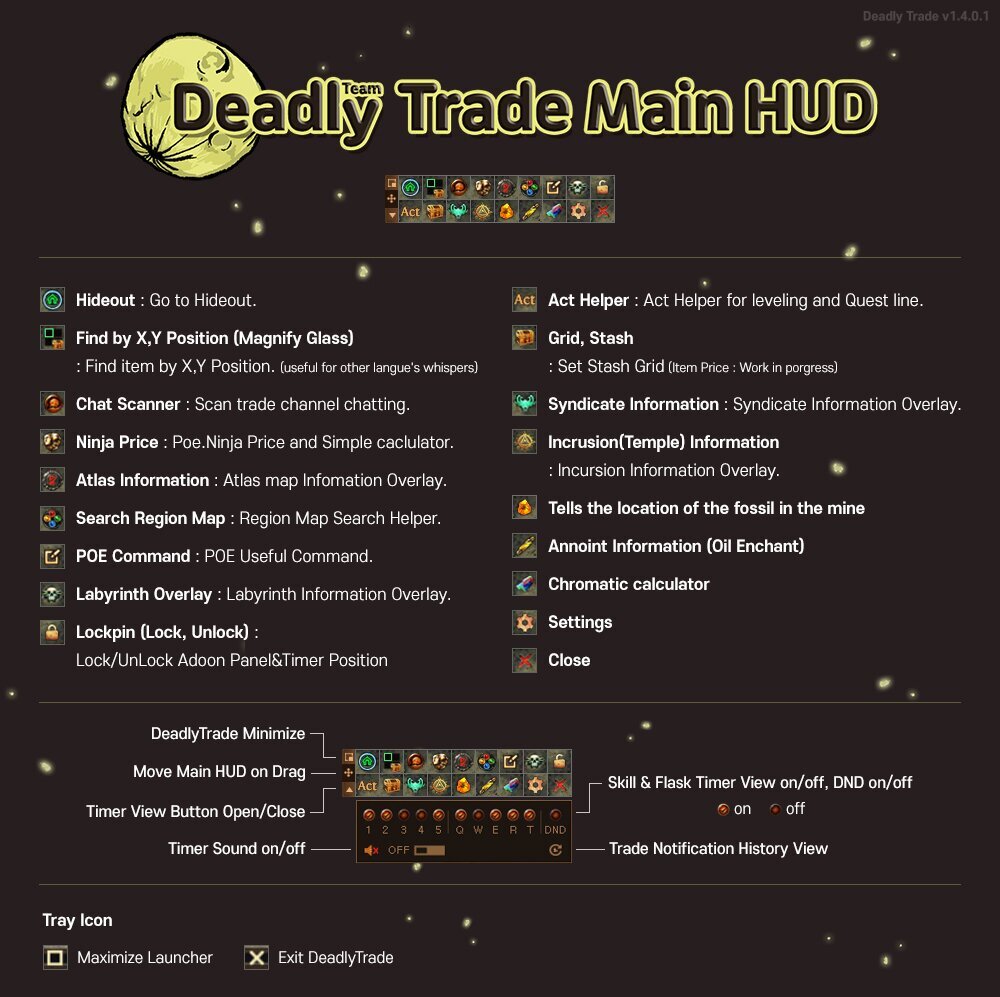
After you launch the addon, you should see the main HUD pop up in game. You can lock/unlock the UI location by pressing the Lock at the top right. The image above explains what each button does.
Trade Notification
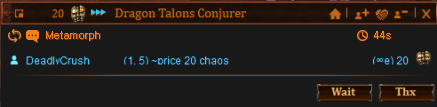
Provide clipboard parsing when Kakao user buying that can be useful for kakao user. Find item by position function can be useful for who struggle with other languages message not Eng. Also deadlytrade can parse and pop panel when trade whisper by ggg user even if kakao user set default trade message language to Korean.
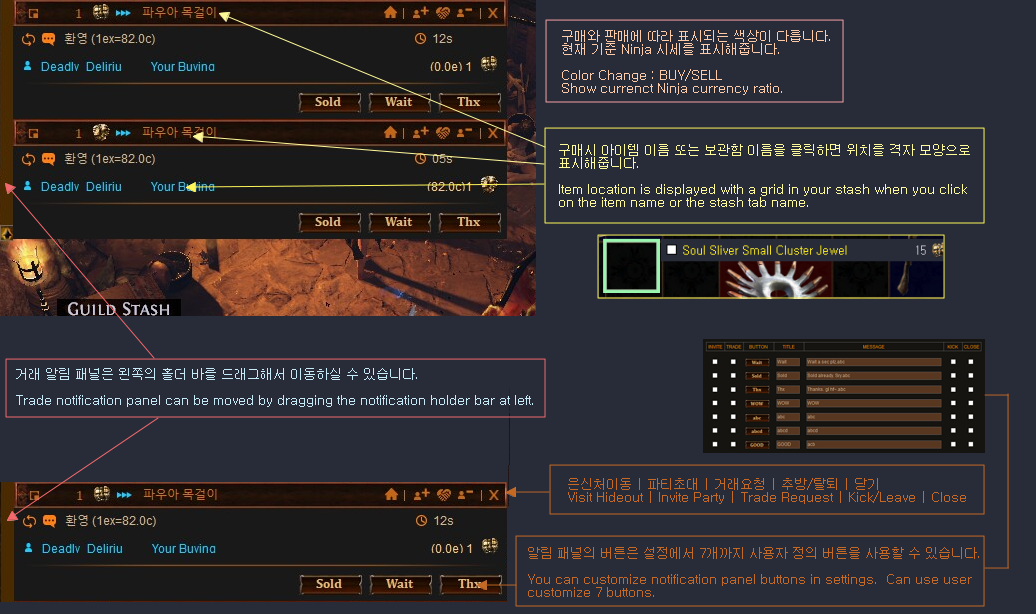
Support Korean and English.You can customize notification panel buttons.
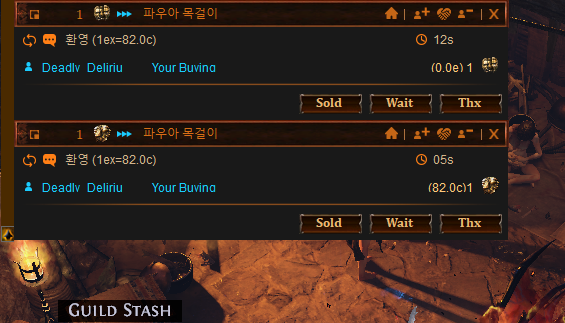
- Color Change : BUY/SELL
- Show Grid when Click Notification panel.
- Show current Ninja currency ratio.
- Convenience default button : Visit hideout, invite, trade request, kick/leave and etc...
- Can use user customize 7 buttons.
Auto Grid Setting by User's screen resolution
Automatically detect and display the grid in the item window.
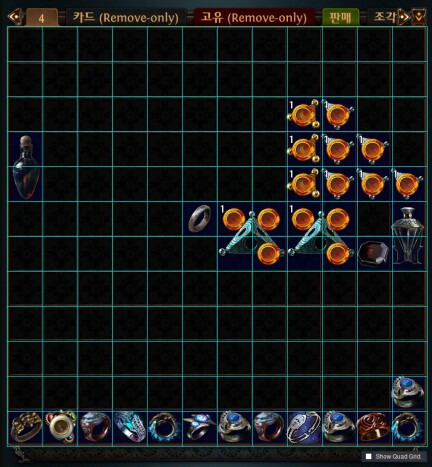
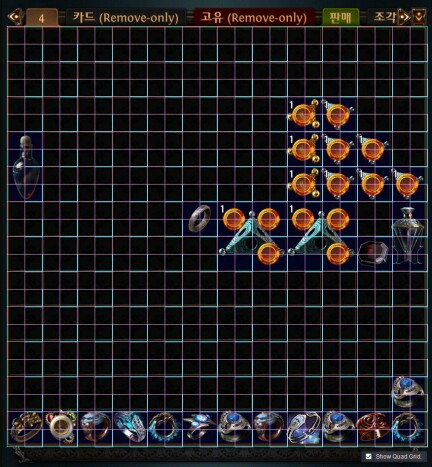
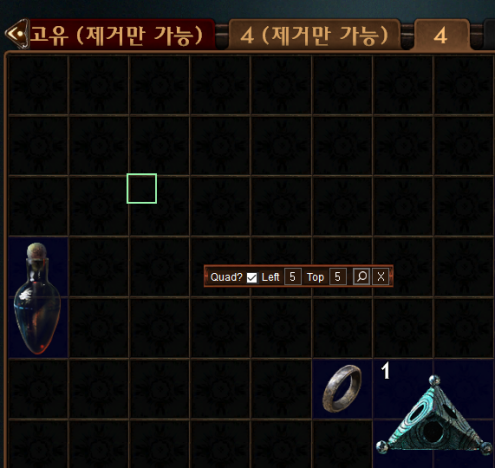
Search Item by Position (X,Y)
You can use this button when you get a trading message from a Kakao user or from someone using a different language. You can input the coordinates in the trading message as shown below and find the item requested.
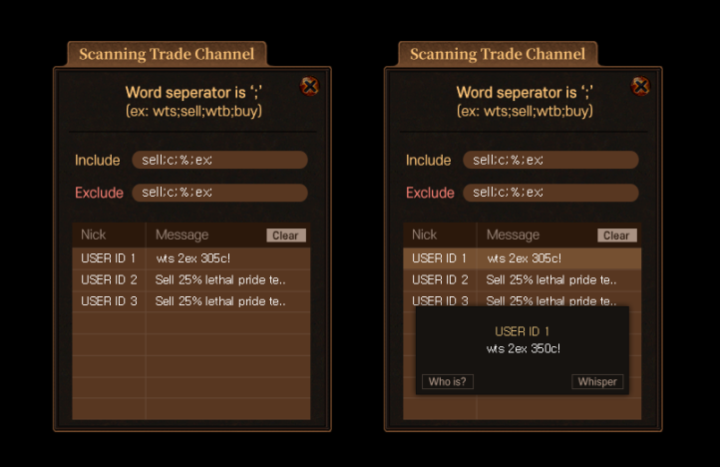
Chat Scanner : Trade Channel
Allows you to scan the trade chat. Works when the trade chat channel is activated.
Act Helper for Leveling, Quest line.
Act helper is especially useful when you want to reroll or speedrun at league start. It will tell you where to go for waypoints and every step from Act 1 to Act 10. You no longer have to alt tab to look at a leveling guide and you can use this for a faster playthrough.
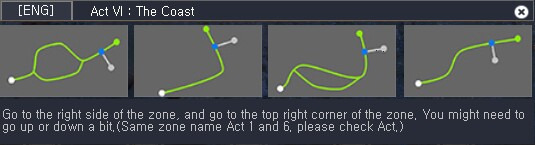
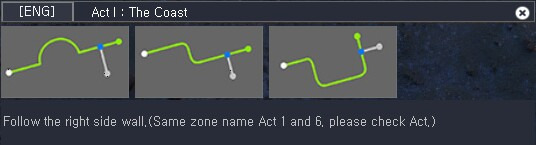
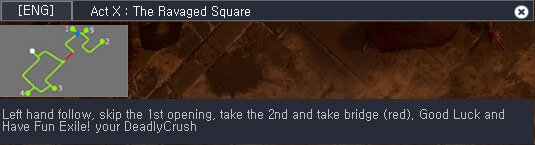
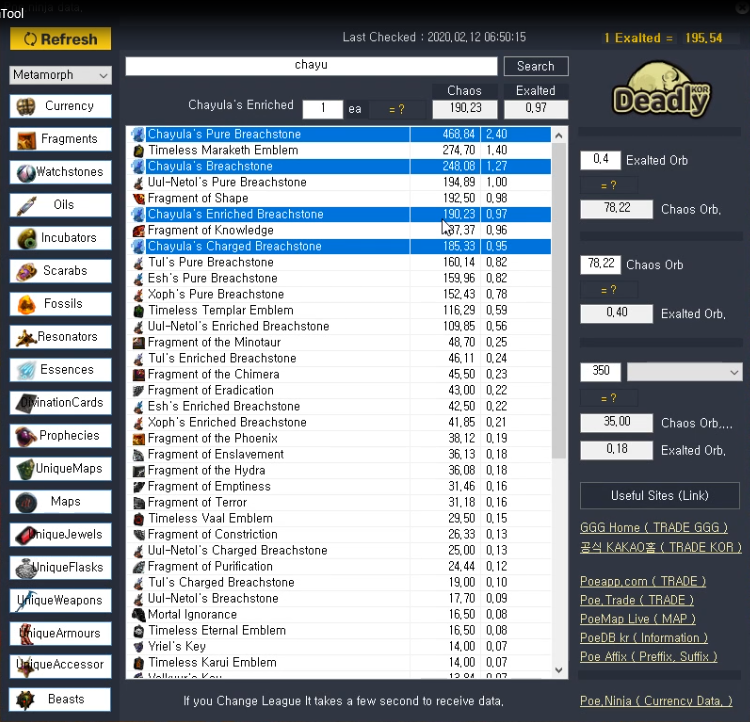
Check Ninja Currency & Simple Caclulator.
You can use this button to check poe.ninja prices and convert currency values.

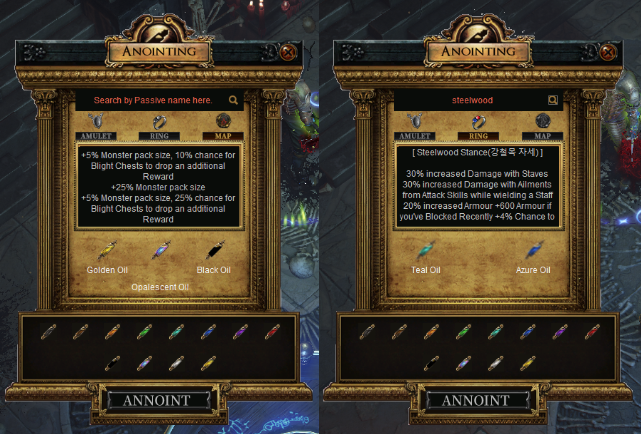
Annoint information rework.
You can get information about Oil Anointments for rings, amulets and maps. You can either put the oils yourself to see what enchant you get or you can search for it using the search bar.
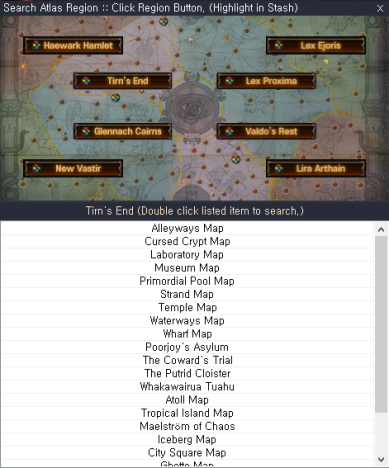
Region map search rework.
You can search maps by region using this button. If you have your stash open it will automatically search for the selected region/map.
- It is advised to use this feature with your stash open.
- Click a region to search all the maps in the region and display them on the list below.
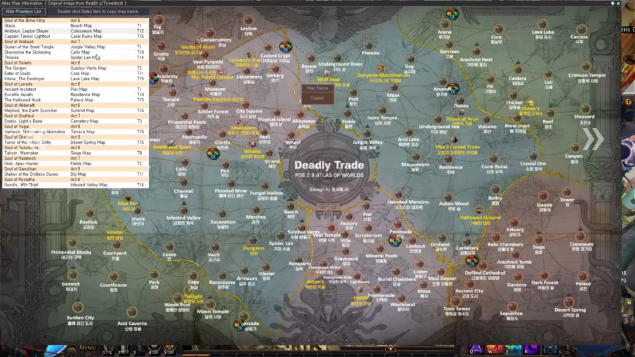
Atlas Overlay new feature added.
New Flask image timer, skill timer ui changed.
With timer toggle buttons, you can turn flask timer (1,2,3,4,5) and skill timer (Q,W,E,R,T) on and off. Changes will be immediately applied after clicking the button. Automatically detect POE key bindings

Chromatic Calculator
You can calculate how many chromatic orbs you will need on average in order to get the sockets you want using this tool.

Settings
Use this button to access settings to change hot keys, customize buttons, and set flask times.

