
Raven
CI/CD Security Analyzer
Install / Use
/learn @CycodeLabs/RavenREADME



Raven - CI/CD Security Analyzer
RAVEN (Risk Analysis and Vulnerability Enumeration for CI/CD) is a powerful security tool designed to perform massive scans for GitHub Actions CI workflows and digest the discovered data into a Neo4j database. Developed and maintained by the Cycode research team.
With Raven, we were able to identify and report security vulnerabilities in some of the most popular repositories hosted on GitHub, including:
- FreeCodeCamp (the most popular project on GitHub)
- Storybook (One of the most popular frontend frameworks)
- Fluent UI by Microsoft
- and much more
We listed all vulnerabilities discovered using Raven in the tool Hall of Fame.
What is Raven
The tool provides the following capabilities to scan and analyze potential CI/CD vulnerabilities:
- ⏬ Downloader: You can download workflows and actions necessary for analysis. Workflows can be downloaded either for multiple accounts (user/organization) simultaneously or for public GitHub repositories, sorted by star count. Performing this step is a prerequisite for analyzing the workflows.
- 📊 Indexer: Digesting the downloaded data into a graph-based Neo4j database. This process involves establishing relationships between workflows, actions, jobs, steps, etc.
- 📚 Query Library: We created a library of pre-defined queries based on research conducted by the community.
- ❗ Reporter: Raven has a simple way of reporting suspicious findings. As an example, it can be incorporated into the CI process for pull requests and run there.
Possible usages for Raven:
- Scanner for your own organization's security
- Scanning specified organizations for bug bounty purposes
- Scan everything and report issues found to save the internet
- Research and learning purposes
This tool provides a reliable and scalable solution for CI/CD security analysis, enabling users to query bad configurations and gain valuable insights into their codebase's security posture.
Why Raven
In the past year, Cycode Labs conducted extensive research on fundamental security issues of CI/CD systems. We examined the depths of many systems, thousands of projects, and several configurations. The conclusion is clear – the model in which security is delegated to developers has failed. This has been proven several times in our previous content:
- A simple injection scenario exposed dozens of public repositories, including popular open-source projects.
- We found that one of the most popular frontend frameworks was vulnerable to the innovative method of branch injection attack.
- We detailed a completely different attack vector, 3rd party integration risks, the most popular project on GitHub, and thousands more.
- Finally, the Microsoft 365 UI framework, with more than 300 million users, is vulnerable to an additional new threat – an artifact poisoning attack.
- Additionally, we found, reported, and disclosed hundreds of other vulnerabilities privately.
Each of the vulnerabilities above has unique characteristics, making it nearly impossible for developers to stay up to date with the latest security trends. Unfortunately, each vulnerability shares a commonality – each exploitation can impact millions of victims.
It was for these reasons that Raven was created, a framework for CI/CD security analysis workflows (and GitHub Actions as the first use case). In our focus, we examined complex scenarios where each issue isn't a threat on its own, but when combined, they pose a severe threat.
Setup && Run
To get started with Raven, follow these installation instructions:
Step 1: Install the Raven package
pip3 install raven-cycode
Step 2: Setup a local Redis server and Neo4j database
docker run -d --name raven-neo4j -p7474:7474 -p7687:7687 --env NEO4J_AUTH=neo4j/123456789 --volume raven-neo4j:/data neo4j:5.12
docker run -d --name raven-redis -p6379:6379 --volume raven-redis:/data redis:7.2.1
Another way to setup the environment is by running our provided docker compose file:
git clone https://github.com/CycodeLabs/raven.git
cd raven
make setup
Step 3: Run Raven Downloader
Account mode:
raven download account --token $GITHUB_TOKEN --account-name RavenDemo
Crawl mode:
raven download crawl --token $GITHUB_TOKEN --min-stars 1000
Step 4: Run Raven Indexer
raven index
Step 5: Inspect the results through the reporter
raven report --format raw
At this point, it is possible to inspect the data in the Neo4j database, by connecting http://localhost:7474/browser/.
Prerequisites
- Python 3.9+
- Docker Compose v2.1.0+
- Docker Engine v1.13.0+
Infrastructure
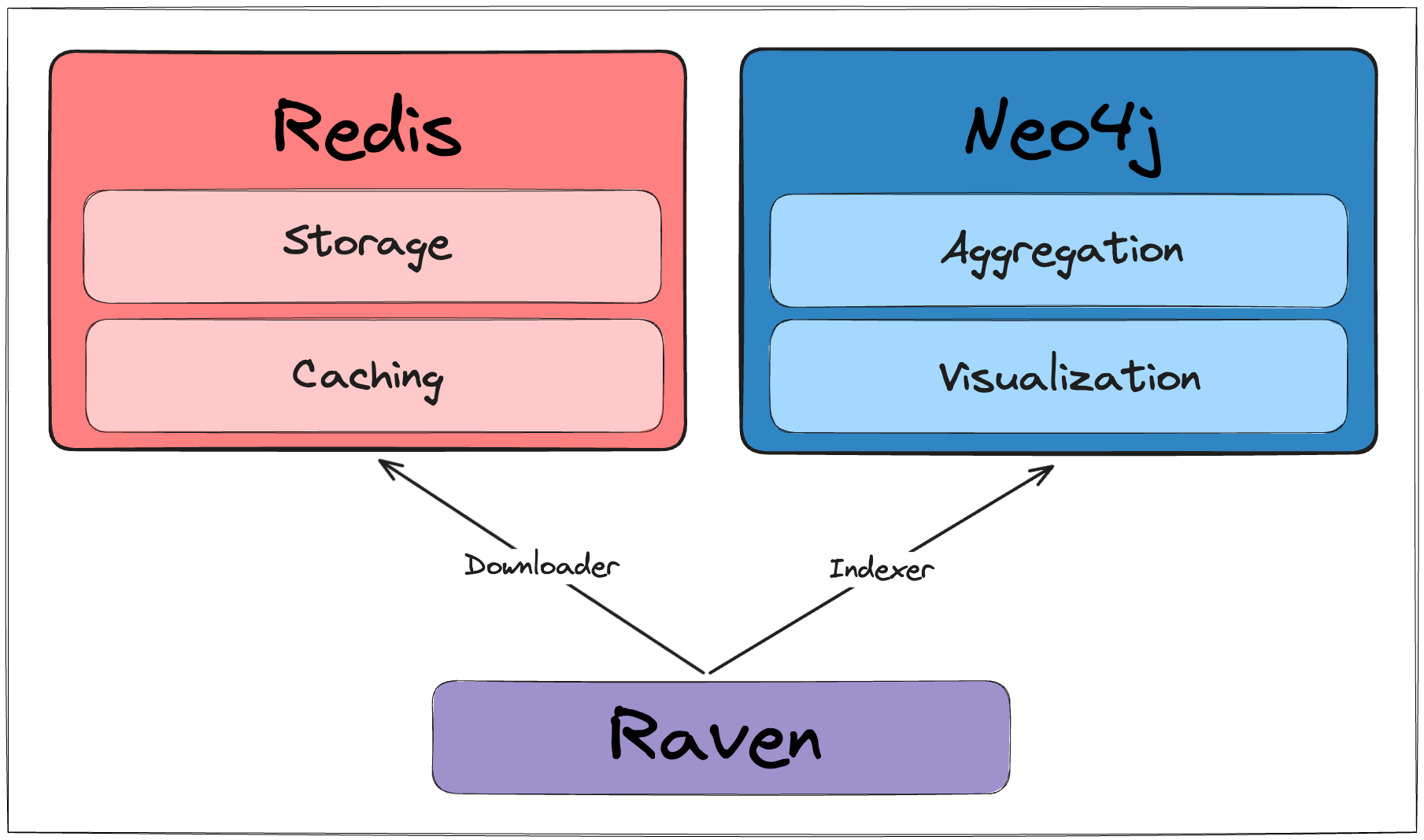
Raven is using two primary docker containers: Redis and Neo4j.
make setup will run a docker compose command to prepare that environment.
Usage
The tool contains three main functionalities, download and index and report.
Download
Download Account Repositories
usage: raven download account [-h] --token TOKEN [--debug] [--redis-host REDIS_HOST] [--r
