
CryBarEditor
Age of Mythology Retold resource manager, BAR editor, modding tool
Install / Use
/learn @CryShana/CryBarEditorREADME
Description
The purpose of this tool is to enable fast and easy modding of Age of Mythology Retold.
Features
Highlights
- Read BAR archives
- Read FMOD banks (play, view and export FMOD events)
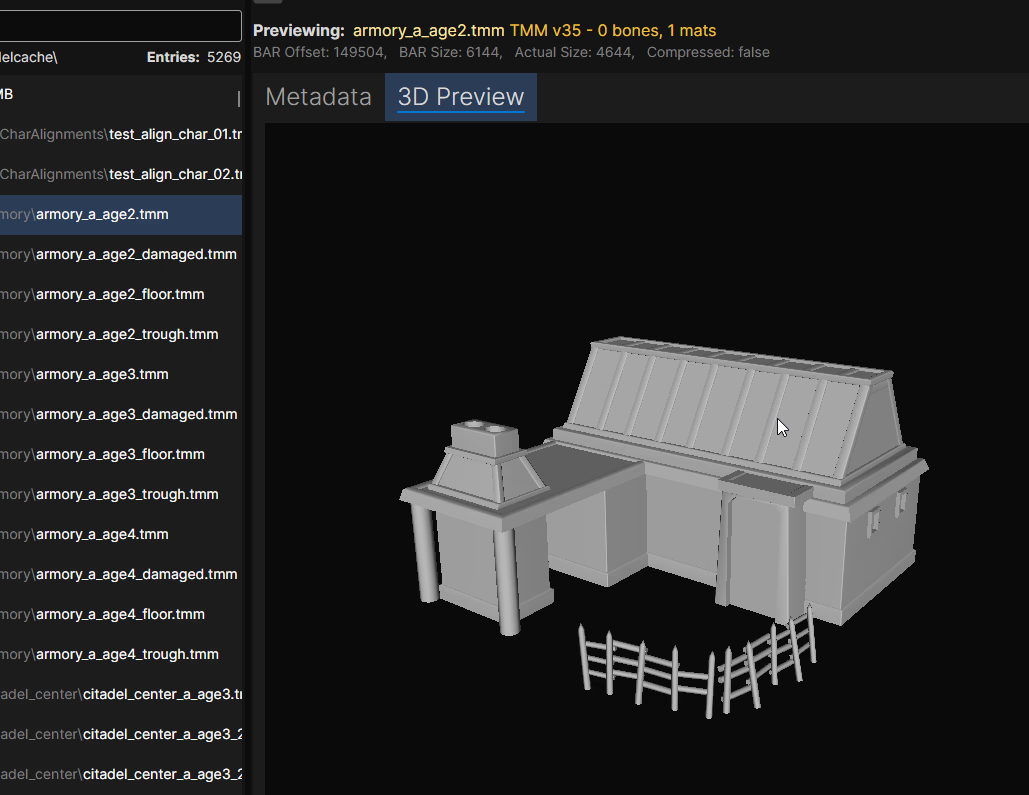
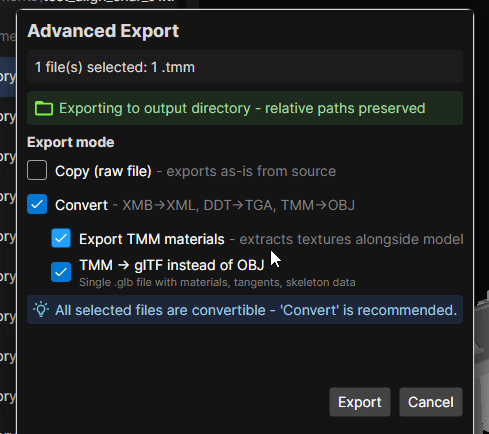
- Preview 3D TMM models (export to OBJ or glTF with or without materials)
- Read Scenario(mythscn) files (export to XML and back) - currently experimental
- Dependency Finder and Graph (easily find what other files are references in a file)
- Pick a Root directory (usually
\gamesfolder) for fast switching between BAR and other files - Pick an Export root directory for fast exporting either from BAR or from Root directory
- Supports following formats:
- BAR (decoding)
- XMB (decoding + encoding)
- DDT (decoding + encoding)
- TMM (decoding)
- TMM.DATA (decoding)
- TMA (decoding)
- mythscn/TRG (decoding + encoding)
- Rich preview for TMM models (bones, mesh groups, materials, attachments) and TMM.DATA (vertex/triangle stats)
- Syntax highlighting for common formats (json,xml,ini,xs,...) and folding support for XML
Extras
- Replace existing DDT image with custom image on export (params are copied) for easy texture manipulation
- Tools for file manipulation:
- Convert XML -> XMB
- Convert XMB -> XML
- Convert DDT -> TGA
- Convert DDT -> PNG
- Convert TMM -> OBJ (optionally with materials)
- Convert TMM -> glTF (optionally with materials)
- Convert image -> DDT
- Convert mythscn -> XML
- Convert XML -> mythscn
- Compress with Alz4/L33t
- Decompress file with Alz4/L33t
- Scenario tools:
- Scenario -> XML
- XML -> Scenario
- Scenario -> extract TRG
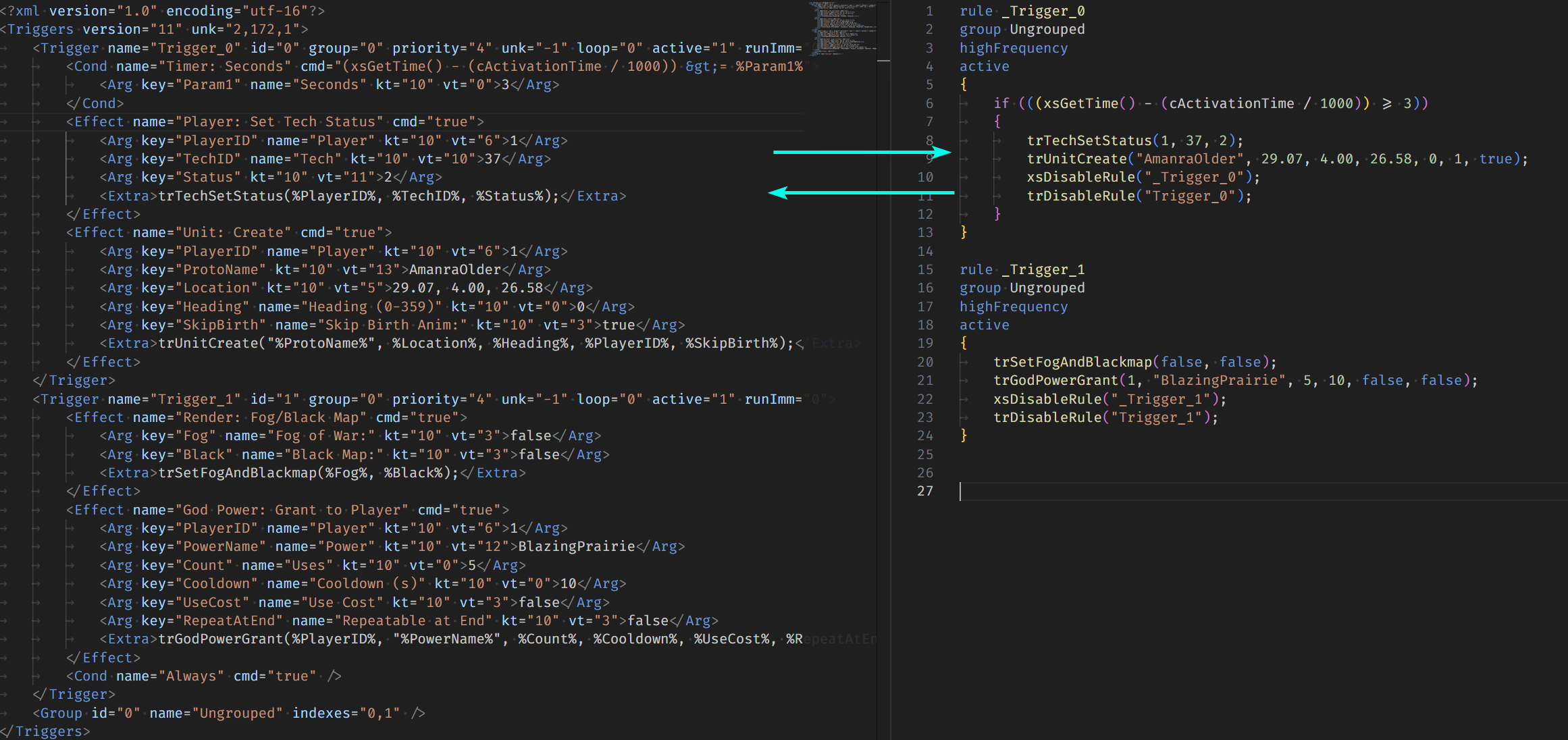
- TRG -> XML -> XS (lossy and lossless approach)
- XS -> XML -> TRG
- Easily create additive mod for files that support it with right click
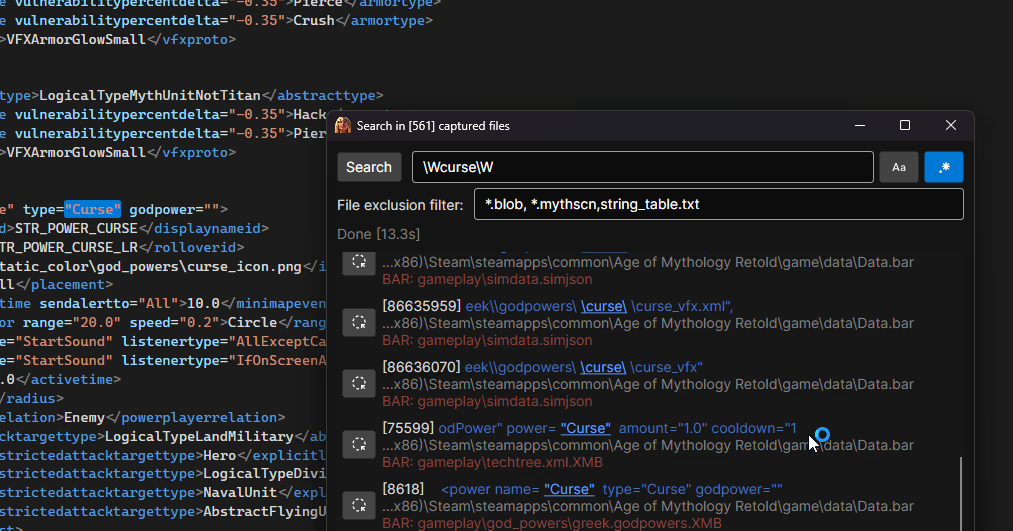
- "Search everything" tool added that searches text in all files, BAR entries and their contents (for finding references)
- Tool for converting XS trigger scripts to RM-friendly scripts for easy inclusion in random maps
- Remembering last opened directories and files so you can easily resume where you left off
Usage
- Load the Root directory (usually
C:\Program Files (x86)\Steam\steamapps\common\Age of Mythology Retold\game) - Select the export directory (usually your mod folder
C:\Users\[USER]\Games\Age of Mythology Retold\[YOUR_ID]\mods\local\[MOD_NAME]) - Files in root directory will appear in 1st column, select any file to preview it
- if selected file is .BAR, it will immediately load in 2nd column
- you can select entries from inside .BAR file too, they will be previewed the same
- Any file/BAR entry you wish to modify, right click and export it, for most cases you will use
Export X selected (convert)- Relative paths are retained! This also works for exporting from Root directory as long as it contains
\gamein it's path
- Relative paths are retained! This also works for exporting from Root directory as long as it contains
Download
For people new to GitHub - the releases are located here.
Just download the latest version .zip and extract it into a folder, run the .exe file and that will open the app.
Modding Basics
Please read Modding Basics document to get started.
I describe the Standard and Additive modding method. You should always prefer the Additive method if possible
XS scripting reference
If you are writing XS scripts, you can also checkout my personal reference I wrote here
Otherwise I recommend you check out the official documentation in game's folder.
Screenshots
Previewing XMB content

Previewing image

Previewing DDT image and (old searching)

Dependency graph
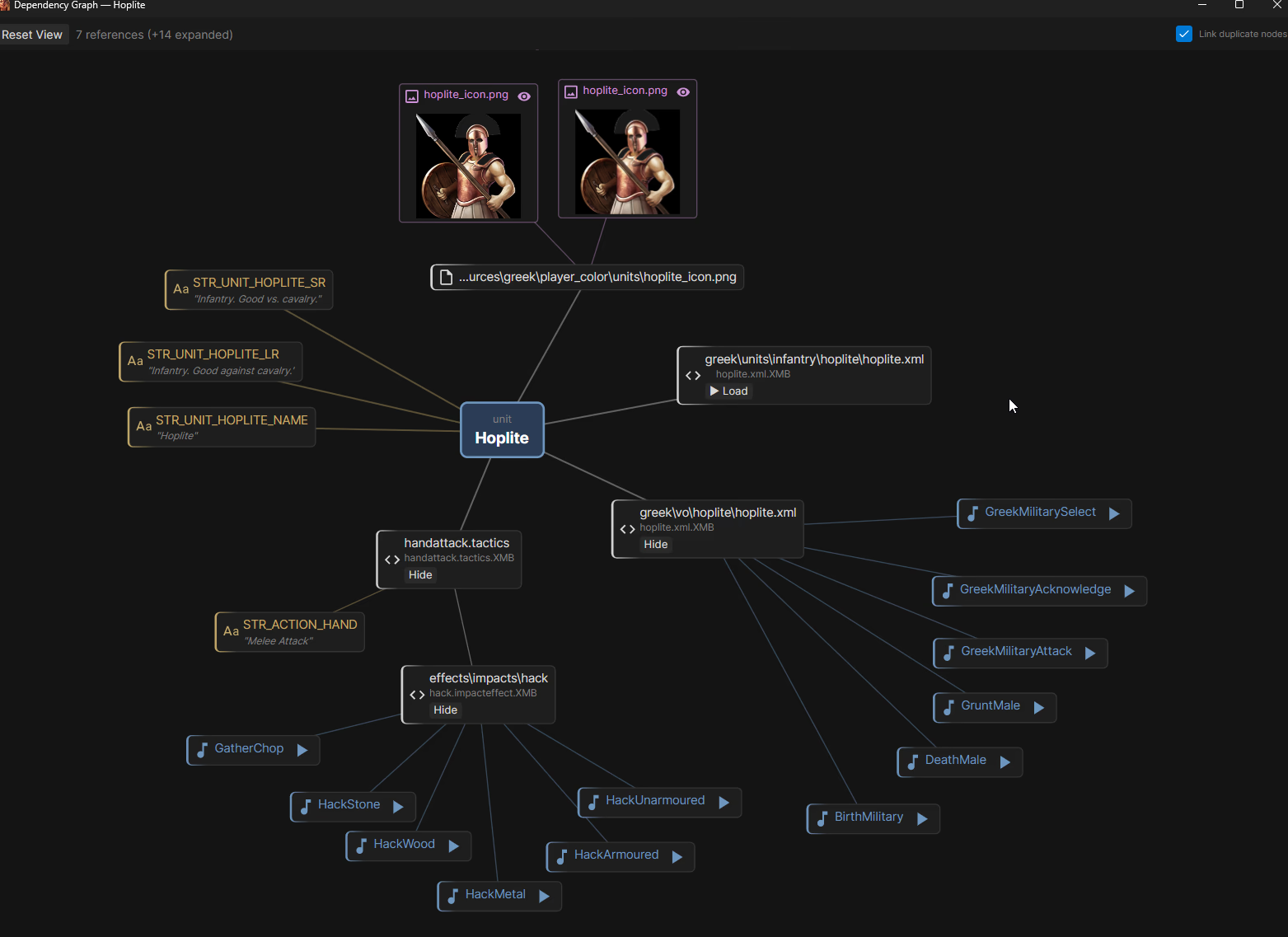
Exporting selected files

Creating DDT from selected image

Real-time status if file is overriden (in export directory)

Reading FMOD banks

Searching through all files (new searching experience)
3D Preview of TMM models
Advanced export
XML <-> XS conversion (Lossy)
Extra CLI tool
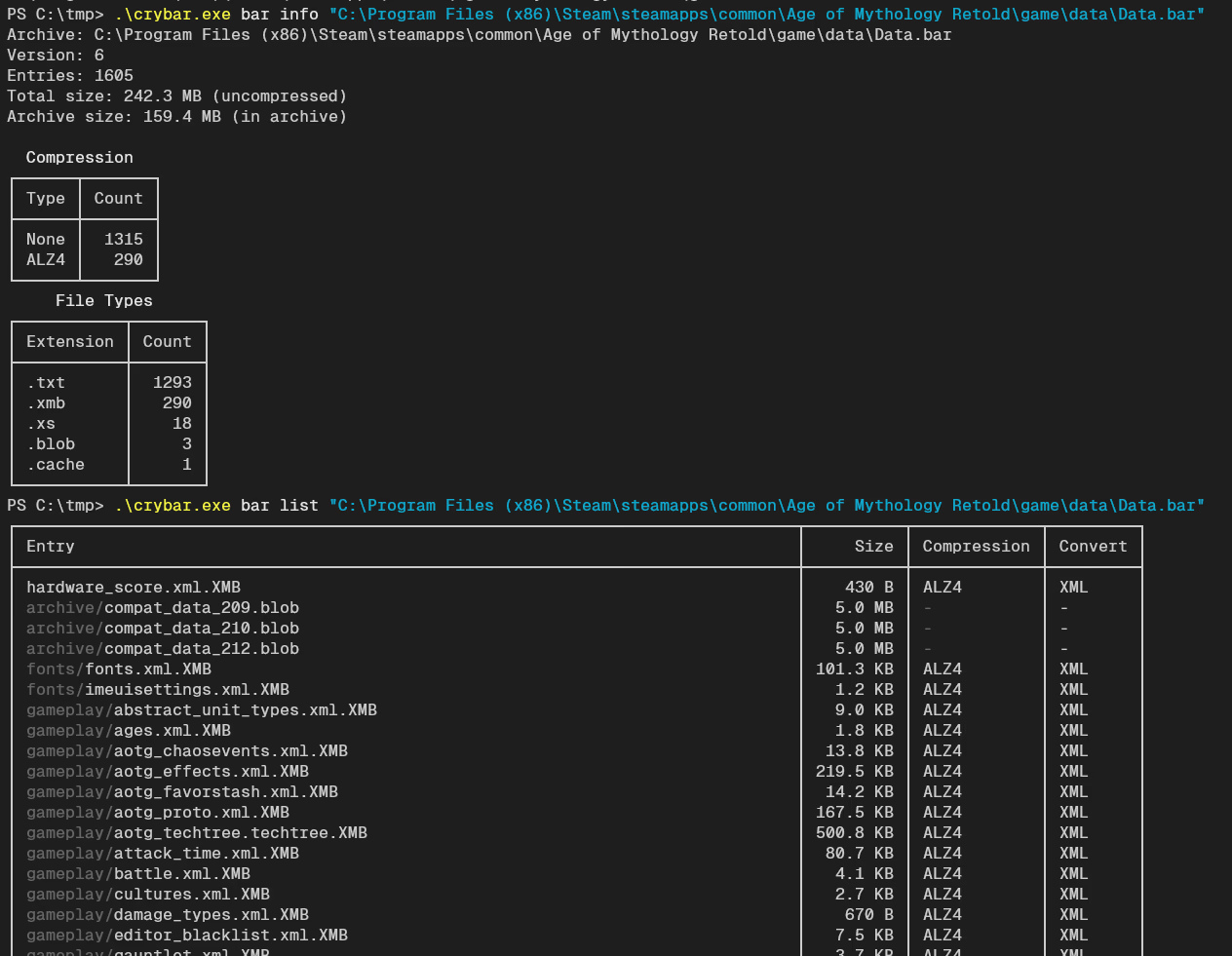
Not part of editor, but a separate tool download. The CLI crybar.exe implements most of the functions that the editor supports. Can be used for scripting.
Thanks
I wish to thank the developers of AoE3 Resource Manager, their code helped me with decoding of XMB and DDT files.
I also wish to thank @ChaosRobie and @slifer87 on Discord for their work on TMM exporting.
