
Aquacontrol32
5 channel aquarium LED controller with web interface for ESP32 boards. Supports DS18B20, SSD1306, ILI9341, XPT2046 and SmartConfig. Arduino IDE.
Install / Use
/learn @CelliesProjects/Aquacontrol32README
This project is no longer maintained. An updated version using esp32 Arduino Core 3.x.x can be found here.
Aquacontrol32
Aquacontrol32 can control 5 led strips to create gradual sunrises and sunsets in your aquarium. It is developed for and tested on MH-ET LIVE MiniKit ESP32 MCUs. Other than the led dimming hardware, no additional hardware is needed to control the device.
The minimum hardware would be a ESP32 board with at least 5 free output pins connected via 100R gate resistors to 5 NPN mosfets that drive the led lights. You will need logic level mosfets for example IRLZ44N mosfets.
With some modifications and provided there are enough pins broken out, Aquacontrol32 should run on basically any ESP32 based board. The built-in web interface already gives access to most functions. The goal is v2.0 as a single binary with all functions accessible via the web interface.
You can connect a 128x64 I2C OLED and/or a ILI9341 SPI tft display to have some feedback on the display(s). The ILI9341 displays usually come with a XPT2046 touch controller which is supported (and assumed).
Another cool feature is support for 3 Dallas DS18B20 temperature sensors, with temperature logging to FATFS and a 30 day temperature history.
Index
- Video
- Features
- Requirements
- Libraries needed for compiling
- Quick start
- Compile options
- Compile notes
- Connecting a ILI9341
- Lunar cycle night light
- SmartConfig and WiFi setup
- DHCP or static IP
- Log files
- Known issues
- Libraries in the web interface
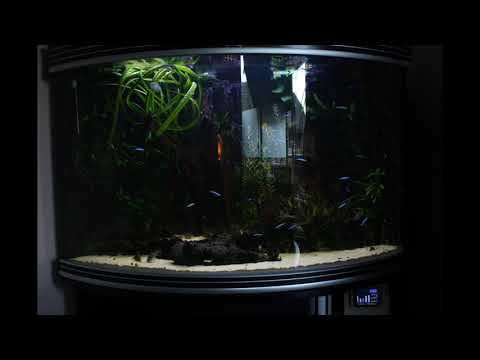
Aquacontrol32 dimming down YouTube video
Features
- 5 channels led dimming (common anode) through 1.22kHz PWM at 16 bit (65535 steps) resolution. The dimming control task runs at 100Hz to ensure smooth dimming.
- Lunar cycle night light.
- 50 timers per channel with a 1 minute resolution.
- Password protected web interface to control the device. (default login is user:admin password:esp32)<br>See it in action at my fish and my salamander tank. (update 2023 - Both might be on or offline because running a reverse proxy all day is quite expensive energywise)
- SNTP timekeeping with timezone support.
- 3x OneWire DS18B20 sensor support and FFat storage with a 30 day temperature history.
- SSD1306 128x64 OLED over I<sup>2</sup>C support.
- ILI9341 320x240 TFT with XPT2046 touchscreen over SPI support.
- All device settings are saved in NVS.
- Easily connect your controller to WiFi with the Espressif EsptouchForAndroid app.
- Get a notification in the web interface if a new release is available.
Requirements
- The latest aquacontrol32 release.
- The Arduino IDE 1.8.12.
- The ESP32 Arduino Core 1.0.4.
Libraries
Most libraries can be installed with the Arduino library Manager Sketch > Include Library > Manage Libraries.
A few have to be downloaded from GitHub:
- OneWire 2.3.3 - Use this library instead of the standard Arduino OneWire library.
- AsyncTCP 1.0.3
- ESPAsyncWebServer 1.2.3
- MoonPhase 1.0.0
- Task 1.0.0
- FFatSensor 1.0.2
Install in the Arduino libraries or ESP32 libraries folder.
Quick start
- Download and unpack the latest release.
- Check if all libraries are installed and the correct version. (in
aquacontrol32.ino) - (Optional) Adjust the
wifi_passwordandwifi_network. (inaquacontrol32.ino) - Check and adjust device specific setup in
deviceSetup.handdevicePinSetup.h. - Flash your device. Remember to use a FFat partition!
- On the first boot ( or after a flash erase ) the internal flash drive will be formatted so first boot will take a little longer. Updating aquacontrol to a new version will not format the drive.
The sensors and displays should be plug and play, except the ILI9341 when it has no MISO pin connected. For these displays you can enable TFT_HAS_NO_MISO (set it to true) in deviceSetup.h.
Compile options
- Board: MH ET LIVE ESP32MiniKit (A lot of other boards work just fine without any code changes. Check/adjust the particular pin setup if not.)
- Partition scheme: Default with ffat
Compile notes
- Check your device options in
deviceSetup.handdevicePinSetup.h. - Source are compiled for
mhetesp32minikitwhich has support for ESP_LOGX macros. <br>This can be changed to a particular esp32 board by changing the--boardoption in thecompile.shandflash.shscripts. <br>Look in~/Arduino/hardware/espressif/esp32/boards.txtto find the relevant board desciption. <br>custom_DebugLevelshould be set toesp32_nonein theflash.shscript for production use. <br>When you are still testing your hardware and setup, debug level can be set to anything depending on your needs. <br>(esp32_infois probably what you need,esp32_verbosegives the most info)
Toggle the GIT_TAG option in deviceSetup.h to enable or disable version information.
<br>Setting GIT_TAG to true makes that the Arduino IDE can no longer compile or flash your script.
<br>You then have to use the script compile.sh to verify your sketch and flash.sh to verify/upload the sketch to the controller. You might have to adjust these scripts for your particular OS or setup.
<br>Read this blog post to see why I choose this method.
Connecting a ILI9341
- Check the Aquacontrol hardware GitHub repo.
- Read the file on connecting a ILI9341 display. Pull-ups are not optional!
- The ILI9341 boards from AliExpress, DealExtreme or any other supplier are not all equal.
<br>Among the tested boards I encountered some that have no MISO pin connected, so they can't respond to read commands.
<br>For these boards you can enable
TFT_HAS_NO_MISO(set it totrue) indeviceSetup.h. - Some ILI9341/XPT2046 boards have their touch coordinates inverted.
<br>For these boards you can enable
TOUCH_IS_INVERTED(set it totrue) indeviceSetup.h. - Don't forget to connect the tft LED to 3.3V. (default: GPIO PIN 2) <br>To be on the safe side, I use a BC547 transistor (and a 100R resistor) between the ESP32 pin and the LED connector on the tft board. <br>If you connect the LED directly to a ESP32 pin, connect it through a 100R resistor in series to prevent burning up your ESP32.
To override the device detection for ILI9341 displays you can use the ILI9341 force button in the setup page of the web interface. This will force a ILI9341 display until the device reboots.
Lunar cycle night light
- Moon light settings can be adjusted in the
channelsarea of the web-interface. - The lunar images used in the web interface are rendered by Jay Tanner and licenced under the Creative Commons Attribution-ShareAlike 3.0 license.
- The moon phase library is adapted from code kindly licensed by Hugh from voidware.com. Thanks Hugh!
SmartConfig and WiFi setup
Set your wifi_network and wifi_password in aquacontrol32.ino before you flash your device.
Double check because setting a wrong wifi_network or wifi_password will result in a boot loop!
Or use SmartConfig and take note of the next couple of things.
- If your ESP32 has connected to your WiFi router before you flash Aquacontrol to your device, it will probably connect automagically .
- If you try to connect to an unknown WiFi network or changed your WiFi router settings, Aquacontrol will fail to connect and start SmartConfig. <br>If you have no oled or tft connected, the onboard led will blink at 1Hz to show you the device is in SmartConfig mode. <br>You can then use the Android Espressif SmartConfig app or the Android ESP8266 SmartConfig Android app or the IOS EsptouchForIOS app to setup your WiFi connection.
- If after 5 minutes SmartConfig has not connected your device will reboot. This is a failsafe for home power outs and slow booting modems/routers.
Note: ESP32s can only connect to a 2.4Ghz WiFi network. Connect your phone to a 2.4Ghz network before starting the SmartConfig app.
Note 2: Since Android 9 only the latest Espressif app seems to work. Android apps now requires location access to probe WiFi.
DHCP or static IP
By default aquacontrol will get an ip address from the DHCP server.
Follow these steps to to set a static ip address:
- Enable
SET_STATIC_IP(set it totrue) inaquacontrol32.ino. - Change `STAT
