
Pinecraft
Minecraft Server Installer for Raspberry Pi and Other SBCs
Install / Use
/learn @Cat5TV/PinecraftREADME




Minecraft Java Server Installer for Raspberry Pi
This installer simplifies the installation and setup of a Minecraft Java Server.
If you have already installed this, running it again will allow you to upgrade.

About Pinecraft Installer
The installer will setup a "Normal" difficulty server and allow you to select between a Survival world complete with mobs, nether and more, a Creative world to hone your skills as a master builder, or an Adventure world to explore.
The installer attempts to detect things like how much RAM you have (and available), and adjusts the server settings based on what it finds.
Looking For Help? Pinecraft Installer installs Minecraft Java servers. If your question has to do with something other than installing a Minecraft server with Pinecraft Installer, the question likely is not for us. Questions surrounding gameplay, how to use a Minecraft server, etc., should be directed to The Minecraft Wiki. Once your Minecraft server is installed, Pinecraft's job is done.
Monitor Your Pinecraft Server
NEMS Linux is a free Enterprise-grade asset monitoring tool which includes check_minecraft to monitor your Pinecraft server!
Download NEMS Linux for free today.
Install Pinecraft Server
You'll need to download PinecraftOS for Raspberry Pi 4/5. PinecraftOS will not run on any other board. See Supported Base OS below.
Available Releases
| Minecraft Version | Pinecraft Release | PinecraftOS Build | | --- | --- | --- | | 1.21 | 4.1 | 1 | | 1.20.6 | 4.0 | 1 | | 1.20.4 | 3.9 | - | | 1.20.2 | 3.8 | - | | 1.20.1 | 3.7 | - | | 1.19.4 | 3.6 | - | | 1.19.3 | 3.5 | - | | 1.19.2 | 3.4 | - | | 1.19 | 3.3 | - | | 1.18.2 | 3.2 | - | | 1.18.1 | 3.1 | - |
The current version of Pinecraft Installer always installs the latest version of Minecraft available for each server type, unless you select a seed which requires a specific version. The update to each installer is the responsibility of the server development team (E.G., Paper, Fabric, Spigot) and I check for updates regularly and update Pinecraft as quickly as possible following an update.
Note: If you run Pinecraft Installer and are not getting the latest Minecraft version as an option, 1) ensure you have not selected a Level Seed that requires a different version and 2) make sure you are using the recommended distro as outlined in the Base Distro OS section below.
Note that as system requirements change for Minecraft, you may need to update or even switch your Base Distro OS since older distros may not have current enough versions of needed libraries. Please see the Base Distro OS information below, which will be updated along with these requirements.
Always have an up-to-date backup of your world files.
Videos
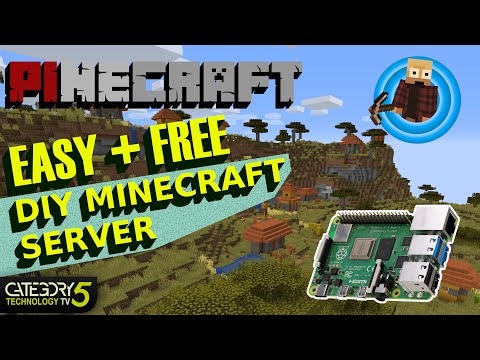
Check out Pinecraft 2.6 on Category5 Technology TV:
Pinecraft Installer 2.6 Featured on Category5 Technology TV
Top 5 Pinecraft Questions Post-Install

Pinecraft Installer 1.0 was also featured on ameriBlog: https://ameridroid.com/blogs/ameriblogs/raspberry-pi-4-as-a-multiplayer-minecraft-server
The current version of Pinecraft Installer is 4.1.

Base OS (Distro)
Do not use Pinecraft Installer on a Base OS that contains a desktop environment, or any other running applications. Pinecraft Installer is intended to setup a dedicated Minecraft Java server, and the device should be used for nothing else.
NEVER install Pinecraft on your desktop system. This is a dedicated server. That means once you install it, the system is no longer useable for anything else.
Supported Base OS
Raspberry Pi 4/5
It is recommended you only use a model of RPi 4 or 5 that has 8GB RAM or higher.
As of Pinecraft 4.0, the Pinecraft Base OS has been provided. This is because both the most recent version of Ubuntu and Raspberry Pi OS do not support the latest version of Minecraft. Watching the Issue Tracker it became apparent to me that a custom-built OS would be the easiest way for many users to get started with a Pinecraft 4.0+ server. That said, if you are technically savvy, note that Minecraft as of 1.20.6, requires Java 21, which is not available until Trixie.
- Download PinecraftOS: Download from DittoDistro
- Default Login/Password: pinecraft/pinecraft
Once logged in to PinecraftOS, simply type sudo pinecraft to install your Pinecraft Server. Run it again in future to upgrade your Minecraft version (PinecraftOS checks for updates every 6 hours).
DO NOT run as root user. If you do, you will not be able to initialize your Minecraft server. The correct command to install a Pinecraft Server in PinecraftOS is as the pinecraft user, type sudo pinecraft
Server Versions
Fabric Supports Plugins / Fast Build Time
A lightweight, modular Minecraft server. More Info
Note: Most Fabric mods will also require you install the Fabric API, which must be downloaded manually and placed in the ~/minecraft/mods folder. Get the Fabric API here: https://www.curseforge.com/minecraft/mc-mods/fabric-api
Paper Supports Plugins / Fast Build Time
A performance-optimized Minecraft server based on Spigot and compatible with Spigot plugins. More Info
Forge Supports Plugins / Fast Build Time
Yet another modular Minecraft server. More Info
Spigot Supports Plugins / Slow Build Time
An optimized server based on Craftbukkit, Spigot allows you to include mods in your server (both Spigot and CraftBukkit compatibility). Spigot will run a high-performance multiplayer Minecraft server on a Raspberry Pi 4 with 4GB or 8GB RAM, or other devices with a minimum of 4GB RAM. Spigot was the original Pinecraft default server, circa Pinecraft 1.x. More Info
Cuberite (Currently Experimental) Slow Build Time
Cuberite is an alternate server which, while written in C++ accepts connections from Java clients. Note that you will need to use an old client to connect (currently supports 1.12.2). Advantage to Cuberite is that it will run on extremely under-powered devices, such as older Raspberry Pi.
Vanilla Fast Build Time
Vanilla is the official Mojang Minecraft server release. It does not allow mods, and is not as well optimized for SBC use, but will run great on a Raspberry Pi 4 with 4GB RAM or higher. More Info
Game Modes
Survival
Players must collect resources, build structures, battle mobs, eat, and explore the world in an effort to thrive and survive.
Creative
Creative mode strips away the survival aspects of Minecraft and allows players to easily create and destroy structures and mechanisms with the inclusion of an infinite use of blocks and flying.
Adventure
Adventure mode lets you and your family/friends run around and explore, but you can't place or break blocks.
We're open to suggestions. Let us know what you'd like to see.
Buy Your Raspberry Pi (Or Other SBC)
This feature on Category5 Technology TV sponsored by ameriDroid.com

USA-based SBC sales with unmatched support and fast shipping
To power your Minecraft Server, get a Raspberry Pi 4 from https://ameridroid.com
Hardware Requirements
- A vanilla server OS based on Debian Trixie or higher with nothing else running and no desktop environment (I provide PinecraftOS for Raspberry Pi to ease the deployment process for novice Linux users).
- You must use a 64-Bit OS to utilize your RAM effectively. Running a 32-bit OS will result in less RAM dedicated to your Minecraft Server.
- Minimum 4 GB RAM.
- GOOD Power Supply.
- Adequate Cooling for Overclock During Heavy Load.
- Reliable and FAST Storage Media.
- Ethernet connection to network (don't use Wi-Fi).
Software Requirements
- To play the game, you will need a valid Minecraft Java account, and to have Minecraft Java installed on your computer (Windows, Mac, AMD64 Linux). One account is required per player, and can be purchased from https://minecraft.net
- The recommended Base OS (see "Base OS" section above for the currently accepted distro).
Note: You do not need a Minecraft Java account in order to run a Pinecraft Server. I.e., you could boot up a Pinecraft Server even without an account, and players with accounts can use it. However, it is quite handy to be able to sign in the game to moderate disputes or deal with grief. This can only be done if you have an account.
Plugin Support
For any of the server versions which support plugins (see "Server Versions" above) simply place the plugin ZIP file in ~
Related Skills
node-connect
345.4kDiagnose OpenClaw node connection and pairing failures for Android, iOS, and macOS companion apps
frontend-design
104.6kCreate distinctive, production-grade frontend interfaces with high design quality. Use this skill when the user asks to build web components, pages, or applications. Generates creative, polished code that avoids generic AI aesthetics.
openai-whisper-api
345.4kTranscribe audio via OpenAI Audio Transcriptions API (Whisper).
qqbot-media
345.4kQQBot 富媒体收发能力。使用 <qqmedia> 标签,系统根据文件扩展名自动识别类型(图片/语音/视频/文件)。
