
JamFrog
Audio visualizer project made for the Boot.dev 2025 Hackathon. Made in python with pygame
Install / Use
/learn @Cacutss/JamFrogREADME
JamFrog
An audio visualizer with a twist, gives you customized per audio self-playing frogger! created in librosa, pygame and ffmpeg for boot.dev's 2025 Hackathon!
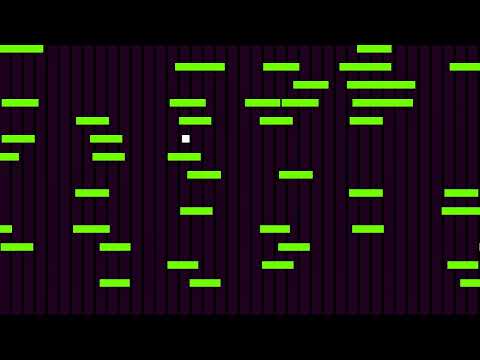
Jam to the music as the little frog commits repeated traffic violations, colorized!
Takes an audio file and returns a video file output with a frog dancing to the beats!
Requirements
- Python 3.12+
- ffmpeg
- uv
- The audio file that you want to visualize - use a .wav file, if you don't the musical overnerds will smite you :)
- Testing of the application was successful on Linux and WSL.
Installation
Clone the repository or download the ZIP archive and extract its contents.
git clone https://github.com/Cacutss/JamFrog
If you don't have uv installed, you can install it here.
Initialize the project:
uv init
To avoid installing dependencies globally, it is recommended to use a virtual environment. To create a virtual environment:
uv venv
To activate your virtual environment:
source .venv/bin/activate
To install the dependencies, execute the following command:
uv add librosa pygame numpy scipy pillow
Note: Linux users may need to install tkinter if it is not already present on their system.
For Debian / Ubuntu / Linux Mint:sudo apt-get install python3-tk
Yum:sudo yum install python3-tkinter
Dnf:sudo dnf install python3-tkinter
Next, you'll need to install FFmpeg. You can find detailed installation instructions for your preferred method HERE.
For Debian / Ubuntu / Linux Mint: sudo apt install ffmpeg
To verify installation: ffmpeg -version
Usage
To launch JamFrog, execute the main.py file with the following command:
uv run main.py
Flags
For now there's just one flag.
uv run main.py --tempo (number)
accepts any positive integer and represents the tempo of the audio chosen. Why user input? because librosa is very innacurate on this part. You can refer to https://www.beatsperminuteonline.com/ on how to calculate those, anyways this program will try it's best to guess the audio tempo even if you don't specify it
