
DarkAngel
DarkAngel 是一款全自动白帽漏洞扫描器,从hackerone、bugcrowd资产监听到漏洞报告生成、漏洞URL截屏、消息通知。
Install / Use
/learn @Bywalks/DarkAngelREADME
DarkAngel is a fully automatic white hat vulnerability scanner, which can monitor hacker and bugcrowd assets, generate vulnerability reports, screen capture of vulnerability URL, and send message notifications.
DarkAngel download address:github.com/Bywalks/DarkAngel
Currently supported features:
- Hackerone asset monitoring;
- Bugcrowd asset monitoring;
- Add user-defined assets;
- Sub domain name scanning;
- Website crawler;
- Website fingerprint identification;
- Vulnerability scanning;
- Automatic screenshot of vulnerability URL;
- Automatic generation of vulnerability reports;
- Enterprise WeChat notification scanning results;
- The front end displays the scanning results;
Automatically generate vulnerability reports
Welcome to submit some vulnerability templates to this project
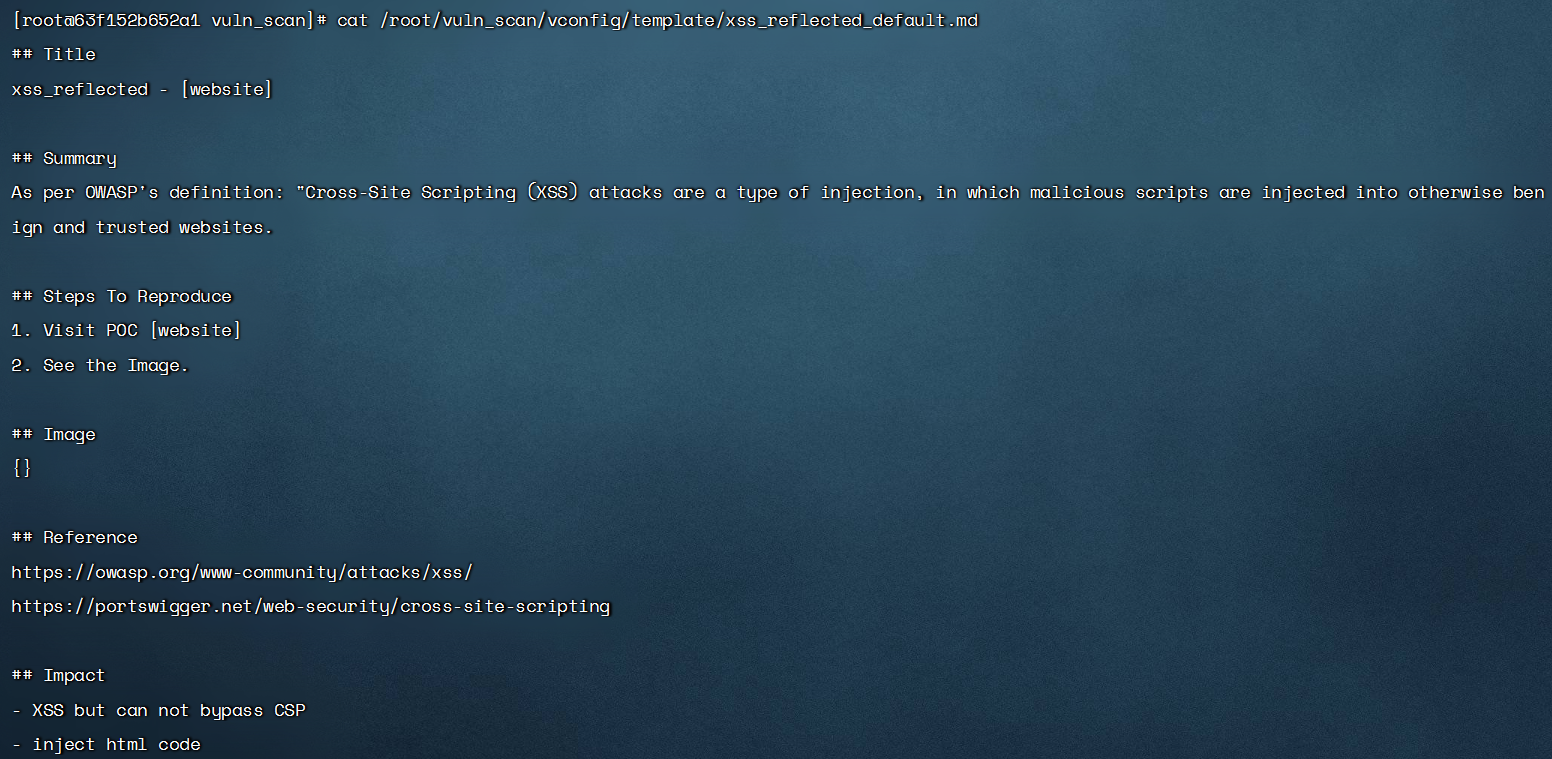
Automatically generate vulnerability report - MarkDown format - storage address/root/DarkAngel/vulscan/results/report

Support for self adding vulnerability report templates. Currently, vulnerability report templates have been added as follows. The vulnerability name can be configured as the file name of the nuclei template

Custom vulnerability report template format
Scan message notification
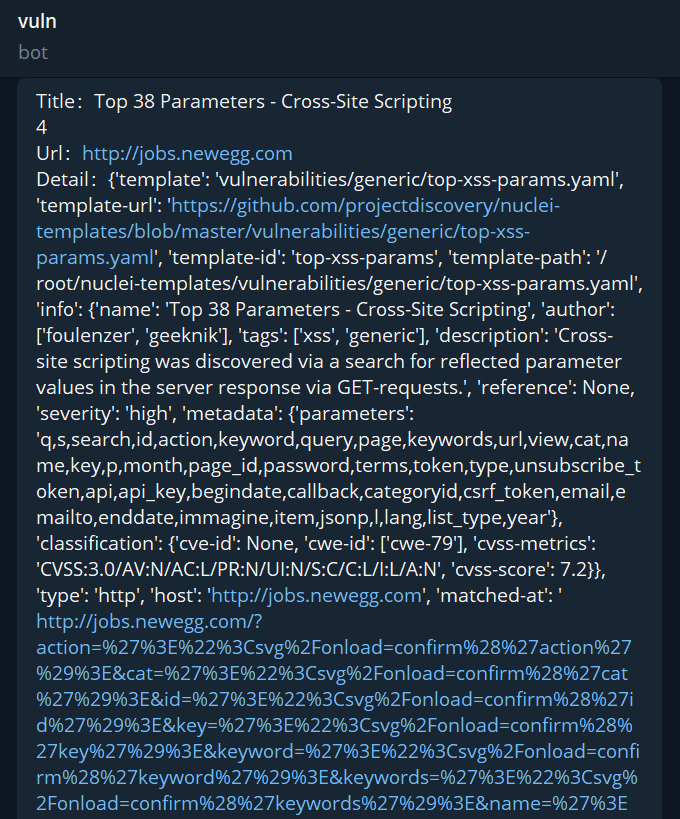
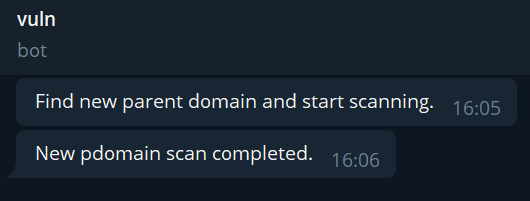
Telegram notification
You can view how to obtain the configuration first:TG Configuration Tutorial
After obtaining the parameters, configure the parameters in /root/markup/vconfig/config.ini to enable enterprise TG notifications
TG Notification - Vulnerability Results
TG notification - scanning process
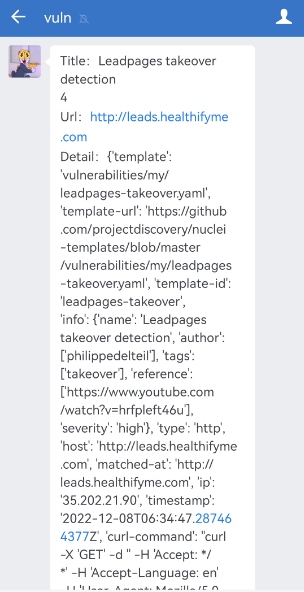
Enterprise WeChat notification
You can view how to obtain the configuration first:Enterprise WeChat development interface document
After obtaining the parameters, configure the parameters in /root/markup/vconfig/config.ini to enable enterprise WeChat notifications
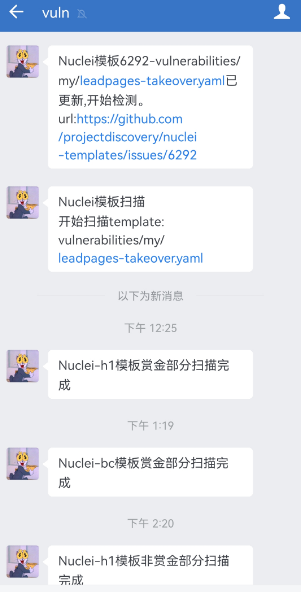
WeChat Notification - Vulnerability Results
WeChat notification - scanning process
##Installation
The overall project architecture is ES+Kibana+scanner, so the installation requires three parts
ES image:
Pull ES image
docker pull bywalkss/darkangel:es7.9.3

Deploy ES image
docker run -e ES_JAVA_OPTS="-Xms1024m -Xms1024m" -e "discovery.type=single-node" -d -p 9200:9200 -p 9300:9300 --name elasticsearch elasticsearch:7.9.3

view log
docker logs -f elasticsearch

If there is a problem, execute the command
sysctl -w vm.max_map_count=262144

Restart Docker
docker restart elasticsearch
Kibana image:
Pull Kibana image
docker pull bywalkss/darkangel:kibana7.9.3

Deploy Kibana image (modify the es ip)
docker run --name kibana -e ELASTICSEARCH_ URL= http://es-ip:9200 -p 5601:5601 -d docker.io/bywalkss/darkangel:kibana7.9.3

view log
docker logs -f kibana

If there is a problem, execute the command
sysctl -w vm.max_map_count=262144

Restart Docker
docker start kibana
Scanner image:
Pull Scanner Image
docker pull bywalkss/darkangel:v0.0.5

Deployment Scanner
docker run -it -d -v /root/DarkAngel:/root/DarkAngel --name darkangel bywalkss/darkangel:v0.0.5

Enter the scanner docker
docker exec -it docker_id /bin/bash

Enter the root directory
cd root

Download source code
git clone https://github.com/Bywalks/DarkAngel.git

Add execution permissions
chmod 777 /root/DarkAngel/vulscan/tools/*
chmod 777 /root/DarkAngel/vulscan/tools/whatweb/*

You can use it after into the DarkAngel directory
The directory mounted in the docker container does not have permission: Solution 1. When running the container: --privileged=true; Solution 2. The host runs the command: setenforce 0
Usage
usage: darkangel.py [-h] [--add-new-domain]
                    [--scan-domain-by-time SCAN_DOMAIN_BY_TIME SCAN_DOMAIN_BY_TIME]
                    [--scan-new-domain]
                    [--add-domain-and-scan ADD_DOMAIN_AND_SCAN [ADD_DOMAIN_AND_SCAN ...]]
                    [--offer-bounty {yes,no}] [--nuclei-file-scan]
                    [--nuclei-file-scan-by-new-temp NUCLEI_FILE_SCAN_BY_NEW_TEMP]
                    [--nuclei-file-scan-by-new-add-temp NUCLEI_FILE_SCAN_BY_NEW_ADD_TEMP]
                    [--nuclei-file-scan-by-temp-name NUCLEI_FILE_SCAN_BY_TEMP_NAME]
                    [--nuclei-file-polling-scan]

DarkAngel is a white hat scanner. Every user makes the Internet more secure.

--------------------------------------------------------------------------------

optional arguments:
  -h, --help            show this help message and exit
  --add-new-domain      add new domain from h1 and bc
  --scan-domain-by-time SCAN_DOMAIN_BY_TIME SCAN_DOMAIN_BY_TIME
                        scan h1 and bc domain by launched time
  --scan-new-domain     add and scan new domain from h1 and bc
  --add-domain-and-scan ADD_DOMAIN_AND_SCAN [ADD_DOMAIN_AND_SCAN ...]
                        add and scan new domain self added
  --offer-bounty {yes,no}
                        set add domain is bounty or no bounty
  --nuclei-file-scan    scan new domain from h1 and bc
  --nuclei-file-scan-by-new-temp NUCLEI_FILE_SCAN_BY_NEW_TEMP
                        use new template scan five file by nuclei
  --nuclei-file-scan-by-new-add-temp NUCLEI_FILE_SCAN_BY_NEW_ADD_TEMP
                        add new template scan five file by nuclei
  --nuclei-file-scan-by-temp-name NUCLEI_FILE_SCAN_BY_TEMP_NAME
                        use template scan five file by nuclei
  --nuclei-file-polling-scan
                        five file polling scan by nuclei
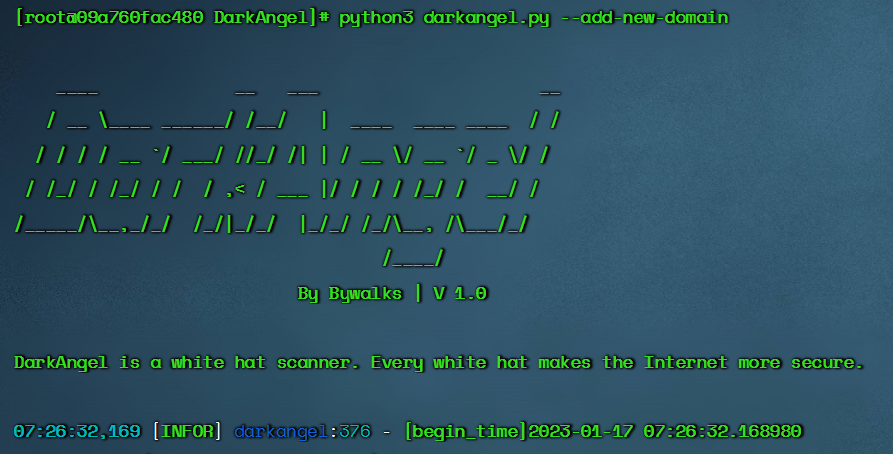
--add-new-domain
$ python3 darkangel.py --add-new-domain
- Listen to the new domain names of hackerone and bugcrowd
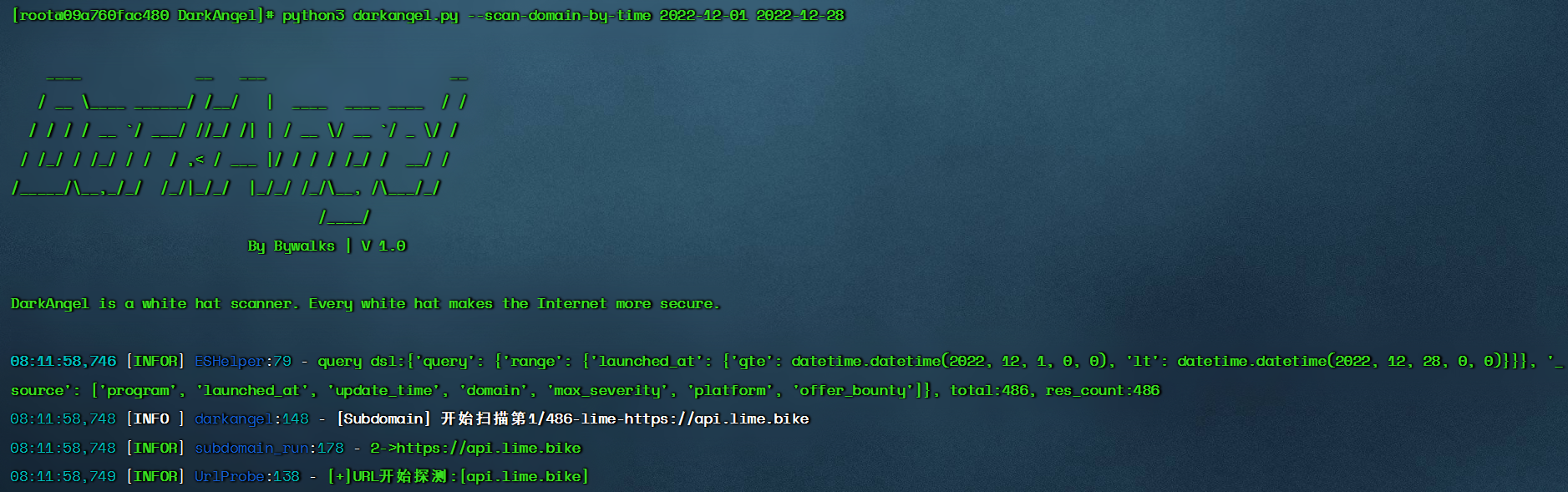
--scan-domain-by-time
$ python3 darkangel.py --scan-domain-by-time begin-time end-time
- With the time interval as the condition, the pdomain in the es library is scanned for vulnerabilities. The development purpose of this module is to scan the pdomain in the library in batches to alleviate the problem of blocking the whole program at one time
--scan-new-domain
$ python3 darkangel.py --scan-new-domain
- Monitor the hacker and bugcrowd domain names and scan them (when using them for the first time, all the hacker and bugcrowd domain names will be added. Prepare when there are too many assets, and the scan takes a long time)
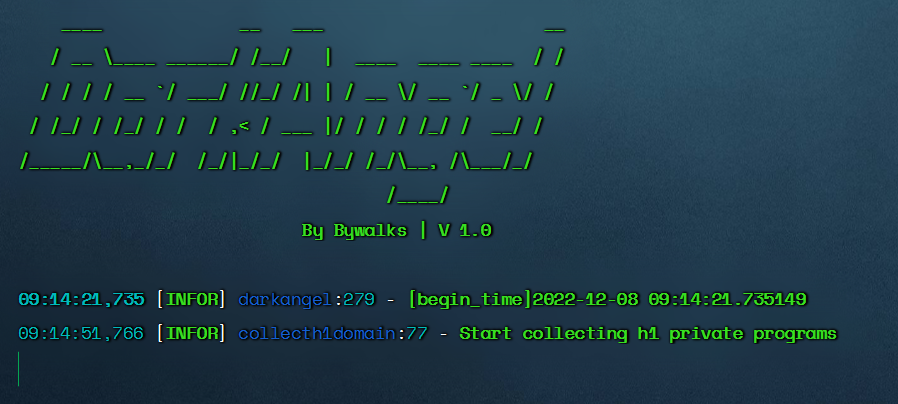
--add-domain-and-scan
$ python3 darkangel.py --add-domain-and-scan program-file-name1 program-file-name2 --offer-bounty yes/no
-Customized addition of scanning domain names and vulnerability scanning of these domain names -The file name is the name of the manufacturer, and the file memory needs to scan the domain name -The --offer-bounty parameter is required to set whether the domain name provides reward

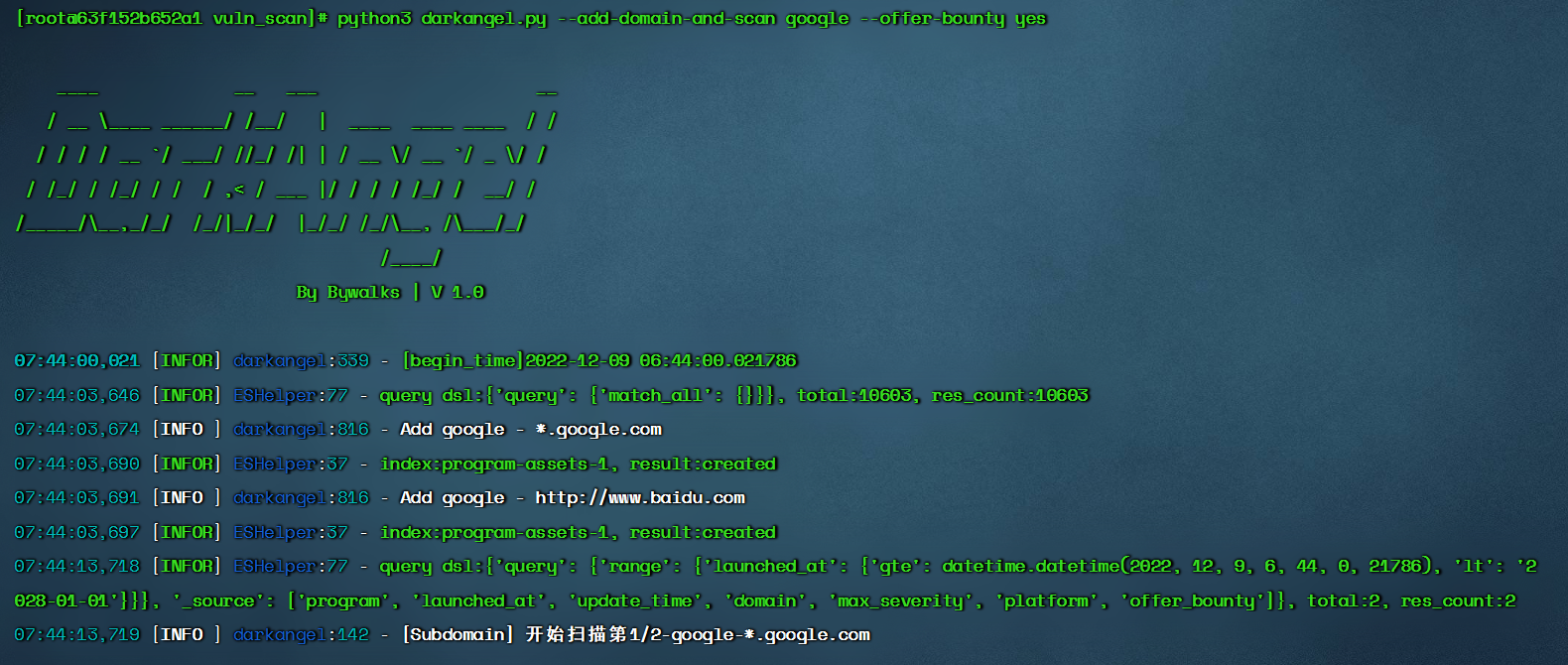
After scanning, the subdomain name results will be stored in the /root/DarkAngel/vulscan/results/urls directory,They are stored in the,bounty_temp_urls_output.txt、nobounty_temp_urls_output.txt In document
--nuclei-file-scan
$ python3 darkangel.py --nuclei-file-scan
- Scan 20 url files with nuclei
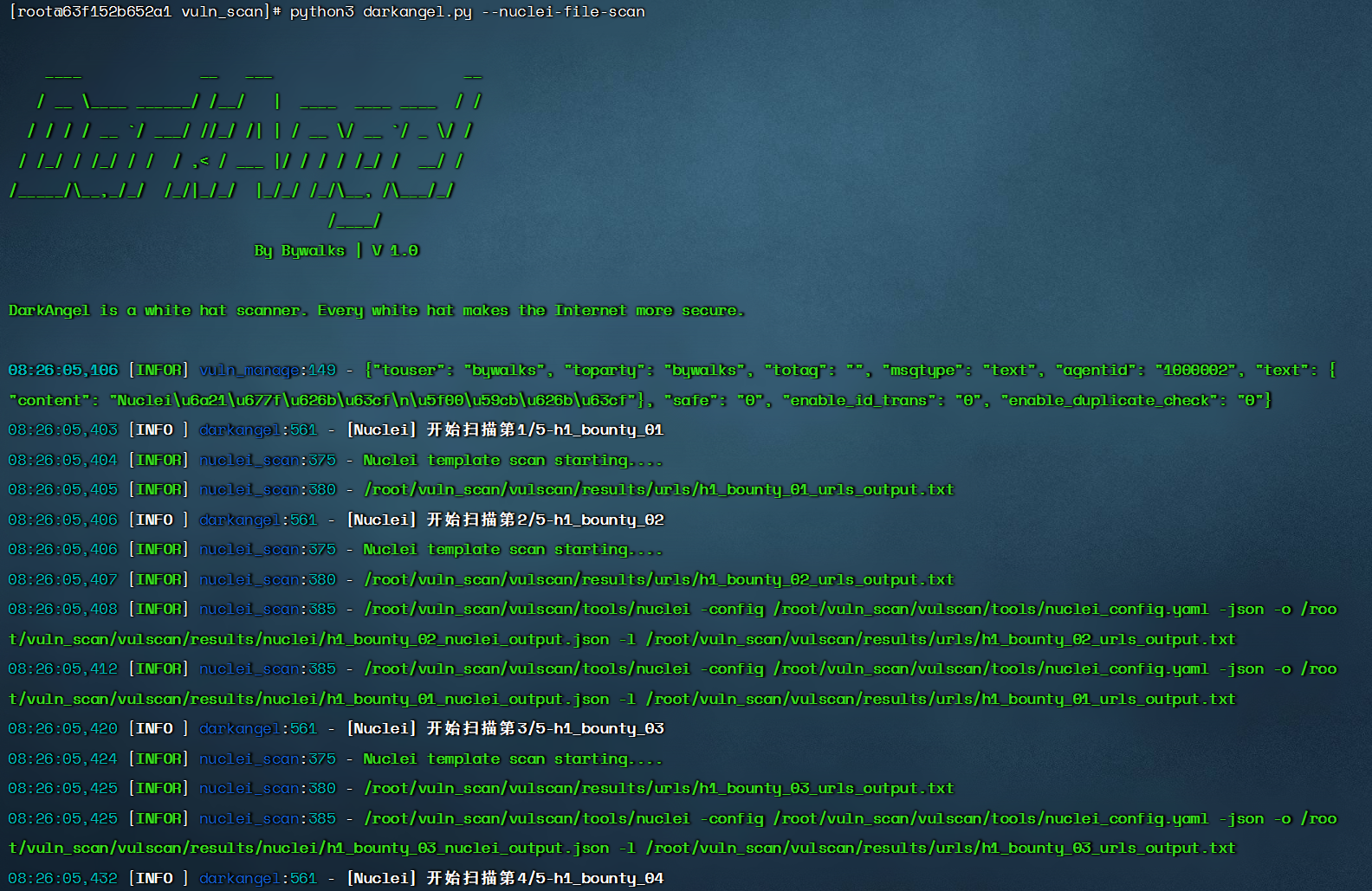
URL list storage location

--nuclei-file-polling-scan
$ python3 darkangel.py --nuclei-file-polling-scan
- Polling uses Nuclei to scan 20 url files. You can put the process in the background, poll and scan, and listen for new vulnerabilities in the url list
--nuclei-file-scan-by-new-temp
$ python3 darkangel.py --nuclei-file-scan-by-new-temp nuclei-template-version
- Listen for updates to the nucleus template. When updating, scan the url list
The current nuclear template version is 9.3.1
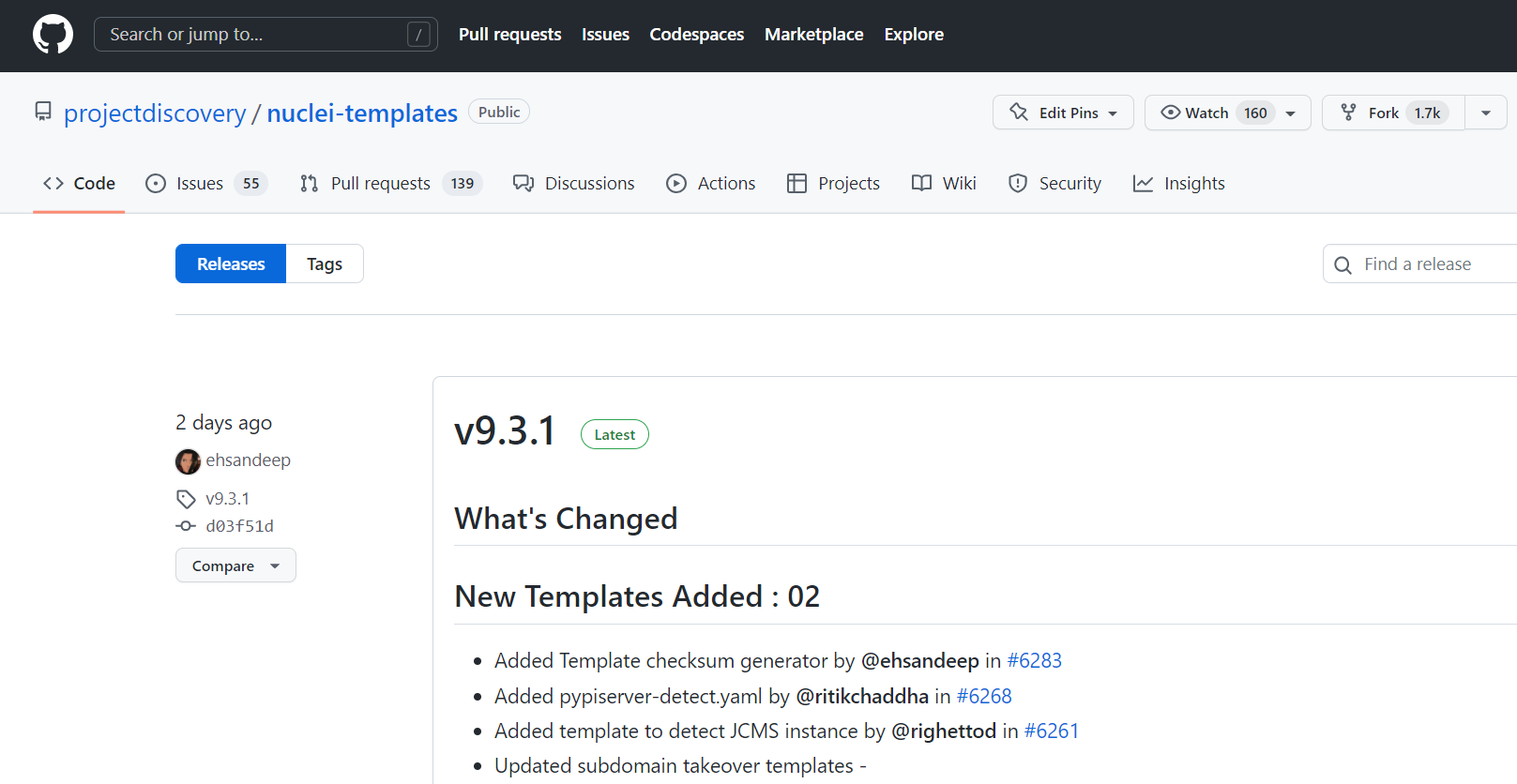
Execute the command to monitor the 9.3.2 version update

Related Skills
node-connect
344.4kDiagnose OpenClaw node connection and pairing failures for Android, iOS, and macOS companion apps
frontend-design
99.2kCreate distinctive, production-grade frontend interfaces with high design quality. Use this skill when the user asks to build web components, pages, or applications. Generates creative, polished code that avoids generic AI aesthetics.
openai-whisper-api
344.4kTranscribe audio via OpenAI Audio Transcriptions API (Whisper).
qqbot-media
344.4kQQBot 富媒体收发能力。使用 <qqmedia> 标签,系统根据文件扩展名自动识别类型(图片/语音/视频/文件)。
