
WhatsAppPowerBIReport
Cleaning and analysing WhatsApp group chat data as well as report design in PowerBI
Install / Use
/learn @BolajiBI/WhatsAppPowerBIReportREADME
WhatsApp Group Chat Analysis
Cleaning and analysing WhatsApp group chat data as well as report design in PowerBI
Introduction
This project was one that resulted from a search for a pet project (passion project) that would involve working with data that was personal and which the insights would be interesting to see. The documentation includes:
- Data Gathering & Transformation
- Report Requirement
- Data Modeling
- Report Design
- Data & Report Limitation
- Conclusion
Data Gathering & Transformation
To get the WhatsApp chat data, I simply exported the chat from the WhatsApp group by navigating to the ellipsis at the top right corner of the group chat and selecting "Export Chat". That exported the chat as a text file. However with this method, one is limited to only 40,000 messages (without media). The exported chats needed to be transformed for ease of analysis and it was done using Power Query. Here is the Power Query Script to Clean the WhatsApp Text file
Report Requirement
While planning for this project the initial purpose of creating the report was to see the overall trend of conversations on the group and identify what period of time the most conversations took place. However, during the report design I was also interested in creating a report that lets the individual members of the group see their level of activity on the group over time. In summary, the report requirement was provide an overall trend of group activity and let each group member see their activiity.
Data Modeling
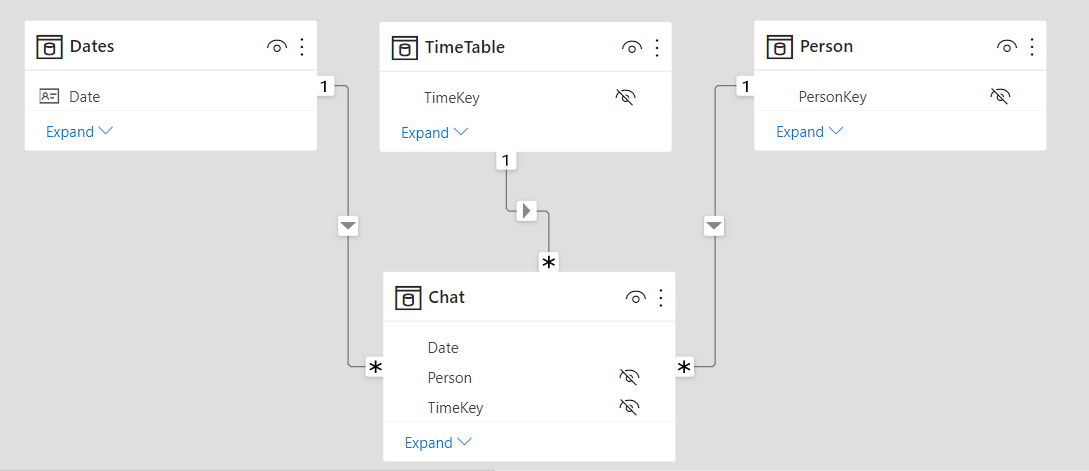
For the Data Model the key tables that needed to be created were: | Table Name | Brief Description | Power Query Script | | -- | -- | -- | | Chats | This would contain the messages, when they were sent, what time and by who | CleanWhatsAppData | | Date | A standard date table | | | Time | A time table to facilitate analysis across time; hourly, by minute, AM/PM) | TimeTable | | Person | A table containing a unique list of the group members | |
After all the tables are created, the needed relationships are created and it looks like this:
Report Design
The design layout was designed in PowerPoint to have an idea of what I wanted the final output to be in PowerBI. Download PowerPoint file
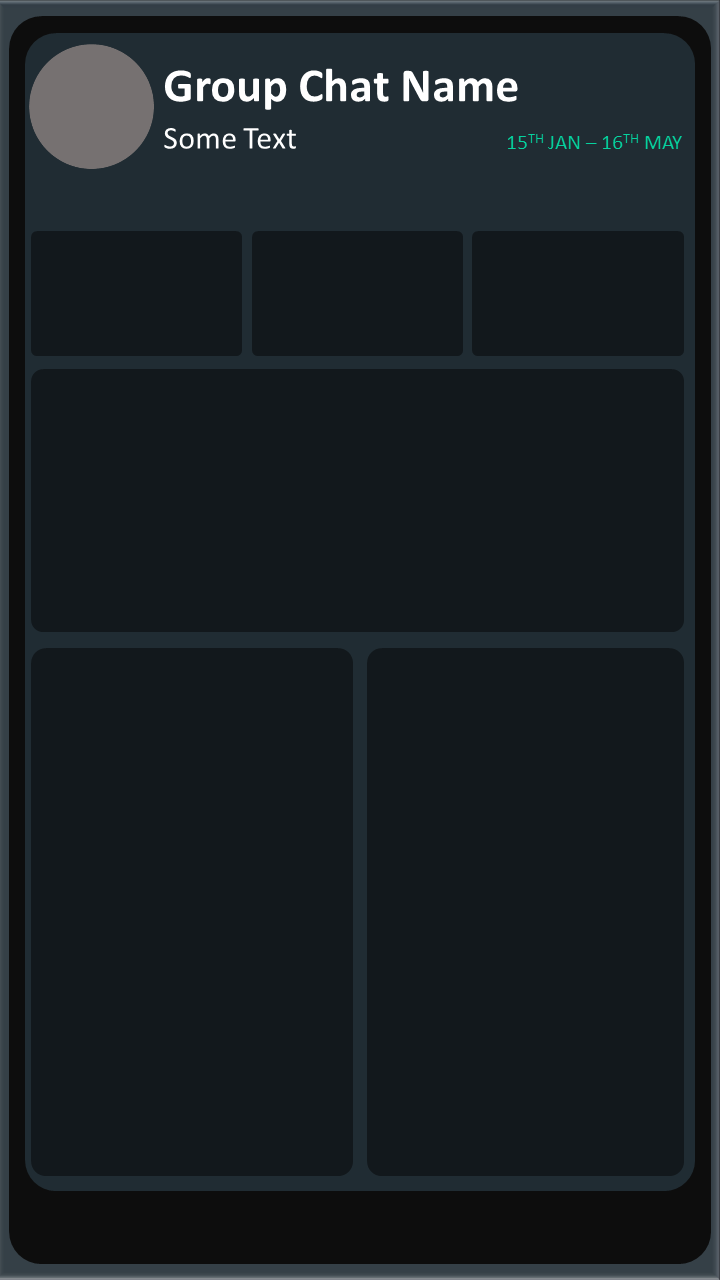
Here is the final report design.

Data & Report Limitations
- The exported data does not include all messages from the inception of the group chat.
- From the data there is no way to identify who a message was responding to except the person was directly tagged.
- The data transformation and report does not provide data on who a message was in response to.
- Parts of a message might be ommitted due to some needed fix in the Power Query Script.
- Report does not cover a thematic analysis of the chats.
Conclusion
This was a fun project to work on. Hopefully, the Power Query Script and documentation would help you replicate on your own data. In the future there might be possible improvements on the Power Query Scripts.
I do not provide the .pbix for privacy reasons. However you can explore the interactive version of the report to see the full functionality and User Experience. WhatsApp Analytics
Related Skills
clearshot
Structured screenshot analysis for UI implementation and critique. Analyzes every UI screenshot with a 5×5 spatial grid, full element inventory, and design system extraction — facts and taste together, every time. Escalates to full implementation blueprint when building. Trigger on any digital interface image file (png, jpg, gif, webp — websites, apps, dashboards, mockups, wireframes) or commands like 'analyse this screenshot,' 'rebuild this,' 'match this design,' 'clone this.' Skip for non-UI images (photos, memes, charts) unless the user explicitly wants to build a UI from them. Does NOT trigger on HTML source code, CSS, SVGs, or any code pasted as text.
openpencil
2.1kThe world's first open-source AI-native vector design tool and the first to feature concurrent Agent Teams. Design-as-Code. Turn prompts into UI directly on the live canvas. A modern alternative to Pencil.
HappyColorBlend
HappyColorBlendVibe Project Guidelines Project Overview HappyColorBlendVibe is a Figma plugin for color palette generation with advanced tint/shade blending capabilities. It allows designers to
Flyaro-waffle-app
Waffle Delight - Full Stack MERN Application Rules & Documentation Project Overview A comprehensive waffle delivery application built with MERN stack featuring premium UI/UX, admin management, a

Security Score
Audited on Jul 9, 2025