
Chipyard
No description available
Install / Use
/learn @BiEchi/ChipyardREADME
Chipyard Transformer Accelerator
This is a repo for constructing the working environment for developing Gemmini on a local machine. Also, if you want to reproduce the code in our paper, following steps here is the easiest method to go.
Environment (Workspace) Construction
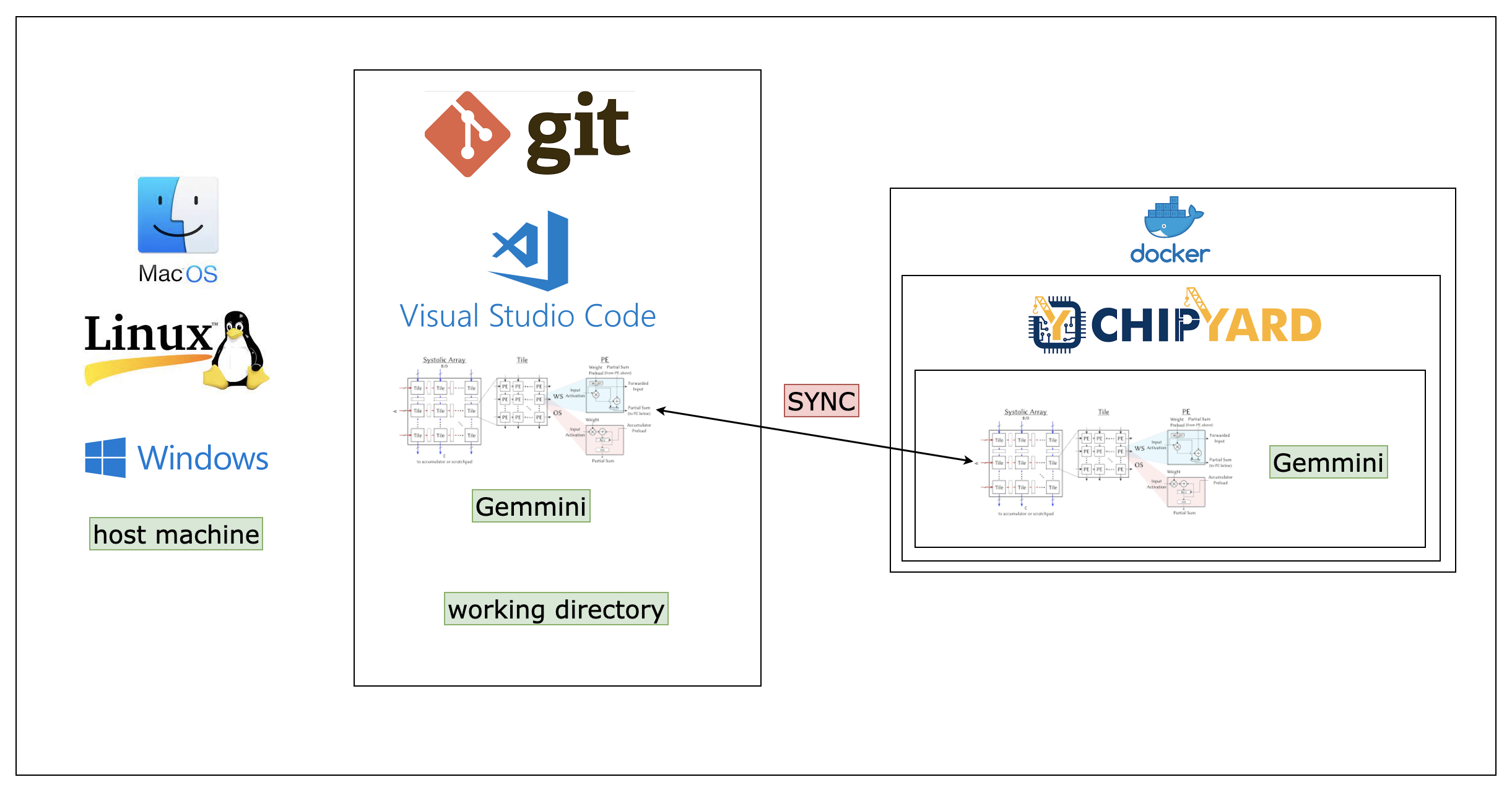
The overall environmental setup is shown below. When completed, you’ll have git, VS Code, Docker and chipyard installed. Note that Gemmini is a directory in chipyard, so if you’ve installed chipyard, you will already install Gemmini.
Pull the docker images
docker pull chipyard/chipyard_transformer
Mount the git gemmini with docker container
https://github.com/BiEchi/chipyard
docker run -it --name=chipyard-transformer-software \
--mount type=bind,source="/Users/mac/Desktop/Research/chipyard"/gemmini,target=/root/chipyard/generators/gemmini chipyard/chipyard_transformer:software

docker run -it --name=chipyard-transformer-ws-sentence \
--mount type=bind,source="/home/user/gemmini"/software,target=/root/chipyard/generators/gemmini/software chipyard_wzs:v2

docker run -it --name=chipyard-transformer-software \
--mount type=bind,source="/mnt/d/Research/chipyard"/gemmini,target=/root/chipyard/generators/gemmini chipyard/chipyard_transformer:software
Use the software simulator
-
Spike
spike --extension=gemmini <some/gemmini/baremetal/test> -
Verilator
cd ~/chipyard/sims/verilator # or "sims/vcs"
make CONFIG=GemminiRocketConfig
Test Functionality
#!/bin/bash
# You're now at ~/chipyard/generators/gemmini/test
sbt "test:runMain modules.Launcher chiselPra_qly" # or other submodule you want to build
Project Process
TODO
Software (by C)
| TODO | Executer | Day SPENT | PROCESS |
| ----------------------------------------------- | ----------- | --------- | ------- |
| math.h header file. | Hao BAI | 1 | DONE |
| softmax() implementation. | Liyang QIAN | 3 | PEND |
| normalize() implementation. | Liyang QIAN | 3 | DONE |
| WS/OS/CPU choices implementation. | Hao BAI | DONE | DONE |
| sin() for positional encoding. | Liyang QIAN | 3 | DONE |
| decoder() part. | Wentao YAO | 3 | DONE |
| segmented_linear_exponential.c implementation | Wentao YAO | 3 | DONE |
| segmented_linear_sqrroot.py implementation | Liyang QIAN | 3 | DONE |
Hardware (by CHISEL)
| TODO | Executer | Day SPENT | PROCESS |
| ------------------------------------------------ | ----------- | --------- | ------- |
| pipeline_divisor implementation | Wentao YAO | 6 | DONE |
| vector_ALU implementation | Hao BAI | 3 | DONE |
| pipeline_multiplicator implementation | Liyang QIAN | 4 | DONE |
| apply segmented_linear_exponential to hardware | Wentao YAO | 7 | ON |
| apply segmented_linear_sqrroot to hardware | Hao BAI | 7 | ON |
| Read the source code | Liyang QIAN | 7 | ON |
| | | | |
FIXME
| FIXME | Executer | Day SPENT | STATUS | | ----- | -------- | --------- | ------ | | | | | | | | | | |
Our Working Time
| Time | Name | | ------------- | ----------- | | 9-7-6 | Liyang QIAN | | 10-7-6 | Wentao YAO | | 9-5-6 / 9-9-5 | Hao BAI |
Working References
Layer Normalization
In our code, it shows as:
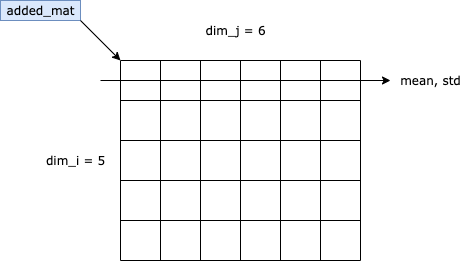
According to our analysis, we gain the formula $$ Layer\ Normalization(x_i)=\alpha\times\frac{x_i-\mu_L}{\sqrt{\sigma_L^2+\epsilon}}+\beta $$ Where $\alpha$, $\beta$ and $\epsilon$ are the super-parameters we deliver to the Layer Normalization Process; $\mu_L$ and $\sigma_L$ are the mean value and standard deviation of the LAYER, and $x_i$ is the value of the $i^{th}$ value of the current layer. To explain in graphs, we have:

Fix normalization()
Used segmented linear function to substitute the while statements.
Problem With Software-simulated Approach chipyard-verilator
Using spike software, we do not know how much time clocks it takes for a process. We could only simulate the result (structure).
We used chipyard-verilator to transform chisel into verilog, in order to simulate the time clocks. However, this approach is not exact. The estimated clocks should be 1,600, but the carried-out clocks is 1,300. The chipyard-verilator uses verilator to transform chisel into verilog, then run verilog on the simulated SoC-chip (hardware part). We then used build.sh to compile c files using risc-v (software part). Also, using this approach, the software compilation part is a bit too slow for PCs.
Switch chisel to verilog
This process can be found according to chipyard-document.
Read the source code of gemmini
Read all the source code files in /gemmini/src.
Learning Resources
CHISEL Learning Resources
Verliog Learing Web
https://hdlbits.01xz.net/wiki/Main_Page
Gemmini Learning
We’ve been looking into the overall architecture of Gemmini and carried out a good learning document in GemminiArchi.md.
We’ve also progressed on learning the Gemmini code and finished a documentation in GemminiCode.pdf.
