
OmniWM
MacOS Niri and Hyprland inspired tiling window manager that's developer signed and notorized (safe for managed enterprise environments). Aiming for parity and extra innovation.
Install / Use
/learn @BarutSRB/OmniWMREADME
Demo Video
Contributors
<p align="center"> Thank you to everyone who contributed to OmniWM. Your ideas and code made a real difference. </p> <table align="center"> <tr> <td align="center"> <a href="https://github.com/balazshevesi" title="Balazs Hevesi"> <img src="https://github.com/balazshevesi.png?size=96" width="96" alt="Balazs Hevesi"> </a> <br> <a href="https://github.com/balazshevesi"><strong>Balazs Hevesi</strong></a> </td> <td align="center"> <a href="https://github.com/janhesters" title="Jan Hesters"> <img src="https://github.com/janhesters.png?size=96" width="96" alt="Jan Hesters"> </a> <br> <a href="https://github.com/janhesters"><strong>Jan Hesters</strong></a> </td> <td align="center"> <a href="https://github.com/jcardama" title="Jose Cardama"> <img src="https://github.com/jcardama.png?size=96" width="96" alt="Jose Cardama"> </a> <br> <a href="https://github.com/jcardama"><strong>Jose Cardama</strong></a> </td> <td align="center"> <a href="https://github.com/lgerlinski" title="Lukas Gerlinski"> <img src="https://github.com/lgerlinski.png?size=96" width="96" alt="Lukas Gerlinski"> </a> <br> <a href="https://github.com/lgerlinski"><strong>Lukas Gerlinski</strong></a> </td> <td align="center"> <a href="https://github.com/zucram" title="Marcus Harlid Davin"> <img src="https://github.com/zucram.png?size=96" width="96" alt="Marcus Harlid Davin"> </a> <br> <a href="https://github.com/zucram"><strong>Marcus Harlid Davin</strong></a> </td> <td align="center"> <a href="https://github.com/georgebastille" title="Rich Hanes"> <img src="https://github.com/georgebastille.png?size=96" width="96" alt="Rich Hanes"> </a> <br> <a href="https://github.com/georgebastille"><strong>Rich Hanes</strong></a> </td> <td align="center"> <a href="https://github.com/chenhaozhenss" title="Williamufo"> <img src="https://github.com/chenhaozhenss.png?size=96" width="96" alt="Williamufo"> </a> <br> <a href="https://github.com/chenhaozhenss"><strong>Williamufo</strong></a> </td> <td align="center"> <a href="https://github.com/Yang-Yiming" title="Yang-Yiming"> <img src="https://github.com/Yang-Yiming.png?size=96" width="96" alt="Yang-Yiming"> </a> <br> <a href="https://github.com/Yang-Yiming"><strong>Yang-Yiming</strong></a> </td> <td align="center"> <a href="https://github.com/zicochaos" title="Zicochaos"> <img src="https://github.com/Zicochaos.png?size=96" width="96" alt="Zicochaos"> </a> <br> <a href="https://github.com/zicochaos"><strong>Zicochaos</strong></a> </td> </tr> </table> <p align="center"> <img src="https://img.shields.io/badge/macOS-15.0%2B-green?logo=apple&logoColor=white" alt="macOS"> <img src="https://img.shields.io/badge/Apple%20Silicon-supported-green?logo=apple&logoColor=white" alt="Apple Silicon"> <img src="https://img.shields.io/badge/X86/X64-supported-green?logo=intel&logoColor=white" alt="Intel"> <img src="https://img.shields.io/badge/Claude%20Code-Assisted-green?logo=claude&logoColor=white" alt="Claude Code"> </p> <p align="center"> <a href="https://trendshift.io/repositories/16758" target="_blank"><img src="https://trendshift.io/api/badge/repositories/16758" alt="BarutSRB%2FOmniWM | Trendshift" style="width: 250px; height: 55px;" width="250" height="55"/></a> </p> <p align="center"> <img src="https://raw.githubusercontent.com/BarutSRB/OmniWM/main/assets/semidemo.gif" alt="OmniWM demo"> <img src="https://raw.githubusercontent.com/BarutSRB/OmniWM/main/assets/semidemo1.gif" alt="OmniWM demo"> </p> <p align="center"> <img src="https://raw.githubusercontent.com/BarutSRB/OmniWM/main/assets/demo1.gif" alt="OmniWM demo" width="100%"> </p> <p align="center"> <img src="https://raw.githubusercontent.com/BarutSRB/OmniWM/main/assets/demo2.gif" alt="OmniWM demo" width="100%"> </p> <p align="center"> <img src="https://raw.githubusercontent.com/BarutSRB/OmniWM/main/assets/demo3.gif" alt="OmniWM demo" width="100%"> </p> <p align="center"> <img src="https://raw.githubusercontent.com/BarutSRB/OmniWM/main/assets/demo4.gif" alt="OmniWM demo" width="100%"> </p> <p align="center"> <img src="https://raw.githubusercontent.com/BarutSRB/OmniWM/main/assets/demo5.gif" alt="OmniWM demo" width="100%"> </p>Small demo, not fully showing everything, gif recorded at 30fps due to size, some stuff is now more refined and better as soem gifs might be outdated, features shown:
- Real quake/sticky terminal using ghostty's libghostty
- Ghostty tabs supported
- IPC/CLI
- Scrathpad/Sticky windows of any app
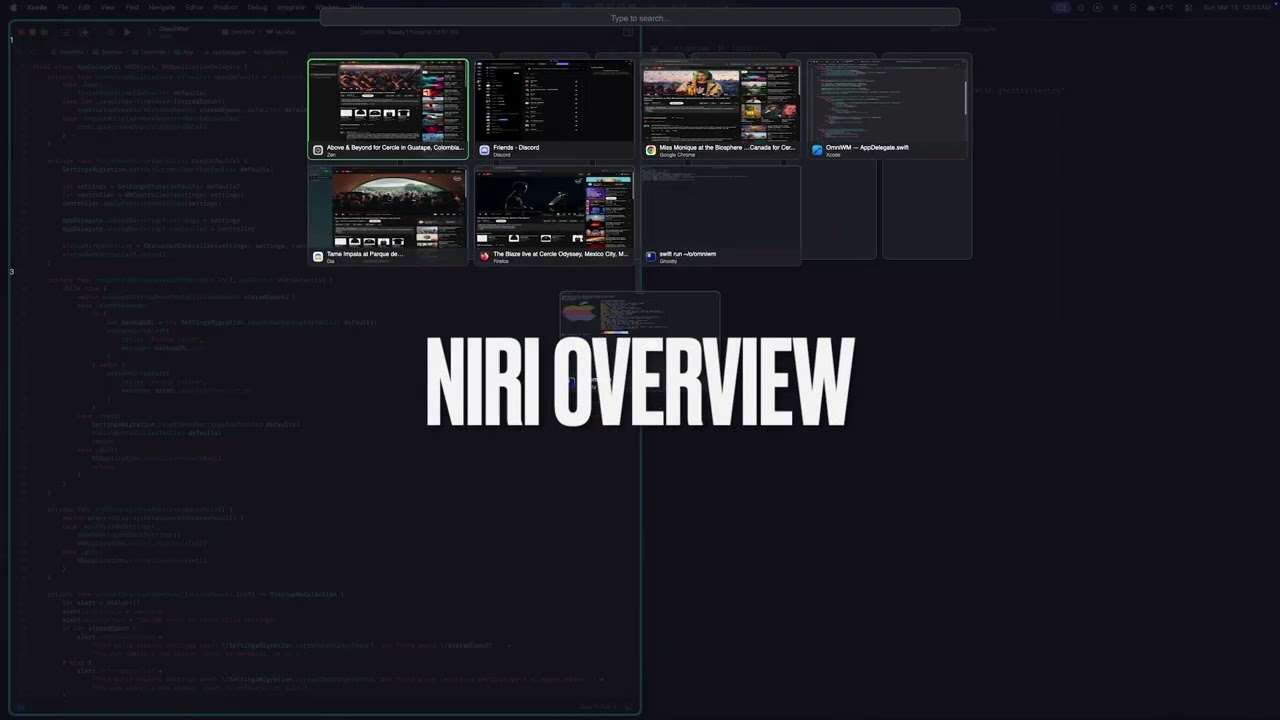
- Niri Overview
- Unified command palette for windows and app menus
- App menu anywhere
- Niri tabs
- Niri and Dwindle layout
- Hide/unhide status bar icons (Simialr to Ice Bar)
- Keep awake (Similar to Caffeine)
- Interactive workspace/app icon bar
- A lot more features not show in the video.
Known Limitations
- Gestures/Trackpad - Magic Mouse and trackpad gestures are untested (no hardware available for testing but haven't heard complaints so it works)
Performance & Trust
OmniWM is built for high responsiveness and smooth, crisp animations.
- Private APIs - OmniWM leverages Apple's private APIs where ever technically possible in order to reduce latency and improve window management responsiveness.
- Refresh rate aware animations - OmniWM targets true display refresh pacing (for example 60/120/144Hz) for animations.
- No SIP disable required - OmniWM does not require System Integrity Protection (SIP) to be disabled and never will.
- Always notarized official releases - Official OmniWM release builds are developer signed and notarized by Apple and will stay that way.
- Forever free, no limitations - OmniWM is and will remain free to use forever, with no subscriptions, feature paywalls, trial limits, or usage caps.
Requirements
- macOS 15+ (Sequoia)
- Accessibility permissions (prompted on launch)
- Displays have separate spaces OFF
Installation
Homebrew
brew tap BarutSRB/tap
brew install omniwm
GitHub Releases
- Download the latest
OmniWM.zipfrom Releases - Extract and move
OmniWM.appto/Applications - In System Settings > Desktop & Dock > Mission Control, turn OFF
Displays have separate Spaces - Log out of macOS and log back in for that change to take effect unless you had it off already
- Launch OmniWM and grant Accessibility permissions when prompted
Updates
OmniWM checks for updates by default.
- On launch, OmniWM polls the latest GitHub release at most once per day.
- Updates stay manual. OmniWM does not auto-download or auto-install a new release.
- When a newer release is available, OmniWM shows a centered popup with release notes and actions for
Open Release Page,Copy brew upgrade omniwm,Skip This Version, andNot Now. - You can control this from
Settings > General > Updatesor trigger a manual check from the status bar menu withCheck for Updates....
Documentation
The documentation hub lives in docs/index.md.
- Documentation Home
- Architecture Guide
- IPC & CLI Reference
- Contribution Docs
- Canonical Contributing Guide
IPC and CLI
OmniWM ships with a bundled CLI, omniwmctl, for automation and scripting.
IPC is disabled by default. Enable Enable IPC from the menu bar before using the CLI or any automation.
For setup, installation options, commands, queries, rules, subscriptions, and security details, see docs/IPC-CLI.md.
Quick Start
- Launch OmniWM from your Applications folder
- In System Settings > Desktop & Dock > Mission Control, turn OFF
Displays have separate Spaces - Log out of macOS and log back in for that change to take effect unless you had it off already
- Grant Accessibility permissions in System Settings > Privacy & Security > Accessibility
- Windows will automatically tile in columns
- Use the default shortcuts in
Keyboard Shortcutsto navigate between windows - Click the menu bar icon to access Settings, including
Settings > General > Updates - Use
Check for Updates...from the status bar menu whenever you want to run a manual update check - In case you freak out and don't see all your status bar icons, relax, right click on OmniWM's status bar icon and drag the icons to the left of it's "/" by holding CMD + drag as OmniWM hides status bar icons like Ice Bar.
User Guide
Layout Modes
OmniWM offers two layout engines that you can switch between per workspace:
Niri (Scrolling Columns) - Windows arranged in vertical columns that scroll horizontally. Each column can have multiple stacked windows or be "tabbed" (multiple windows, one visible at a time). Best for wide monitors with many windows.
Hyprland Dwindle (BSP) - Binary space partition layout that recursively divides screen space. Each new window splits the space in half. Best for traditional tiling with predictable layouts.
Use the Toggle Workspace Layout shortcut below to switch layouts per workspace or configure them in GUI settings.
Keyboard Shortcuts
All shortcuts are customizable in Settings > Hotkeys. The tables below list all the hotkeys:
Layout legend:
Sharedworks in any active layout.Niriworks only when the active workspace uses the Niri layout.Dwindleworks only when the active workspace uses the Dwindle layout.
Workspace
| Action | Default Shortcut | Layout | |----
