
Newly
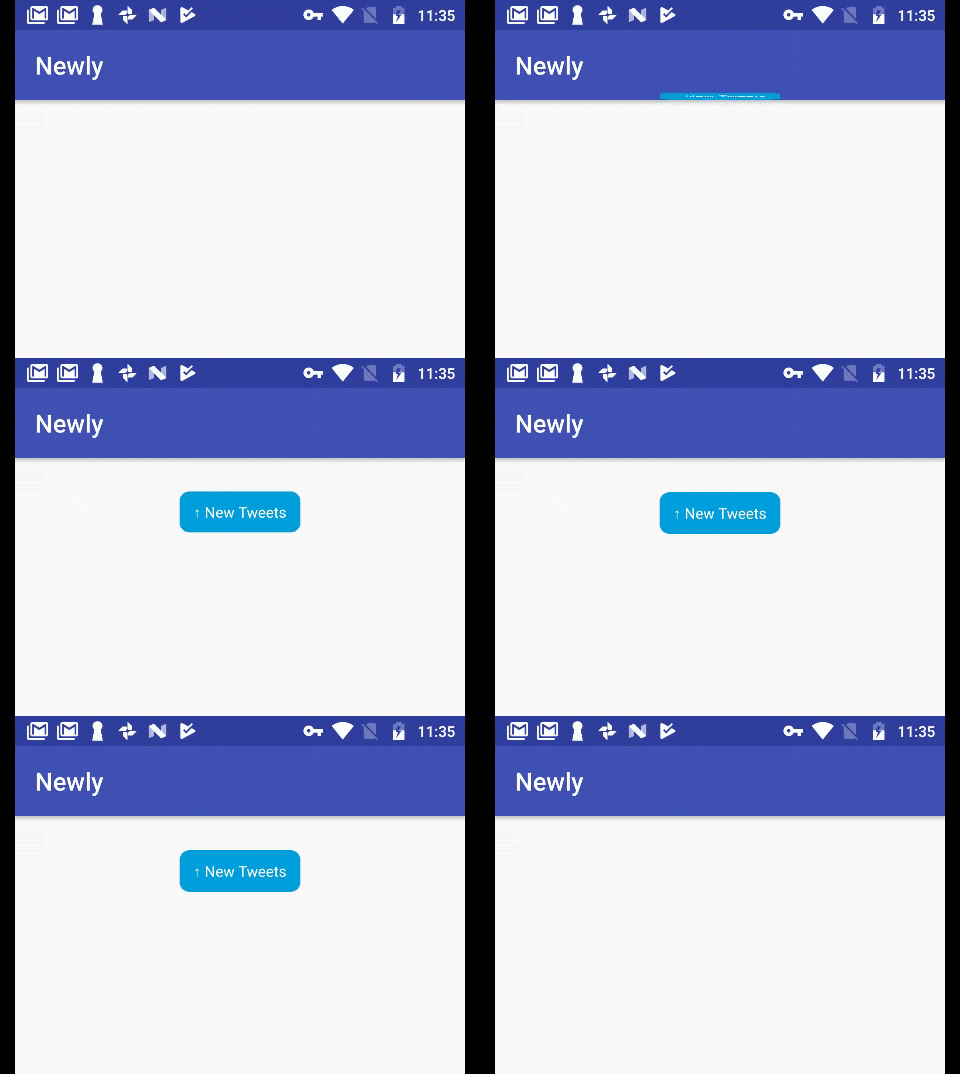
Newly is a drop in solution to add Twitter/Facebook/Linkedin style, new updates/tweets/posts available button. It can be used to notify user about new content availability and other actions by just calling methods in kotlin or java
Install / Use
/learn @Auto-Droid/NewlyREADME

<a href="https://raw.githubusercontent.com/xmartlabs/Eureka/master/LICENSE"><img src="http://img.shields.io/badge/license-MIT-blue.svg?style=flat" alt="License: MIT" /></a> <a href="http://kotlinlang.org/"><img src="https://img.shields.io/badge/kotlin-compatable-brightgreen.svg?style=flat" alt="kotlin" /></a> <a href="https://www.android.com"><img src="https://img.shields.io/badge/Android-v0.2-brightgreen.svg?style=flat" alt="Android" /></a>
Newly is a drop in solution to add Twitter/Facebook/Linkedin style, new updates/tweets/posts available button. It can be used to notify user about new content availability and other actions by just calling methods in kotlin or java
Requirements
- Android Studio
- Java
- Kotlin
- Android version 2.3 +
Installation
In your Project's build.gradle file:
	allprojects {
		repositories {
			...
			maven { url 'https://jitpack.io' }
		}
	}
In your Application's or Module's build.gradle file:
	dependencies {
		        compile 'com.github.Auto-Droid:Newly:1.0'
		}
Initialize library using builder pattern.
In your Kotlin class:
class MainActivity : AppCompatActivity() , NewlyOnTouchListener {
  	.....

	override fun onNewlyTouchListener() {
		//TODO Newly popup clicked
	}
}
  var newly = Newly.Build(activity as MainActivity)
                    .setText("  ↑ New Tweets  ")
                    .setBackgroundDrawable(R.drawable.rectangle)
                    .setTextColor("#FFFFFF")
                    .setHeightOffset(250)
                    .build();
            newly.show()
In your Java class:
   public class HomeScreen extends AppCompatActivity implements NewlyOnTouchListener {
       .....

        @Override
    public void onNewlyTouchListener() {
	//TODO Newly popup clicked
    }
}
   Newly newly = new Newly.Build(activity)
                .setBackgroundDrawable(R.drawable.rectangle)
                .setText("  ↑ New Tweets  ")
                .setTextColor("#FFFFFF")
                .setHeightOffset(250)
                .build();
        newly.show();
Ios compatible version
@Author <a href="https://github.com/dhirajjadhao">Dhiraj Rajendra Jadhao</a> : https://github.com/dhirajjadhao/Newly
LICENSE
This project is licensed under <a href="https://github.com/Auto-Droid/Newly/blob/master/LICENSE">MIT LICENSE</a> ,see the <a href="https://github.com/Auto-Droid/Newly/blob/master/LICENSE">LICENSE.md</a> file for details
@Contributor <a href="https://github.com/advait-android">Advait Pakhode</a>
Copyright © 2018 Sourabh Karkal (Auto-Droid)
Related Skills
qqbot-channel
353.3kQQ 频道管理技能。查询频道列表、子频道、成员、发帖、公告、日程等操作。使用 qqbot_channel_api 工具代理 QQ 开放平台 HTTP 接口,自动处理 Token 鉴权。当用户需要查看频道、管理子频道、查询成员、发布帖子/公告/日程时使用。
docs-writer
100.7k`docs-writer` skill instructions As an expert technical writer and editor for the Gemini CLI project, you produce accurate, clear, and consistent documentation. When asked to write, edit, or revie
model-usage
353.3kUse CodexBar CLI local cost usage to summarize per-model usage for Codex or Claude, including the current (most recent) model or a full model breakdown. Trigger when asked for model-level usage/cost data from codexbar, or when you need a scriptable per-model summary from codexbar cost JSON.
project-overview
FlightPHP Skeleton Project Instructions This document provides guidelines and best practices for structuring and developing a project using the FlightPHP framework. Instructions for AI Coding A
