
Webmc3
A web interface for exploring PyMC3 traces
Install / Use
/learn @AustinRochford/Webmc3README
webmc3
A web interface for exploring PyMC3 traces, inspired by ShinyStan and built with Dash.
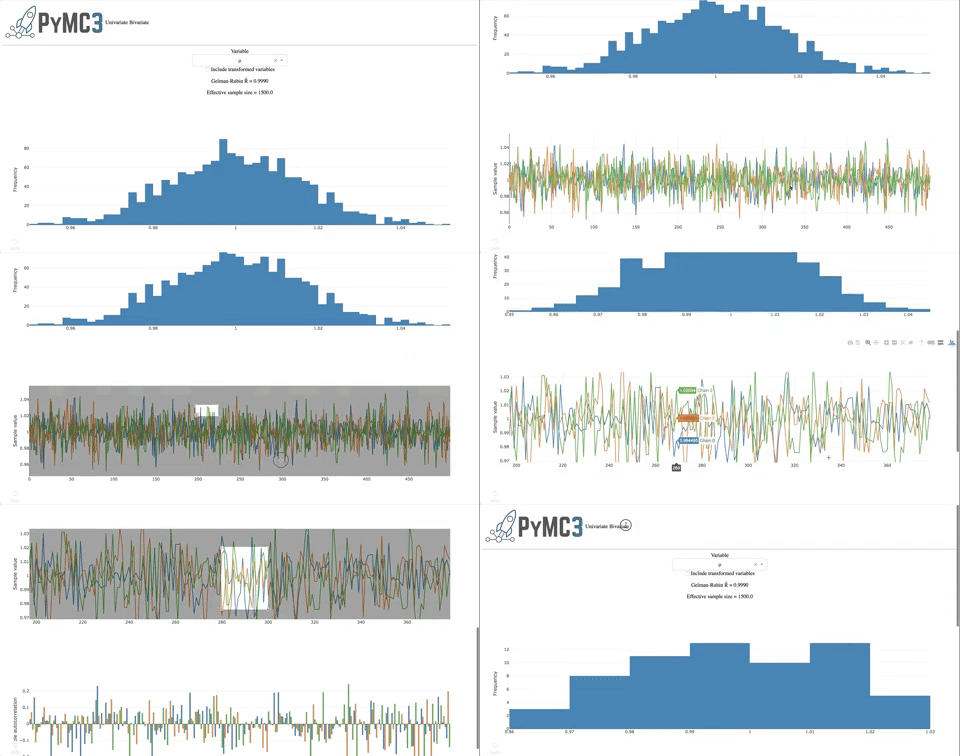
Consult the quickstart notebook to start using webmc3.
Development
The simplest way to develop webmc3 is to use the Dockerfile.
First, pull the image from Docker Hub with
docker pull austinrochford/webmc3
or build the image with
docker build -t webmc3 .
Next launch a container using the image.
docker run -d \
    -p $JUPYTER_PORT:8888 \
    -p $DASH_PORT:8050 \
    -v `pwd`:/home/jovyan/webmc3 \
    --name webmc3 webmc3 \
    start-notebook.sh --NotebookApp.token=''
There will not be a Jupyter notebook server available at http://localhost:$JUPYTER_PORT/tree and, once running, the webmc3 app will be available at http://localhost:$DASH_PORT. Most importantly, your fork of webmc3 is on the PYTHONPATH in the container.
Related Skills
node-connect
350.1kDiagnose OpenClaw node connection and pairing failures for Android, iOS, and macOS companion apps
claude-opus-4-5-migration
109.9kMigrate prompts and code from Claude Sonnet 4.0, Sonnet 4.5, or Opus 4.1 to Opus 4.5
frontend-design
109.9kCreate distinctive, production-grade frontend interfaces with high design quality. Use this skill when the user asks to build web components, pages, or applications. Generates creative, polished code that avoids generic AI aesthetics.
model-usage
350.1kUse CodexBar CLI local cost usage to summarize per-model usage for Codex or Claude, including the current (most recent) model or a full model breakdown. Trigger when asked for model-level usage/cost data from codexbar, or when you need a scriptable per-model summary from codexbar cost JSON.
