
NeoPatterns
Patterns for NeoPixel strips and matrixes including the patterns of the NeoPattern Example by Adafruit.
Install / Use
/learn @ArminJo/NeoPatternsREADME
NeoPatterns for NeoPixel strips and Snake game for NeoPixel matrix.
This is an extended version version of the NeoPattern example by Adafruit.<br/> New Patterns are added, a snake game running on a matrix is included and you can run multiple patterns simultaneously on the same strip.



<br/>
<br/>

Available as Arduino library "NeoPatterns".


If you find this library useful, please give it a star.
<br/>| YouTube Video of NeoPatternsDemo | YouTube Video of MatrixDemo on a 10x10 matrix |
| :-: | :-: |
| 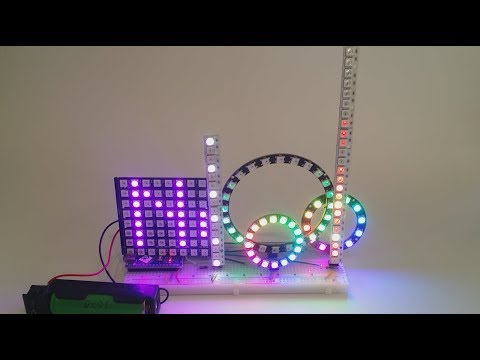 |
| 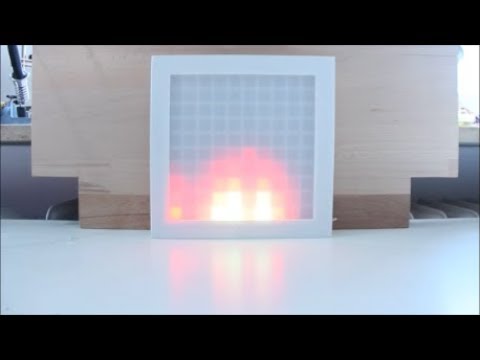 |
| YouTube Video of NeoPatternsDemo on a long matrix | YouTube Video of Fire on on a long matrix |
|
|
| YouTube Video of NeoPatternsDemo on a long matrix | YouTube Video of Fire on on a long matrix |
|  |
| 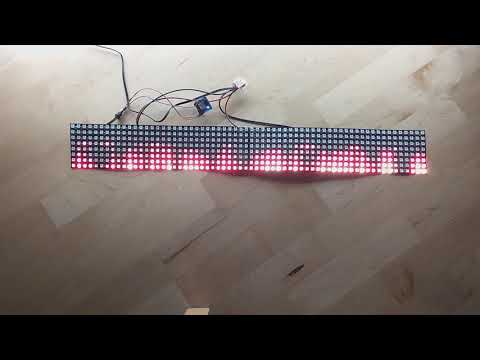 |
| YouTube Video of OpenLedRace at the Cologne public library MINTköln-Festival | |
|
|
| YouTube Video of OpenLedRace at the Cologne public library MINTköln-Festival | |
| 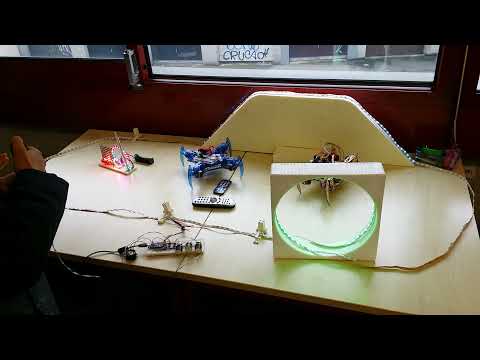 | |
| |
PATTERNS
Patterns from Adafruit
- RAINBOW_CYCLE
- COLOR_WIPE
- FADE
New patterns
- DELAY
- SCANNER_EXTENDED
- STRIPES
- FLASH
- TWINKLE
- PROCESS_SELECTIVE
- HEARTBEAT
- BOUNCING_BALL
The original SCANNER pattern is extended and includes the CYLON as well as the ROCKET or FALLING_STAR pattern. The more versatile STRIPES pattern replaces the old THEATER_CHASE one.
Pattern from FastLed
- FIRE adapted from FastLed
Patterns only for n x n Matrix
- MOVING_PICTURE
- MOVE
- TICKER
- FIRE
- SNOW
- SNAKE
You can provide your own patterns
- USER_PATTERN1
- USER_PATTERN2
See UserPattern example.
<br/>NeoPixel library
the included NeoPixel library is an extensions of the Adafruit NeoPixel library and supports multiple virtual NeoPixel (and NeoPattern) objects on one physical strip. It also contains a lot of useful functions like:
- setColor() - Sets all pixels to a color.
- addPixelColor() - Adds color to existing one and clip to white.
- drawBar(aBarLength) - Draws a bar of pixels starting at the upper or lower end.
- fillRegion(aColor, aRegionFirst, aRegionLength).
- drawBarFromColorArray(aBarLength, aColorArrayPtr) - Uses a color array for the different colors of the bar pixel. Useful for e.g. VU meters.
- fillWithRainbow(aRainbowWheelStartPos).
- dimColor(aColor) - Calculates 50% dimmed version of a color not using gamma.
- gamma5(aLinearBrightnessValue) - Returns gamma brightness value from a linear input.
- convertLinearToGamma5Color(aLinearBrightnessValue) - Returns the gamma corrected color.
- dimColorWithGamma5(aLinearBrightnessValue, aBrightness) - like before but with additional brightness.
- Wheel() - Returns colors from a color wheel starting ar red.
- copyRegion() - Copy a mutiple pixels to another part of the strip. Optional do a reverse copy.
- printConnectionInfo().<br/> as well as functions for getting pixel info:
- getRedPart(color32_t color).
- getGreenPart(color32_t color).
- getBluePart(color32_t color).
- getBytesPerPixel().<br/> and fancy functions like:
- getAndAdjustActualNeopixelLenghtSimple() - Uses ADC and the VCC voltage drop to determine the actual length of a strip. Based on https://cpldcpu.com/2014/11/16/ws2812_length/
Timing
WS2812 require a 800 kHz bit signal and 24 bit per LED, resulting in 30 µs (33 kHz) per LED. An 8 bit strip requires 0.24 ms and a 8x8 matrix 1.92 ms (520 Hz). For 550 LEDs we get 60 Hz refresh rate.
Installation
First, you need to install "Adafruit NeoPixel" library with Tools -> Manage Libraries... or Ctrl+Shift+I. Use "neoPixel" as filter string. Then install this "NeoPatterns" library with Tools -> Manage Libraries... (Ctrl+Shift+I). Use "NeoPatterns" as filter string.
Matrix pixel mappings
Origin (0,0) of x and y values is at the top left corner and the positive direction is right and DOWN.
Pixel mappings definitions and semantics are taken from https://github.com/adafruit/Adafruit_NeoMatrix/blob/master/Adafruit_NeoMatrix.h Here you find also mappings for tiled display with multiple matrices.
Examples for LED index to position mappings:
     ProgressiveMapping                  ZigzagTypeMapping
   Regular        Mirrored           Regular        Mirrored
   Bottom/Right   Bottom/Left
   15 14 13 12    12 13 14 15        12 13 14 15    15 14 13 12
   11 10  9  8     8  9 10 11        11 10  9  8     8  9 10 11
    7  6  5  4     4  5  6  7         4  5  6  7     7  6  5  4
    3  2  1  0     0  1  2  3         3  2  1  0     0  1  2  3
All matrix pixel mappings except NEO_MATRIX_COLUMNS are supported
In case you need NEO_MATRIX_COLUMNS layout, try to rotate your Matrix and use NEO_MATRIX_ROWS or use your own custom mapping function.
Using the new *.hpp files / how to avoid multiple definitions linker errors
In order to support compile options more easily, the line #include <NeoPatterns.h>
or MatrixNeoPatterns.hpp or MatrixSnake.hpp must be changed to #include <NeoPatterns.hpp>,
but only in your main program (aka *.ino file with setup() and loop()), like it is done in the examples.<br/>
In all other files you must use #include <NeoPatterns.h> etc., otherwise you will get tons of "multiple definition" errors.
Take care that all macros you define in your main program before #include <NeoPatterns.hpp> etc. ,
e.g. DO_NOT_USE_MATH_PATTERNS should also be specified before the NeoPatterns.h include,
otherwise the include may not work as expected!
Compile options / macros for this library
To customize the library to different requirements, there are some compile options / macros available.<br/>
NeoPixel
These macros must be defined in your program before the line #include <NeoPixel.hpp> or #include MatrixNeoPixel.hpp to take effect.<br/>
Modify them by enabling / disabling them, or change the values if applicable.
| Name | Default value | Description |
|-|-:|-|
| DO_NOT_SUPPORT_RGBW | disabled | Disables RGBW pixels support. Activate it, if you only have RGB pixels. Saves up to 428 bytes program memory for the AllPatternsOnMultiDevices example. |
| DO_NOT_SUPPORT_BRIGHTNESS | disabled | Disables the brightness functions. Saves up to 428 bytes program memory for the AllPatternsOnMultiDevices example. |
| DO_NOT_SUPPORT_NO_ZERO_BRIGHTNESS | disabled | Disables the special brightness functions, which sets a dimmed pixel to 0 only if brightness or input color was zero, otherwise it is clipped at e.g. 0x000100. Saves up to 144 bytes program memory for the AllPatternsOnMultiDevices example. |
| NEO_KHZ400 | 0x0100 | If you do not require the legacy 400 kHz functionality, you can disable the line 138 #define NEO_KHZ400 0x0100 ///< 400 KHz data transmission in Adafruit_NeoPixel.h. This saves up to 164 bytes program memory for the AllPatternsOnMultiDevices example. |
NeoPatterns
These macros must be defined in your program before the line #include <NeoPatterns.hpp> or #include MatrixNeoPatterns.hpp or #include MatrixSnake.hpp to take effect.<br/>
Modify them by enabling / disabling them, or change the values if applicable.
| Name | Default value | Description |
|-|-|-|
| ENABLE_PATTERN_<Pattern name> | all | Selection of individual pattern(s) to be enabled for your program. You can specify multiple pattern. See NeoPatterns.h |
| ENABLE_MATRIX_PATTERN_<Pattern name> | all | Selection of individual matrix pattern(s) to be enabled for your program. You can specify multiple pattern. See [MatrixNeoPatterns.h](https://github
