
BCL
BCL Compiled Language (BCL)
Install / Use
/learn @ArachnidAbby/BCLREADME




What is BCL?
BCL (BCL Compiled Language) is a compiled programming language that is inspired by python, rust, and other languages.
Installing via source
To do this you will need:
- LLVM 14 (or LLVM11 if using alternative fork)
- Conda
- Python 3.11+
- SetupTools (
pip install setuptools) - Git (required for pip)
- Visual Studio (When on windows)
Step 1
Clone the git repo
Step 2
run these commands
Step 2.1 (ALL)
This is for all platforms. There is only one linux exclusive command.
# libs required to compile llvmlite from source/custom fork
## linux gcc stuff, I couldn't get it to compile without this
conda install -c conda-forge libstdcxx-ng=12
## llvm14 install (change 14 to 11 if needed)
conda install -y -q -c numba/label/dev llvmdev="14.*" libxml2
## llvm uses cmake
conda install cmake
Step 2.2 (WINDOWS)
Installing llvm 11
# when using a different version of visual studio, do:
set CMAKE_GENERATOR=Visual Studio 17 2022 # an example version of visual studio.
# Install LLVM11. I haven't found a way to use 14 on windows.
pip install git+https://github.com/spidertyler2005/llvmlite.git
Step 2.2 (LINUX)
Installing llvmlite 14 or 11
# Installing custom llvmlite fork that has lld for linking (LLVM14)
pip install git+https://github.com/Hassium-Software/llvmlite-lld.git
# Alternatively, if this doesn't work install (LLVM11)
pip install git+https://github.com/spidertyler2005/llvmlite.git
Step 2.3 (ALL)
installing BCL
# Installing BCL
pip install .
Step 3
run bcl <subcommand> <args> to use BCL!
How to uninstall
run pip uninstall Bens_Compiled_Language
Example code
//  fizzbuzz program
// ===================

import stdlib::*; // will later be an auto-import

define main() {
    for i in 0..100 {
        // printf is in the language, could be used here too!
        print(i);
        print(' ');
        if is_multiple(i, 3) {
            print("fizz");
        }
        if is_multiple(i, 5) {
            print("buzz");
        }
        println();
    }
}

define is_multiple(value: i32, divider: i32) -> bool {
    return (value % divider) == 0;
}
State of the language
The language is not fit for production use. It is missing a very large number of features. Although, it is turing-complete.
Features
- [x] codeblocks
- [x] functions
- [x] function returns
- [x] function arguments
- [x] variable declaration and assignment
- [x] most Operators (now with 100% more bitwise ops)
- [x] boolean operators
- [x] if and else statements
- [x] while loops
- [x] floats
- [x] variable type declaration
- [x] variable assignment-operators (
+=,-=, etc) - [x] Arrays
- [x] for-loops (only with range literals rignt now)
- [x] references
- [ ]
constants - [x] structs
- [x] struct functions
- [x] struct methods
- [x] struct operator overloading
- [x] struct generic typing
- [ ] protocol types
- [x] generator functions/iterators
- [x]
importstatement with the ability to import modules/packages (WIP, needs namespaces) - [x] compile a folder or file instead of hardcoded test string.
- [x] heap allocation with garbage collection (
Box::<T>) - [x]
mallocandfreefunctions (If you manage your own memory instead of usingBox::<T>) - [ ] in-line assembly functionality.
- [ ] make sys-calls
- [x] ~~some access to llvm function directly. (notice: more can, and will, be added)~~ disabled temporarily
- [ ] access to cpu registers.
- [x] standard math library (VERY VERY WIP)
- [x] string (literal)
- [ ] strings (mutable)
- [ ] vectors (WIP)
- [x] stdio library (VERY WIP)
- [x] run-time errors (Error type for errors as values.,
Result::<T, E>) - [x] Option type (
Optional::<T>) - [x] namespaces
- [x] enums
VSCode highlighting
There is a folder called syntax_highlighting, inside there is a vsix file which you can right click to install. Just note that it's a bit of a work in progress.
Documentation
Sphinx documentation can be found in the docs folder. Note that these docs are not up-to-date yet.
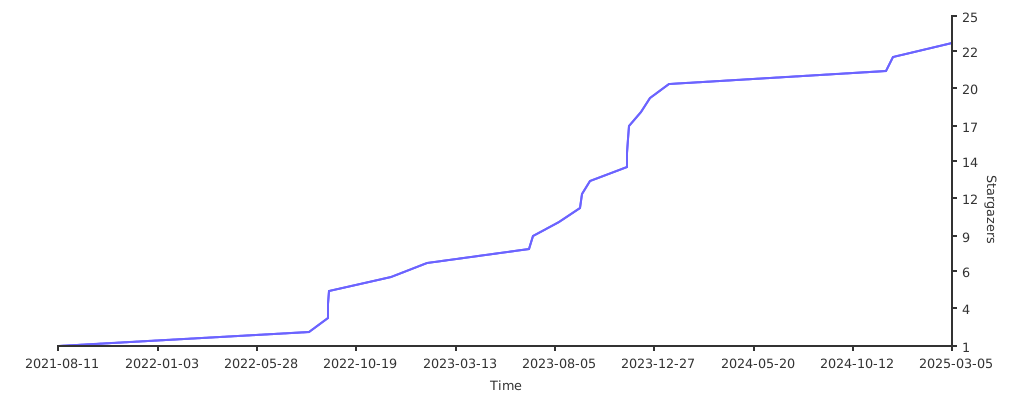
Stargazers over time
Related Skills
node-connect
346.8kDiagnose OpenClaw node connection and pairing failures for Android, iOS, and macOS companion apps
claude-opus-4-5-migration
107.6kMigrate prompts and code from Claude Sonnet 4.0, Sonnet 4.5, or Opus 4.1 to Opus 4.5
frontend-design
107.6kCreate distinctive, production-grade frontend interfaces with high design quality. Use this skill when the user asks to build web components, pages, or applications. Generates creative, polished code that avoids generic AI aesthetics.
model-usage
346.8kUse CodexBar CLI local cost usage to summarize per-model usage for Codex or Claude, including the current (most recent) model or a full model breakdown. Trigger when asked for model-level usage/cost data from codexbar, or when you need a scriptable per-model summary from codexbar cost JSON.
