
RustySound
RustySound is a music player for subsonic api applications such as navidrome using native OS features for Web, Desktop and Mobile devices. Its built dioxus and tailwind css
Install / Use
/learn @AD-Archer/RustySoundREADME
RustySound
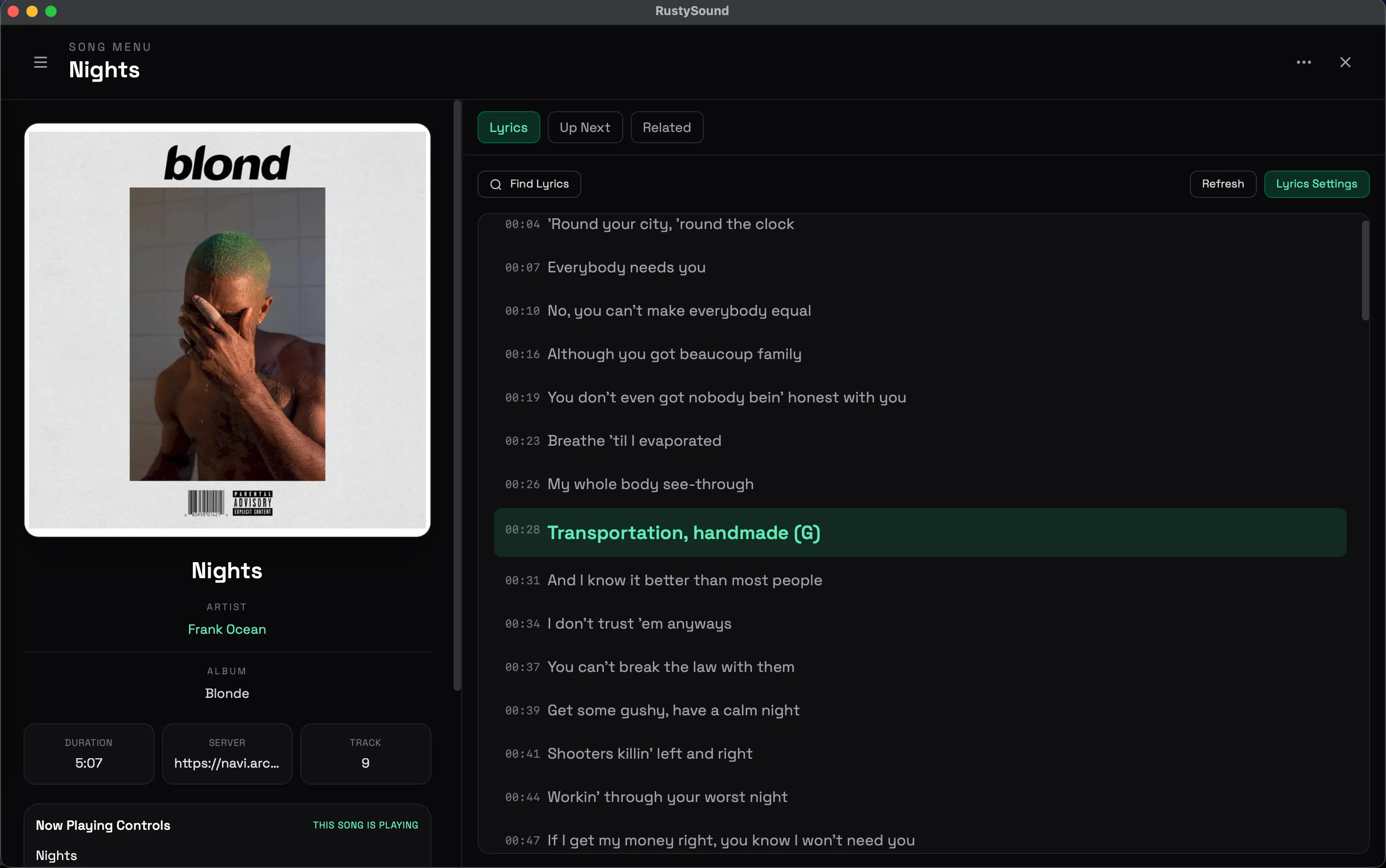
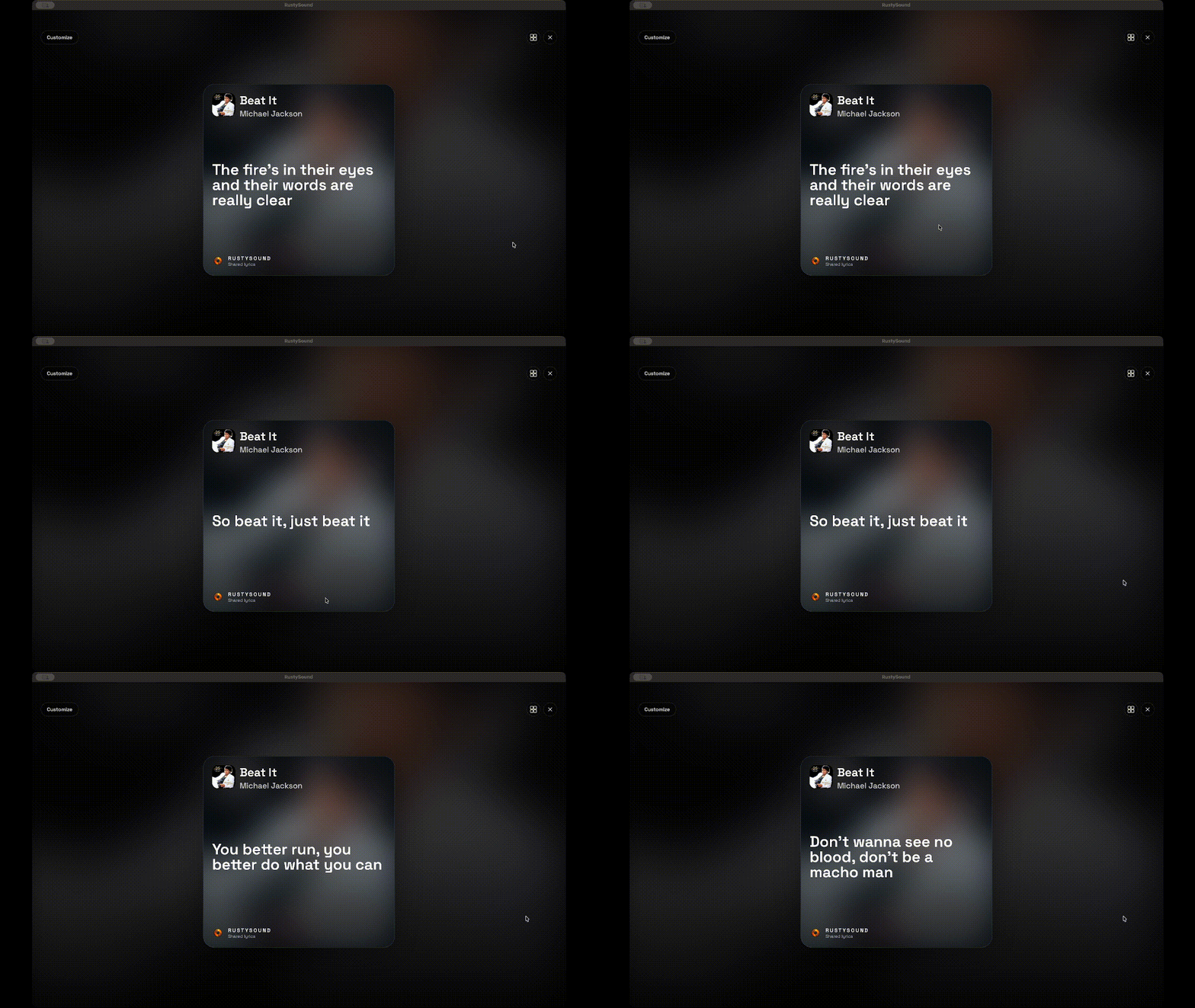
A lightweight cross-platform music streaming client for Navidrome and Subsonic-compatible servers, built with Rust and Dioxus, < 10mb
 <img alt="album" src="https://github.com/user-attachments/assets/bc93c22e-bcf1-4a41-9d3c-fdba82a36214" />
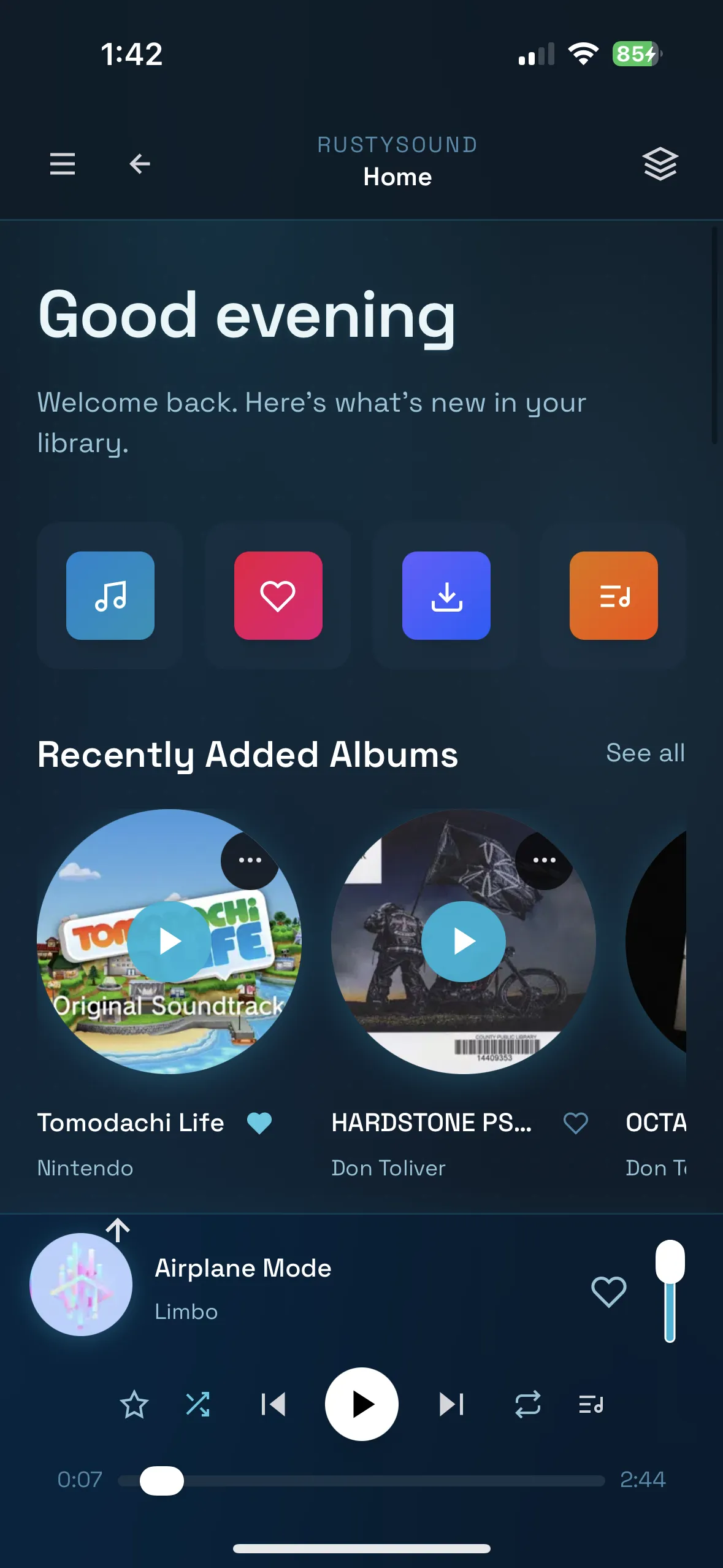
Features
- 🎵 Multi-platform Support: Available on Desktop (macOS, Windows, Linux), Mobile (iOS, Android), and Web
- 🎧 Audio Playback: High-quality audio streaming with queue management
- 📱 Server Integration: Connect to Navidrome and Subsonic-compatible music servers
- 💾 Local Storage: Persistent settings and playback state across sessions
- 🎼 Playlist Management: Create and manage playlists
- 🔍 Search & Browse: Browse your music library by artists, albums, and tracks
- 🎚️ Audio Controls: Play, pause, skip, shuffle, and repeat functionality
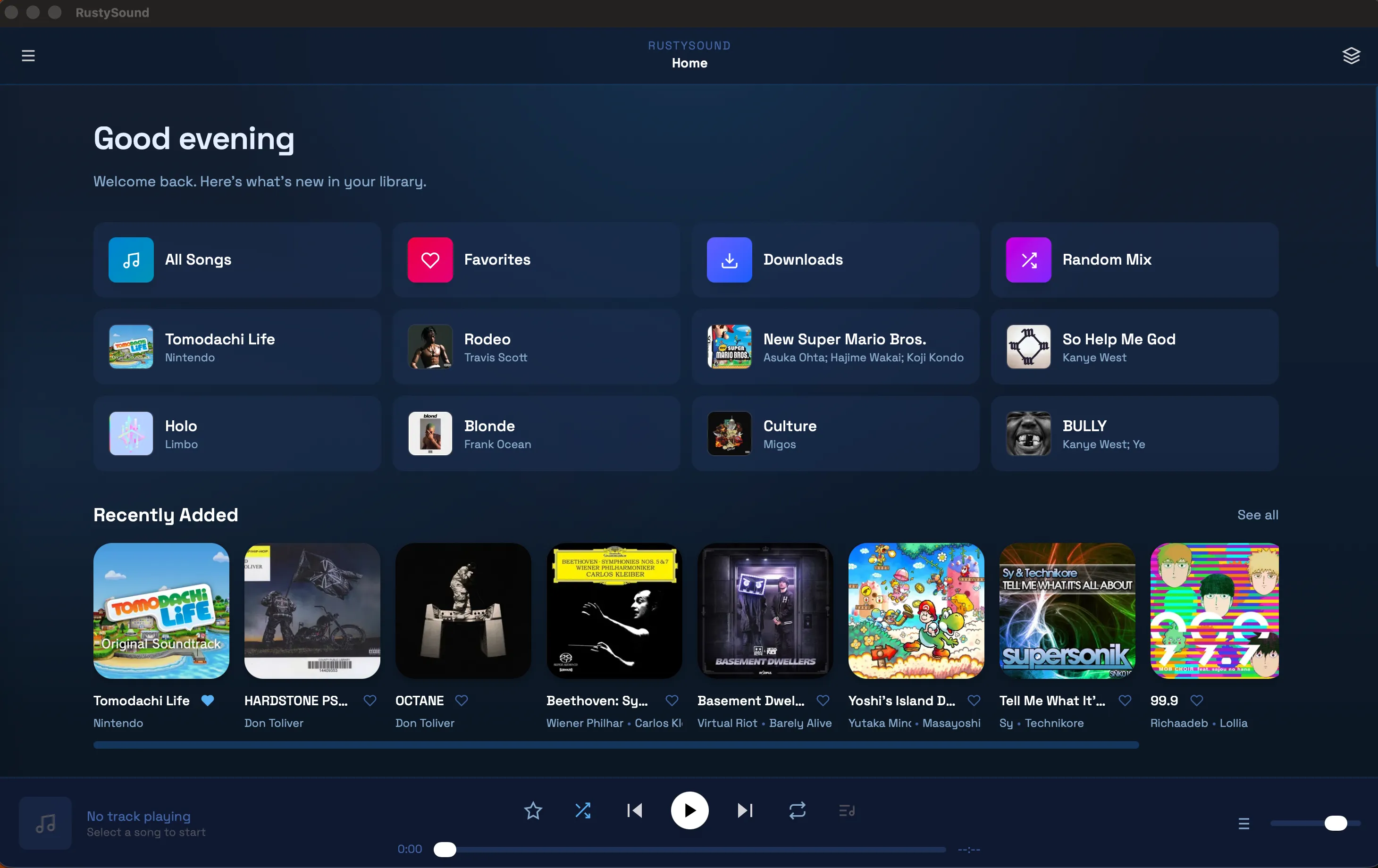
- 🌙 Modern UI: Clean, responsive interface built with Tailwind CSS
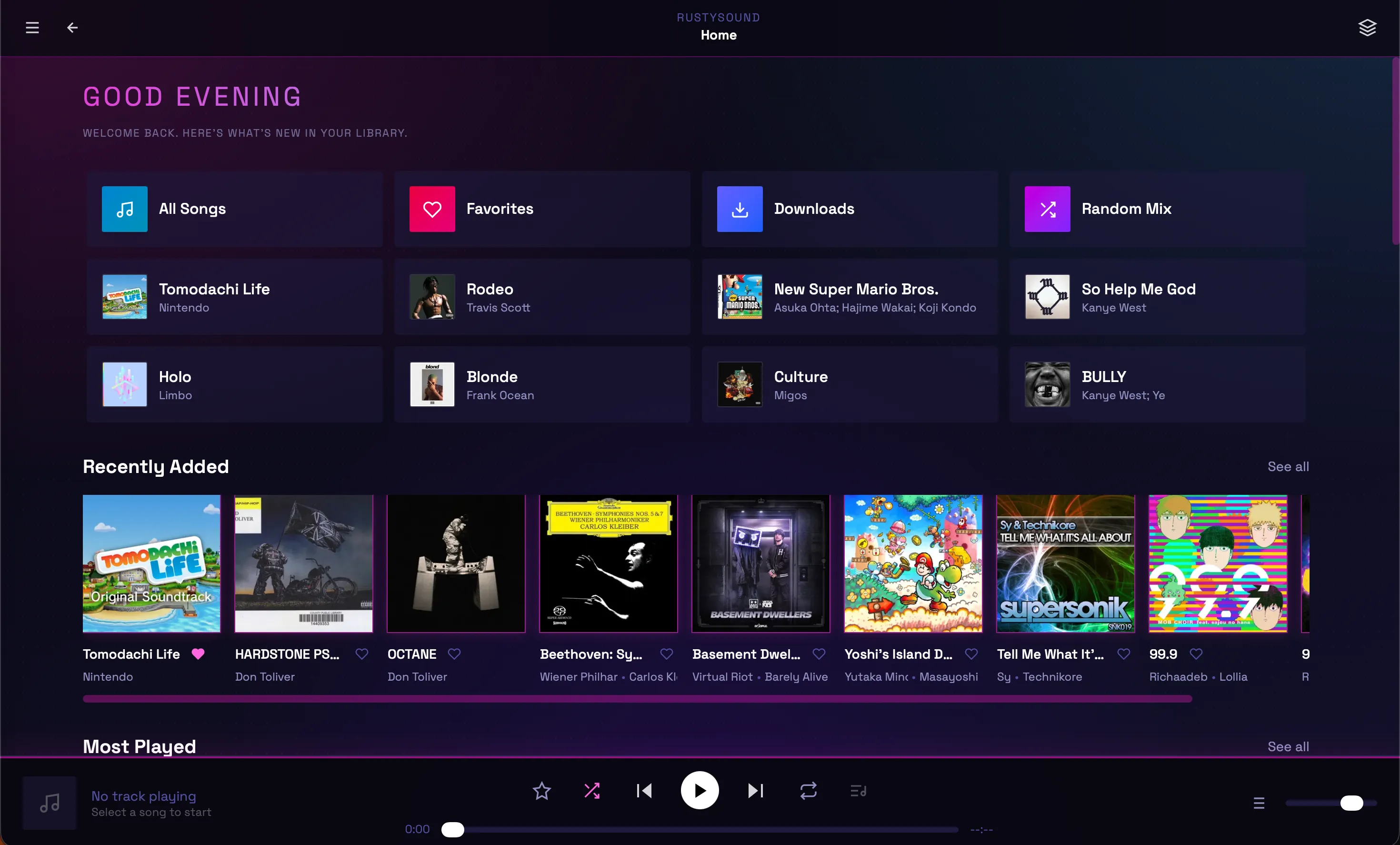
- 🎨 Themes: Multiple built-in themes with custom theme/CSS support
Themes
RustySound now supports multiple built-in themes and custom themes.
- Switch between bundled themes in Settings
- Apply your own custom CSS overrides
Supported Platforms
Web
- Browser: WebAssembly-based web application
- Progressive Web App: Installable PWA support
Desktop
- macOS: DMG installer and Homebrew
- Windows: NSIS installer and scoop.
- Linux: Flatpak
Mobile
- iOS: unsigned .ipa
- Android: APK release artifact
Android status: Android builds are published and kept feature-aligned, but Android is not under active day-to-day development and may contain platform-specific bugs.
Installation
Desktop
IOS
- Add
https://ad-archer.github.io/packages/source.jsonas a source in AltStore/AltServer or LiveContainer - Install RustySound from that source on your device
- Use the latest
.ipafrom Releases only if you want to sideload manually instead of using the source feed
Android
- Download the latest
.apkfile from Releases - Enable installation from unknown sources on your device
- Install the APK and launch RustySound
macOS
Homebrew
brew tap ad-archer/homebrew-tap
brew install --cask rustysound
To update:
brew upgrade rustysound
DMG
- Download the latest
.dmgfile from Releases - Open the DMG and drag RustySound to your Applications folder
If macOS says the app is damaged or won't open:
- In Finder, right-click
RustySound.appand choose Open, then confirm. - Or run:
xattr -dr com.apple.quarantine /Applications/RustySound.app
open /Applications/RustySound.app
Windows
Scoop
scoop bucket add ad-archer https://github.com/ad-archer/scoop
scoop install ad-archer/rustysound
Executable
- Download the latest
.exefile from Releases - Open the exe and install RustySound
Note: Antivirus may flag this installer since this exe is not verified by windows.
Note: release artifacts may be unsigned/ad-hoc signed when Apple notarization secrets are not configured in CI. For public distribution without warnings, a paid Apple Developer signing + notarization flow is required.
Linux
Flatpak (Recommended)
flatpak remote-add --if-not-exists --user adarcher-rustysound https://ad-archer.github.io/packages/rustysound.flatpakrepo
flatpak install --user adarcher-rustysound app.adarcher.rustysound
flatpak run app.adarcher.rustysound
To remove:
flatpak uninstall --user app.adarcher.rustysound
flatpak remote-delete --user adarcher-rustysound
Troubleshooting — missing GNOME runtime
If you see an error like:
error: The application app.adarcher.rustysound/x86_64/master requires the runtime org.gnome.Platform/x86_64/49 which was not found
this usually means the remote you added doesn't provide the GNOME runtime. Install the runtime from Flathub and try again:
# Add Flathub (if not already present)
flatpak remote-add --if-not-exists flathub https://flathub.org/repo/flathub.flatpakrepo

# Install the GNOME 49 runtime (user or system-wide)
flatpak install --user flathub org.gnome.Platform//49
# Optional: locale data
flatpak install --user flathub org.gnome.Platform.Locale//49

# Then reinstall the app from the adarcher remote
flatpak install --user adarcher-rustysound app.adarcher.rustysound
If you prefer a system-wide install (no --user), omit --user from the commands. Also ensure the runtime architecture matches your system (x86_64 vs aarch64).
Web
Visit rustysound to use the web version.
Docker Deployment
You can also run RustySound as a Docker container:
- Ensure you have Docker and Docker Compose installed
- Clone this repository or copy
docker-compose.yml - Run the application:
docker-compose up -d
The web interface will be available at http://localhost:8080.
To stop the container:
docker-compose down
Manual Docker Run
If you prefer to run the container directly:
docker run -d -p 8080:80 --name rustysound ghcr.io/ad-archer/rustysound:latest
Prerequisites
- Rust 1.70+ (install here)
- Dioxus CLI:
curl -sSL https://dioxus.dev/install.sh | sh
Setup
- Clone the repository:
git clone https://github.com/AD-Archer/RustySound.git
cd RustySound
- Install dependencies:
cargo build
Running the Application
Development Server
dx serve
Just Shortcuts
just              # list recipes
just serve        # dx serve
just serve-ios    # iOS simulator dev (safe linker env)
just serve-android # Android dev/debug (auto-create/start emulator)
just bundle       # macOS + iOS + unsigned IPA
just bundle-android-release # Android release APK into dist/android
just check        # cargo check
iOS Simulator Development
Use the helper below instead of raw dx serve --ios if your shell exports Homebrew/Nix compiler flags:
./scripts/serve-ios.sh
You can pass normal dx serve options through:
./scripts/serve-ios.sh --device "iPhone 16 Pro"
Specific Platforms
# Web (default)
dx serve --platform web

# Desktop
dx serve --platform desktop

# Mobile (iOS Simulator)
dx serve --platform ios

# Mobile (Android Emulator)
dx serve --platform android
For NixOS convenience (auto create/start emulator + boot wait):
just serve-android
# alias:
just serve-andoird
Building for Production
Desktop Bundles
dx bundle --platform desktop --release
Mobile Builds
# iOS
dx bundle --platform ios --release

# Android
./scripts/bundle-android.sh
# or
just bundle-android-release
scripts/bundle-android.sh only exports Android release .apk artifacts into dist/android.
Optional signing env vars for scripts/bundle-android.sh:
ANDROID_KEYSTORE_BASE64(orANDROID_KEYSTORE_PATH)ANDROID_KEYSTORE_PASSWORDANDROID_KEY_ALIASANDROID_KEY_PASSWORD(optional)
CI/CD builds Android release APKs and publishes only .apk artifacts from dist/android.
Apple Bundles (.app + unsigned .ipa)
./scripts/bundle-apple.sh
- macOS
.appoutput:dist/apple/macos - iOS
.appoutput:dist/apple/ios - Unsigned iOS
.ipa:dist/apple/ios/*-unsigned.ipa
By default, the script builds for physical iOS devices (aarch64-apple-ios). To build for the simulator instead:
IOS_TARGET=aarch64-apple-ios-sim ./scripts/bundle-apple.sh
If your shell exports Homebrew C/C++ flags (for example LDFLAGS/LIBRARY_PATH for libiconv), prefer this script over raw dx bundle --ios so those vars are unset for iOS linking.
You can also override icon source/name if needed:
APP_NAME="RustySound" IOS_ICON_SOURCE="/absolute/path/to/icon-1024.png" ./scripts/bundle-apple.sh
Project Structure
rustysound/
├── assets/                 # Static assets (icons, styles, etc.)
├── src/
│   ├── main.rs            # Application entry point
│   ├── components/        # Reusable UI components
│   │   ├── app.rs         # Main app component
│   │   ├── player.rs      # Audio player controls
│   │   ├── sidebar.rs     # Navigation sidebar
│   │   └── views/         # Page components
│   │       ├── home.rs    # Home/dashboard
│   │       ├── albums.rs  # Album browser
│   │       ├── artists.rs # Artist browser
│   │       ├── queue.rs   # Playback queue
│   │       └── settings.rs # App settings
│   ├── api/               # Server API integration
│   ├── db/                # Local database/storage
│   └── components.rs      # Component exports
├── Cargo.toml             # Rust dependencies
├── Dioxus.toml           # Dioxus configuration
└── tailwind.css          # Tailwind CSS styles
Configuration
Server Connection
- Launch RustySound
- Go to Settings
Supported Servers
- Navidrome: Full feature support
- Subsonic: Compatible with Subsonic A
