
Zsh
(๑•̀ㅂ•́)و✧ Easily configure zsh themes and plugins for GNU/Linux and Android-Termux.管理数百个zsh插件和主题,支持Alpine,Android,Arch,Debian,Fedora和Void。
Install / Use
/learn @2cd/ZshREADME
Tmoe-zsh 介绍 Introduction
. <(curl -L l.tmoe.me/hub/zsh)
Easily configure zsh themes and plugins for GNU/Linux and Android-Termux
Preview
You can press <kbd>TAB</kbd> key to complete.

Screenshot


200 多种主题 You can choose more than 200 zsh themes

100 多种配色 More than 100 color schemes

近 50 种字体 Nearly 50 fonts

Interface preview screenshot
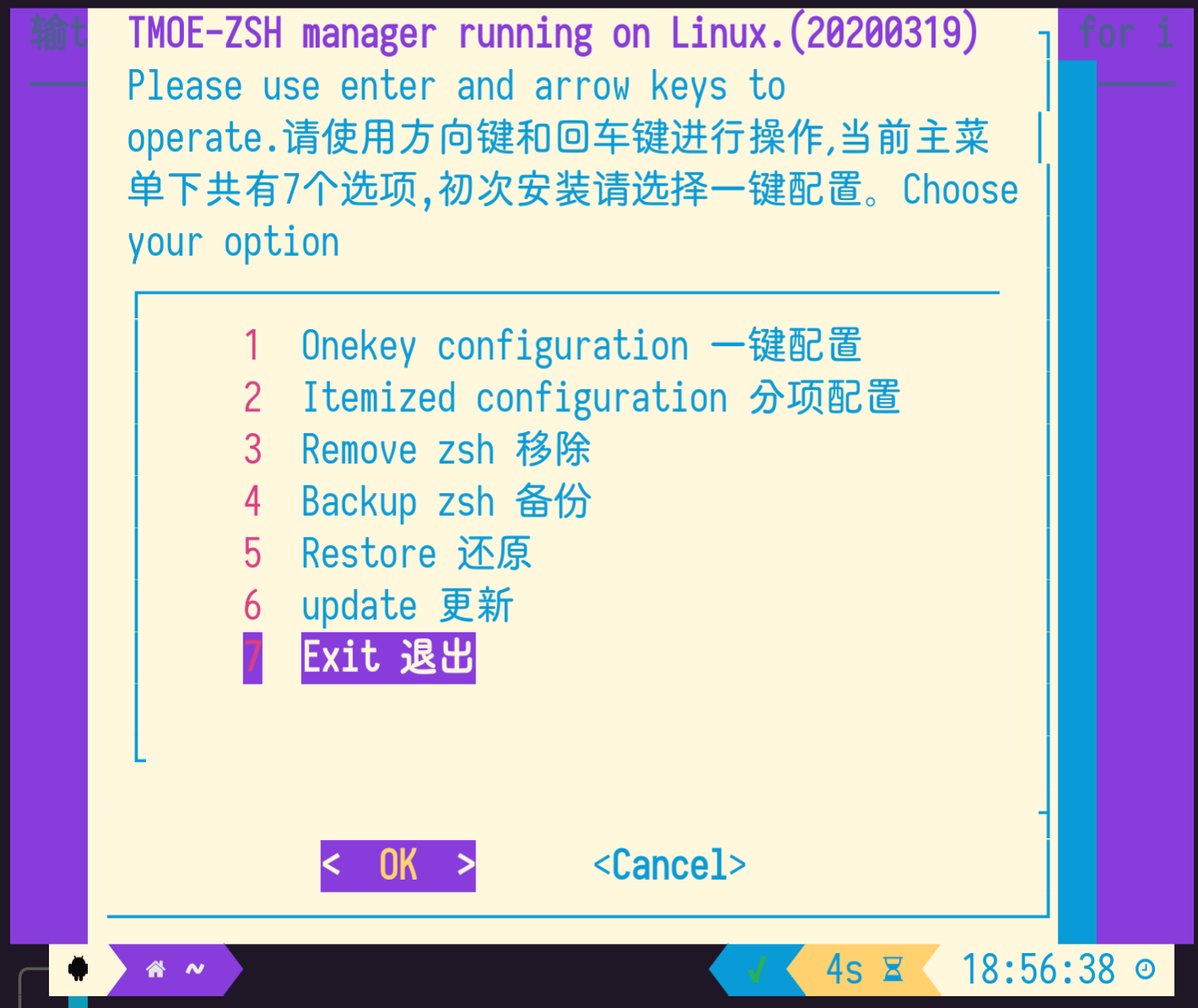

Based on zinit, use "Turbo Mode" to delay loading plugins.
2020-03-19 :
Support for more GNU/Linux distributions.
2020-03-24 :
Support Gentoo/Funtoo
2020-08-13: Support for managing 280+ plugins.
2020-09: Refactored code, not compatible with the old version. You can run the following commands to delete the old version.
ZSHRC_FILE="${HOME}/.zshrc"
TMOE_ZSH_GIT_DIR="${HOME}/.config/tmoe-zsh/git"
rm -rv "${TMOE_ZSH_GIT_DIR}" "$(command -v zsh-i)"
mv "${ZSHRC_FILE}" "${ZSHRC_FILE}_$(date +%Y%m%d).bak"
2. Installation
2-1.Install using script
1.Android-Termux
. <(curl -L l.tmoe.me/hub/zsh)
您如果居住在中国,那么可以使用 gitee 仓库。
bash -c "$(curl -L l.tmoe.me/ee/zsh)"
2.Debian/Ubuntu/Mint/Kali
If you are using a container, then install sudo and wget.
    apt update
    apt install -y sudo wget
bash -c "$(wget -qO- l.tmoe.me/hub/zsh)"
3.RedHat/Fedora/CentOS
    if ! grep -q 'Fedora' "/etc/os-release";then
        [[ -s "/etc/yum.repos.d/epel.repo" ]] || sudo yum install --skip-broken -y epel-release tar dnf
    fi
    [[ $(command -v curl) ]] || sudo dnf install -y curl
    bash -c "$(curl -L l.tmoe.me/hub/zsh)"
4.Arch/Manjaro
    [[ $(command -v curl) ]] || sudo pacman -Syu curl
    bash -c "$(curl -L l.tmoe.me/hub/zsh)"
5.~~OpenWRT/Entware~~
202009:No longer supports routers.
    opkg update
    opkg install libustream-openssl ca-bundle ca-certificates wget bash
    bash -c "$(wget --no-check-certificate -qO- l.tmoe.me/hub/zsh)"
6.Alpine/iOS-iSH
    apk add bash sudo wget
    wget -O /tmp/.tmoe-zsh l.tmoe.me/hub/zsh
    bash /tmp/.tmoe-zsh
7.Void
    sudo xbps-install -Sy wget
    bash -c "$(wget -qO- l.tmoe.me/hub/zsh)"
8.Gentoo/Funtoo
    emerge -avk net-misc/wget
    bash -c "$(wget -qO- l.tmoe.me/hub/zsh)"
9.OpenSUSE
    sudo zypper in curl
    bash -c "$(curl -L l.tmoe.me/hub/zsh)"
10.Solus
    sudo eopkg install wget
    bash -c "$(wget -qO- l.tmoe.me/hub/zsh)"
11.No other systems tested.
For example:GuixSD,etc.
You can refer to the environment file, and I think you can resolve dependencies yourself.
The relevant dependencies are zsh git pv wget tar xz newt(whiptail)
2-2.MANUALLY GIT CLONE
TMOE_ZSH_DIR="${HOME}/.config/tmoe-zsh"
TMOE_ZSH_GIT_DIR="${TMOE_ZSH_DIR}/git"
TMOE_ZSH_GIT_REPO='https://github.com/2moe/tmoe-zsh'
mkdir -p ${TMOE_ZSH_DIR}
git clone --depth=1 "${TMOE_ZSH_GIT_REPO}" "${TMOE_ZSH_GIT_DIR}"
bash ${TMOE_ZSH_GIT_DIR}/zsh.sh
2-3.MANUALLY CONFIGURE 手动配置
windows-terminal
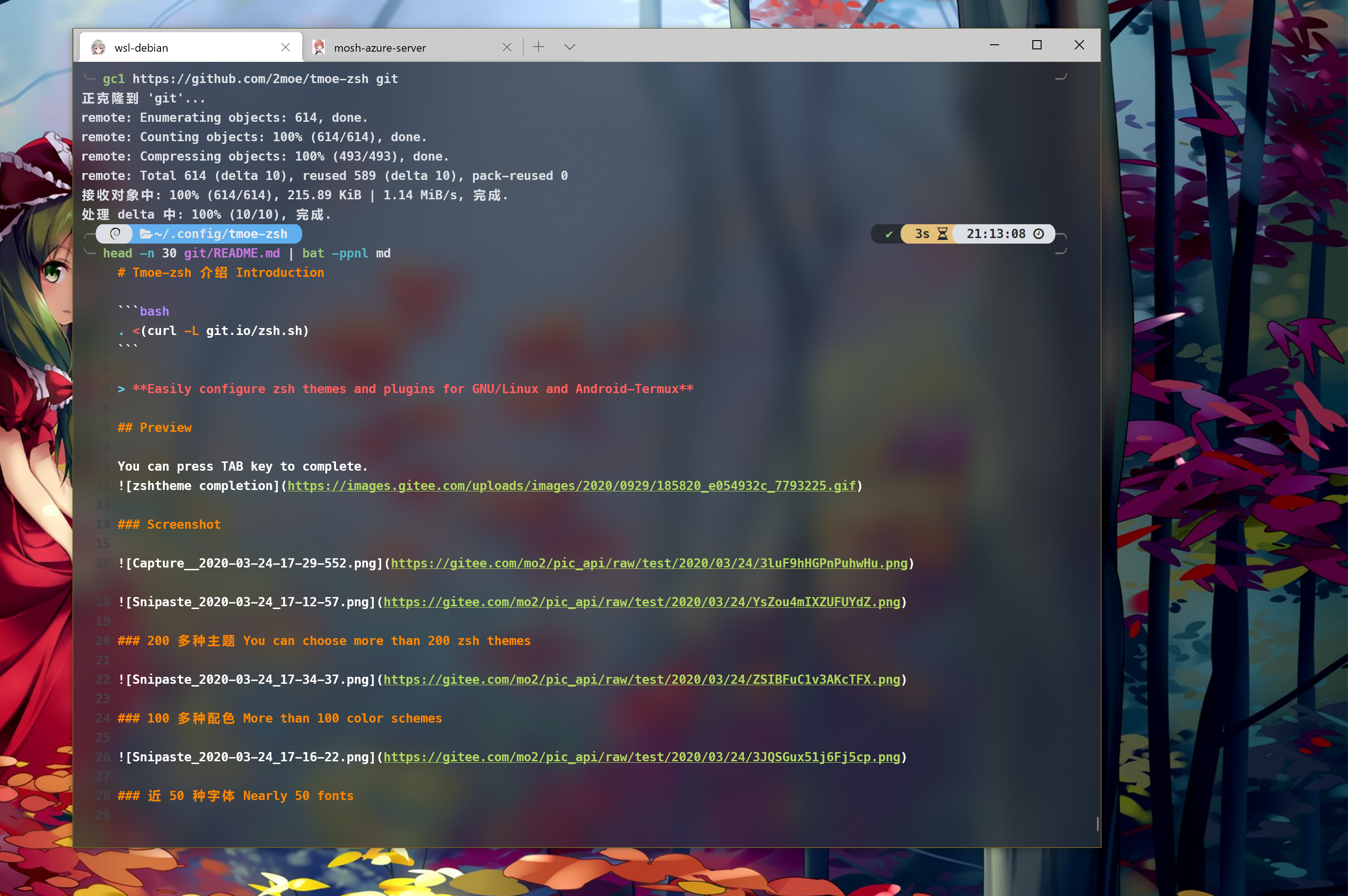
If you are using win10, then you can beautify windows-terminal.
Open this json file
And copy the contents of the "schemes" array to settings.json

3. INSTRUCTIONS
3-1.COMMANDS
Change theme:
zshtheme
You can use -h or --help parameter to get help information.
Change color scheme:
zshcolor
Change font:
zshfont
Start zsh manager:
zsh-i
3-2. NOTES of zshtheme

  COMMAND: zshtheme
  命令: zshtheme
  Description: This command can change the ZSH theme.
  描述: 此命令能修改ZSH主题。
  --------------
  -h      --help
  get-help-info 获取帮助信息
  --------------
  -n      --no-color
  In this mode, the theme list will have no color.
  若您安装了lolcat,则主题列表将输出五彩斑斓的颜色,而-n参数将禁用此模式。
  --------------
  -num    --number list. This is the default mode.
  If the parameter is empty, it will enter this mode.
  It is interactive, you need to type zshtheme or zshtheme -num to start this mode first, and then type the option number,finally press Enter key.
  序号列表模式。若参数为空,则将进入此模式。
  此模式为交互式操作,您可以先输zshtheme启动,接着输入数字序号。
  --------------
    部分主题需要联网下载。
    Some themes need to be downloaded.
    The following themes use git to clone their repo:
    以下主题使用git克隆整个仓库:
   powerlevel10k | pure | via | aphrodite | typewritten | abaykan | agkozak | agnosterzak | alien | alien-minimal | antsy | asciigit | avit-da2k | bender | blokkzh | bullet-train | bunnyruni | chi | chill | ciacho | classytouch | cordial | daivasmara | docker-zsh | drofloh | ducula | elessar | enlightenment | fishbone++ | fishy2 | funkyberlin | geometry | gitstatus | halil | haribo | hyper-oh-my-zsh | hyperzsh | igeek | igorsilva | imp | jovial | kimwz | kinda-fishy | lambda-mod | lambda-v | maza | minimal-improved | node | nodeys | nothing | nt9 | nuts | odin | omega | oxide | pi | punctual | rafiki-zsh | robbyrussell-wip | shayan | sm | sobole | spaceship-zsh | staples | theta | traditional-plus | vero | windows-cmd | zeroastro | zeta | zsh2000 | λpure

  以下主题使用了CDN进行下载加速:
  The following themes use jsdelivr CDN for download acceleration:
  color-input | color-input-line | dpoggi-newline-timestamp | gitster | imperator | intika | kayid | kmac | matte-black-yellow | matte-black-yellow-line | minimal2 | passion | retro-term | short

  以下主题托管于github gist,下载无加速:
  xxf | solus | schminitz | reggae | random-emoji | philthy | oh-wonder | hedgehog | hub | mcquen
  --------------
  NOTES of manual mode
  手动模式的说明
  You can type zshtheme $THEME_NAME to change the zsh theme.
  In the process of typing zsh, you can press TAB to complete.
  For example.01: If you type zshtheme agnosterzak,then zsh theme will be changed to agnosterzak.
  02:   zshtheme xiong-chiamiov-plus
  您可以输zshtheme $主题名称来修改主题。
  例如: 输入zshtheme powerlevel10k或者zshtheme p10k,将主题修改为powerlevel10k。
  --------------
  LIST OF ZSH THEMES:
3den , abaykan , adben , af-magic , afowler , agkozak , agnoster , agnosterzak , alanpeabody , alien , alien-minimal , amuse , antsy , aphrodite , apple , arrow , asciigit , aussiegeek , avit , avit-da2k , awesomepanda , bender , bira , blinks , blokkzh , bullet-train , bunnyruni , bureau , candy , candy-kingdom , chi , chill , ciacho , classytouch , clean , cloud , color-input , color-input-line , cordial , crcandy , crunch , cypher , daivasmara , dallas , darkblood , daveverwer , dieter , docker-zsh , dogenpunk , dpoggi , dpoggi-newline-timestamp , drofloh , dst , dstufft , ducula , duellj , eastwood , edvardm , elessar , emotty , enlightenment , essembeh , evan , fino , fino-time , fishbone++ , fishy , fishy2 , flazz , fletcherm , fox , frisk , frontcube , funky , funkyberlin , fwalch , gallifrey , gallois , garyblessington , gentoo , geoffgarside , geometry , gianu , gitstatus , gitster , gnzh , gozilla , half-life , halil , haribo , hedgehog , hub , humza , hyper-oh-my-zsh , hyperzsh , igeek , igorsilva , imajes , imp , imperator , intheloop , intika , itchy , jaischeema , jbergantine , jispwoso , jnrowe , jonathan , josh , jovial , jreese , jtriley , juanghurtado , junkfood , kafeitu , kardan , kayid , kennethreitz , kimwz , kinda-fishy , kiwi , kmac , kolo , kphoen , lambda , lambda-gitster , lambda-mod , lambda-v , linuxonly , lukerandall , macovsky , maran , matte-black-yellow , matte-black-yellow-line , maza , mcquen , mgutz , mh , michelebologna , mikeh , miloshadzic , minimal , minimal-improved , minimal2 , mira , mlh , mortalscumbag , mrtazz , murilasso , muse , nanotech , nebirhos , nicoulaj , node , nodeys , norm , nothing , nt9 , nuts , obraun , odin , oh-wonder , omega , oxide , passion , peepcode , philips , philthy , pi , pmcgee , powerlevel10k , punctual , pure , pygmalion , pygmalion-virtualenv , rafiki-zsh , random-emoji , re5et , refined , reggae , retro-term , rgm , risto , rixius , rkj , rkj-repos , robbyrussell , robbyrussell-wip , sammy , schminitz , shayan , short , simonoff , simple , skaro , sm , smt , sobole , Soliah , solus , sonicradish , sorin , spaceship-zsh , sporty_256 , staples , steeef , strug , sunaku , sunrise , superjarin , suvash , takashiyoshida , terminalparty , theta , theunraveler , tjkirch , tjkirch_mod , tonotdo , traditional-plus , trapd00r , typewritten , vero , via , wedisagree , wezm , wezm+ , windows-cmd , wuffers , xiong-chiamiov , xiong-chiamiov-plus , xxf , ys , zeroastro , zeta , zhann , zsh2000 , λpure
3-3. NOTES of zshcolor

  COMMAND: zshcolor
  命令: zshcolor
  Description: This command can change the terminal colo
Related Skills
node-connect
342.0kDiagnose OpenClaw node connection and pairing failures for Android, iOS, and macOS companion apps
frontend-design
84.7kCreate distinctive, production-grade frontend interfaces with high design quality. Use this skill when the user asks to build web components, pages, or applications. Generates creative, polished code that avoids generic AI aesthetics.
openai-whisper-api
342.0kTranscribe audio via OpenAI Audio Transcriptions API (Whisper).
commit-push-pr
84.7kCommit, push, and open a PR
