
NotificationMan
Firing Scheduled Notifications
Install / Use
/learn @10zgurr/NotificationManQuality Score
Category
Development & EngineeringSupported Platforms
Tags
README
NotificationMan 
This library's superpower is firing scheduled local notifications. Even the app is killed.</br></br> Implementation:</br></br>
<b>Groovy .gradle:</b>
Add it in your root build.gradle at the end of repositories: </br>
<pre>allprojects { repositories { ... maven { url 'https://jitpack.io' } } }</pre>Add it in the your app dependencies: </br>
<pre>dependencies { ... implementation 'com.github.theozgurr:NotificationMan:1.0.8' }</pre> </br><b>Kotlin .gradle.kts:</b>
Add it in your root build.gradle.kts at the end of repositories: </br>
<pre>allprojects { repositories { ... maven(url = "https://jitpack.io") } }</pre>Add it in the your app dependencies: </br>
<pre>dependencies { ... implementation("com.github.theozgurr:NotificationMan:1.0.8") }</pre> </br>Usage:</br>
<pre>NotificationMan .Builder(context = this, classPathWillBeOpen = "com.notification.man.MainActivity") // the activity's path that you want to open when the notification is clicked .setTitle(title = "test title") // optional .setDescription(desc = "test desc") // optional .setThumbnailUrl(thumbnailUrl = "image url") // optional .setTimeInterval(timeInterval = 10L) // needs secs - default is 5 secs .setNotificationType(type = NotificationTypes.IMAGE.type) // optional - default type is TEXT .setNotificationChannelConfig(config = createNotificationManChannelConfig()) // optional .fire()</pre>Canceling the latest added worker in the queue:</br>
<pre>NotificationMan .coolDownLatestFire(context)</pre>Canceling all workers:</br>
<pre>NotificationMan .coolDownAllFires(context)</pre>You can also set your custom notification channel configuration. This is optional to set:</br>
<pre>NotificationManChannelConfig .Builder() .setChannelId(id = "notification-man-channel") .setChannelName(name = "custom-channel-name") .setImportanceLevel(level = NotificationImportanceLevel.HIGH) .setShowBadge(shouldShow = true) .build()</pre><b>One important note, with Android13, make sure that your app has the post notification permission to have functionality of the app. You can check requesting the permission here.</b>
App is in the foreground:</br>
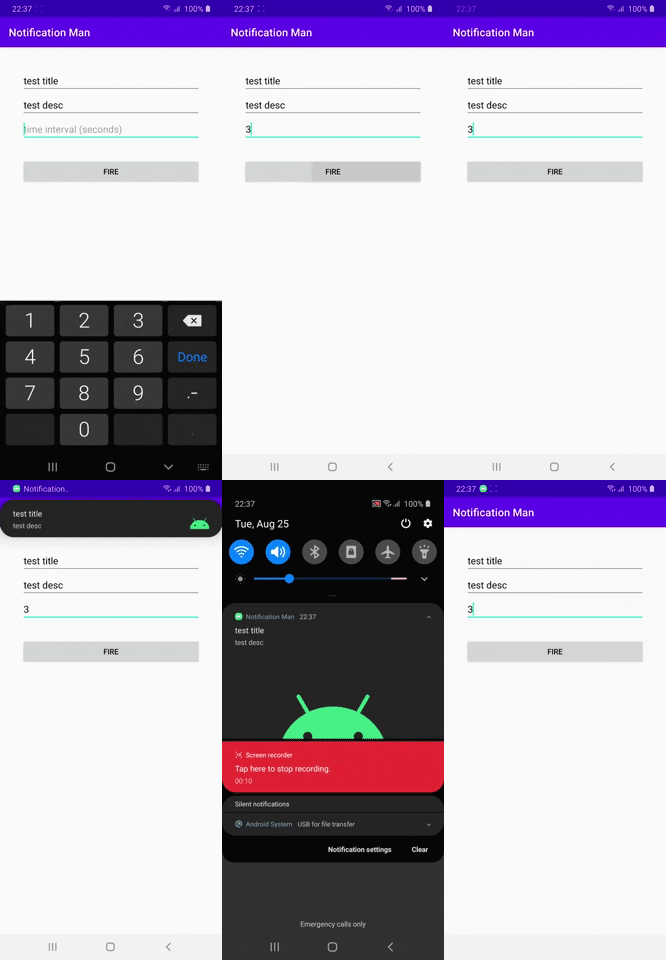 </br>
</br>
Exit the app:</br>
</br>
</br>
Exit the app:</br>
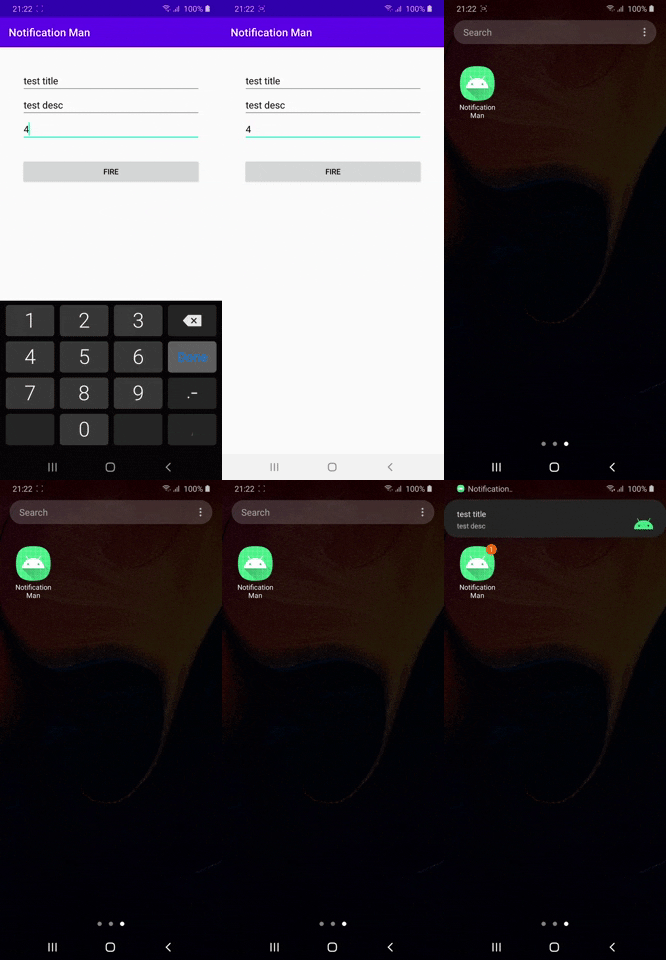 </br>
</br>
App is in the background:</br>
</br>
</br>
App is in the background:</br>
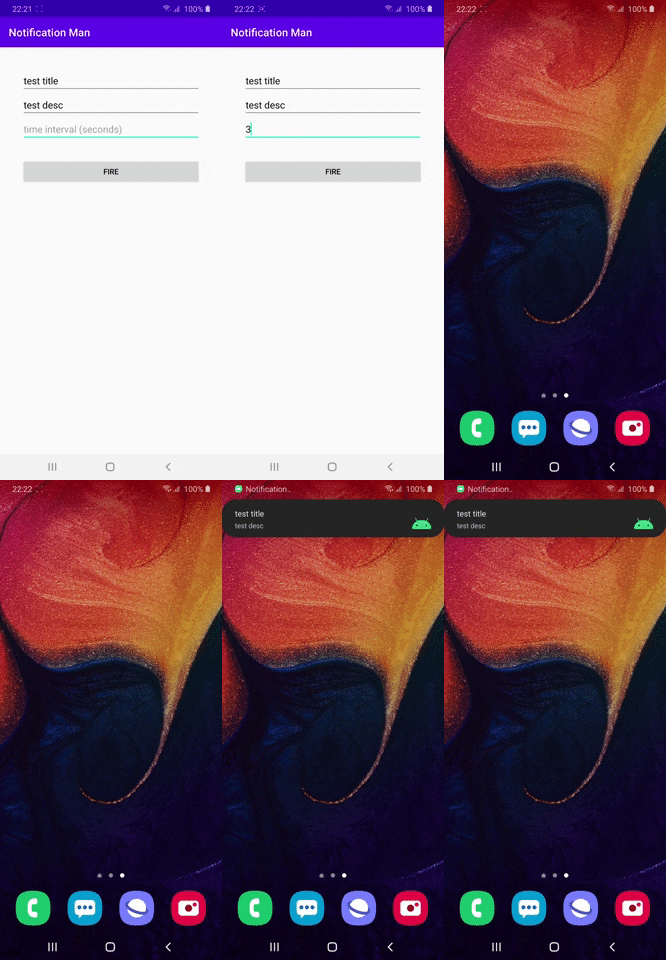 </br>
</br>
App is killed:</br>
</br>
</br>
App is killed:</br>
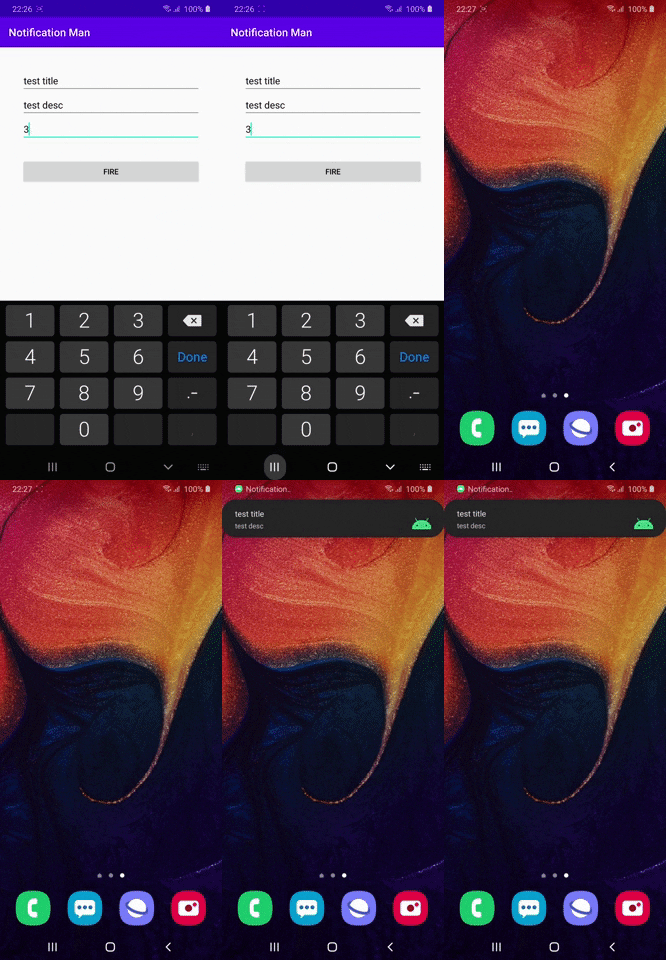 </br>
</br>
</br>
</br>
Related Skills
node-connect
338.0kDiagnose OpenClaw node connection and pairing failures for Android, iOS, and macOS companion apps
frontend-design
83.4kCreate distinctive, production-grade frontend interfaces with high design quality. Use this skill when the user asks to build web components, pages, or applications. Generates creative, polished code that avoids generic AI aesthetics.
openai-whisper-api
338.0kTranscribe audio via OpenAI Audio Transcriptions API (Whisper).
commit-push-pr
83.4kCommit, push, and open a PR
