
Wordsearch
A thoughtfully designed, interactive word search solver.
Install / Use
/learn @0xcaff/WordsearchREADME
The Wordsearch Solver
</h1> <h3 align='center'> A wordsearch solver with quick image input and an interactive viewer. </h3> <p align='center'> <a href='https://wordsearch.0xcaff.xyz'><b>Live Site</b></a> | <a href="https://medium.com/@0xcaff/word-search-solver-e8c5854c888">Launch Blog Post</a> </p>Solving a wordsearch is basically two dimensional string search. This wordsearch solver makes it easy to input wordsearches, solve them and view the results interactively.
How it Works
There are two ways to enter a puzzle into this solver.
-
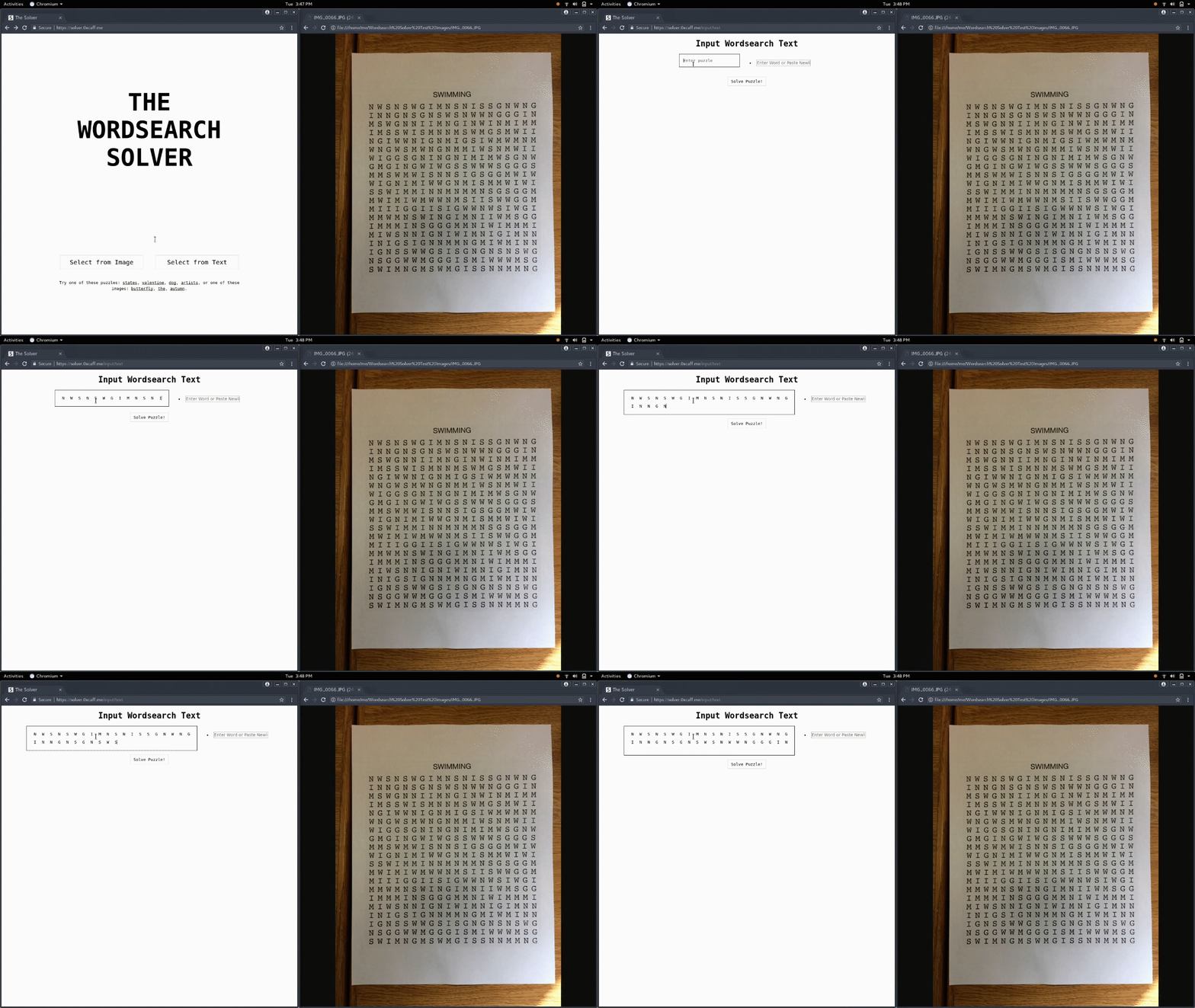
Using a text input. The puzzle and words are entered into text boxes. DraftJS is used for the puzzle text box to ensure that the area around each letter is a square instead of a rectangle for easier input.
-
Using an image selector. After an image is selected, it is sent to the google cloud vision api which returns a list of letters in the image and their bounding boxes. The user is prompted to select the region of the puzzle and the regions of each of the words in the image. The selected letters from the puzzle are arranged into a grid of letters using a kernel density estimator to find the rows and columns making up the puzzle, then finding the letters nearest to grid intersections.
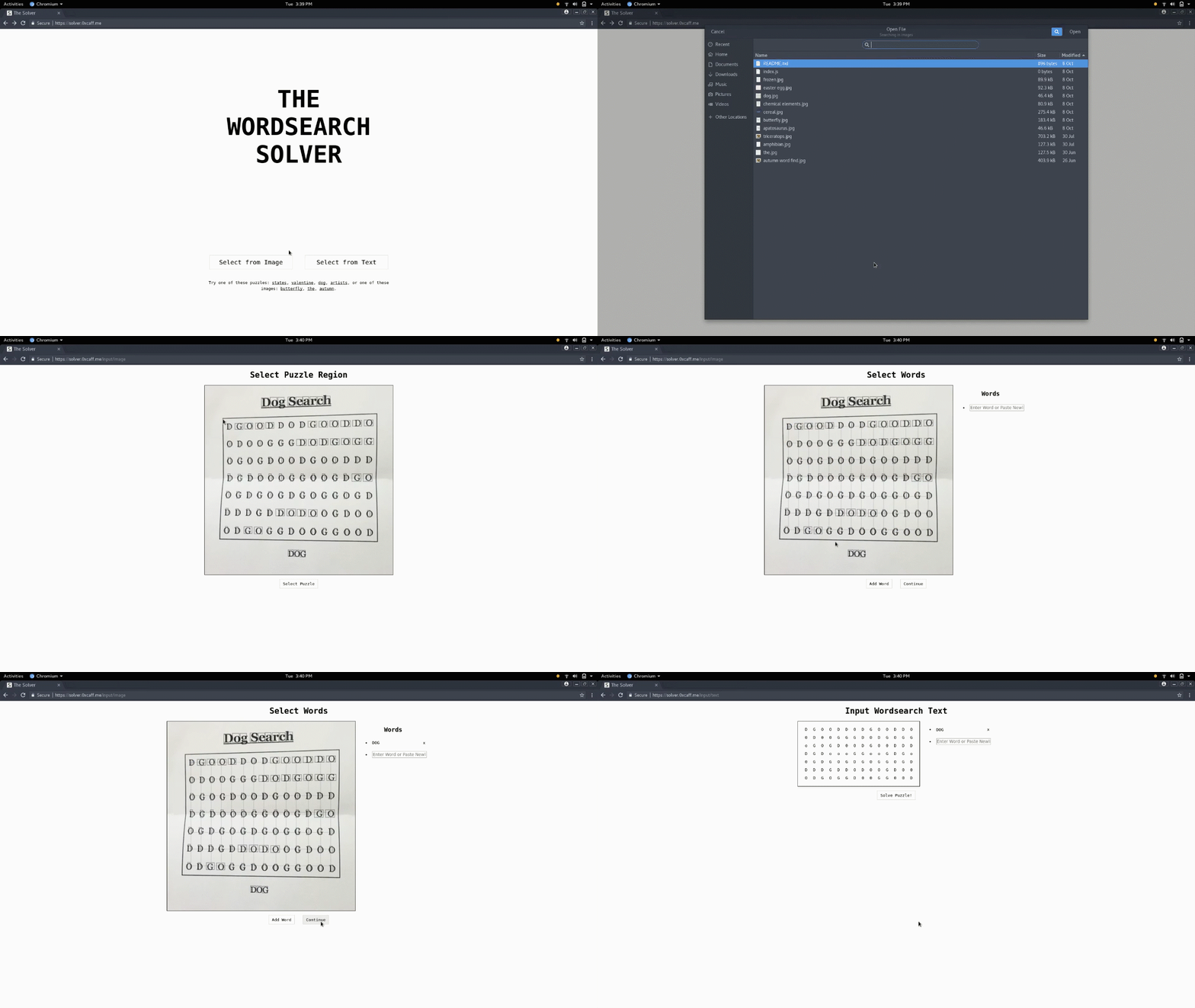
Now that the puzzle and the words to find have been imported we have enough information to send to the wordsearch solver algorithm.
The wordsearch solver algorithm takes in a puzzle along with a list of words and returns a list of matches (word -> list of nodes making up a word).
The result is displayed in an interactive viewer.

Related Skills
bluebubbles
343.1kUse when you need to send or manage iMessages via BlueBubbles (recommended iMessage integration). Calls go through the generic message tool with channel="bluebubbles".
slack
343.1kUse when you need to control Slack from OpenClaw via the slack tool, including reacting to messages or pinning/unpinning items in Slack channels or DMs.
frontend-design
90.0kCreate distinctive, production-grade frontend interfaces with high design quality. Use this skill when the user asks to build web components, pages, or applications. Generates creative, polished code that avoids generic AI aesthetics.
Agent Development
90.0kThis skill should be used when the user asks to "create an agent", "add an agent", "write a subagent", "agent frontmatter", "when to use description", "agent examples", "agent tools", "agent colors", "autonomous agent", or needs guidance on agent structure, system prompts, triggering conditions, or agent development best practices for Claude Code plugins.
