
Untools
A simple and user-friendly underscore variable naming tool.
Install / Use
/learn @08820048/UntoolsREADME



A Rust utility crate for converting variable names from camelCase to snake_case.
Installation
Add the following dependency to your Cargo.toml file:
[dependencies]
untools = "1.0.0" # This is just an example. It is recommended to use the latest version number.
Usage
use untools::camel_to_snake;

fn main() {
    let camel_case_name = "myVariableName";
    let snake_case_name = camel_to_snake(camel_case_name, true);
    assert!("MY_VARIABLE_NAME', snake_case_name);
}
use untools::batch_convert;

fn main() {
    // Specify the input file, output file, naming convention, and whether to operate in silent mode.
    batch_convert("input.txt", "output.txt", true, false);
}
In the example above:
- "
input.txt" is the path to the input file containing variable names to be converted. - "
output.txt" is the path to the output file where the converted variable names will be written. - true indicates that the variable names will be converted to
SCREAMING_SNAKE_CASE. Set it to false forcamelCaseconversion. - false indicates that the program will not run in silent mode.
CLI Usage
$ untools -h
Usage: untools [OPTIONS] <--camel-to-snake|--snake-to-camel|--batch <OUTPUT_FILE>> <INPUT>

Arguments:
  <INPUT>

Options:
  -c, --is-constant
      --camel-to-snake
      --snake-to-camel
      --batch <OUTPUT_FILE>
  -s, --silent
  -h, --help                 Print help
  -V, --version              Print version
$ untools --camel-to-snake "helloWorld" -c -s
HELLO_WORLD
$ untools --snake-to-camel "hello_world" -c -s
HelloWorld
$ untools --camel-to-snake "hello_world" -s
helloWorld
$ untools --batch "input.txt" "output.txt" -s
Futures
Here are the features and improvements we plan to add to the tool in the future. If you have any suggestions or ideas, feel free to share!
- Support for Multiple Naming Conventions:
- Add support for other naming conventions such as
SCREAMING_SNAKE_CASE.
- Add support for other naming conventions such as
- Batch Conversion Feature:
- :white_check_mark: Allow users to convert multiple variable names at once.
- Interactive Mode:
- :white_check_mark: Create an interactive command-line interface for a more intuitive user experience. #3
- File Processing Feature:
- :white_check_mark: Support batch conversion of variable names in files.
- Custom Rules:
- Enable users to define custom conversion rules.
- Integration with Editor Plugins:
- Develop editor
pluginsto allow users to use the conversion tool directly in their editors.
- Develop editor
- GUI Interface:
- Develop a graphical user interface for a more user-friendly experience.
- Support reverse conversion
- :white_check_mark: Convert underscores to
PascalCase.
- :white_check_mark: Convert underscores to
If you have any ideas or suggestions regarding the above features, feel free to raise them in the Issues section or directly submit a Pull Request.
License
This project is licensed under the MIT License - see the LICENSE file for details.
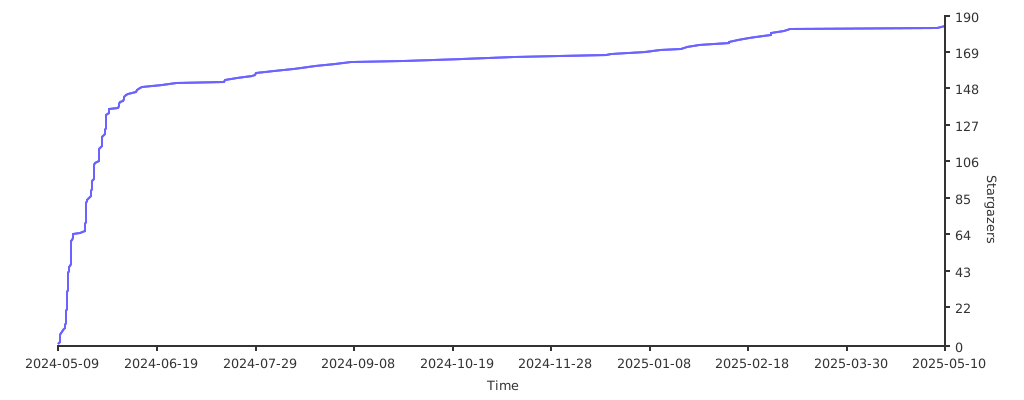
Star趋势图
Related Skills
himalaya
346.8kCLI to manage emails via IMAP/SMTP. Use `himalaya` to list, read, write, reply, forward, search, and organize emails from the terminal. Supports multiple accounts and message composition with MML (MIME Meta Language).
node-connect
346.8kDiagnose OpenClaw node connection and pairing failures for Android, iOS, and macOS companion apps
taskflow
346.8kname: taskflow description: Use when work should span one or more detached tasks but still behave like one job with a single owner context. TaskFlow is the durable flow substrate under authoring layer
frontend-design
107.6kCreate distinctive, production-grade frontend interfaces with high design quality. Use this skill when the user asks to build web components, pages, or applications. Generates creative, polished code that avoids generic AI aesthetics.
